> ## Documentation Index
> Fetch the complete documentation index at: https://help.kajabi.com/llms.txt
> Use this file to discover all available pages before exploring further.
# Reactivate a Kajabi account
> Reactivate a cancelled or parked Kajabi account and restore full access to site content.
If your Kajabi account is already cancelled, you can **reactivate** your account and restore full access to your site and content.
## Reactivate an account
1. [**Log in**](https://app.kajabi.com/login) to your Kajabi account using the email address associated with your account.
2. **Navigate to the Reactivation page.** Click the provided button to access the reactivation process or select **Restore my account** from your dashboard options.
3. On the **Choose your plan** screen, select a plan that fits your needs.
4. Follow the instructions to update or confirm your payment method, ensuring all details are accurate.
5. Click **Reactivate** to restore full access to your Kajabi account.
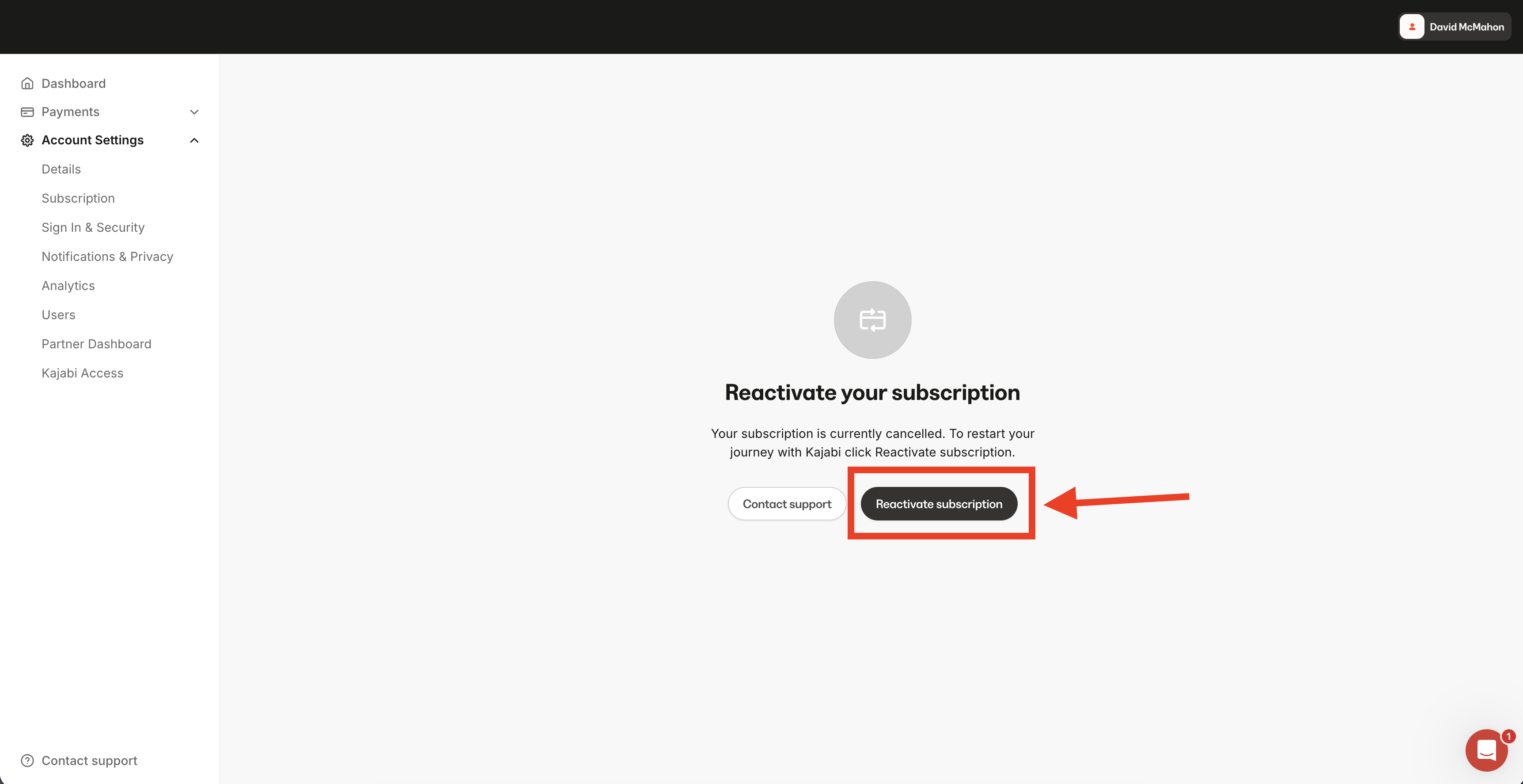 **Note:** Your account and site will automatically resume functionality once payment is successful. Your website will go live immediately after reactivation.
If you encounter access issues, try logging in with a different browser or verifying your login credentials.
## Restore full functionality after reactivation
To restore full functionality after reactivation:
* **Access your site:** Your site will be accessible via your Kajabi-provided domain (e.g., \[SITENAME].mykajabi.com) until your custom domain is reconnected.
* **Reconnect your custom domain:** Go to your Kajabi domain settings and follow the steps to reconnect your custom domain. Update the DNS settings with your domain provider to point the domain to your Kajabi site.
* **Email services:** If your email services are tied to your custom domain, reconnecting the domain will restore email functionality.
**Important:** If you are reactivating from a Parked Plan, you will not retain legacy pricing and must choose from the [current available plans](https://www.kajabi.com/pricing). Reach out to [our support team](/articles/resources/support/how-to-contact-kajabi-support) for assistance.
## FAQs
### Need help signing in?
Learn how to [reset your password](/articles/account-settings/my-kajabi/how-to-update-your-password) or your [two-factor authentication](/articles/account-settings/my-kajabi/protect-your-account-with-two-factor-authentication-2fa#h_04efce7eb4). If you still need help, [contact our support team](/articles/resources/support/how-to-contact-kajabi-support).
**Note:** Your account and site will automatically resume functionality once payment is successful. Your website will go live immediately after reactivation.
If you encounter access issues, try logging in with a different browser or verifying your login credentials.
## Restore full functionality after reactivation
To restore full functionality after reactivation:
* **Access your site:** Your site will be accessible via your Kajabi-provided domain (e.g., \[SITENAME].mykajabi.com) until your custom domain is reconnected.
* **Reconnect your custom domain:** Go to your Kajabi domain settings and follow the steps to reconnect your custom domain. Update the DNS settings with your domain provider to point the domain to your Kajabi site.
* **Email services:** If your email services are tied to your custom domain, reconnecting the domain will restore email functionality.
**Important:** If you are reactivating from a Parked Plan, you will not retain legacy pricing and must choose from the [current available plans](https://www.kajabi.com/pricing). Reach out to [our support team](/articles/resources/support/how-to-contact-kajabi-support) for assistance.
## FAQs
### Need help signing in?
Learn how to [reset your password](/articles/account-settings/my-kajabi/how-to-update-your-password) or your [two-factor authentication](/articles/account-settings/my-kajabi/protect-your-account-with-two-factor-authentication-2fa#h_04efce7eb4). If you still need help, [contact our support team](/articles/resources/support/how-to-contact-kajabi-support).