> ## Documentation Index
> Fetch the complete documentation index at: https://help.kajabi.com/llms.txt
> Use this file to discover all available pages before exploring further.
# View Kajabi invoices
> Access upcoming Kajabi subscription billing details and past invoice history
Track upcoming Kajabi subscription payments, the next billing date, the amount due, and view a list of past invoices in your **Subscription & Billing** settings.
## **View upcoming and past invoices**
1. From the Dashboard, click **Settings**.
2. Under **Account Settings**, click **Subscription & Billing**.
3. Click on the [**Billing**](https://app.kajabi.com/admin/settings/subscriptions?tab=billing) tab.
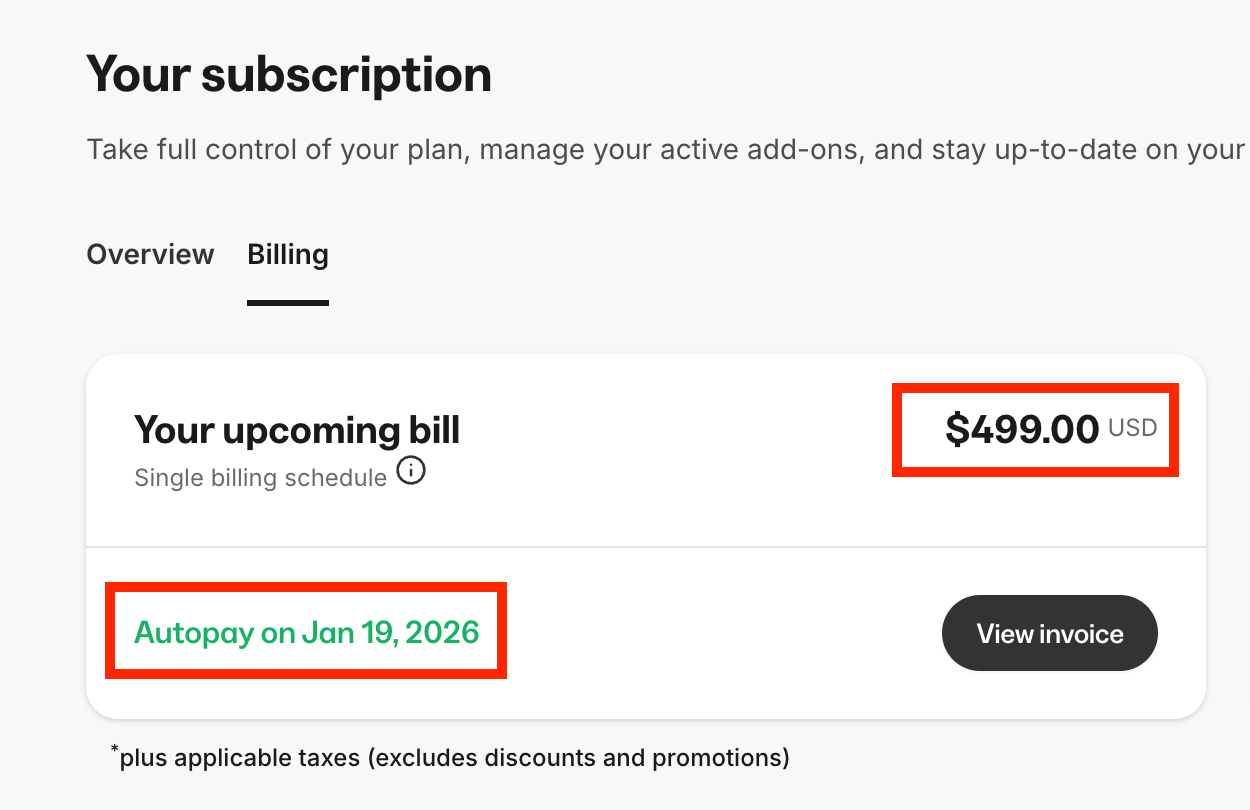
4. Under **Your upcoming bill**, your next billing date and amount is displayed. Click **View invoice** to open your upcoming invoice:
 5. Under **Invoices**, you'll see a list your past Kajabi subscription invoices. Click **View** to open the invoice in a new window, and save the page to your device if needed:
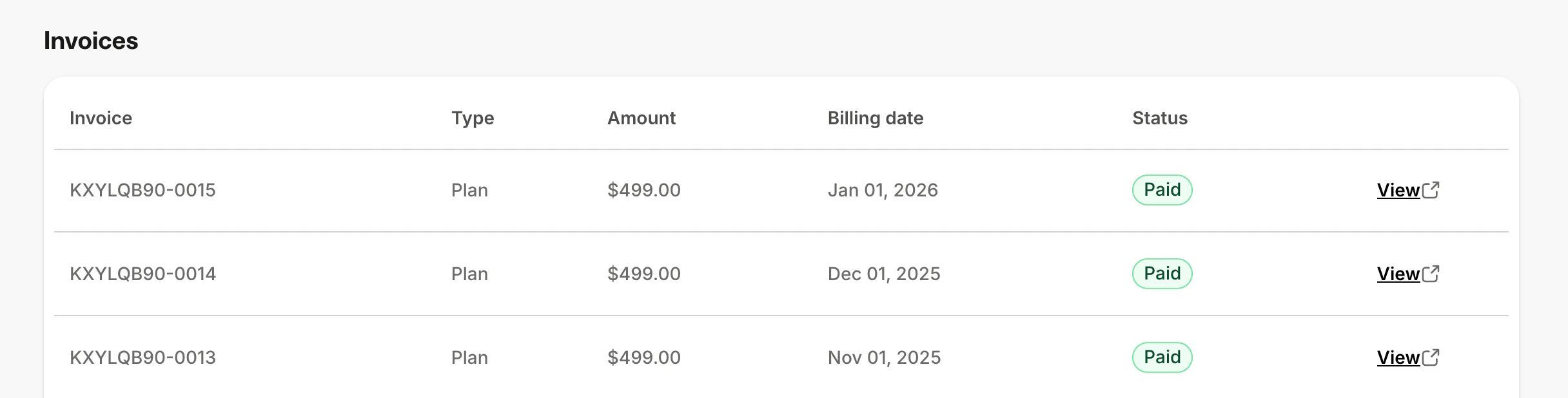 **Note:** The Billing tab displays your 10 most recent invoices. If you need access to older invoices, please [contact our support team](https://help.kajabi.com/articles/resources/support/how-to-contact-kajabi-support).