> ## Documentation Index
> Fetch the complete documentation index at: https://help.kajabi.com/llms.txt
> Use this file to discover all available pages before exploring further.
# Customer Welcome Email Template
> The Customer Welcome Email Template uses a magic link for streamlined onboarding.
The **Customer Welcome Email Template** creates a streamlined onboarding experience for your customers.
The Customer Welcome Email is sent when you grant an Offer to a customer for the first time. This email notifies your customer of their granted Offer and invites them to finish setting up their account by creating their login credentials.
Previously, the Customer Welcome Email required your customer to copy and paste their temporary account password to access their account. However, copying and pasting a password to a login page feels clunky and confusing and can lead to customers never seeing the email due to spam boxing.
To help reduce support volume and administrative headaches, the plain text login credentials have been replaced with a magic link for your customers to create their own password.
Now, instead of a temporary password your customers have to copy and paste, there is a link included in the email that leads your customers to create their own password:
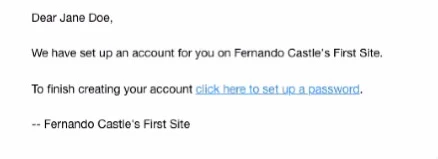 Your customers will experience a cleaner, faster sign-up experience, and these emails will reach inboxes at a higher rate — allowing your audience to engage with your site easier than ever.
If you have made any customizations to your site's Customer Welcome Email Template prior to this update, your customizations will remain with no change to the email. If you wish to update your email version to maximize your inbox rate, you can restore your email template to the default email template. This will restore the default and update your email template to include the magic link to set up their password.
## Restore the default email template
1. Open the **Settings** tab at the bottom left-hand corner of your Dashboard.
2. Then, select **Email Templates** from your Site Settings.
3. Locate the **Member Welcome Email**.
4. Select the **pencil** icon next to the email template to access the text editor of the email template.
5. Then, click **Remove Customization**.
Your customers will experience a cleaner, faster sign-up experience, and these emails will reach inboxes at a higher rate — allowing your audience to engage with your site easier than ever.
If you have made any customizations to your site's Customer Welcome Email Template prior to this update, your customizations will remain with no change to the email. If you wish to update your email version to maximize your inbox rate, you can restore your email template to the default email template. This will restore the default and update your email template to include the magic link to set up their password.
## Restore the default email template
1. Open the **Settings** tab at the bottom left-hand corner of your Dashboard.
2. Then, select **Email Templates** from your Site Settings.
3. Locate the **Member Welcome Email**.
4. Select the **pencil** icon next to the email template to access the text editor of the email template.
5. Then, click **Remove Customization**.
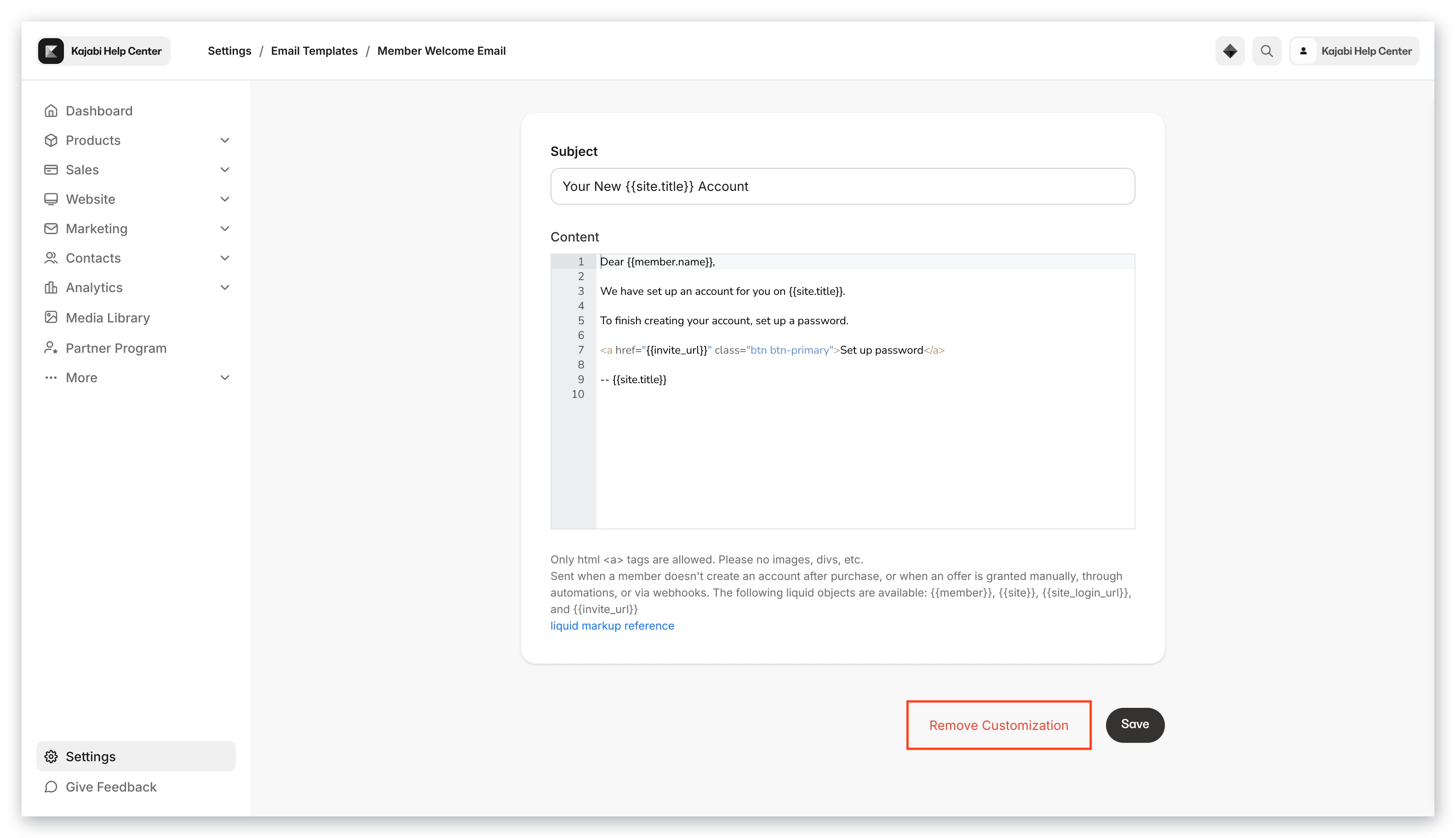 This will reset your email with the default template.