> ## Documentation Index
> Fetch the complete documentation index at: https://help.kajabi.com/llms.txt
> Use this file to discover all available pages before exploring further.
# Update email notifications
> Manage email notification preferences for marketing, security, payments, and data exports.
Manage the **email notifications** you receive from Kajabi, including marketing, account security, customer payments, and data export alerts.
Looking for the email notifications sent to your customers and contacts? [Learn about the email templates sent by your site](/articles/account-settings/notifications/edit-automated-email-notifications).
## Configure email notifications
1. Open the **Settings** tab from your Dashboard.
2. Select **Notifications & Privacy** from your **Account Settings**.
3. Update your **email notifications**.
4. Remember to click **Save** to keep your changes.
### Marketing emails
Kajabi sends marketing emails to share information about features, swag rewards for reaching a Hero tier, promotions, and updates about Kajabi.
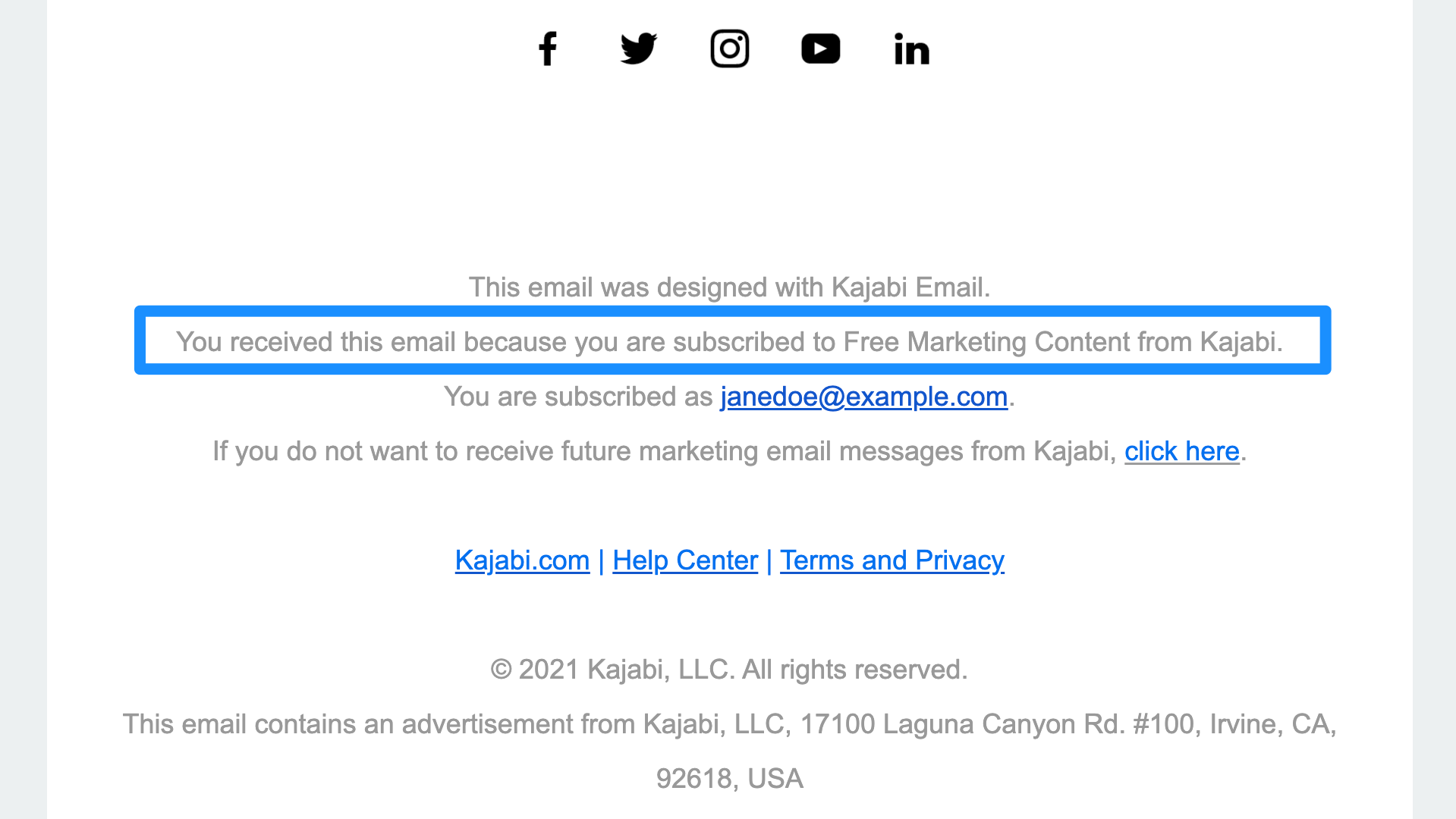
You can find out if an email you received from us is a marketing email by scrolling down to the bottom of the email you received and locating the text, "You received this email because you are subscribed to Free Marketing Content from Kajabi." If you see this text, then it is a Kajabi marketing email.
 If you wish to subscribe to or unsubscribe from Kajabi marketing emails, you can do so through your Notifications & Privacy settings.
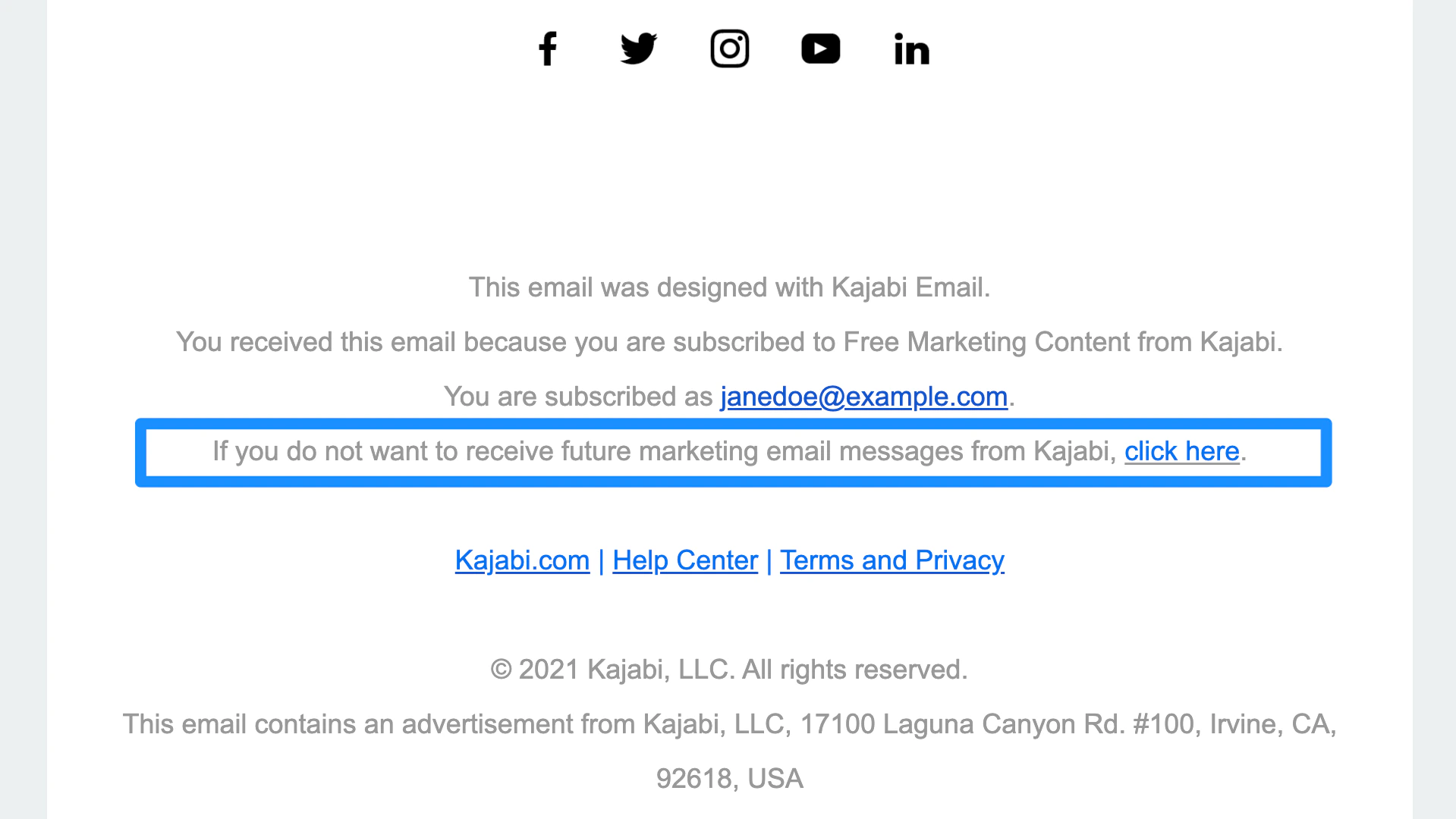
You may also unsubscribe from Kajabi marketing emails from the bottom of a marketing email. Scroll to the bottom of the email you received and locate the text, "If you do not want to receive future marketing email messages from Kajabi, click here."
If you wish to subscribe to or unsubscribe from Kajabi marketing emails, you can do so through your Notifications & Privacy settings.
You may also unsubscribe from Kajabi marketing emails from the bottom of a marketing email. Scroll to the bottom of the email you received and locate the text, "If you do not want to receive future marketing email messages from Kajabi, click here."
 ### Account & security
Subscribe to **Account & security** emails to receive important updates about your Kajabi account, such as password reset emails and setting up.
### Account & security
Subscribe to **Account & security** emails to receive important updates about your Kajabi account, such as password reset emails and setting up.
 ### Comments & posts
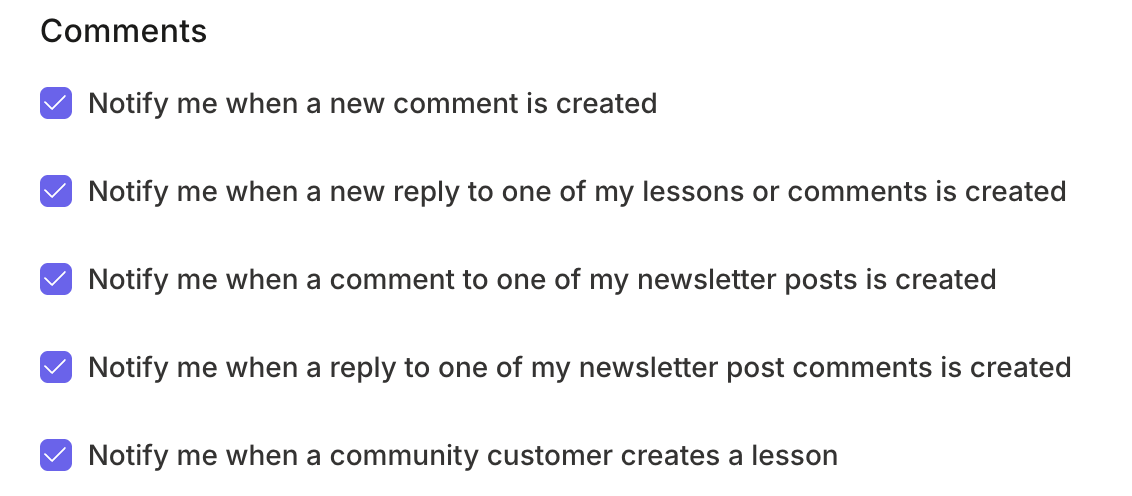
Receive notifications when:
* A new comment is created
* A new reply to your post or comment is created
* A community customer creates a post
### Comments & posts
Receive notifications when:
* A new comment is created
* A new reply to your post or comment is created
* A community customer creates a post
 ### Customer subscription & payments
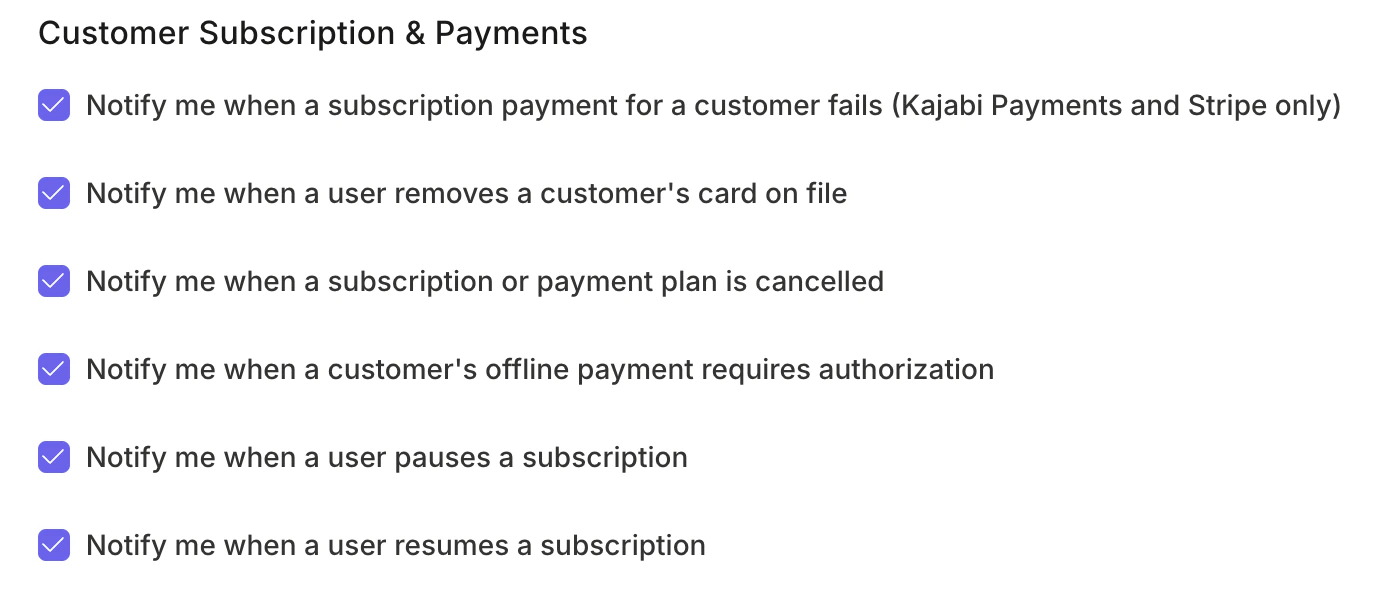
Receive email notifications when:
* A subscription payment for a customer fails
* A customer removes their card on file
* A customer cancels a subscription
* A customer's offline payment requires authorization
### Customer subscription & payments
Receive email notifications when:
* A subscription payment for a customer fails
* A customer removes their card on file
* A customer cancels a subscription
* A customer's offline payment requires authorization
 Customers are prompted to update their payment details automatically via email in case of failure, and subsequent retry attempts are specified. The site owner is also informed of the failure reason and retry date.
### Kajabi Payments
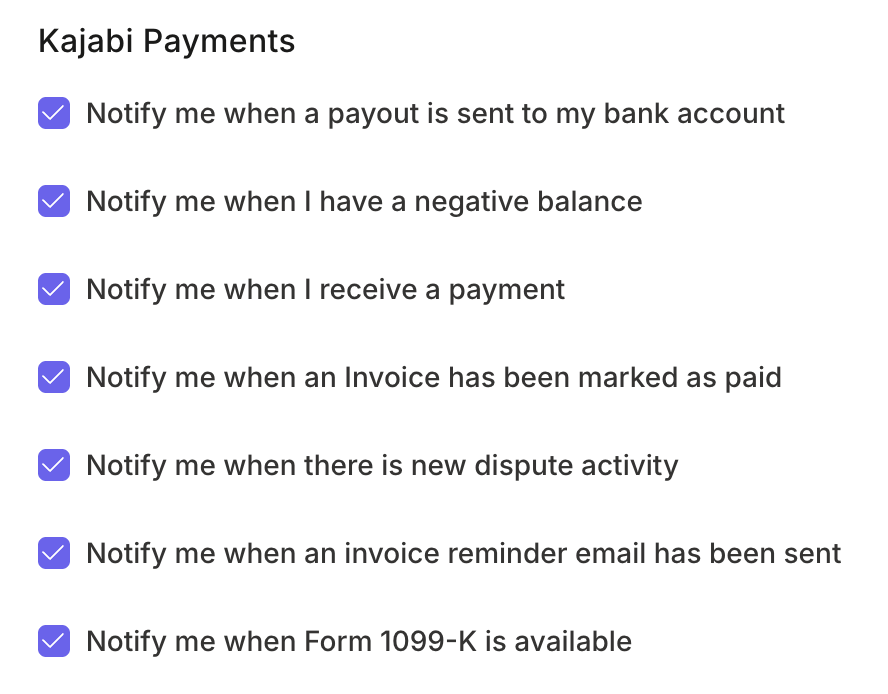
Receive email notifications when:
* A payout is sent to your bank account
* You have a negative balance
* You receive a payment
* An invoice has been marked as paid
* There is new dispute activity
* An [invoice reminder email](/articles/sales/kajabi-payments/invoicing-with-kajabi-payments) has been sent
* A 1099-K form is available
Customers are prompted to update their payment details automatically via email in case of failure, and subsequent retry attempts are specified. The site owner is also informed of the failure reason and retry date.
### Kajabi Payments
Receive email notifications when:
* A payout is sent to your bank account
* You have a negative balance
* You receive a payment
* An invoice has been marked as paid
* There is new dispute activity
* An [invoice reminder email](/articles/sales/kajabi-payments/invoicing-with-kajabi-payments) has been sent
* A 1099-K form is available
 Such events also notify site owners about updated payment statuses or disputes, which can be customized in the email templates under **Email Settings**.
### Data export
If you enable **Data export** notifiers, every time data from one of the reports listed below is exported, you, as the owner of the account, will receive a notification:
**Payments:**
* [Transactions page](/articles/sales/offers/the-payments-page-overview)
* [Subscriptions](/articles/sales/offers/the-payments-page-overview)
* [Multi-payments](/articles/sales/offers/the-payments-page-overview)
* [Offer Purchases](/articles/sales/offers/how-to-export-purchase-reports-for-individual-offers)
If you want to receive notifications when an Offer is purchased or a Form is submitted, [learn how to set after purchase settings to notify your team after an Offer is purchased](/articles/sales/offers/how-to-include-additional-settings-for-your-offer), or [learn how to set after submission settings to notify your team after a Form is submitted](/articles/marketing/forms/how-to-use-the-after-submission-settings-in-forms).
**Analytics:**
* [Net revenue](/articles/analytics/report-net-revenue)
* [Subscription Metrics](/articles/analytics/report-subscription-metrics)
* [Opt-ins](/articles/analytics/report-opt-ins)
* [Page Views](/articles/analytics/report-page-views)
* [Product Progress](/articles/analytics/report-product-progress)
* [Offers Sold](/articles/analytics/report-offers-sold)
* [Affiliates](/articles/sales/affiliates/affiliates-overview)
### Creator Studio
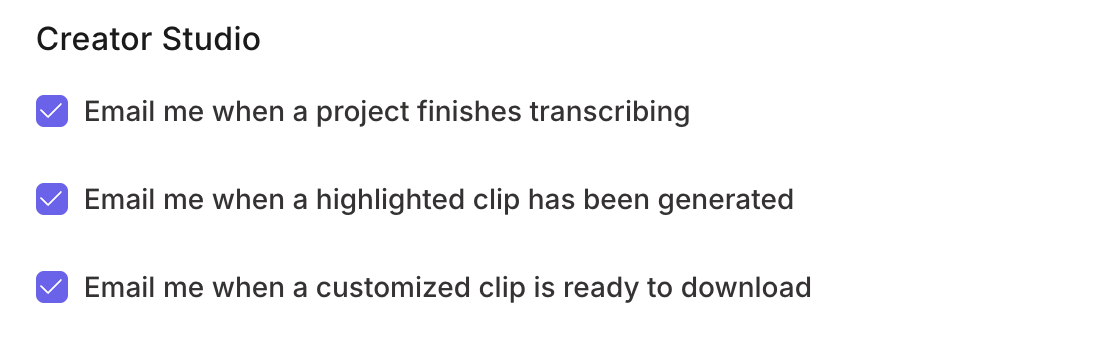
Receive an email notification when:
* A project finishes transcribing
* A highlighted clip has been generated
* A customized clip is ready to download
[Learn more about Creator Studio](/articles/marketing/creator-studio/creator-studio).
Such events also notify site owners about updated payment statuses or disputes, which can be customized in the email templates under **Email Settings**.
### Data export
If you enable **Data export** notifiers, every time data from one of the reports listed below is exported, you, as the owner of the account, will receive a notification:
**Payments:**
* [Transactions page](/articles/sales/offers/the-payments-page-overview)
* [Subscriptions](/articles/sales/offers/the-payments-page-overview)
* [Multi-payments](/articles/sales/offers/the-payments-page-overview)
* [Offer Purchases](/articles/sales/offers/how-to-export-purchase-reports-for-individual-offers)
If you want to receive notifications when an Offer is purchased or a Form is submitted, [learn how to set after purchase settings to notify your team after an Offer is purchased](/articles/sales/offers/how-to-include-additional-settings-for-your-offer), or [learn how to set after submission settings to notify your team after a Form is submitted](/articles/marketing/forms/how-to-use-the-after-submission-settings-in-forms).
**Analytics:**
* [Net revenue](/articles/analytics/report-net-revenue)
* [Subscription Metrics](/articles/analytics/report-subscription-metrics)
* [Opt-ins](/articles/analytics/report-opt-ins)
* [Page Views](/articles/analytics/report-page-views)
* [Product Progress](/articles/analytics/report-product-progress)
* [Offers Sold](/articles/analytics/report-offers-sold)
* [Affiliates](/articles/sales/affiliates/affiliates-overview)
### Creator Studio
Receive an email notification when:
* A project finishes transcribing
* A highlighted clip has been generated
* A customized clip is ready to download
[Learn more about Creator Studio](/articles/marketing/creator-studio/creator-studio).
 ### Cofounder
Receive an email notification when Cofounder has a new suggestion
### Cofounder
Receive an email notification when Cofounder has a new suggestion
 ## Send renewal reminders
**Automations**
Set up an email automation to send reminders before subscription renewals. Adjust timing and content to maintain consistency.
**Email Broadcasts**
Use manual broadcast features for personalized communication with a specific subscriber group.
**Note:** Keep in mind that there may be other types of email notifications that are sent, but the emails listed above are the most common.
**Important:** It is important not to mark notification emails as spam in your email provider (e.g., Gmail, Outlook.com, etc.). This will result in you not receiving future notifications from Kajabi, including password reset emails. If you are having trouble receiving notification emails, [please contact support](/articles/resources/support/how-to-contact-kajabi-support).
## Send renewal reminders
**Automations**
Set up an email automation to send reminders before subscription renewals. Adjust timing and content to maintain consistency.
**Email Broadcasts**
Use manual broadcast features for personalized communication with a specific subscriber group.
**Note:** Keep in mind that there may be other types of email notifications that are sent, but the emails listed above are the most common.
**Important:** It is important not to mark notification emails as spam in your email provider (e.g., Gmail, Outlook.com, etc.). This will result in you not receiving future notifications from Kajabi, including password reset emails. If you are having trouble receiving notification emails, [please contact support](/articles/resources/support/how-to-contact-kajabi-support).