> ## Documentation Index
> Fetch the complete documentation index at: https://help.kajabi.com/llms.txt
> Use this file to discover all available pages before exploring further.
# Report: Page views
> Track page views and unique page views across your site.
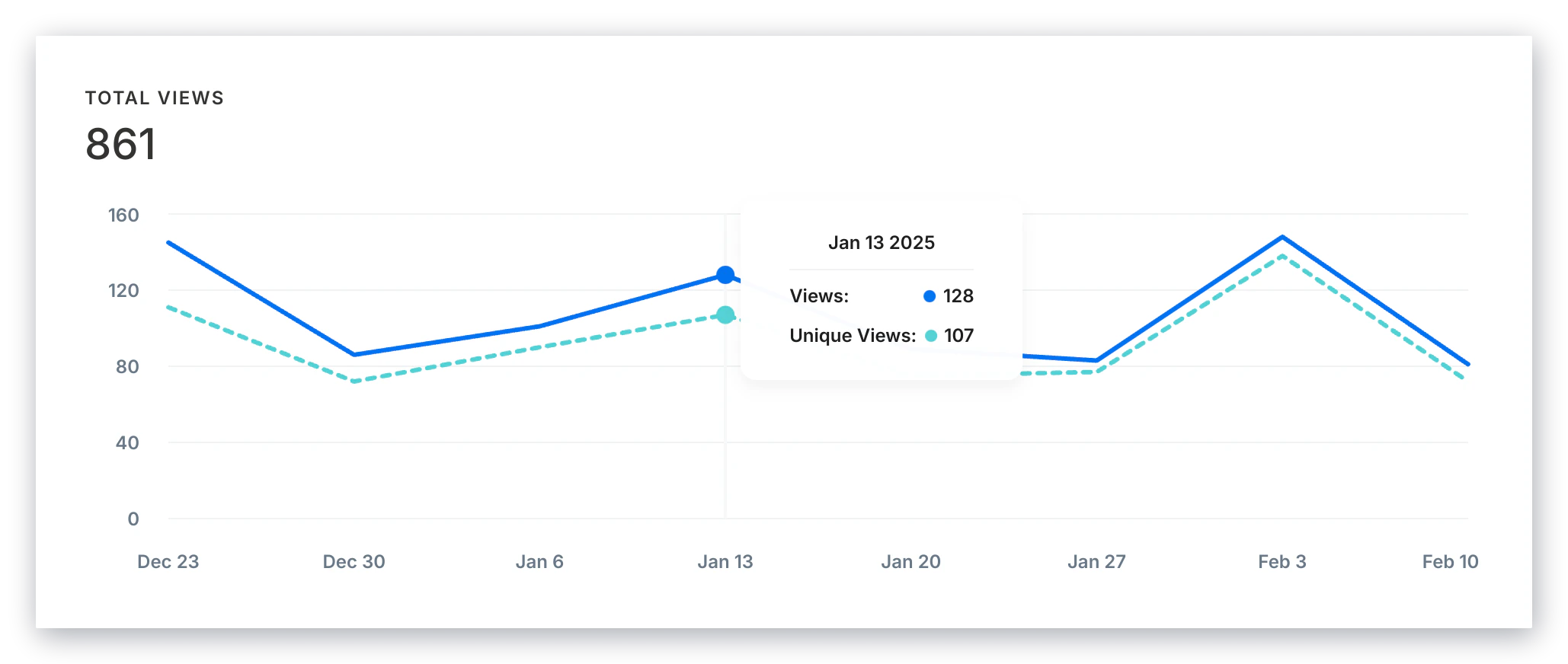
The **Page Views** report tracks how many times pages on your site are visited. Use it to identify your most popular pages and understand traffic patterns.
## View page view reports
1. Open the **Analytics** tab from your Dashboard
2. Click **View** in the Page Views card
**Tip:**
Use the filters in the right sidebar to filter your results by a specific page.
## Page views vs. unique page views
A **Page View** represents each time a user visits a page.
This means that a single user loading the same page 5 times in a single session will generate 5 page views.
**Note:**
Your Page View report allows you to review your views by Landing pages, Website pages, and Offers.
**Unique Page Views** represent a total of page views generated by a user during the same session.
This means that if the same user loads a page 5 times in a given session, it's only calculated as 1 unique page view.
This is why page views will always outnumber unique page views.
 ## Export the page views report
Export your Page Views Report to share, file, and record the page views from your site.
### Export page views
1. Open the **Analytics** tab from your Dashboard
2. Click **Page Views**
3. Located toward the top of the page, click **Export**
## Export the page views report
Export your Page Views Report to share, file, and record the page views from your site.
### Export page views
1. Open the **Analytics** tab from your Dashboard
2. Click **Page Views**
3. Located toward the top of the page, click **Export**
**Note:**
Exporting your Page Views Report will notify the owner of the Kajabi account if the owner has selected to receive notifications data is exported from their account. [Learn to update email notification settings](/articles/account-settings/notifications/update-email-notifications).
## Exported data
The following data is exported with the Page Views report:
* Start Date
* View Count
* Unique View Count