> ## Documentation Index
> Fetch the complete documentation index at: https://help.kajabi.com/llms.txt
> Use this file to discover all available pages before exploring further.
# Report: Payments by offer
> Track gross revenue and quantity of payments by offer to identify top performers.
## Overview
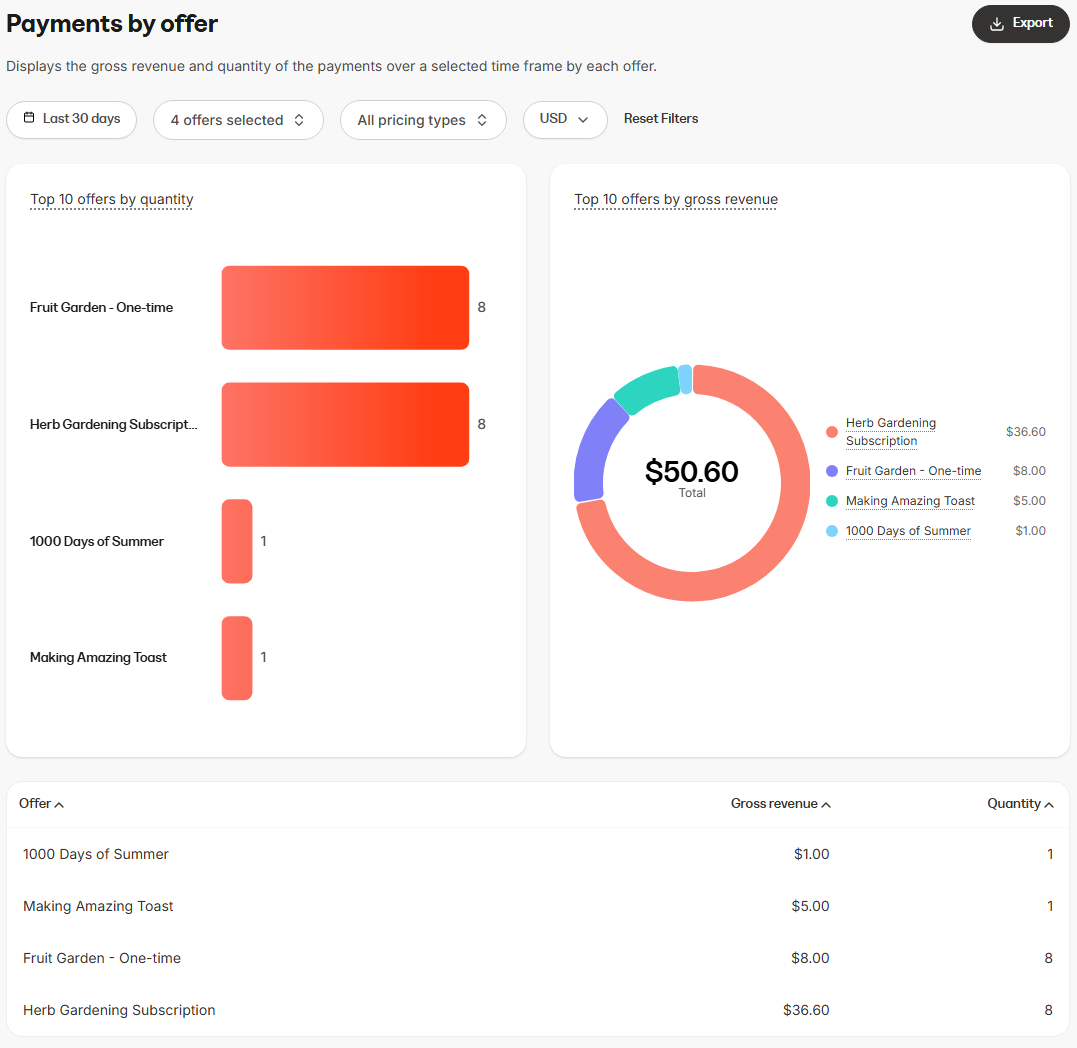
The **Payments by Offer** report displays the gross revenue and quantity of the payments over a selected time frame by each offer.
This report is most useful for:
* Identifying which offers generate the most revenue
* Comparing performance across different offers
* Tracking both the quantity of purchases and associated gross revenue for each offer
## Data presented in this report
 ### Visual charts
* **Top 10 Offers by Quantity (bar chart)**: Displays the ten most-purchased offers based on quantity
* **Top 10 Offers by Gross Revenue (donut chart)**: Displays the ten offers generating the highest gross revenue
### Data table
* **Offer name**: The specific offer purchased
* **Gross revenue**: The total gross revenue generated by that offer
* **Quantity**: The number of purchases for that offer
## How to use this report
You can customize the data displayed in the report using several controls.
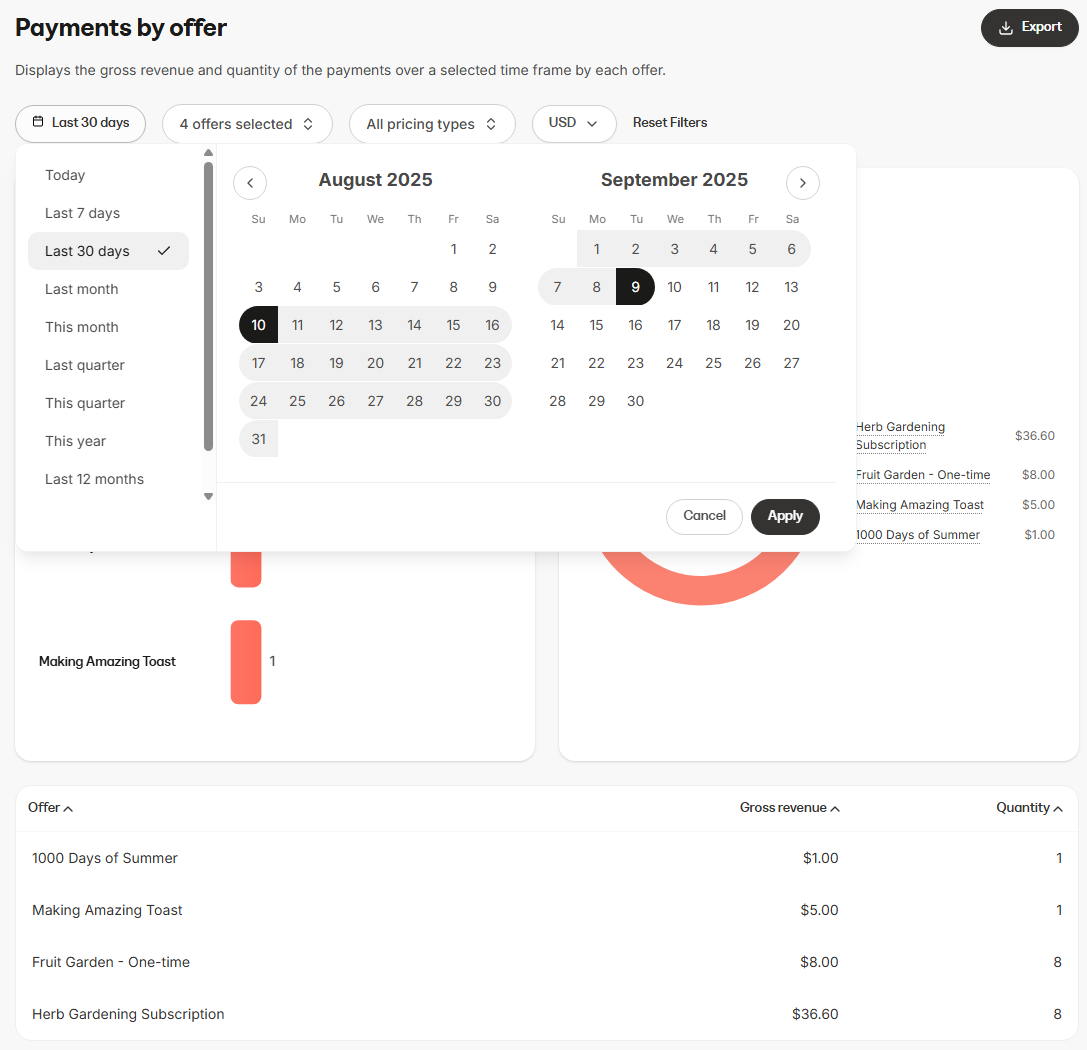
* **Time range**: Filter payments by period (e.g., last 7 days, last 30 days, custom date range)
* **Offer selection**: Choose whether to view data for all, multiple offers, or a specific offer
* **Pricing type filter**: Select one or more pricing types to view (e.g., one-time, subscription, payment plan, pay what you want)
* **Currency selector**: View stats in your preferred currency
### Visual charts
* **Top 10 Offers by Quantity (bar chart)**: Displays the ten most-purchased offers based on quantity
* **Top 10 Offers by Gross Revenue (donut chart)**: Displays the ten offers generating the highest gross revenue
### Data table
* **Offer name**: The specific offer purchased
* **Gross revenue**: The total gross revenue generated by that offer
* **Quantity**: The number of purchases for that offer
## How to use this report
You can customize the data displayed in the report using several controls.
* **Time range**: Filter payments by period (e.g., last 7 days, last 30 days, custom date range)
* **Offer selection**: Choose whether to view data for all, multiple offers, or a specific offer
* **Pricing type filter**: Select one or more pricing types to view (e.g., one-time, subscription, payment plan, pay what you want)
* **Currency selector**: View stats in your preferred currency
 ## Export information
When you export the **Payments by Offer** report, the resulting file will include the same columns and reflect any filters you have applied. This ensures the data in the export matches what is displayed in the report:
* Offer name
* Gross revenue
* Currency
* Quantity
## Export information
When you export the **Payments by Offer** report, the resulting file will include the same columns and reflect any filters you have applied. This ensures the data in the export matches what is displayed in the report:
* Offer name
* Gross revenue
* Currency
* Quantity