> ## Documentation Index
> Fetch the complete documentation index at: https://help.kajabi.com/llms.txt
> Use this file to discover all available pages before exploring further.
# Use AWeber with Kajabi
> Send Kajabi form submissions to your AWeber list.
**AWeber** is an email marketing service provider that helps you keep in touch with your mailing list subscribers. You can integrate AWeber with Kajabi to have Kajabi form submissions added to your AWeber list.
## Activate the AWeber integration
To activate your AWeber integration:
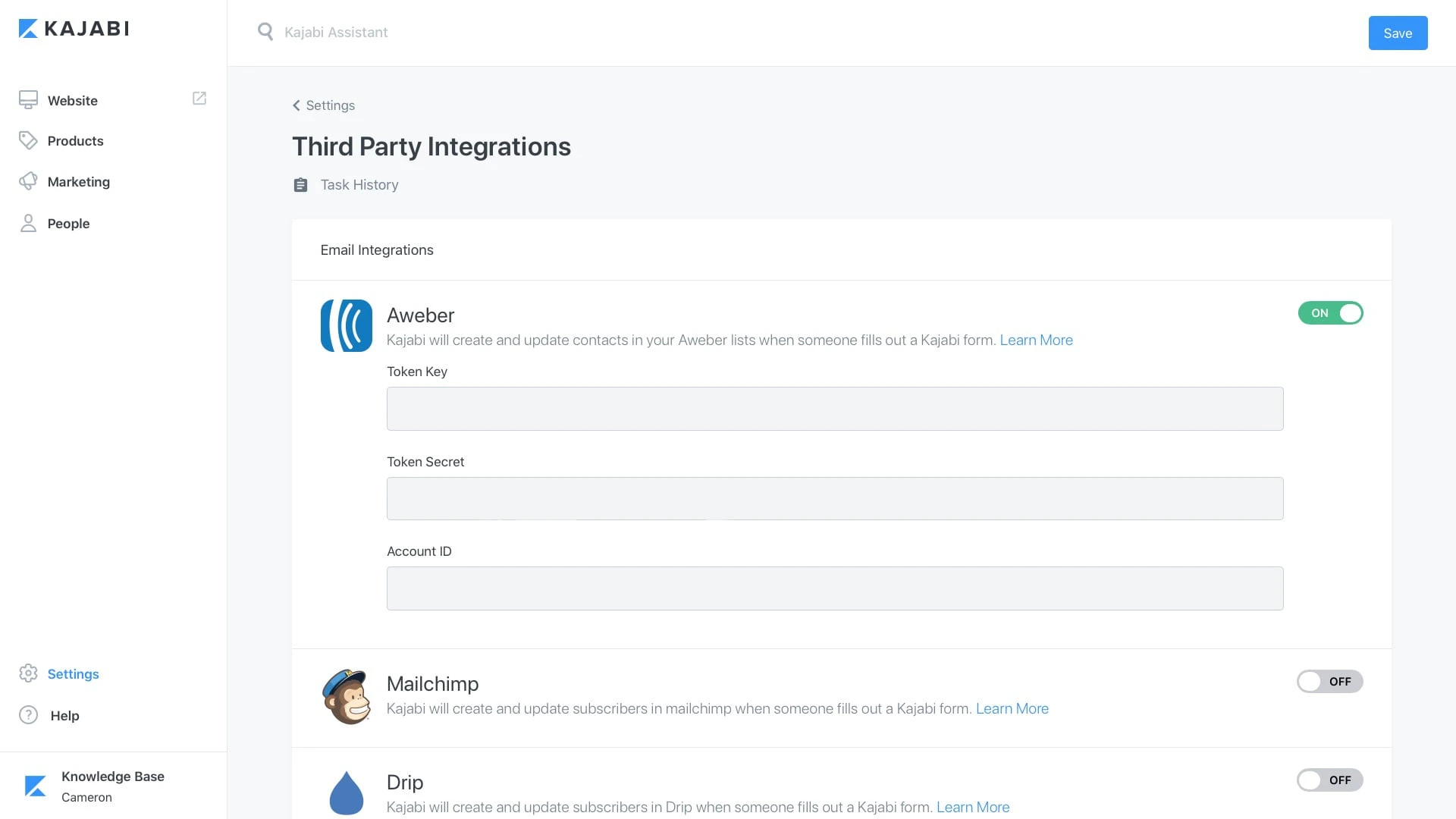
* From the dashboard, open the **Settings** tab.
* Select **Third Party Integrations**.
* Click the **Connect** button and sign in to your AWeber account in order to allow Kajabi to access your AWeber account.
After allowing Kajabi to access your AWeber account, you will be redirected back to the Integrations page with three fields visible under your AWeber integration.
The tokens created here won't need to be used later, this just lets you know your account is properly linked to Kajabi.
 ## Create a list in AWeber
Next, log in to AWeber to create a List to use with the integration:
* Click **List Options** in the left-hand menu.
* Copy the **List ID**:
## Create a list in AWeber
Next, log in to AWeber to create a List to use with the integration:
* Click **List Options** in the left-hand menu.
* Copy the **List ID**:
## Add the List ID to a Kajabi Form
In your Kajabi admin:
* Create a new **Form** or edit an existing one.
* Check the box next to "**Send the contact to a third party email provider**".
* Select **AWeber**.
* Paste the **List-ID**.
Click **Save** at the bottom of the page. Submissions through that Kajabi Form will be added to your **List** in AWeber.