> ## Documentation Index
> Fetch the complete documentation index at: https://help.kajabi.com/llms.txt
> Use this file to discover all available pages before exploring further.
# Connect PayPal to Kajabi
> Connect a PayPal account to Kajabi to accept payments securely.
**PayPal** is a service that enables you to pay and accept payments. PayPal uses data encryption and anti-fraud technology to help keep your information secure, reducing the risk of online fraud.
**Tip:**
Interested in using an all-in-one payment solution with exclusive features designed specifically for the Kajabi platform instead? Check out [Kajabi Payments](../../sales/kajabi-payments/kajabi-payments-overview).
## Connect PayPal to Kajabi
### Connect PayPal to Kajabi
* Open the **Settings** tab from your Dashboard.
* Click **Integrations & Webhooks** in Site Settings.
* Locate the **Third-party payment method** section
* Then, click **Connect** next to PayPal to begin the connection process:
After completing the connection, you will receive a confirmation email. However, if there is a problem with the connection, you will see a notification about the issue with your connection on the Payment Integration page.
Repeat the process to integrate PayPal into your Kajabi account if your connection is unsuccessful.
## PayPal receipts
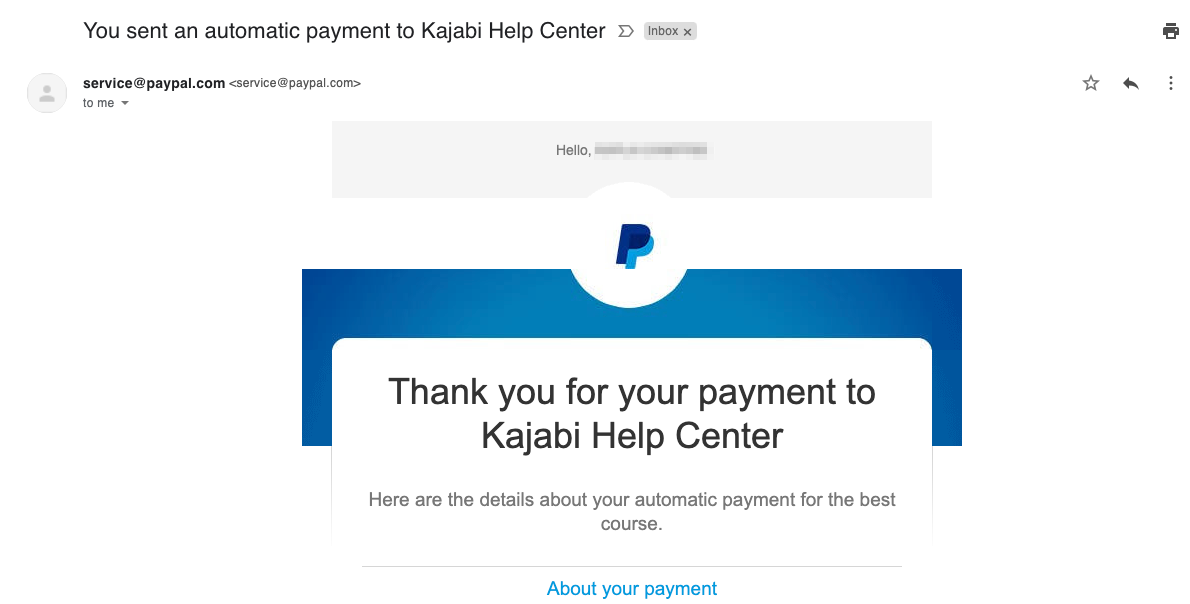
When a Member purchases an Offer with a PayPal account, they will automatically receive a digital receipt in the email inbox associated with their PayPal account or the email address used when checking out as a guest with PayPal:
 ## Connect a different PayPal account
Connected the wrong account, or do you need to change the PayPal account connected to Kajabi?
Detach your PayPal account from Kajabi to connect a different account. [Learn more](./detach-stripe-and-paypal-from-kajabi)
## Connect a different PayPal account
Connected the wrong account, or do you need to change the PayPal account connected to Kajabi?
Detach your PayPal account from Kajabi to connect a different account. [Learn more](./detach-stripe-and-paypal-from-kajabi)