> ## Documentation Index
> Fetch the complete documentation index at: https://help.kajabi.com/llms.txt
> Use this file to discover all available pages before exploring further.
# Upgrade a PayPal account
> Upgrade your PayPal account to continue accepting payments and receive better support from the Kajabi team.
Upgrading your **PayPal** account ensures you can continue accepting payments without interruption. The latest version of PayPal provides improved payment processing, better support from the Kajabi team for troubleshooting, and enhanced security and reliability.
## Why do I need to upgrade my PayPal account?
The latest version of PayPal will help improve your experience of accepting payments through PayPal.
Upgrading your PayPal account will you give you the following:
* Ability to keep accepting payments via PayPal
* Better support from the Kajabi team to troubleshoot issues that you might run into
* More security
* More reliability
Continue accepting payments and avoid any interruptions with PayPal by upgrading your PayPal account.
**Note:** If you don't have the option to upgrade your PayPal account, your account is successfully connected to the latest version of PayPal and does not require an upgrade.
## Upgrade a PayPal account
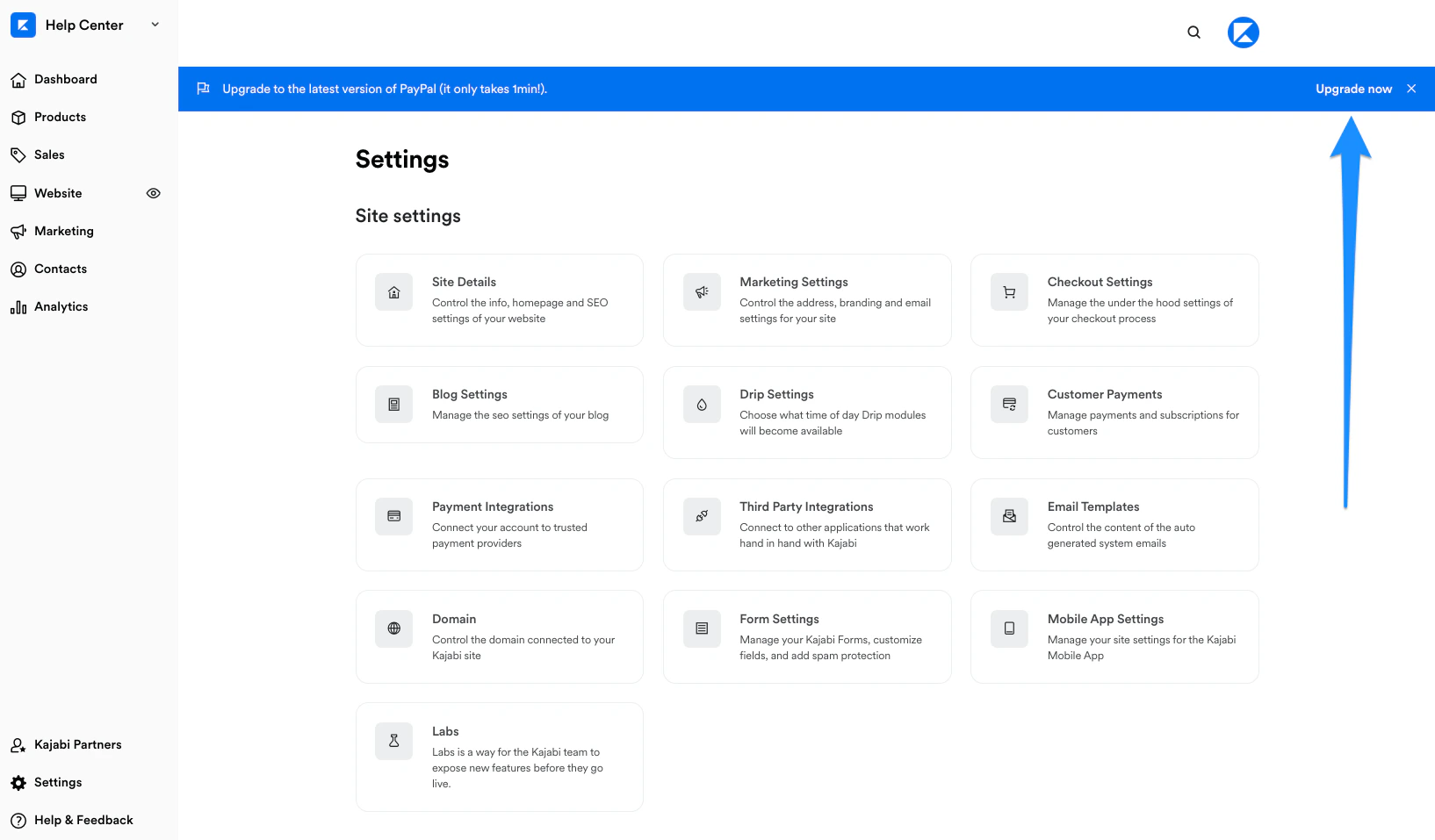
If you have an existing PayPal account connected to Kajabi, you can upgrade your PayPal account from your Kajabi account:
 ### To upgrade your PayPal account
* [Log into your Kajabi account](https://app.kajabi.com/login)
* Open the **Settings** tab from your Dashboard
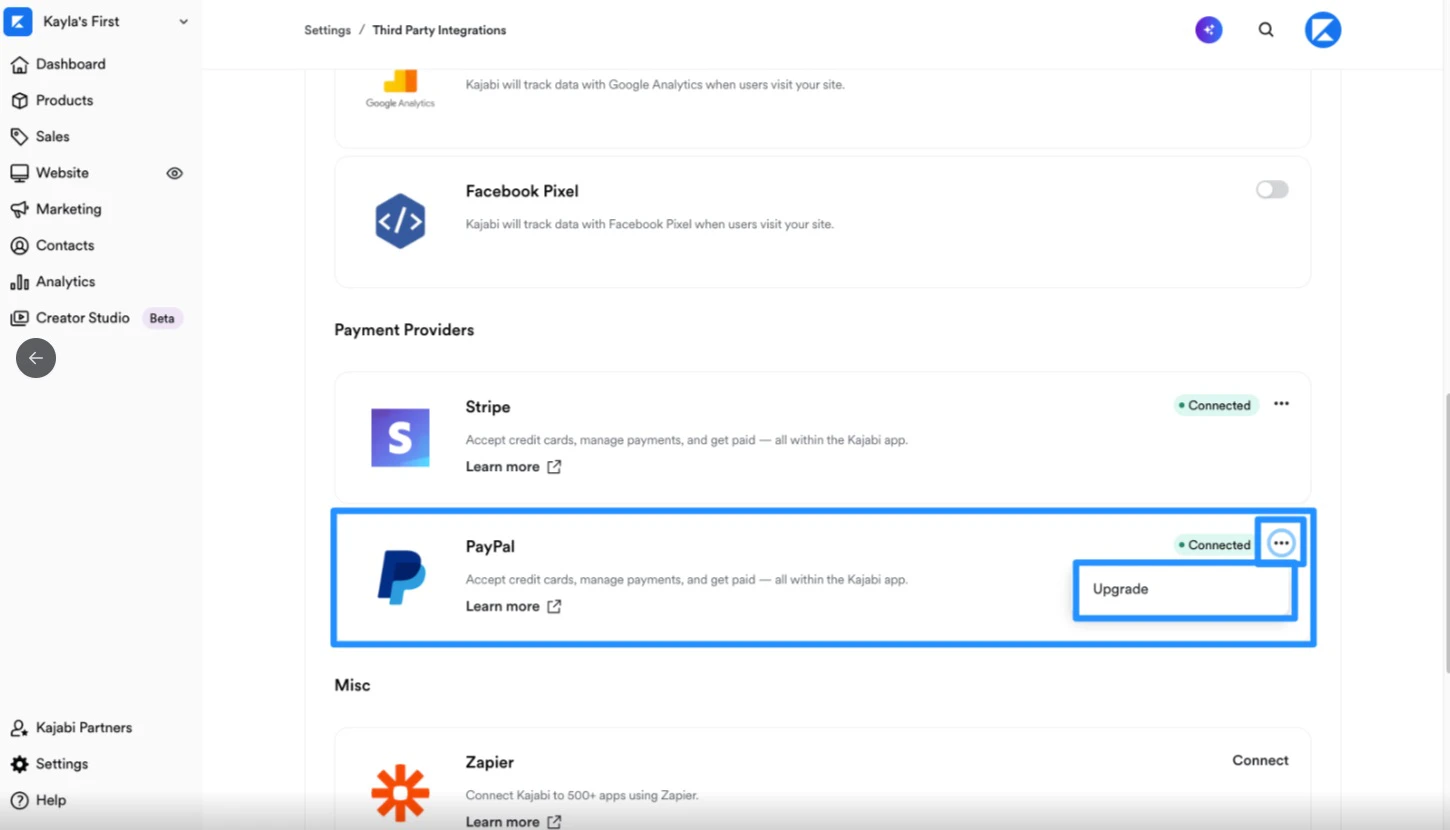
* Click **Third Party Integrations**
* Next to PayPal, click **Upgrade**
### To upgrade your PayPal account
* [Log into your Kajabi account](https://app.kajabi.com/login)
* Open the **Settings** tab from your Dashboard
* Click **Third Party Integrations**
* Next to PayPal, click **Upgrade**
 * Log into your PayPal account with your PayPal credentials
If you have more than one PayPal account, make sure to log into the PayPal account you've already connected to Kajabi.
* Follow the on-screen instructions to complete the upgrade
* Log into your PayPal account with your PayPal credentials
If you have more than one PayPal account, make sure to log into the PayPal account you've already connected to Kajabi.
* Follow the on-screen instructions to complete the upgrade