> ## Documentation Index
> Fetch the complete documentation index at: https://help.kajabi.com/llms.txt
> Use this file to discover all available pages before exploring further.
# Add questions to an Assessment
> Configure up to 100 questions across multiple question types in Kajabi Assessments.
## Add a question
Add up to 100 questions with Assessments on Kajabi to test or survey your site visitors.
To add a question to an Assessment:
1. Open the **Contacts** tab from the Dashboard.
2. Select the Assessment you wish to edit or [create one](../../contacts/create-manage-and-share-assessments/create-and-customize-assessments).
3. Click **Edit Questions** in the top menu.
4. Select **Add Question** in the editor.
5. Select the **Question Type** you wish to add:
Customize your question content based on your chosen question type (multiple choice, paragraph, file upload, or multiple selection) and click **Save** to add your question.
## Assessment question types
### Multiple choice
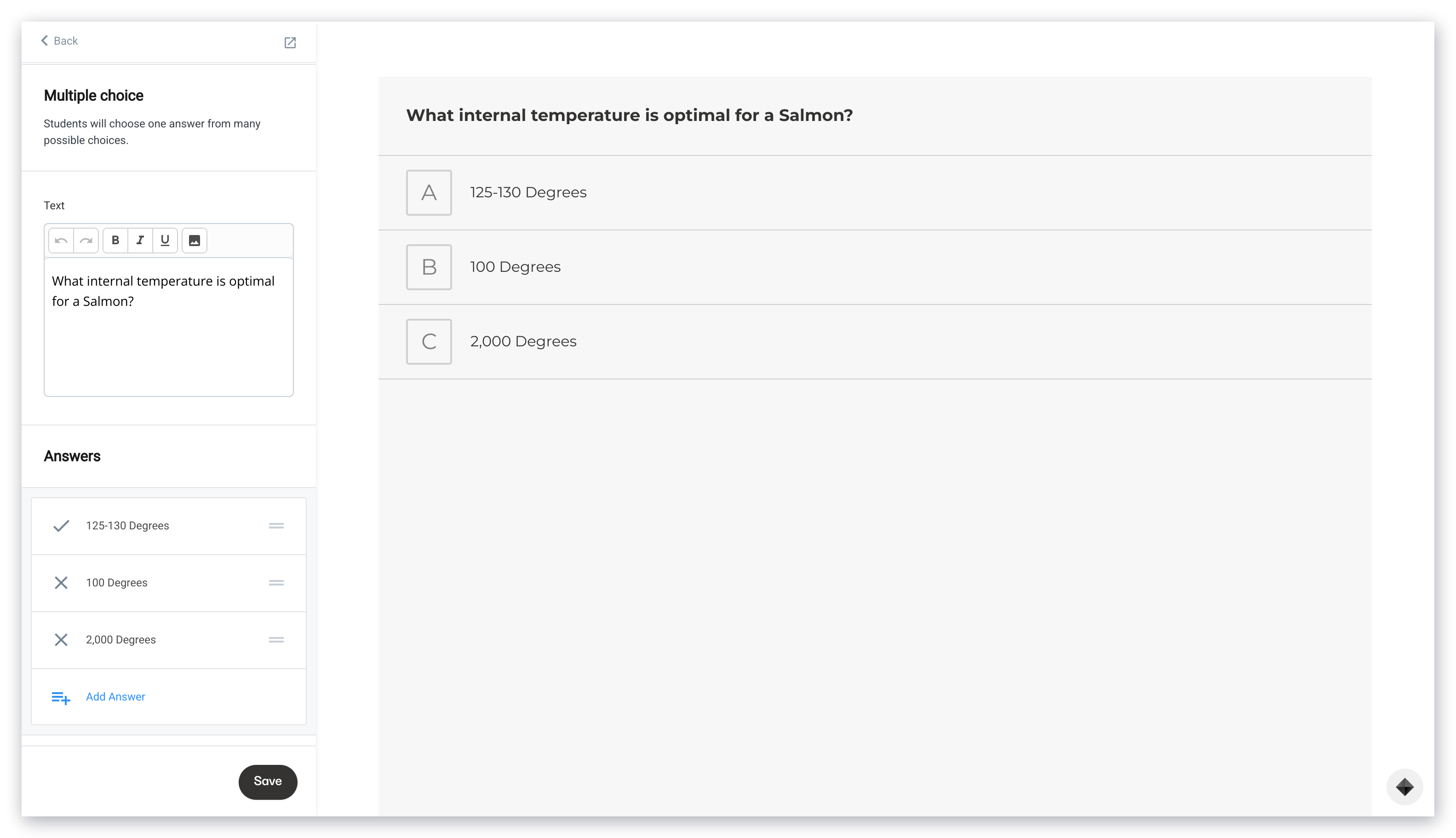
Users will choose one answer from many possible choices with the Multiple Choice question type.
* Customize the text with bold, italicize, or underline
* Add images to your Assessment
* Add various answers and create [Tags](../../contacts/manage-your-contacts/tags-overview) for each answer. Keep in mind, each site has a total limit of 100 tags per site
* If [automatic grading](../../contacts/create-manage-and-share-assessments/create-and-customize-assessments#creating-an-assessment) is enabled in your Assessment, select the correct multiple choice answer:
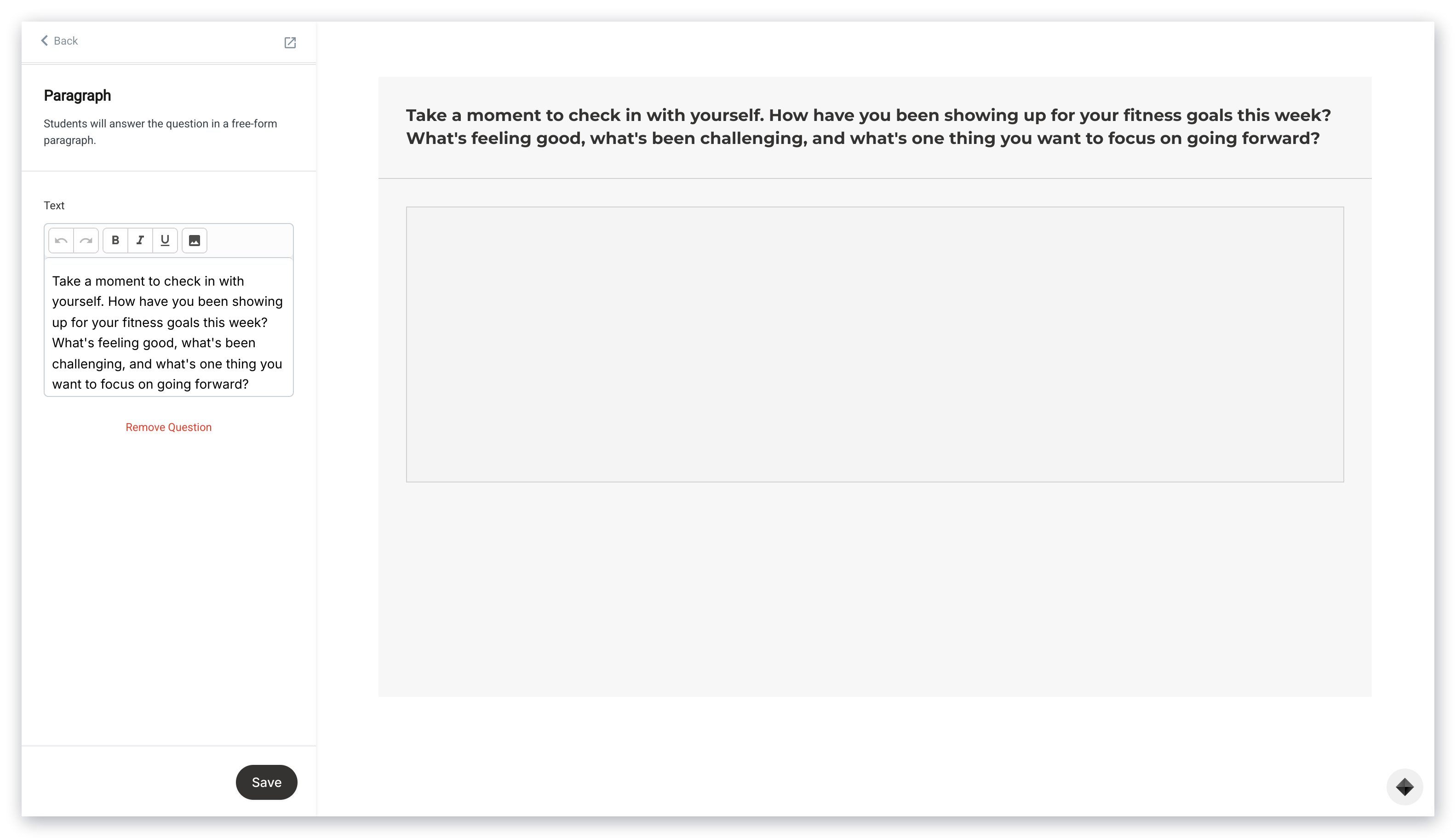
 ### Paragraph
Create a free-form paragraph question for your users to submit.
Use the text editor to:
* Customize the text with bold, italicize, or underline
* Add images to your Assessment:
### Paragraph
Create a free-form paragraph question for your users to submit.
Use the text editor to:
* Customize the text with bold, italicize, or underline
* Add images to your Assessment:
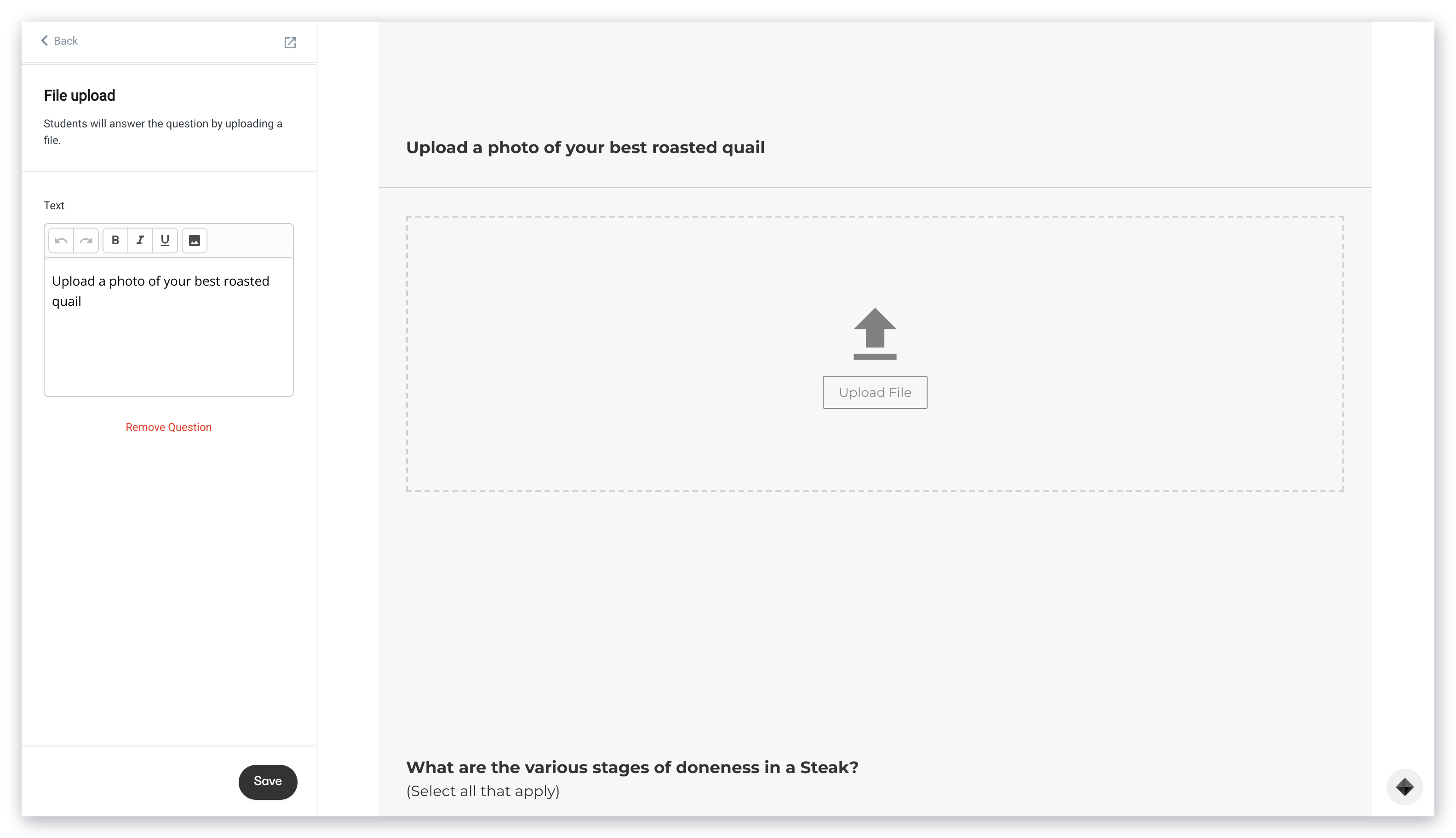
 ### File upload
Users can answer the question with a file upload (e.g., homework assignments).
**File upload limit:** Upload a [compatible file type](../../website/pages/what-are-compatible-file-types-i-can-upload-in-kajabi) up to 10MB.
Enter text to inform users of the file to be uploaded.
Then, use the text editor to:
* Customize the text with bold, italicize, or underline
* Add images to your Assessment:
### File upload
Users can answer the question with a file upload (e.g., homework assignments).
**File upload limit:** Upload a [compatible file type](../../website/pages/what-are-compatible-file-types-i-can-upload-in-kajabi) up to 10MB.
Enter text to inform users of the file to be uploaded.
Then, use the text editor to:
* Customize the text with bold, italicize, or underline
* Add images to your Assessment:
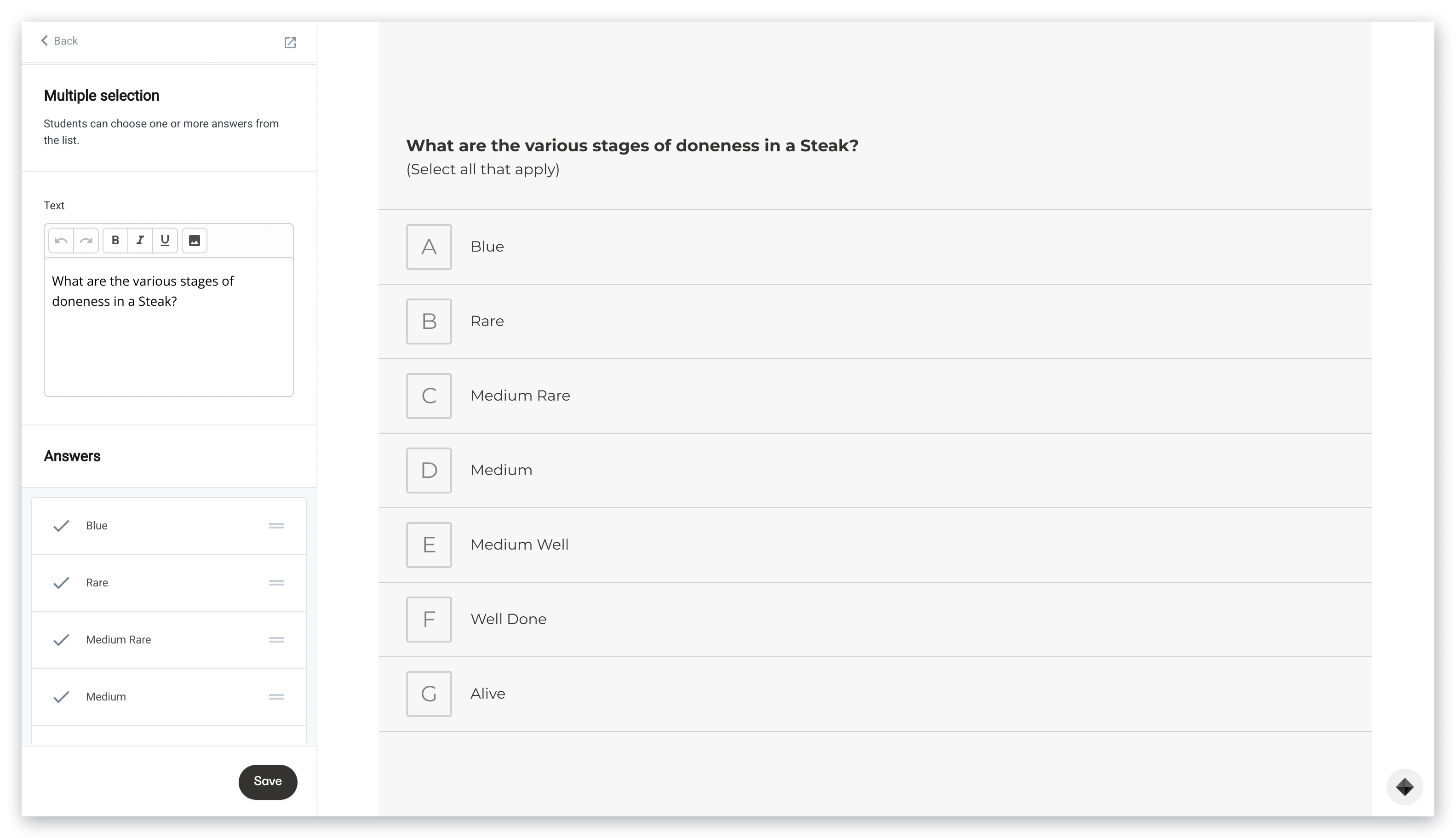
 ### Multiple selection
Users can choose one or more answers from the Multiple selection list.
* Customize the text with bold, italicize, or underline
* Add images to your Assessment
* Add various answers and create [Tags](../../contacts/manage-your-contacts/tags-overview) for each answer. Keep in mind, each site has a total limit of 100 tags per site
* If [automatic grading](../../contacts/create-manage-and-share-assessments/create-and-customize-assessments#creating-an-assessment) is enabled in your Assessment, select the correct multiple selection answer:
### Multiple selection
Users can choose one or more answers from the Multiple selection list.
* Customize the text with bold, italicize, or underline
* Add images to your Assessment
* Add various answers and create [Tags](../../contacts/manage-your-contacts/tags-overview) for each answer. Keep in mind, each site has a total limit of 100 tags per site
* If [automatic grading](../../contacts/create-manage-and-share-assessments/create-and-customize-assessments#creating-an-assessment) is enabled in your Assessment, select the correct multiple selection answer:
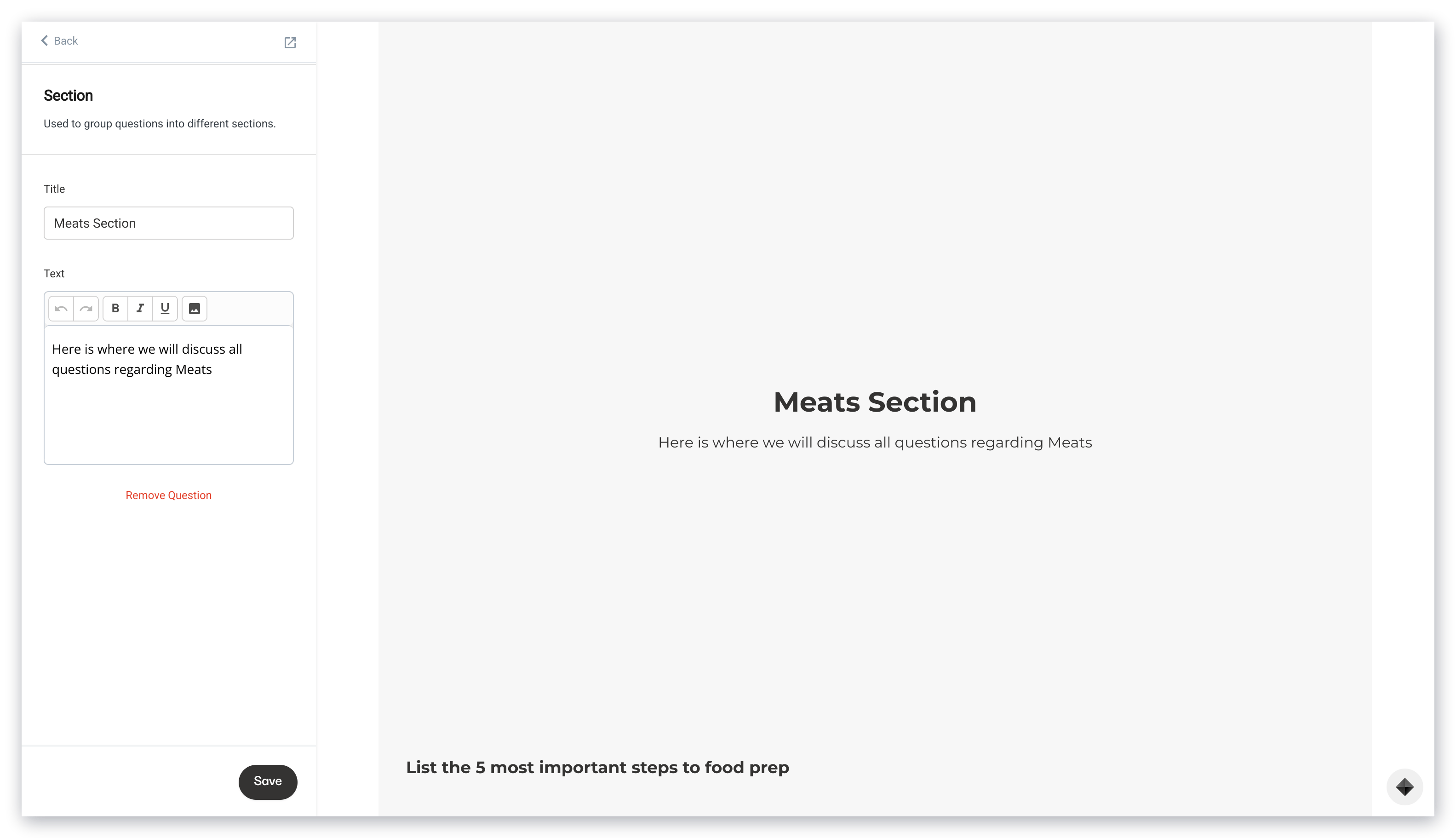
 ### Section
Include a Section card to separate your Assessment into different sections, begin a series of questions, or provide additional information, text, content, images, and more.
### Section
Include a Section card to separate your Assessment into different sections, begin a series of questions, or provide additional information, text, content, images, and more.