> ## Documentation Index
> Fetch the complete documentation index at: https://help.kajabi.com/llms.txt
> Use this file to discover all available pages before exploring further.
# Create a custom affiliate signup page
> Design a custom affiliate onboarding page using Kajabi Pages while capturing registrations.
Although the **Affiliate Signup Page** is not customizable, you can design a custom page with [Kajabi Pages](../../website/pages/pages-explained) to include your desired affiliate onboarding content. With your custom page, include your **Affiliate Signup Link** to capture affiliate registrations while customizing their onboarding experience.
**Note:** The Affiliate Program is only available with Growth and Pro Plans. See the [Kajabi Pricing page](https://kajabi.com/pricing) for the features included with each plan.
## Affiliate signup page
The **Affiliate Signup Page** is used for the main purpose of recording and tracking affiliate registrations and cannot be customized. This page can be accessed by simply sharing the **Affiliate Signup Link**:
1. Open the **Sales** tab from your Dashboard.
2. Click **Affiliates**.
3. Locate the **Affiliate Signup Link**.
4. Click **Copy**.
Sharing this direct link will display your Affiliate Signup Page:
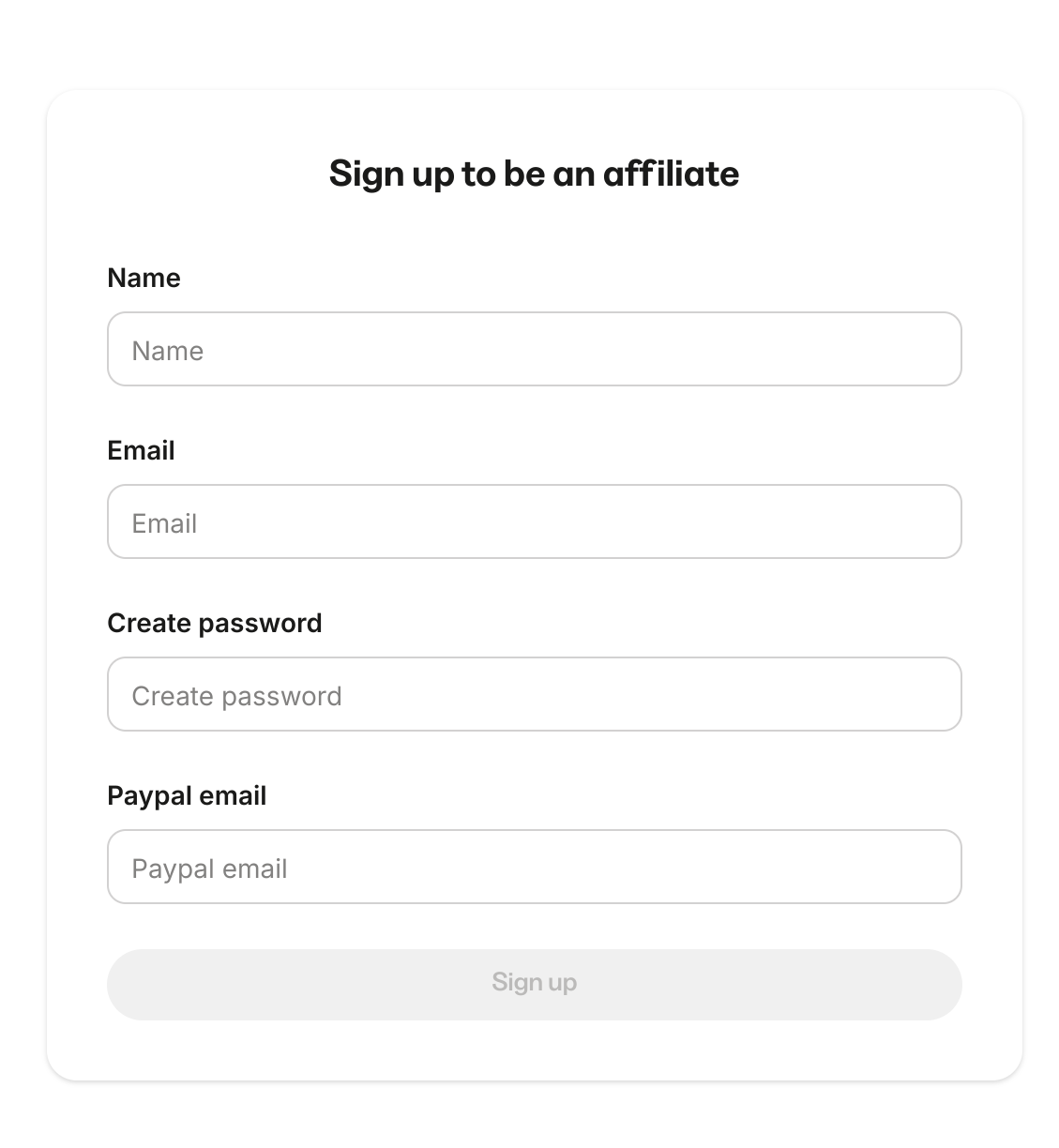 **Note:** This page will only display if you have enabled [Affiliate Registrations](../../sales/affiliates/manage-your-affiliates#affiliate-registrations).
## Copy the unique affiliate signup link
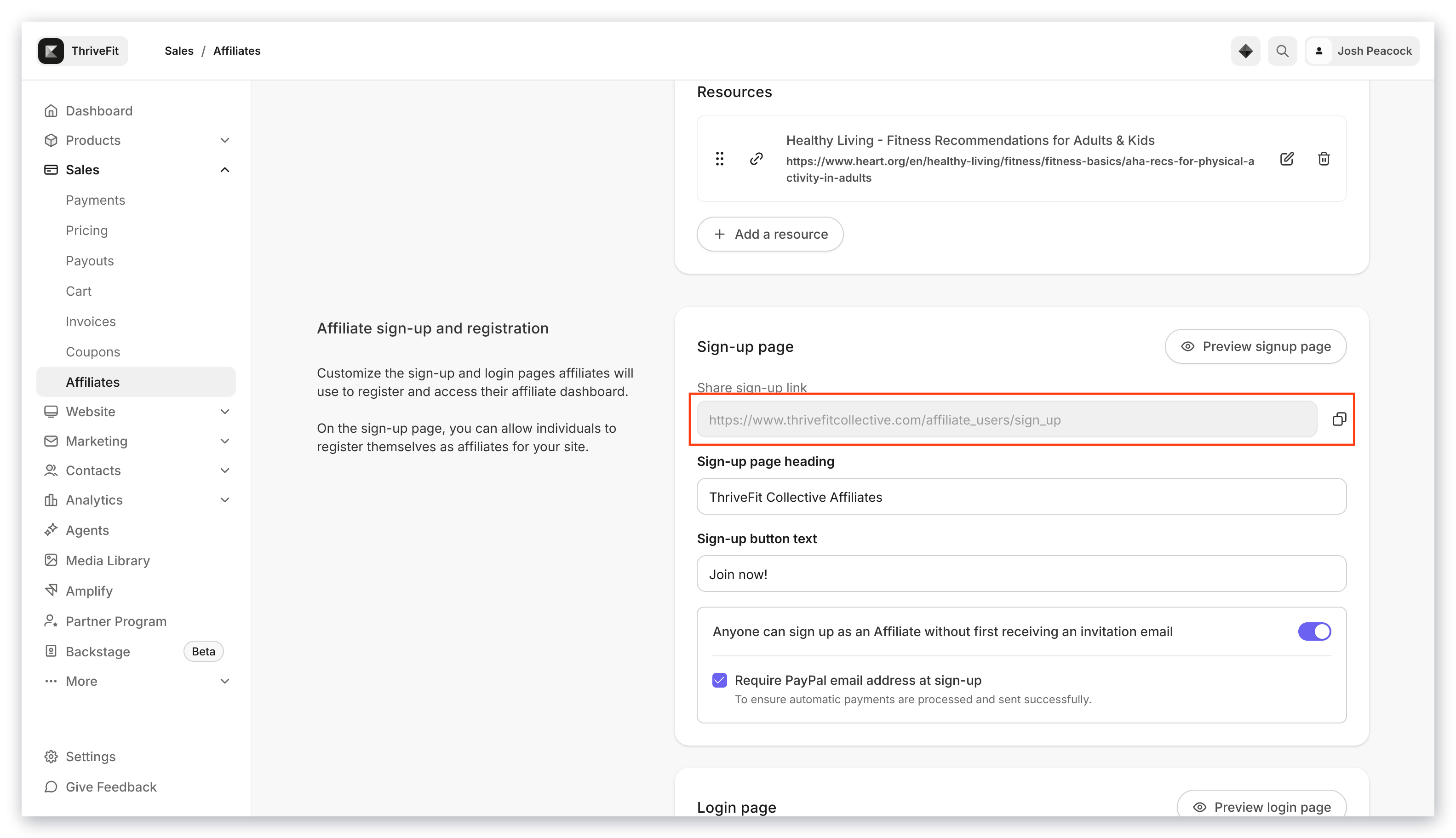
To get started building your custom Affiliate Page, first copy your unique **Affiliate Signup Link**:
1. Open the **Sales** tab from the Dashboard.
2. Click **Affiliates.**
3. Then, click **Copy** next to your unique Affiliate Signup Link:
**Note:** This page will only display if you have enabled [Affiliate Registrations](../../sales/affiliates/manage-your-affiliates#affiliate-registrations).
## Copy the unique affiliate signup link
To get started building your custom Affiliate Page, first copy your unique **Affiliate Signup Link**:
1. Open the **Sales** tab from the Dashboard.
2. Click **Affiliates.**
3. Then, click **Copy** next to your unique Affiliate Signup Link:
 ## Create a landing page
Now that you have copied your Affiliate Signup Link, generate your custom **Page**:
1. Open the **Website** tab from the Dashboard.
2. Click **Pages**.
3. Click **Landing** for Landing Pages.
4. Navigate to the top right corner.
5. Click **+ New Page**.
6. From there, select a Template that best fits your vision for your Affiliate Page:
## Create a landing page
Now that you have copied your Affiliate Signup Link, generate your custom **Page**:
1. Open the **Website** tab from the Dashboard.
2. Click **Pages**.
3. Click **Landing** for Landing Pages.
4. Navigate to the top right corner.
5. Click **+ New Page**.
6. From there, select a Template that best fits your vision for your Affiliate Page:
By building your Affiliate Center with a custom Page, you gain full design flexibility to create a unique onboarding experience for your affiliates.
## Create a call to action with the affiliate signup link
In your Page, design your custom **Affiliate Signup Page** according to your brand and vision.
To capture registrations in your Affiliate Dashboard, be sure to connect your Affiliate Signup Link to your Page.
Create a **Call to Action** in your custom Page to create this connection:
1. In your desired Page Editor, click the Section you want to edit or [create a Section](../../website/pages/add-sections-to-your-pages).
2. Then, navigate to the sidebar panel.
3. Click **Add Content**.
4. Then, select **Call to Action**.
5. In the sidebar, locate **Button Action**.
6. Select **Go to a URL**.
7. In the field below the dropdown, paste in your unique Affiliate Signup Link copied in the previous step.
8. Then, [customize your Call to Action](../../website/pages/how-to-add-a-call-to-action-block-to-your-website-page-and-landing-page) appearance.
9. Be sure to click **Save** to keep your changes.
**Note:** When using the **Go to a URL** action, be sure to enter a full URL (e.g., [https://kajabi.com/](https://kajabi.com/)).
The steps to creating a Call to Action is a recommended method, but is not required to link your Affiliate Signup Link. Kajabi Pages gives you the flexibility to design your Page according to your vision with a variety of [Blocks](../../website/pages/add-blocks-to-your-page#block-types) and [Sections](../../website/pages/add-sections-to-your-pages) that can link your visitors to your Affiliate Signup Link.
Experiment with the different Blocks and Sections to design a Page that best fits your vision. See [Kajabi Pages](../../website/pages/pages-explained) for details.