> ## Documentation Index
> Fetch the complete documentation index at: https://help.kajabi.com/llms.txt
> Use this file to discover all available pages before exploring further.
# Update customer settings
> Customers can update their account information, email preferences, billing, and password from their settings.
Your customers can update their own information, including email preferences, contact information, billing information, Tax ID, and password by logging into their account to access their **Customer Settings**.
## Access customer settings
1. After logging in, the customer must click their **Avatar** in the top right corner of the page.
2. Select **Settings** from the dropdown.
3. Here, they can edit their information:
**Note:**
Customers can also access their Settings through their mobile device by following the same steps as shown above. However, a mobile user will not be able to access these settings if the [user menu is removed from the Library page header](../../website/pages/how-to-add-a-user-menu-to-your-page-header).
## Customer settings descriptions
### Contact Information
When your customers update their **Contact Information**, the changes automatically synchronize across your contacts and update their **Receipt** details, including receipts for previous transactions.
* **Full Name**
* **Email**
* **Tax ID**
* **Address**
* **Note**
### Profile Settings
Profile Settings include:
* **Timezone**
* **Notification Preferences**
* **Upload** and **change their Avatar image** (i.e., User Menu Icon)
### Social Profile
Social Profile settings are displayed publicly in your Community and customers can also choose to share it in your customer directory.
* **Bio**
* **Location**
* **Social media links** (Facebook, Instagram, Twitter)
* **Share profile information with other members** toggle
**Note:**
Your customers can choose to opt-in to your customer directory and include their social links with their social profile only if your website pages were built using the [Website Builder](../../website/pages/customizing-your-website-pages-with-the-website-builder).
### Password
Your customer may also update their **Password** in Customer Settings.
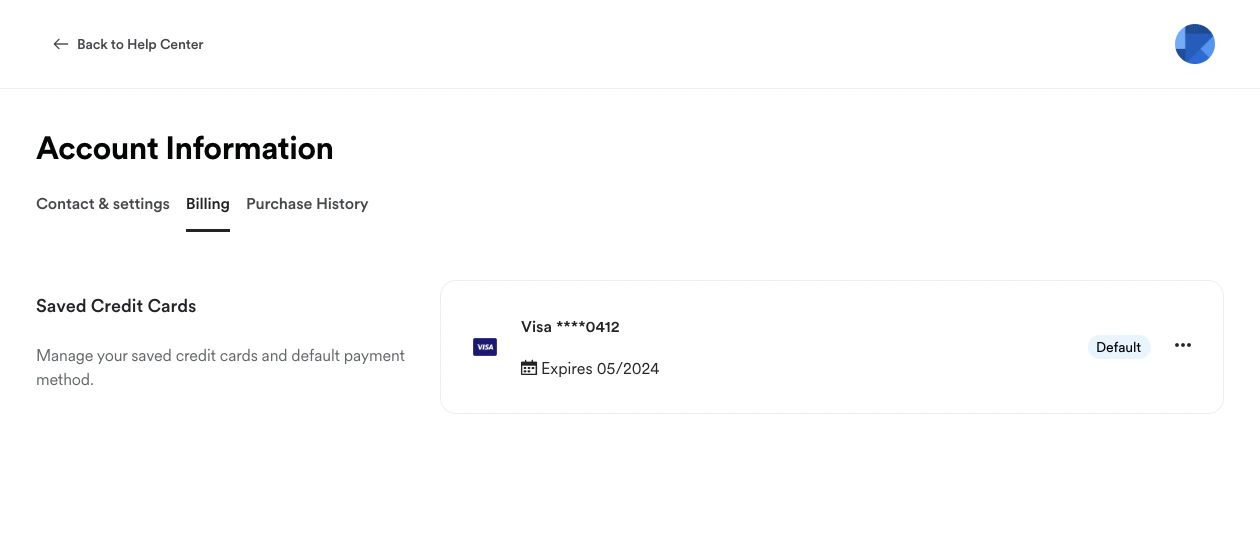
## Customer billing information
Your customers may:
* View and update their **Credit Card** Information
* View or cancel their **Active Subscriptions** if enabled:
 See [enable customer subscription cancellations](../../contacts/manage-your-contacts/enable-and-disable-customer-subscription-self-cancelations) for more details.
**Note:**
If a customer has an active subscription from a payment processor that you have [detached](../../api-integrations/payment-integrations/detach-stripe-and-paypal-from-kajabi) from Kajabi, the Billing Information section will not be visible or accessible.
Your customers will no longer have the ability to cancel or update their cards if their active subscription was processed through a detached payment processor (i.e., detached PayPal or Stripe). Instead, you will need to [manually cancel or remove their cards from Kajabi](../../contacts/manage-your-contacts/how-to-manage-your-contacts-profiles) or Stripe.
## Customer purchase history
Your customer can view all the **Offers** they have purchased and the **Products** they have been [granted access](../../sales/offers/how-to-grant-an-offer) to.
They can also view and download their **Receipts**:
See [enable customer subscription cancellations](../../contacts/manage-your-contacts/enable-and-disable-customer-subscription-self-cancelations) for more details.
**Note:**
If a customer has an active subscription from a payment processor that you have [detached](../../api-integrations/payment-integrations/detach-stripe-and-paypal-from-kajabi) from Kajabi, the Billing Information section will not be visible or accessible.
Your customers will no longer have the ability to cancel or update their cards if their active subscription was processed through a detached payment processor (i.e., detached PayPal or Stripe). Instead, you will need to [manually cancel or remove their cards from Kajabi](../../contacts/manage-your-contacts/how-to-manage-your-contacts-profiles) or Stripe.
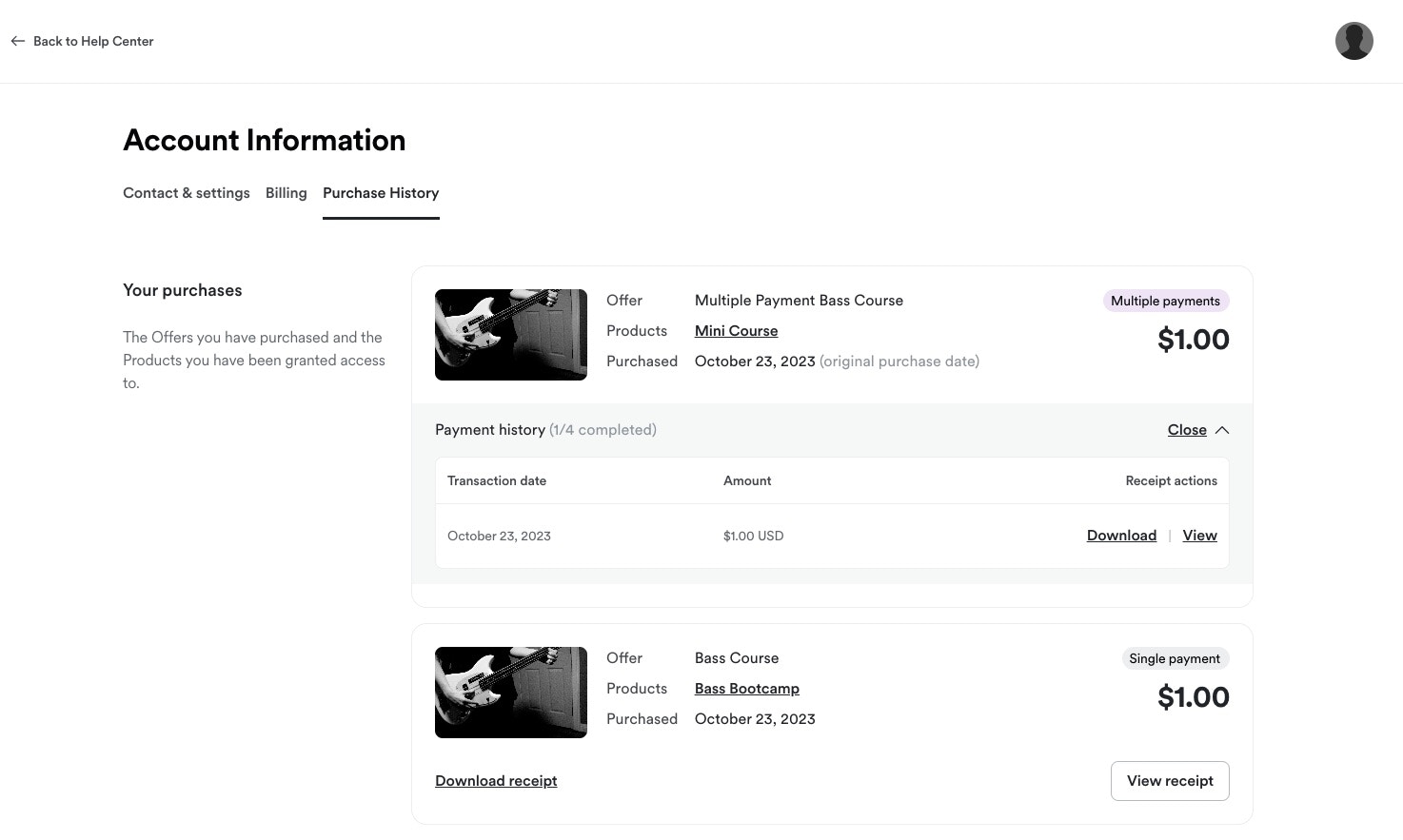
## Customer purchase history
Your customer can view all the **Offers** they have purchased and the **Products** they have been [granted access](../../sales/offers/how-to-grant-an-offer) to.
They can also view and download their **Receipts**:
 **Note:**
When a customer updates their Contact Information, the changes will automatically synchronize and update their Receipt details, including Receipts for previous transactions.
**Note:**
When a customer updates their Contact Information, the changes will automatically synchronize and update their Receipt details, including Receipts for previous transactions.