> ## Documentation Index
> Fetch the complete documentation index at: https://help.kajabi.com/llms.txt
> Use this file to discover all available pages before exploring further.
# Change a customer's start date
> Adjust a customer's start date to grant access to dripped content in a Product.
Changing a customer's start date can be necessary for a variety of reasons. Most commonly, changing the start date may be helpful for granting access to all the content in a Product that is set to drip for a specific customer.
## Change a customer's start date
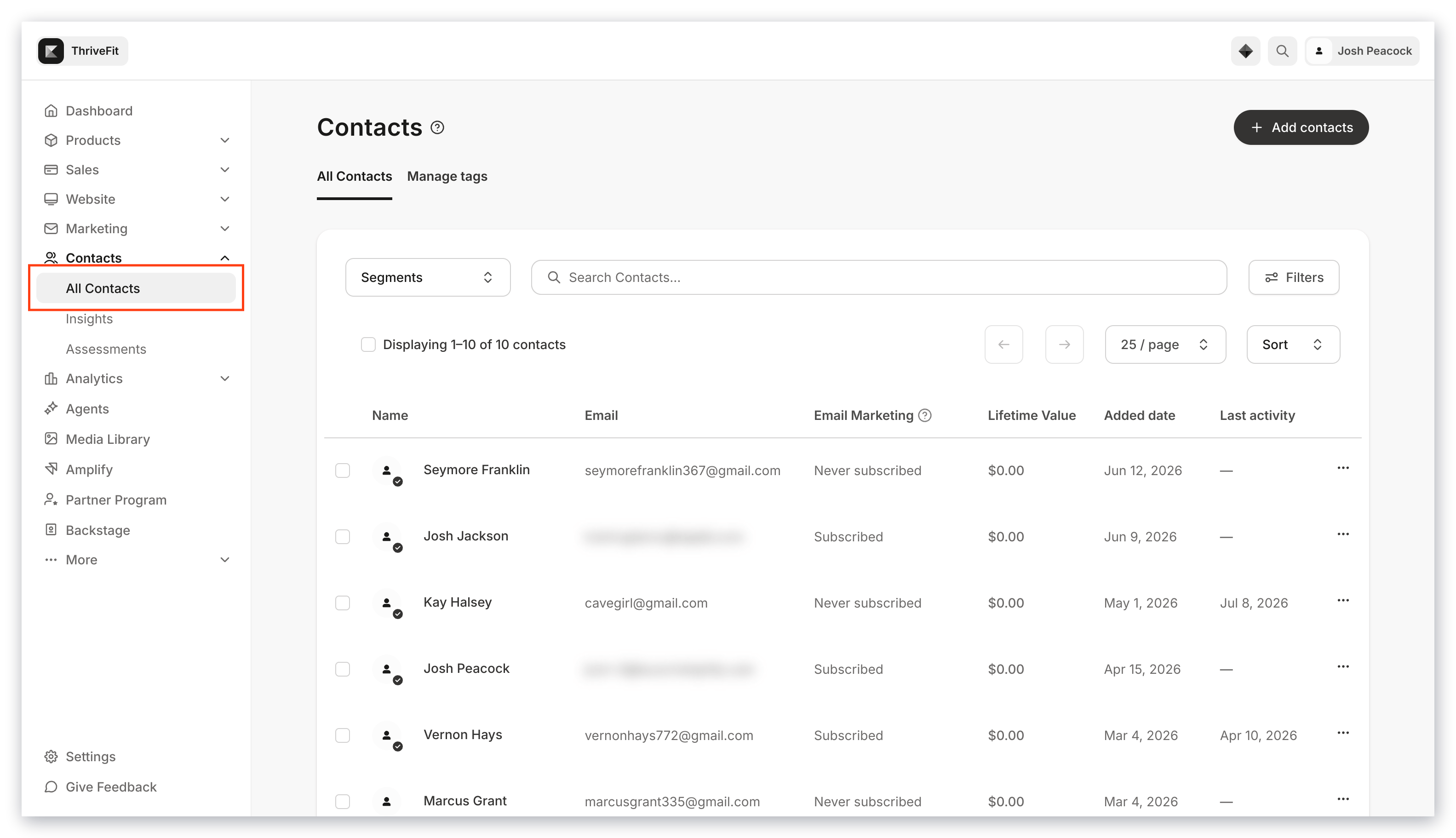
1. Open the **Contacts** tab from your Dashboard.
2. Select **All Contacts**:
 3. Search the Customer's name or email address.
4. Select the **Customer** you want to change to open their profile.
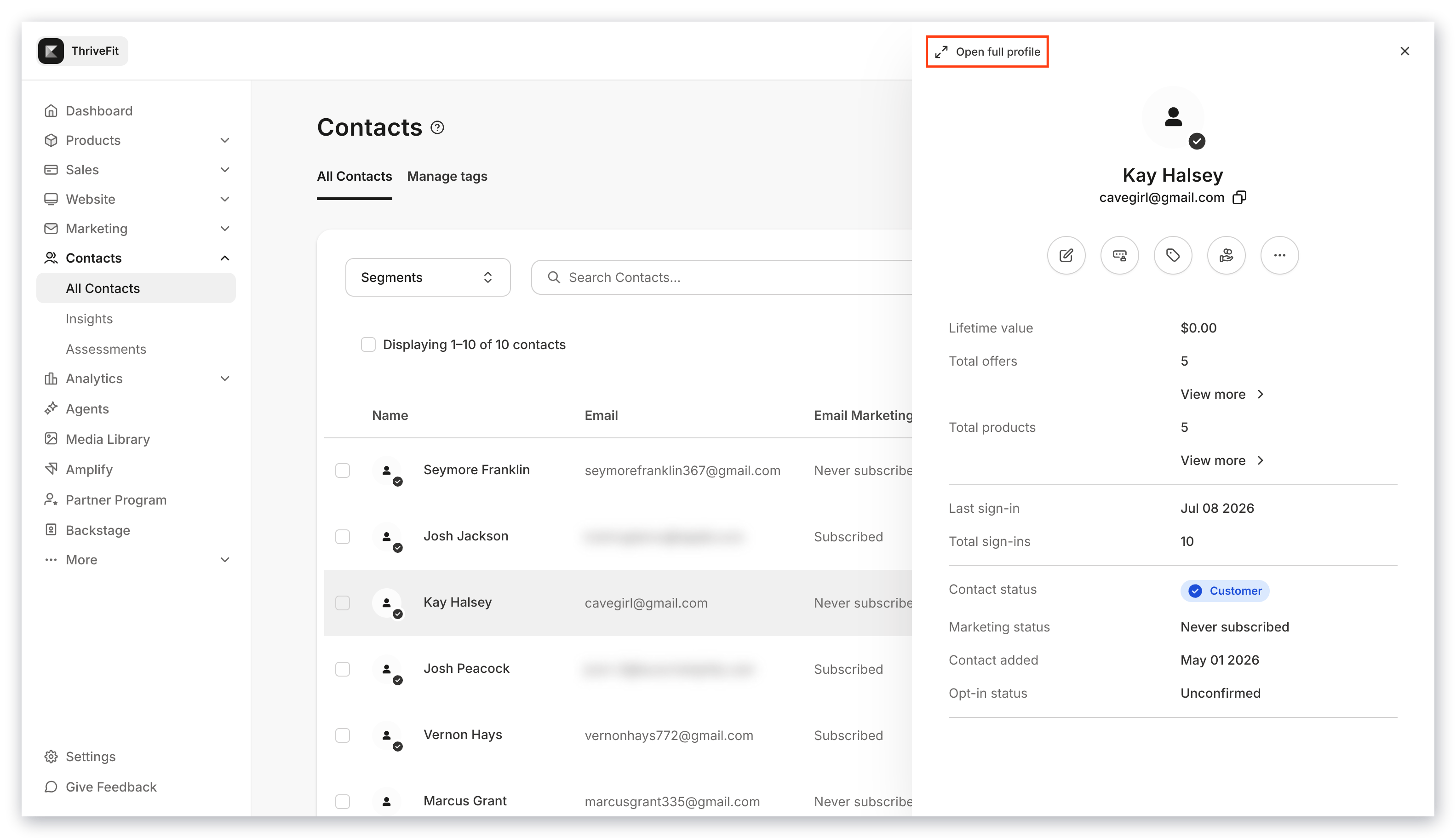
5. Click **Open Full Profile**:
3. Search the Customer's name or email address.
4. Select the **Customer** you want to change to open their profile.
5. Click **Open Full Profile**:
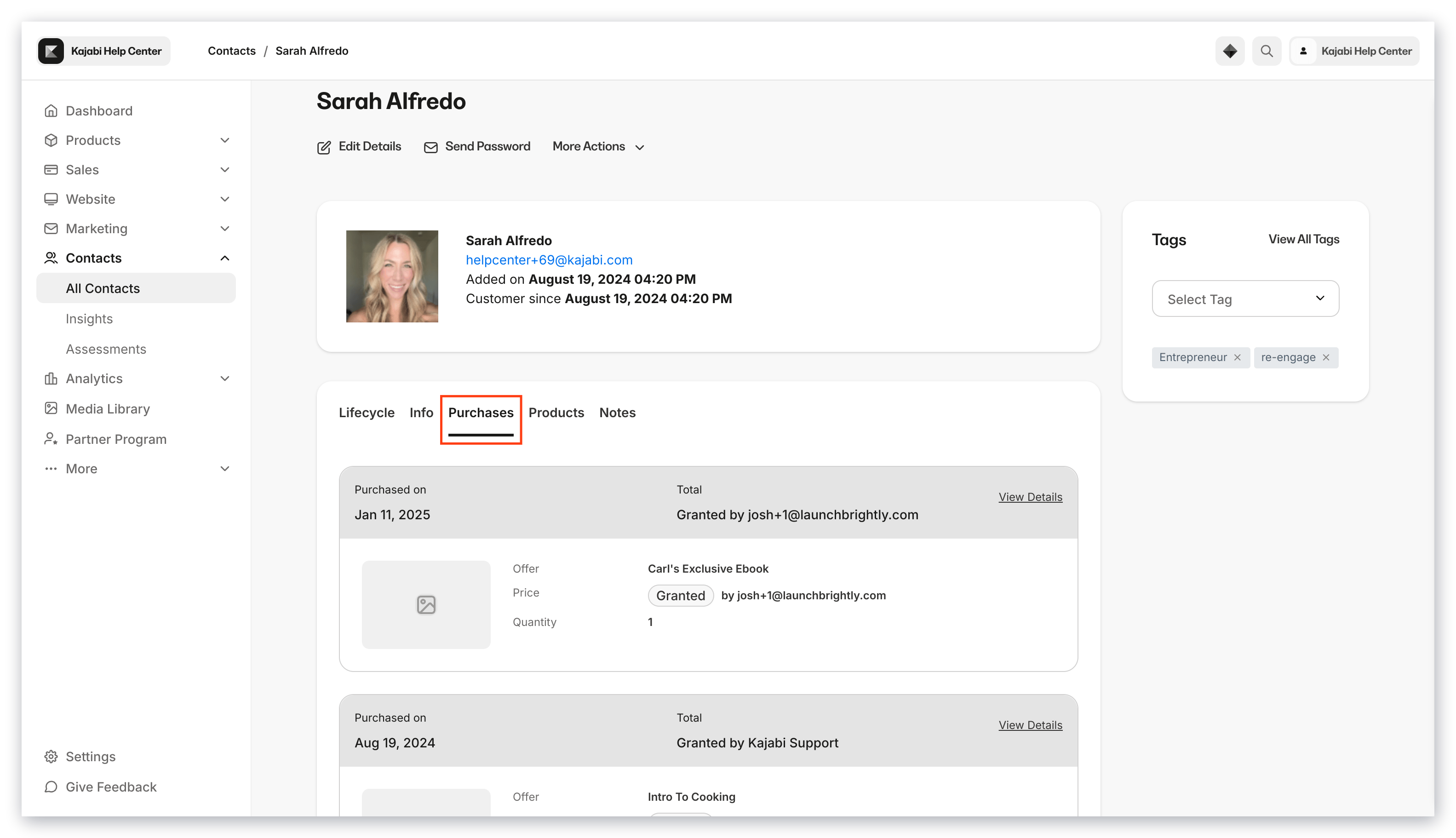
 6. Select the **Purchases** tab in the top menu:
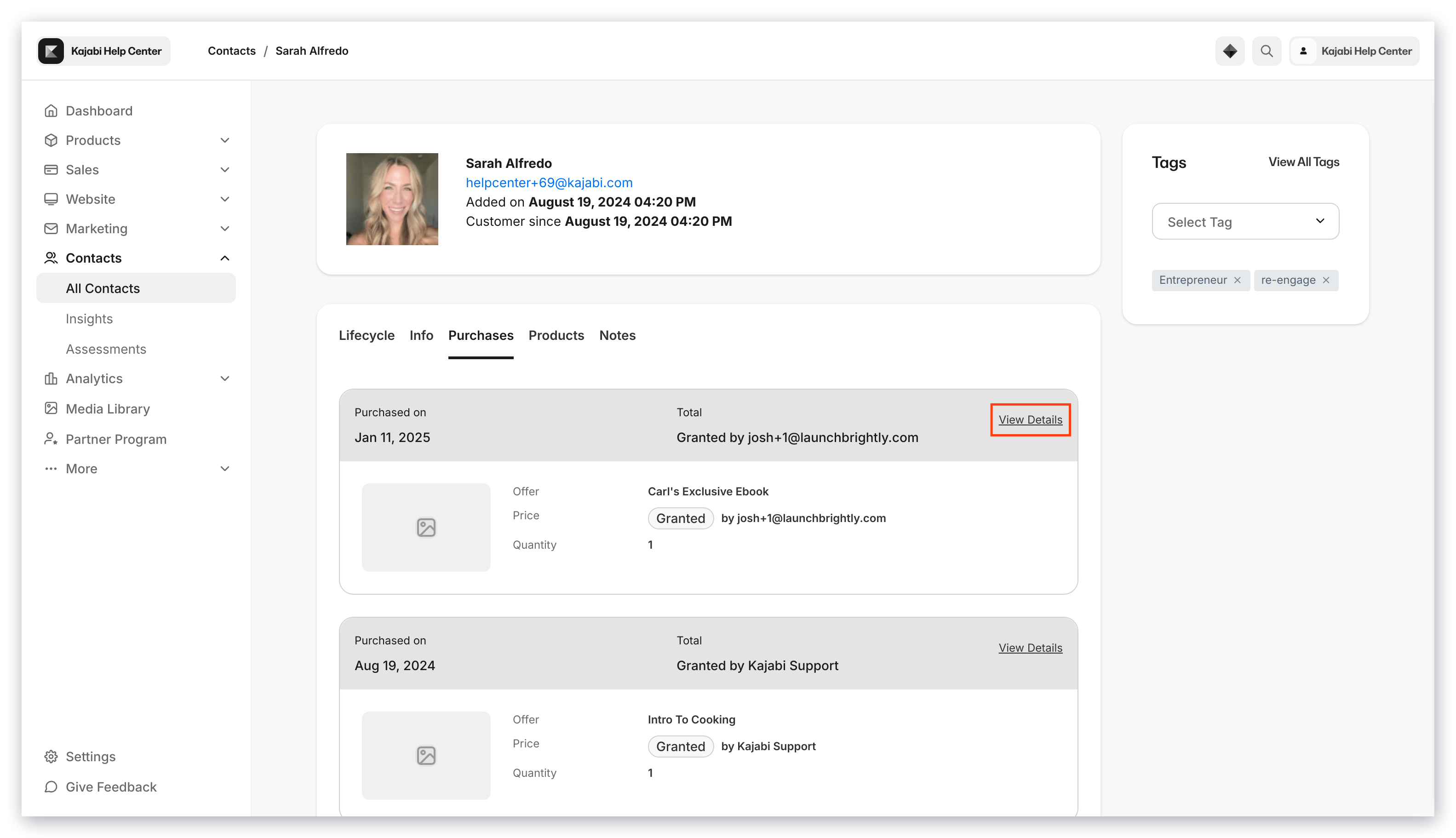
 7. Click **More Info** next to the Offer you want the change applied to:
 8. Click on the `…` icon to open more options.
9. Select **Edit access start date**.
**Note:** Changing the Start Date has no affect on the payment structure set up in the Offer.
8. Click on the `…` icon to open more options.
9. Select **Edit access start date**.
**Note:** Changing the Start Date has no affect on the payment structure set up in the Offer.