> ## Documentation Index
> Fetch the complete documentation index at: https://help.kajabi.com/llms.txt
> Use this file to discover all available pages before exploring further.

# Perform bulk actions in the Contacts tab

> Apply actions to multiple contacts at the same time in the Contacts tab.

Bulk actions allow you to streamline the process of applying various actions to multiple contacts in your Contacts tab, such as Revoking Access to an Offer, Registering to an Event, Adding Tags, and more.

Looking to view groups of your contacts instead? [Navigate the Contacts tab](/articles/contacts/manage-your-contacts/contacts-tab-overview) to explore segment views.

## Perform a bulk action

To toggle the bulk action options in the Contacts tab:

1. Open the **Contacts** tab from the Dashboard.
2. Filter your contacts to narrow your List or select [custom segments](/articles/contacts/manage-your-contacts/segment-your-contacts).
3. Check **Select All**.
4. Open the **Actions** dropdown menu.
5. Select the action you wish to apply.
6. Follow the prompts.
7. Click **Submit:**

<div className="w-full aspect-video">
  <iframe src="https://fast.wistia.net/embed/iframe/d7omh3dk2a" allow="autoplay; fullscreen" allowFullScreen className="w-full h-full" />
</div>

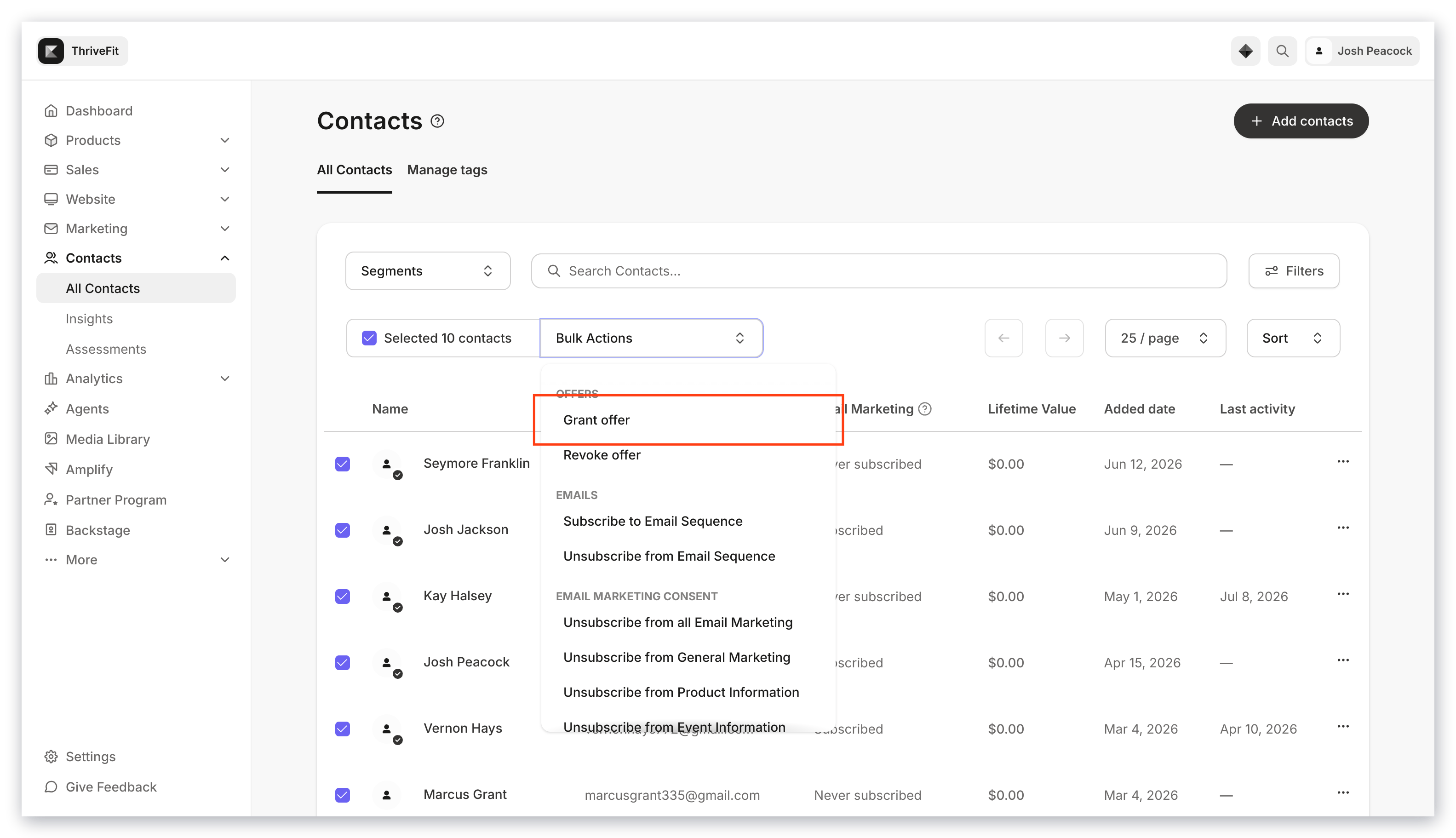
## Offers

* [Grant or Revoke an Offer](../../sales/offers/how-to-grant-an-offer)

<img src="https://mintcdn.com/kajabi-support/0X831VxXANnxgpSu/articles/images/dc252673_upload_705303566192327461.png?fit=max&auto=format&n=0X831VxXANnxgpSu&q=85&s=ce1edd8143542fc4890904250504b4f3" alt="Bulk actions offers" width="3112" height="1768" data-path="articles/images/dc252673_upload_705303566192327461.png" />

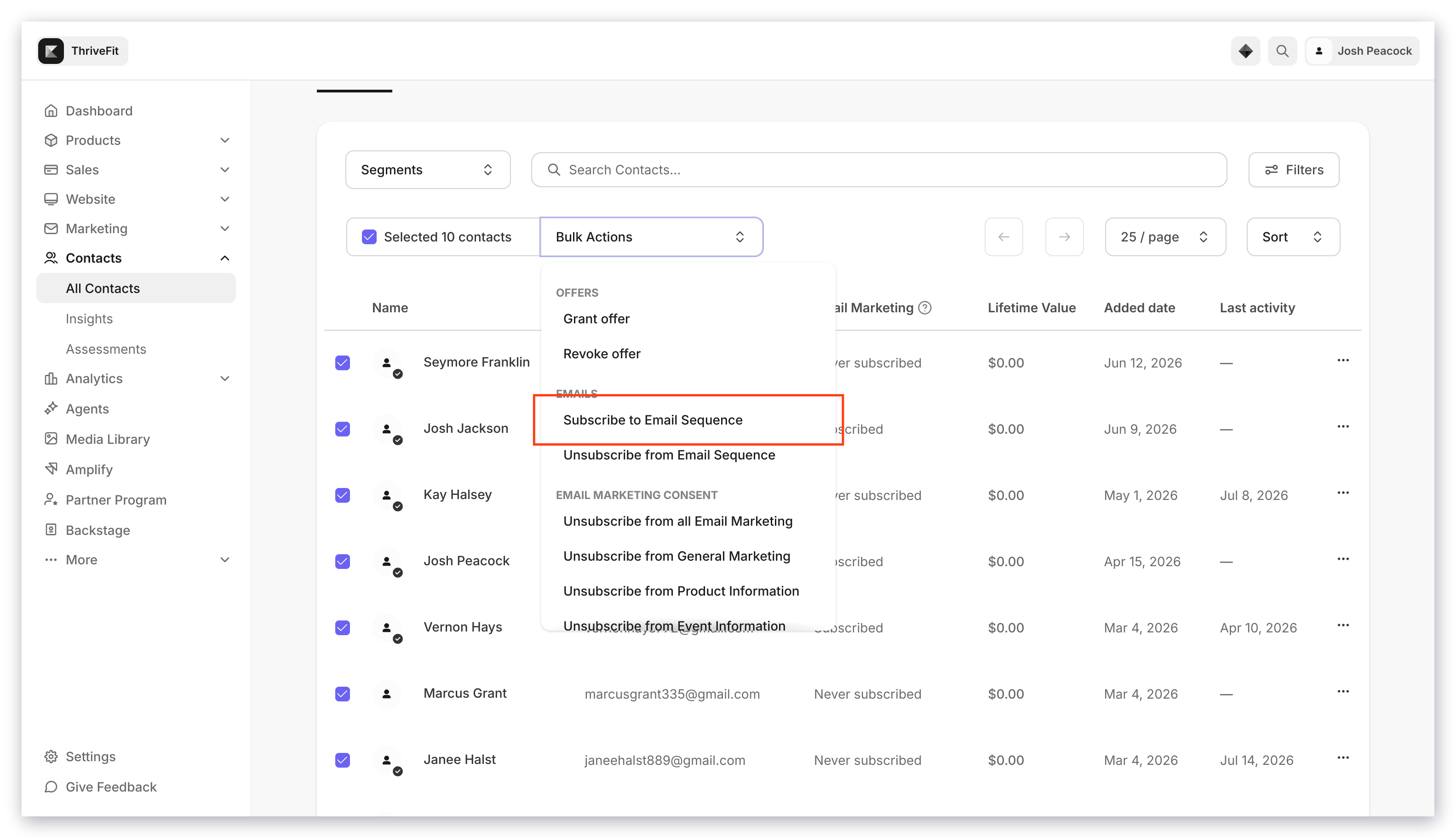
## Email Sequences

* Subscribe to or Unsubscribe from an Email Sequence
<img src="https://mintcdn.com/kajabi-support/AIdS_N2hx9dBLwx9/articles/images/2dd7d293_upload_2636070480927261042.png?fit=max&auto=format&n=AIdS_N2hx9dBLwx9&q=85&s=955b43219ff5f64cf1bd33eaf222d6bf" alt="Bulk actions email sequences" width="3112" height="1768" data-path="articles/images/2dd7d293_upload_2636070480927261042.png" />

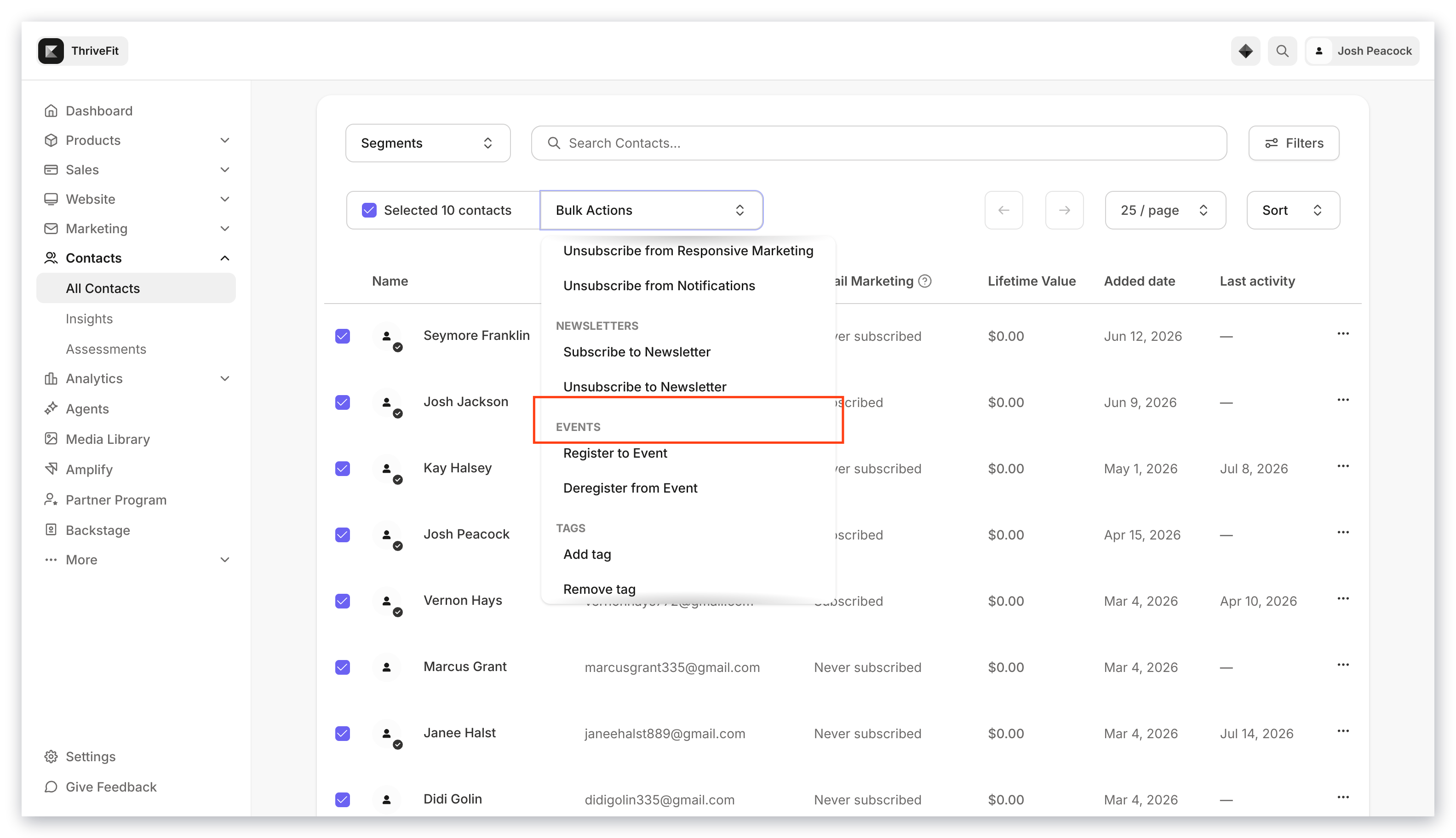
## Events

* Register to or Deregister from an Event

[Explore Events on Kajabi](../../marketing/events/event-overview)
<img src="https://mintcdn.com/kajabi-support/O5ZsKXCFiDIup7FH/articles/images/bfec4b19_upload_6318536246485404208.png?fit=max&auto=format&n=O5ZsKXCFiDIup7FH&q=85&s=66a94c6e08df922ffbbf5c6c7327e370" alt="Bulk actions events" width="3112" height="1768" data-path="articles/images/bfec4b19_upload_6318536246485404208.png" />

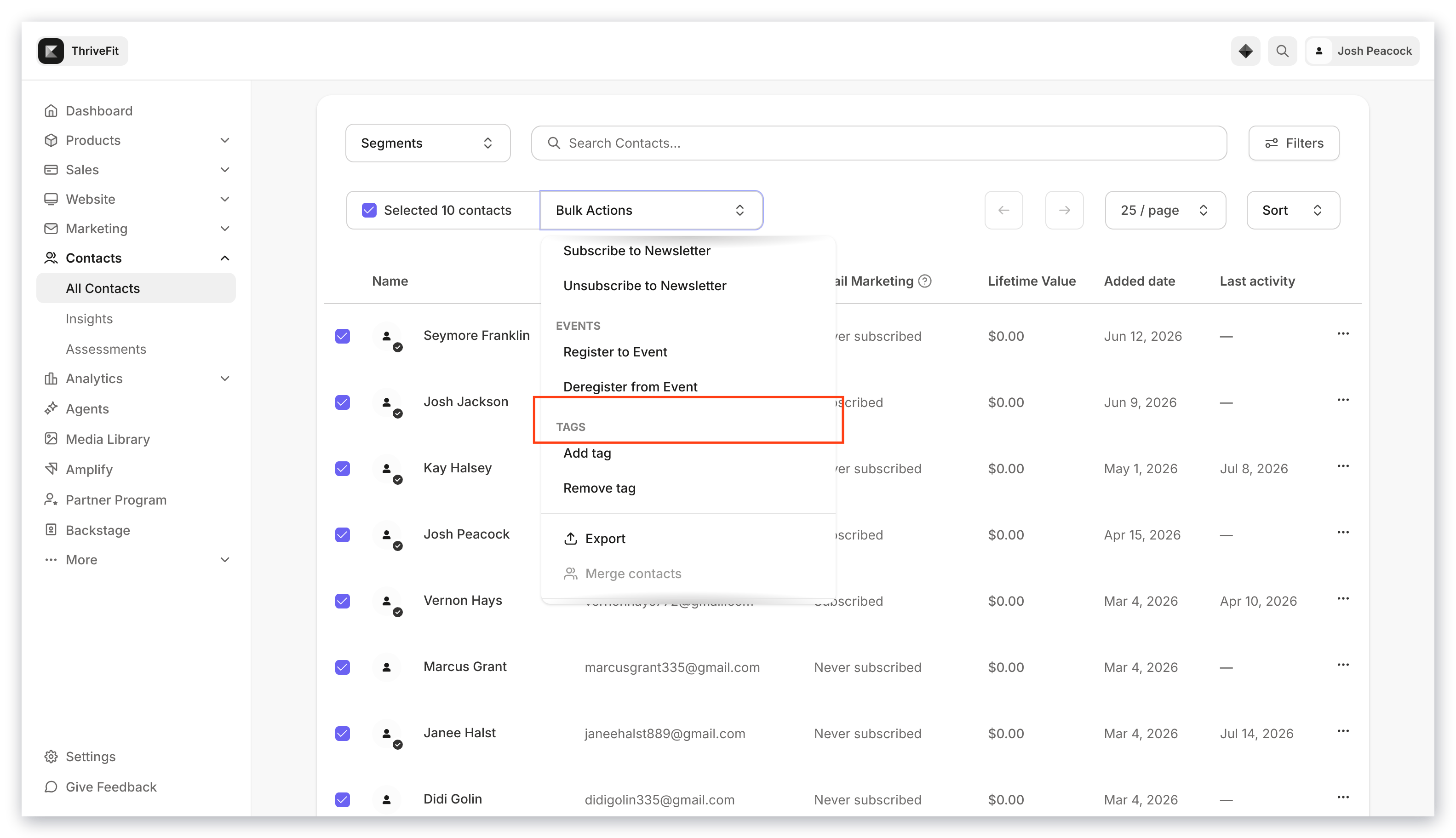
## Tags

* Add or remove Tags

[Understand tags on Kajabi](/articles/contacts/manage-your-contacts/tags-overview)
<img src="https://mintcdn.com/kajabi-support/DB7yAogdPbid1BoD/articles/images/2d165564_upload_12451849693491556875.png?fit=max&auto=format&n=DB7yAogdPbid1BoD&q=85&s=be618d08e0253f54b128ae030b68c2a6" alt="Bulk actions tags" width="3112" height="1768" data-path="articles/images/2d165564_upload_12451849693491556875.png" />

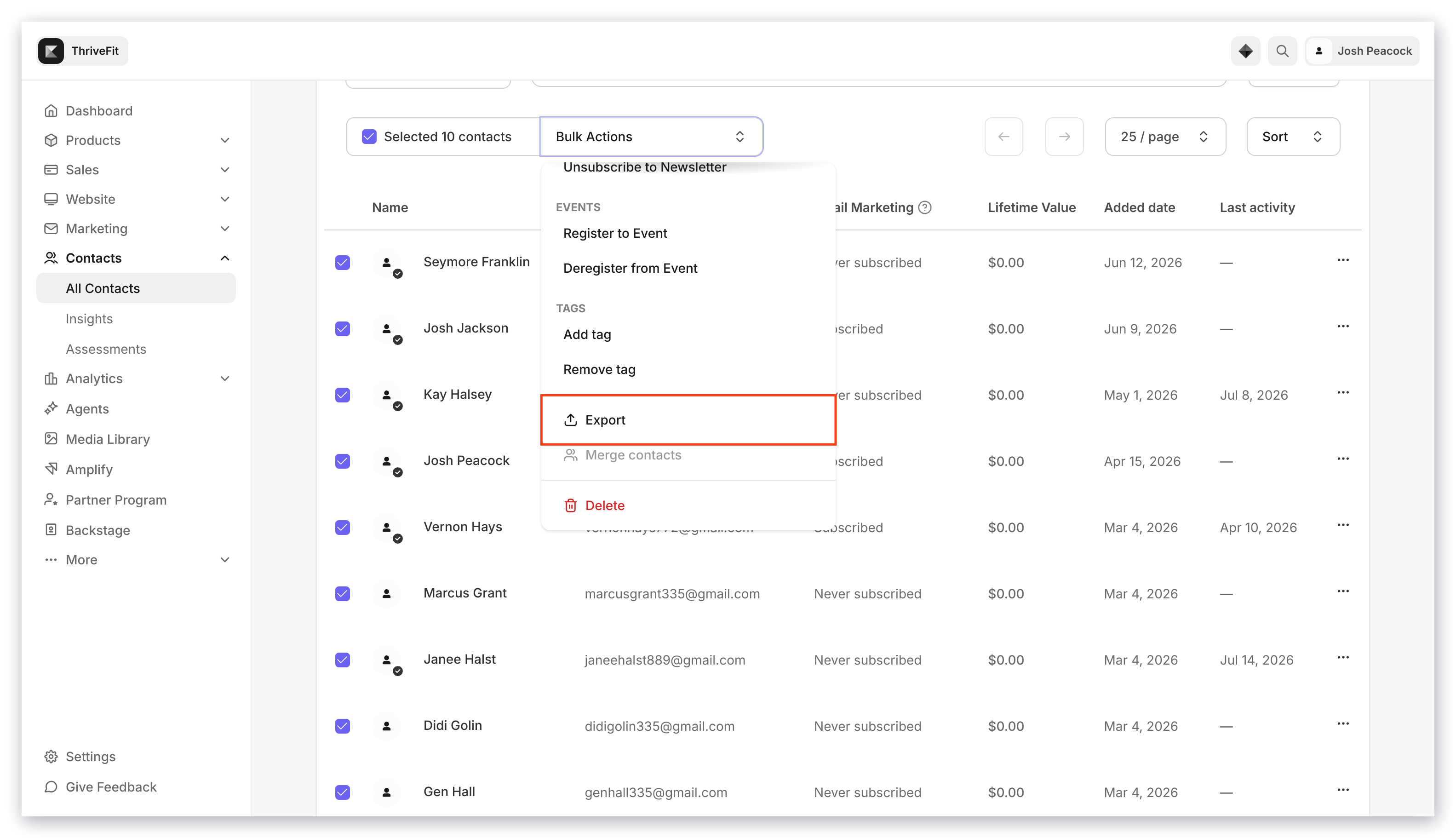
## Export

* [Export a CSV](/articles/contacts/manage-your-contacts/how-to-export-your-contacts) of your entire list or a segmented selection
<img src="https://mintcdn.com/kajabi-support/bZNMdsaL_lttmKcY/articles/images/7b777369_upload_13127309310280201721.png?fit=max&auto=format&n=bZNMdsaL_lttmKcY&q=85&s=51bdd5adf7c0703ac5438098e0ab6d17" alt="Bulk actions export" width="3112" height="1768" data-path="articles/images/7b777369_upload_13127309310280201721.png" />

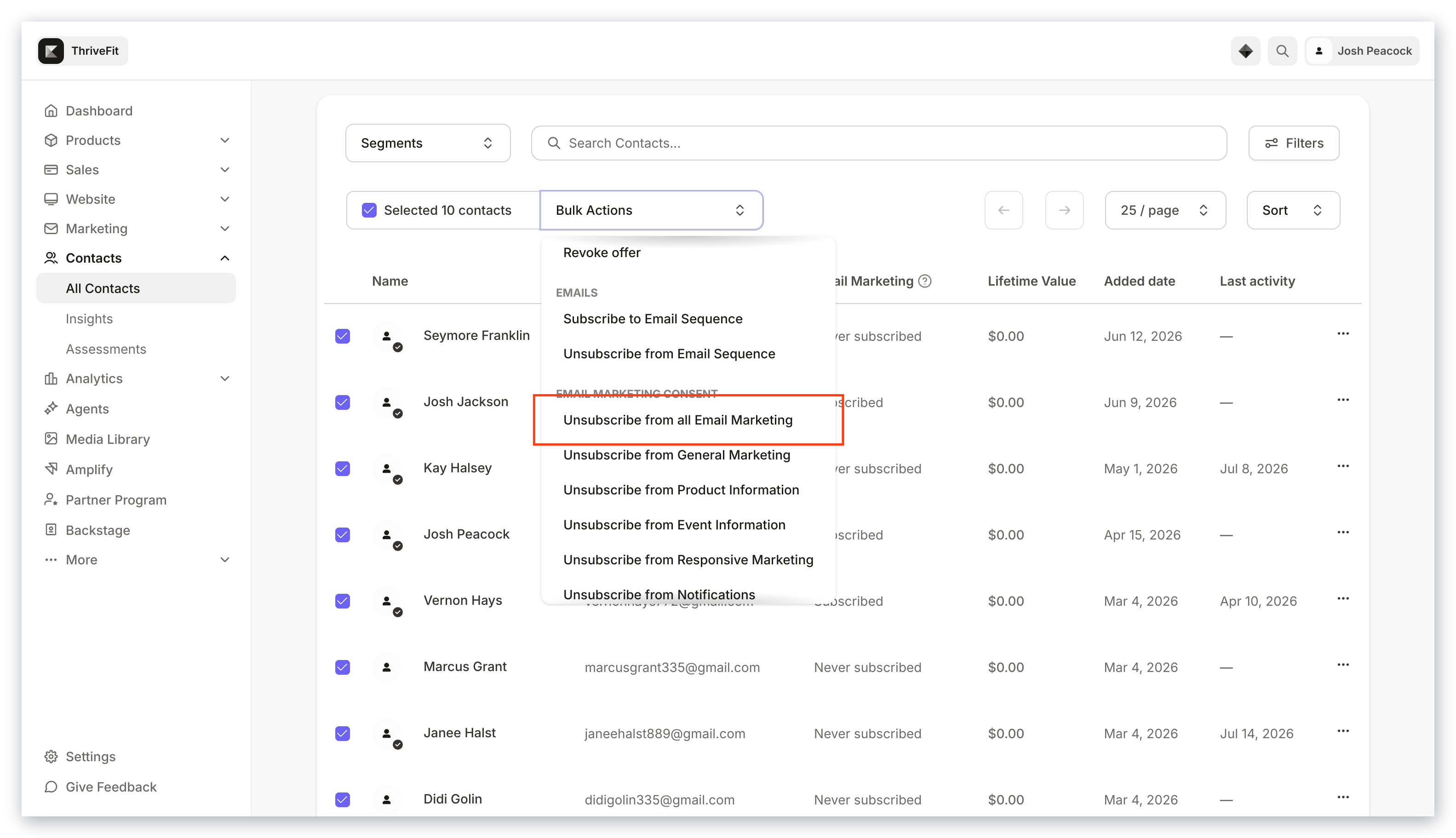
## Unsubscribe

* Unsubscribe contacts from all [email marketing](../../marketing/email-campaigns/what-are-marketing-and-transactional-emails).
<img src="https://mintcdn.com/kajabi-support/0dktLU6n0E_nSYxP/articles/images/8ef0d36a_upload_7344608433049714624.png?fit=max&auto=format&n=0dktLU6n0E_nSYxP&q=85&s=bb6d8a60ba9b525354c582595272f4d9" alt="Bulk actions unsubscribe" width="3112" height="1768" data-path="articles/images/8ef0d36a_upload_7344608433049714624.png" />

<Note>
  **Note:**
  Bulk unsubscribes and bulk deletions export the list to the email address associated with your Kajabi account to recover your unsubscribed or deleted contacts if needed. Be sure to download the CSV within three days of unsubscribing or deleting, after which the link will expire.
</Note>

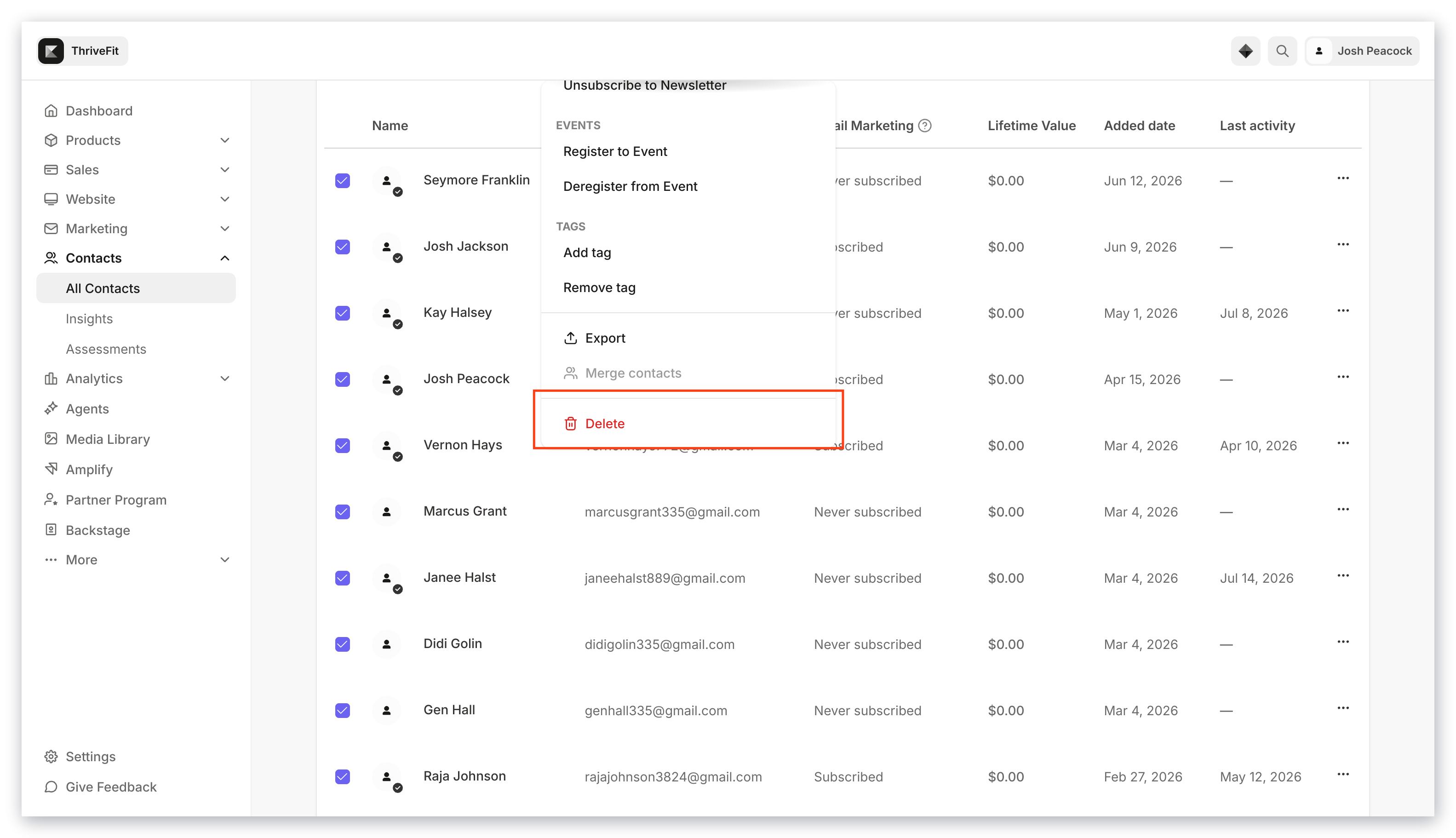
## Delete

* Permanently remove contacts

<Warning>
  **Important:**
  Use extreme caution and discretion when bulk deleting. Do not run the action until you are absolutely certain there is no other way to accomplish your goal. Once a contact is deleted, we cannot restore them.
</Warning>

<img src="https://mintcdn.com/kajabi-support/dM5M-GS8a4ZpE9E0/articles/images/97f9e7d1_upload_4755077036311472523.png?fit=max&auto=format&n=dM5M-GS8a4ZpE9E0&q=85&s=d788f97fcc25dc60a635cb2c4f443e6a" alt="Bulk actions delete" width="3112" height="1768" data-path="articles/images/97f9e7d1_upload_4755077036311472523.png" />
