> ## Documentation Index
> Fetch the complete documentation index at: https://help.kajabi.com/llms.txt
> Use this file to discover all available pages before exploring further.
# Step 7: Price a product
> Create an Offer and set pricing to monetize a product on Kajabi.
Your Product is ready to go and it's time to get paid. Create an **Offer** to set pricing and start monetizing your knowledge.
## Tips for pricing an Offer
Pricing your services and Products is crucial to the success of your business because it impacts profitability, defines perceived value, and influences marketing positioning. Get it right — or at least get as close as possible and iterate as needed.
* **Understand your value proposition** — Before setting a price, clearly define the unique value your Product or service offers. Consider what problems it solves or what benefits it provides to your target audience. The more unique and valuable your offering, the higher you can price it. Make sure to communicate this value in your marketing.
* **Research the market** — Conduct thorough market research to understand how similar Products are priced. This includes analyzing competitors' pricing strategies and understanding the expectations of your target customers. Pricing too high may deter potential buyers, while pricing too low might make your Product seem less valuable.
* **Consider a tiered pricing model** — Implementing a [tiered pricing model](/articles/sales/offers/create-multiple-pricing-options-for-legacy-checkout) can cater to different customer segments. Offer basic, standard, and premium versions of your Product with varying features or levels of access. This strategy maximizes revenue and provides options for customers with different budgets and needs.
## Create an Offer
1. From your Kajabi dashboard, select **Sales**.
2. Navigate to **Pricing**.
3. Click **+ New Offer** to enter the Offer Creation Flow.
4. Enter an **Offer Title** and choose the **Product(s)** to sell with this Offer.
5. Set a price for your Offer.
6. Select **Save and Finish** to complete creating your Offer.
## Customize the Offer Checkout Page
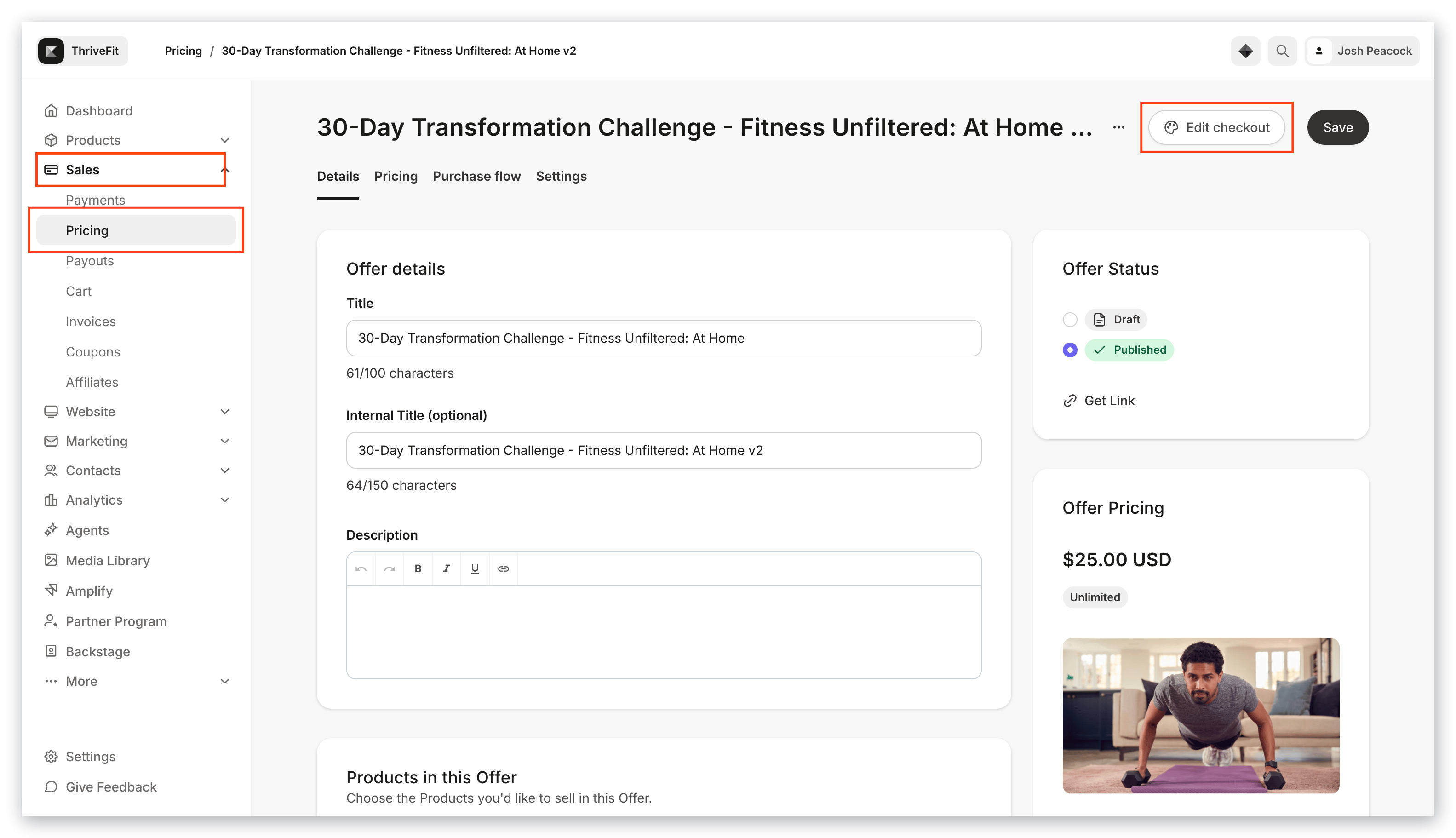
Design the customer experience by customizing the Offer Checkout Page after configuring the details of your Offer:
1. Open the **Sales** tab from your Dashboard.
2. Click **Pricing**.
3. Select the **Offer** you wish to edit.
4. In the top menu, click **Edit Checkout**.
 [Learn more about editing the Offer Checkout Page](/articles/sales/checkout/customize-your-checkout-page).