> ## Documentation Index
> Fetch the complete documentation index at: https://help.kajabi.com/llms.txt
> Use this file to discover all available pages before exploring further.
# Upgrade and downgrade Offers with Automations
> Automate changes to your customer's subscription and Offer access using Automations.
**Automations** are a powerful tool when scaling your business. Automating processes like upgrading or downgrading a customer's subscription allows you to work effectively and efficiently as your list and business grow.
Using Automations to help your customers change their subscription mimics upgrades and downgrades and only impacts future payments.
[Learn more about Automations in Kajabi](/articles/marketing/automations/automations-overview)
**Important:** If your Product is set to [drip release content](../../products/courses/schedule-and-drip-content-in-courses), this Automation resets your customer's Start Date when they upgrade or downgrade their subscription. This impacts their access to released content and requires you to [manually change their Start Date](../../contacts/manage-your-contacts/how-to-change-a-customers-start-date). This does not impact their [Product Progress](../../analytics/report-product-progress) if they upgrade or downgrade to Offers containing the same Product.
## Set up Offers
### Create multiple Offers
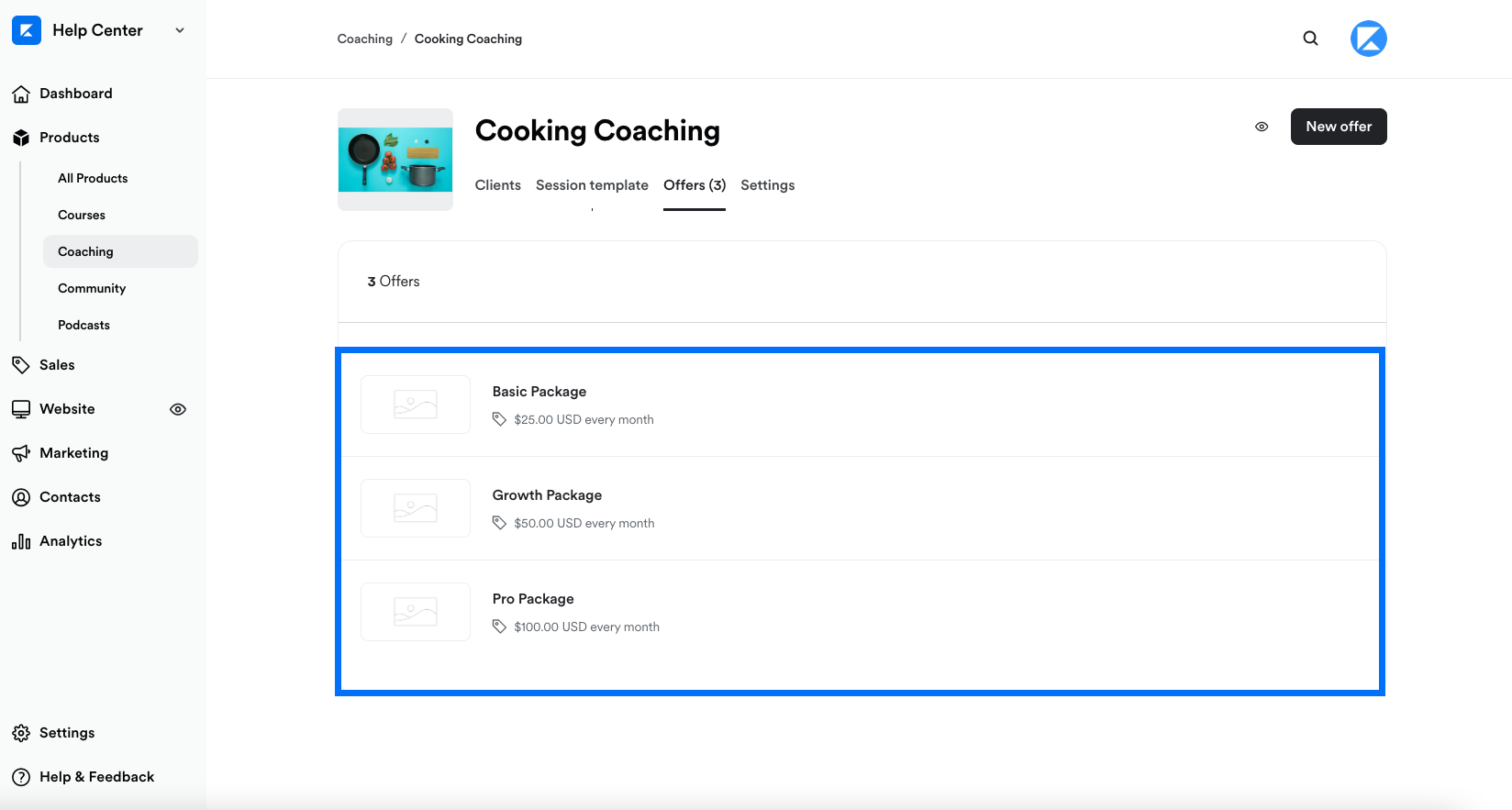
Similar to the Kajabi Pricing Plans (see [kajabi.com/pricing](https://kajabi.com/pricing) for details), [create and customize individual Offers](../../sales/offers/offers-overview) for your customers to upgrade or downgrade their Offers:
 ### Add Automations
Create Automations for each Offer tier to discontinue payment and access to the Offer if an upgraded or downgraded Offer is purchased:
1. In the Offer Editor, scroll to **Automations**.
2. Click **+ Add Automation**.
3. Open the **THEN** dropdown menu.
4. Select **Deactivate from offer (discontinues payment & access)**.
5. Select the Offer that will deactivate the Offer you are editing if purchased (the downgraded or upgraded Offer tier).
6. Click **Save** to apply your changes.
### Add Automations
Create Automations for each Offer tier to discontinue payment and access to the Offer if an upgraded or downgraded Offer is purchased:
1. In the Offer Editor, scroll to **Automations**.
2. Click **+ Add Automation**.
3. Open the **THEN** dropdown menu.
4. Select **Deactivate from offer (discontinues payment & access)**.
5. Select the Offer that will deactivate the Offer you are editing if purchased (the downgraded or upgraded Offer tier).
6. Click **Save** to apply your changes.
Then, repeat Step 2 for every Offer that will trigger the cancelation of the Offer you are editing (adding a different Offer in the **THEN** action and Condition for each Automation). This upgrades or downgrades your customer depending on their current Offer tier prior to purchase:
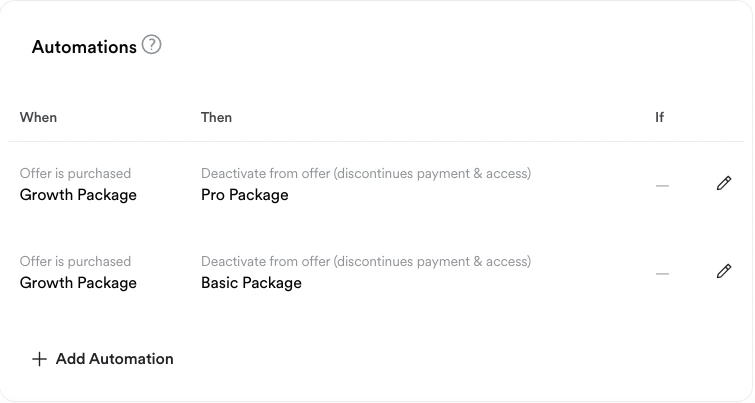 After adding Automations to your first Offer, continue adding Automations for every Offer tier as shown in Step 2.
After adding all of your applicable Automations to every Offer, each Offer should have Automations like the example shown below:
After adding Automations to your first Offer, continue adding Automations for every Offer tier as shown in Step 2.
After adding all of your applicable Automations to every Offer, each Offer should have Automations like the example shown below:
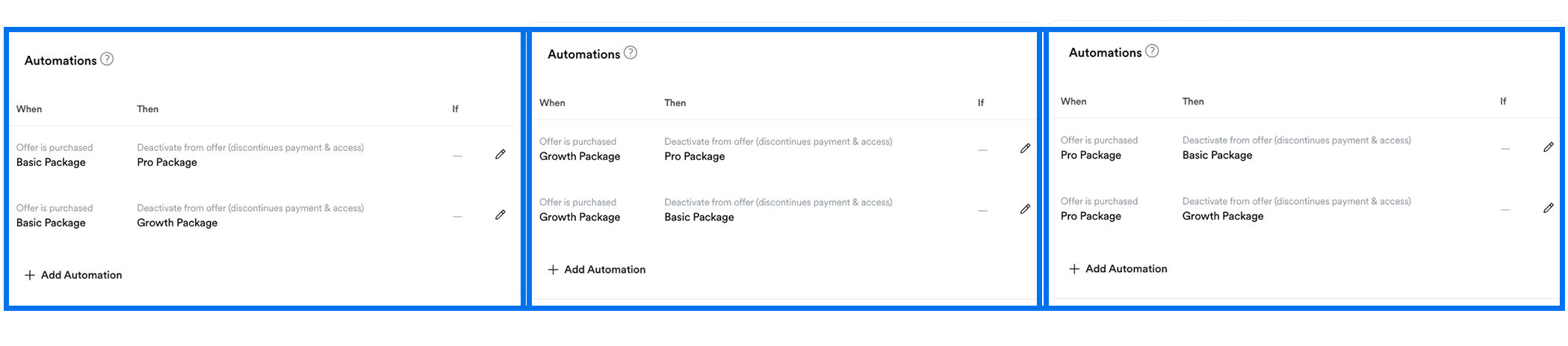 Setting up your Automations for each Offer ensures that your customers can upgrade or downgrade their current Offer by purchasing the upgraded or downgraded Offer you provide.