> ## Documentation Index
> Fetch the complete documentation index at: https://help.kajabi.com/llms.txt
> Use this file to discover all available pages before exploring further.

<AgentInstructions>

## Submitting Feedback

If you encounter incorrect, outdated, or confusing documentation on this page, submit feedback:

POST https://help.kajabi.com/feedback

```json
{
  "path": "/articles/marketing/creator-studio/how-to-delete-creator-studio-projects-clips",
  "feedback": "Description of the issue"
}
```

Only submit feedback when you have something specific and actionable to report.

</AgentInstructions>

# Delete Creator Studio projects and clips

> Remove projects or clips from Creator Studio.

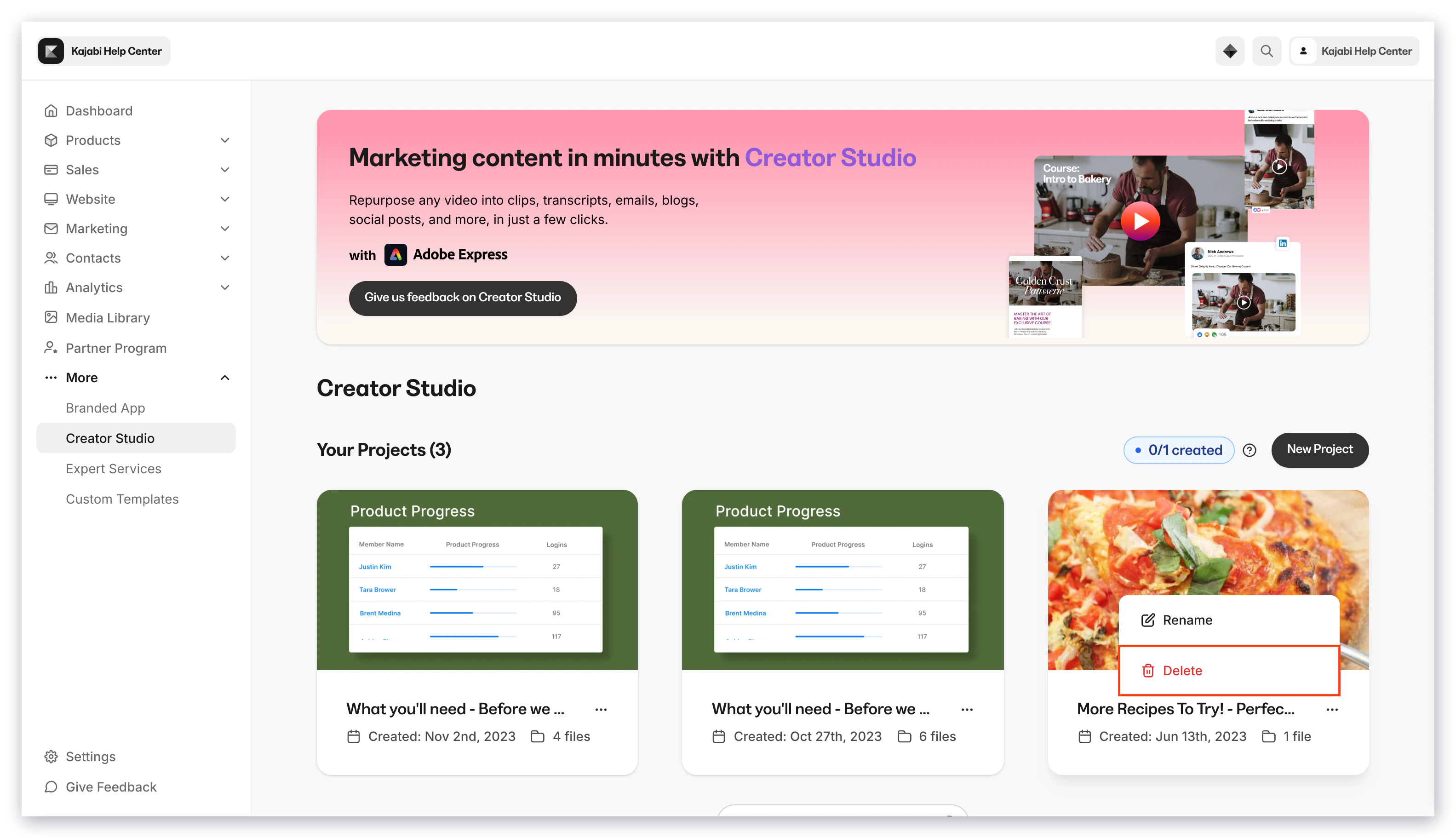
## Delete projects

1. Open **Creator Studio** from your homepage
2. Hover over the project tile
3. Click the **...** menu
4. Click **Delete**
<img src="https://mintcdn.com/kajabi-support/6TFaxWIe5VAJvaKV/articles/images/3ed29afb_upload_4395620098978541368.png?fit=max&auto=format&n=6TFaxWIe5VAJvaKV&q=85&s=4e61b5a337d9438fc779cd251a28ccd2" alt="7940A40B-4923-444A-9029-2D7CABCBAB2A.png" width="3112" height="1768" data-path="articles/images/3ed29afb_upload_4395620098978541368.png" />

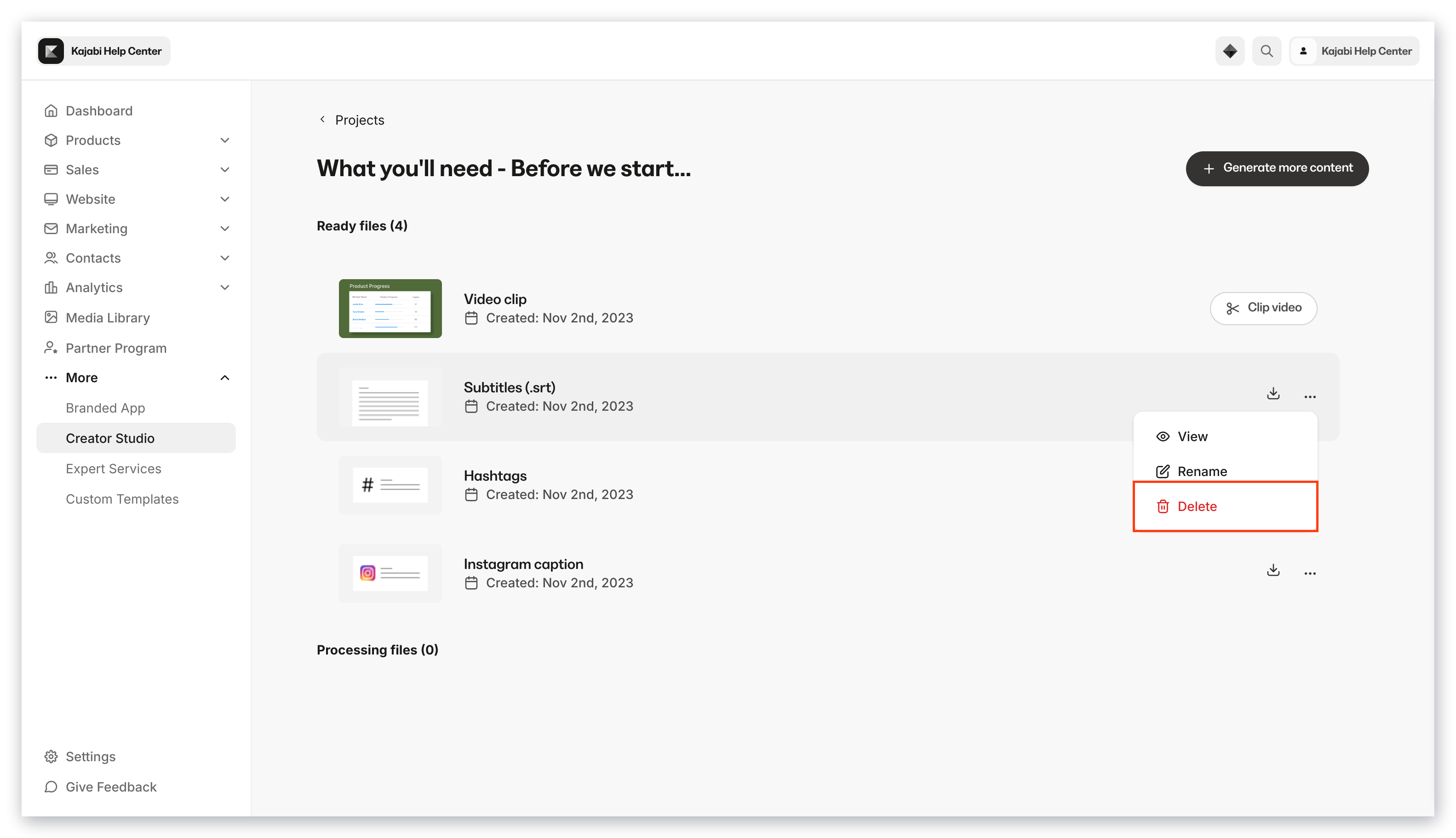
## Delete clips

1. Open **Creator Studio** from your homepage
2. Select your desired project
3. Open the **...** menu next to the clip you wish to delete
4. Select **Delete**
<img src="https://mintcdn.com/kajabi-support/p8xUcPoEbYtv-GgI/articles/images/aed53486_upload_3501638165422924126.png?fit=max&auto=format&n=p8xUcPoEbYtv-GgI&q=85&s=4dd746a8edaed7da4da6c7c5e450f672" alt="9ADB0FF2-CFCF-4804-B81F-B8A9C738EE6A.png" width="3112" height="1768" data-path="articles/images/aed53486_upload_3501638165422924126.png" />
