> ## Documentation Index
> Fetch the complete documentation index at: https://help.kajabi.com/llms.txt
> Use this file to discover all available pages before exploring further.
# Turn off the View in Web Browser feature
> Hide the View in Web Browser link on desktop, mobile, or both.
## Hide the View in Web Browser link
Turning off this feature can be accomplished across different devices. If you wish to display the **View in Web Browser** feature only on desktop and not on mobile, or vice versa, you can.
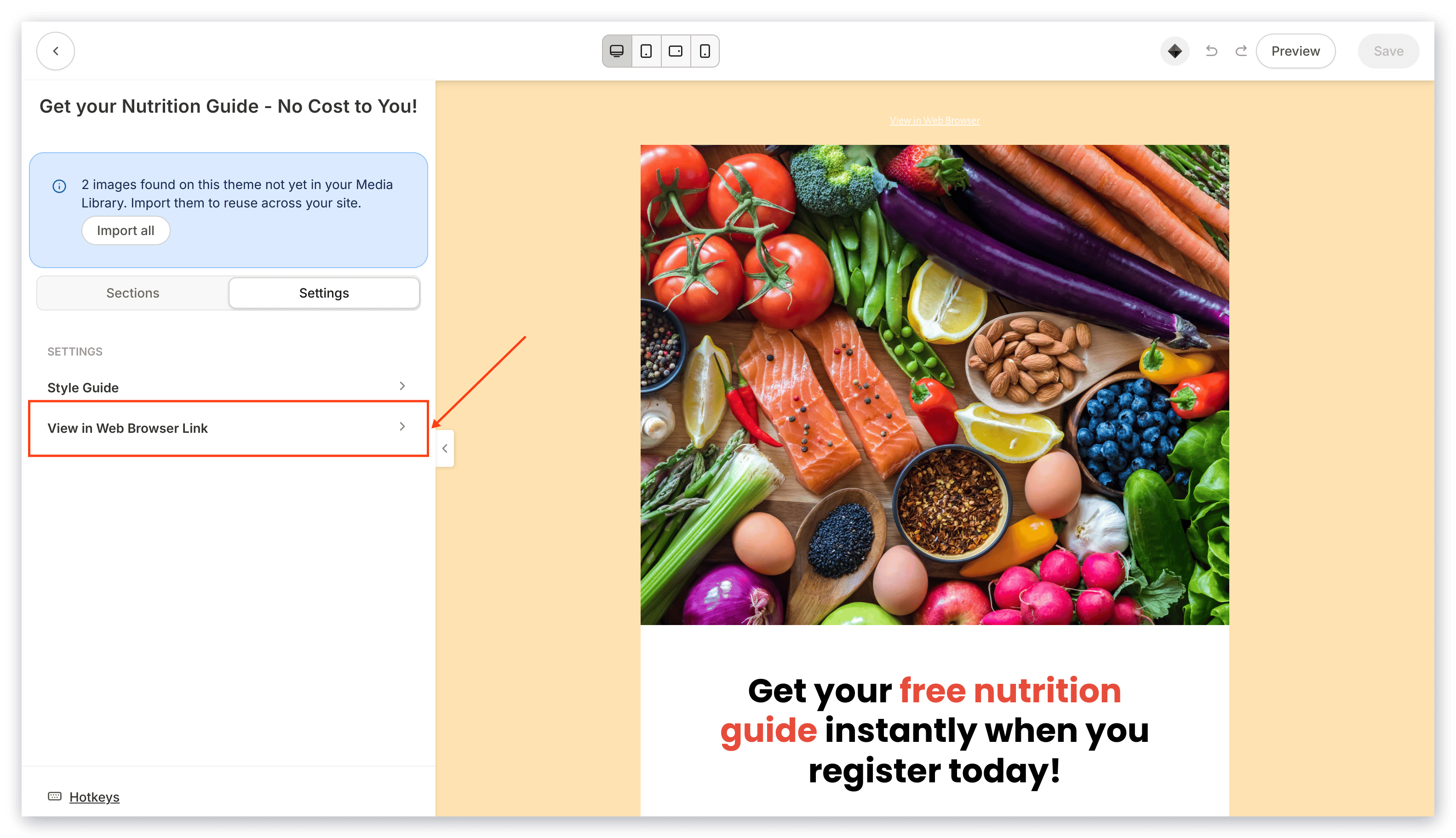
* In the Visual Editor, click **Settings**.
* Then, click **View in Web Browser Link**:
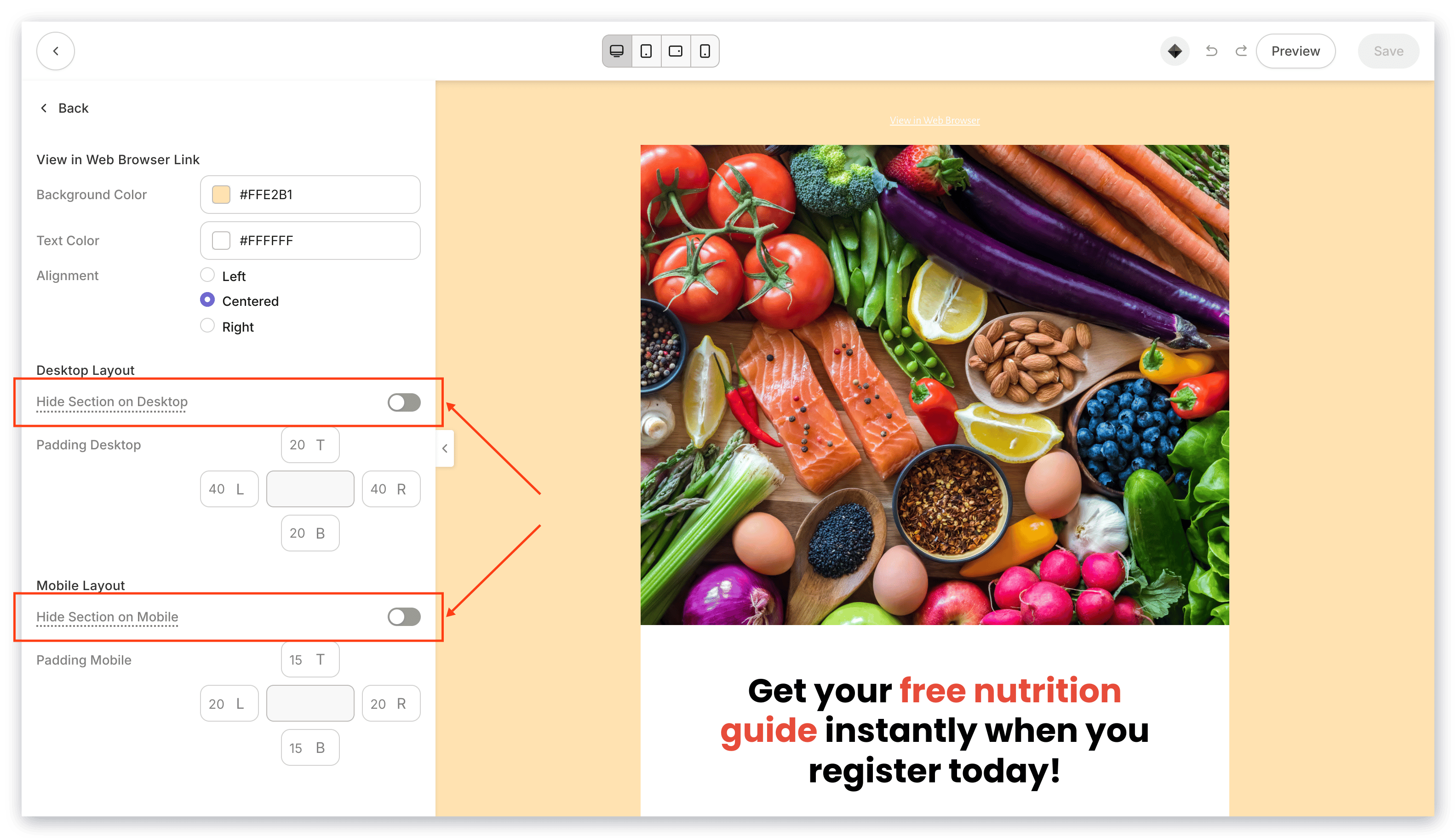
 * Check **Hide Section on Desktop** and/or **Hide Section on Mobile** to turn off the link for desktop and/or mobile.
 [Learn more about hiding the View in Web Browser link](/articles/marketing/email-campaigns/how-to-hide-the-view-in-web-browser-link).