> ## Documentation Index
> Fetch the complete documentation index at: https://help.kajabi.com/llms.txt
> Use this file to discover all available pages before exploring further.

<AgentInstructions>

## Submitting Feedback

If you encounter incorrect, outdated, or confusing documentation on this page, submit feedback:

POST https://help.kajabi.com/feedback

```json
{
  "path": "/articles/marketing/email-campaigns/classic-email-editor-vs-visual-email-editor",
  "feedback": "Description of the issue"
}
```

Only submit feedback when you have something specific and actionable to report.

</AgentInstructions>

# Classic Email Editor vs Visual Email Editor

> Choose between the Classic Email Editor and Visual Email Editor for email campaigns.

The **Classic Email Editor** is available alongside the Visual Email Editor.

You can select the "classic" editor when creating an email campaign by clicking the **Use the Classic Editor** button on the top right when selecting your template:
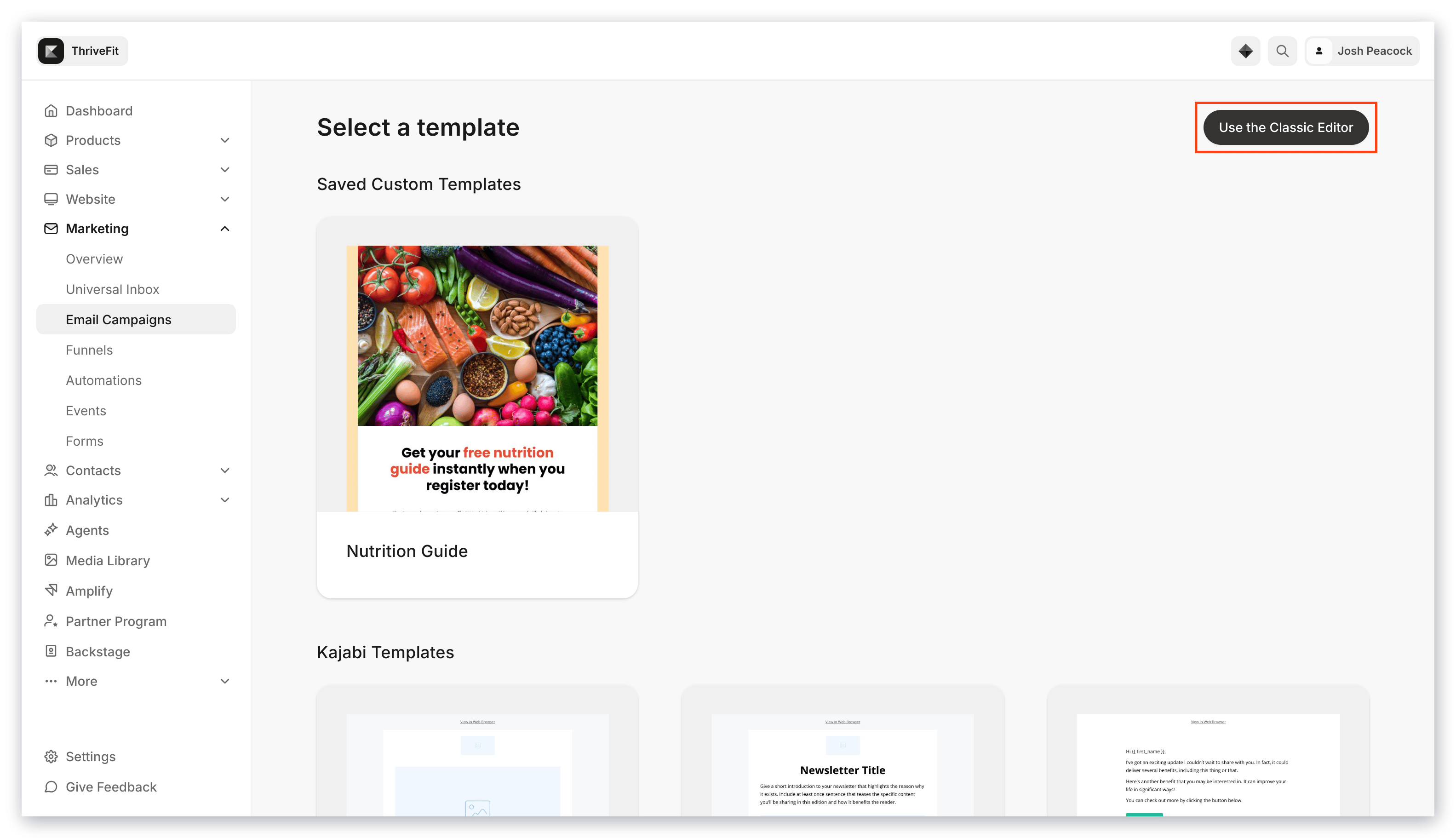
<img src="https://mintcdn.com/kajabi-support/KcN1Ave2wqokJV1G/articles/images/654c409b_upload_2010880400550389950.png?fit=max&auto=format&n=KcN1Ave2wqokJV1G&q=85&s=38b3958c61e541940b4cb1dd22c9ffe9" alt="Use the Classic Editor" width="3112" height="1768" data-path="articles/images/654c409b_upload_2010880400550389950.png" />

Or at the bottom of the Email Templates page:

<div className="w-full aspect-video">
  <iframe src="https://fast.wistia.net/embed/iframe/dgm3e5h7za" allow="autoplay; fullscreen" allowFullScreen className="w-full h-full" />
</div>
