> ## Documentation Index
> Fetch the complete documentation index at: https://help.kajabi.com/llms.txt
> Use this file to discover all available pages before exploring further.

<AgentInstructions>

## Submitting Feedback

If you encounter incorrect, outdated, or confusing documentation on this page, submit feedback:

POST https://help.kajabi.com/feedback

```json
{
  "path": "/articles/marketing/email-campaigns/how-to-customize-the-typography-in-email-campaigns",
  "feedback": "Description of the issue"
}
```

Only submit feedback when you have something specific and actionable to report.

</AgentInstructions>

# Customize typography in Email Campaigns

> Customize font style and font sizes for desktop and mobile devices to match your brand.

Font type plays a significant role in the personality and character of your brand. In the **Typography** section, you can customize font style and font sizes for desktop and mobile devices.

<div className="w-full aspect-video">
  <iframe src="https://fast.wistia.net/embed/iframe/05nnyfgpe1" allow="autoplay; fullscreen" allowFullScreen className="w-full h-full" />
</div>

## Custom font

### Select a custom font

<Note>
  **Note:**
  Custom Fonts are only supported in modern email clients. Ensure the readability of your email content across different email clients by selecting a Fallback Body and Heading Font.
</Note>

* Open the **Settings** tab in the Editor.
* Click **Typography**.
* Check **Use Custom Fonts:**

<div className="w-full aspect-video">
  <iframe src="https://fast.wistia.net/embed/iframe/vv966yd6mq" allow="autoplay; fullscreen" allowFullScreen className="w-full h-full" />
</div>

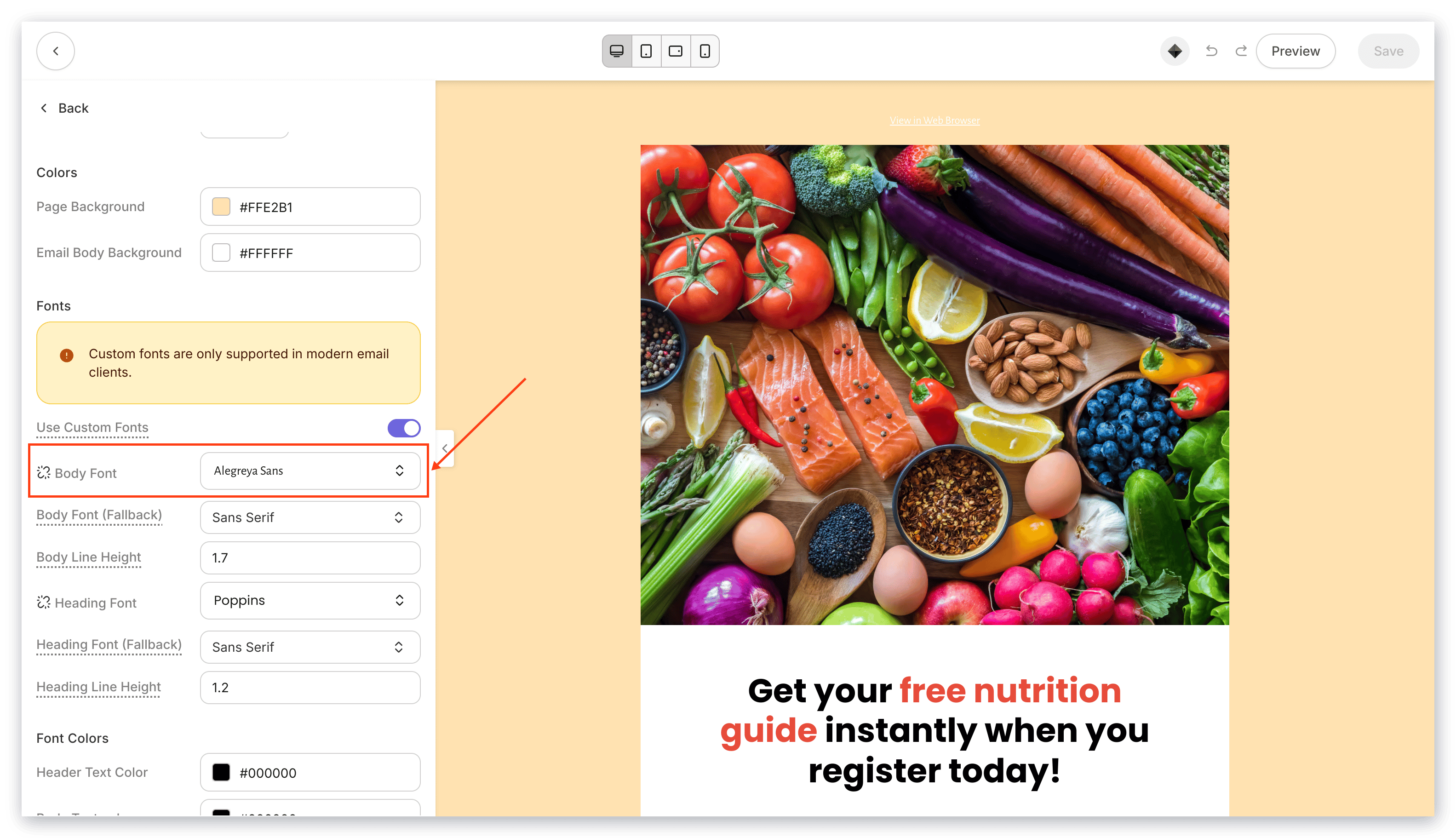
* Then, select your Body Font:

<img src="https://mintcdn.com/kajabi-support/km6s0kSe4aDFzY4R/articles/images/9d18f314_upload_14414674961315656084.png?fit=max&auto=format&n=km6s0kSe4aDFzY4R&q=85&s=3e692e6e98a7c625efa727f522ea6d29" alt="Body Font Selection" width="3112" height="1768" data-path="articles/images/9d18f314_upload_14414674961315656084.png" />

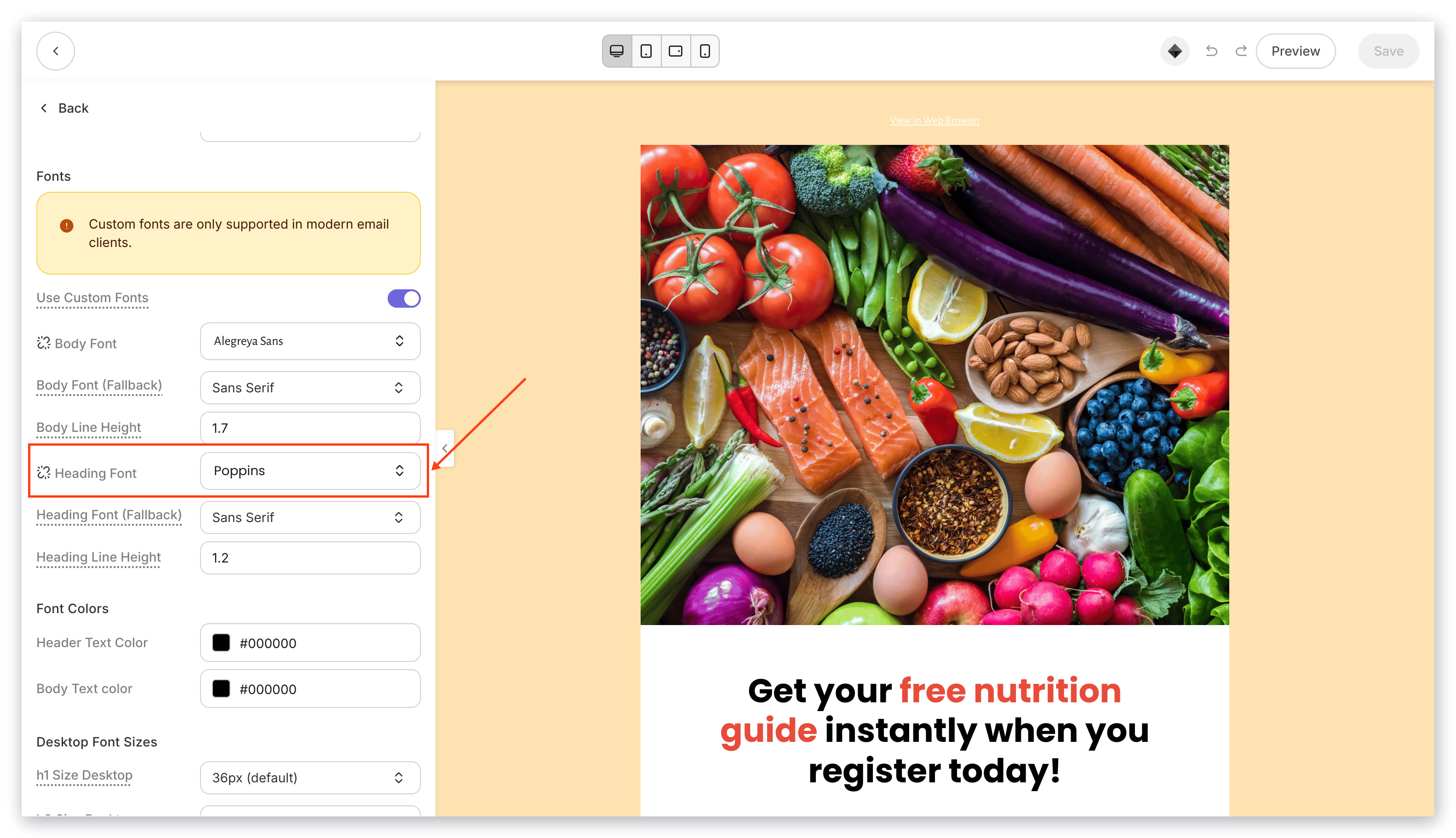
* Select your Heading Font:

<img src="https://mintcdn.com/kajabi-support/bZNMdsaL_lttmKcY/articles/images/7a15b55c_upload_15357427364381629791.png?fit=max&auto=format&n=bZNMdsaL_lttmKcY&q=85&s=9b94087a9779de37e946c30ba66b06bb" alt="Heading Font Selection" width="3112" height="1768" data-path="articles/images/7a15b55c_upload_15357427364381629791.png" />

## Fallback font

Select a Fallback Font for email clients that may not support your selected Custom Font.

### Select a fallback font
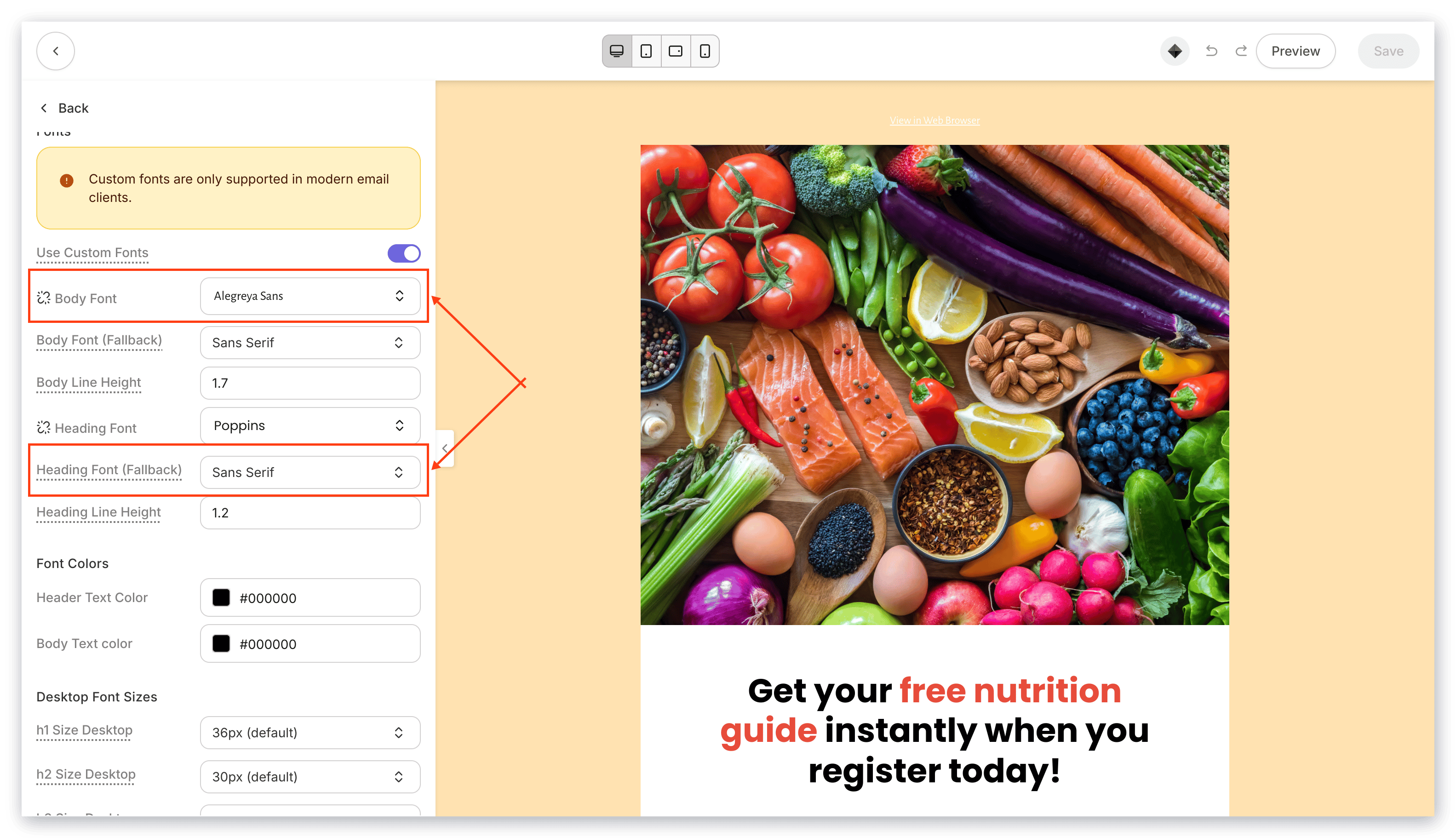
<img src="https://mintcdn.com/kajabi-support/6TFaxWIe5VAJvaKV/articles/images/3c95049b_upload_2441680747248696287.png?fit=max&auto=format&n=6TFaxWIe5VAJvaKV&q=85&s=6833fd8e9593048fdc3bd95e8343b309" alt="Fallback Font Selection" width="3112" height="1768" data-path="articles/images/3c95049b_upload_2441680747248696287.png" />

<Tip>
  **Tip:**
  To use the default Fallback Fonts without Custom Fonts, uncheck Custom Fonts and simply select your desired Fonts under the Body Font (Fallback) and Heading Font (Fallback) dropdown menus.
</Tip>

## Configure email visibility

Customize the email font size to optimize the reader experience across devices.

### Desktop font sizes

* Select the **Settings** tab in the Editor.
* Click open **Typography**.
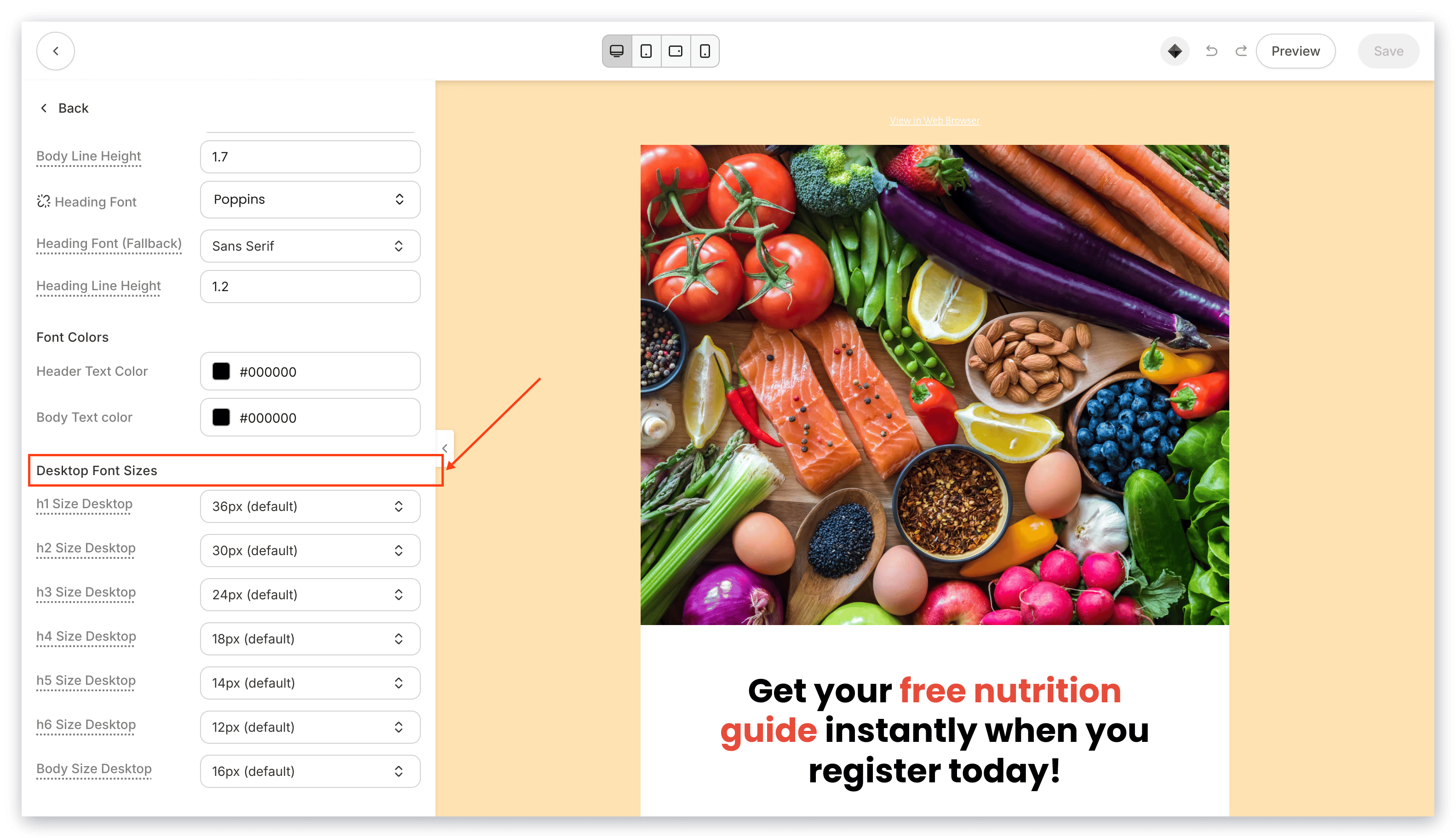
* Navigate to the Desktop Font Sizes header.
* Use the dropdown menus to specify your Desktop Font Sizes:

<img src="https://mintcdn.com/kajabi-support/DB7yAogdPbid1BoD/articles/images/2c554591_upload_15463734752771623983.png?fit=max&auto=format&n=DB7yAogdPbid1BoD&q=85&s=1642ba39fdee3c7822b57a4d07e66cbc" alt="Desktop Font Sizes" width="3112" height="1768" data-path="articles/images/2c554591_upload_15463734752771623983.png" />

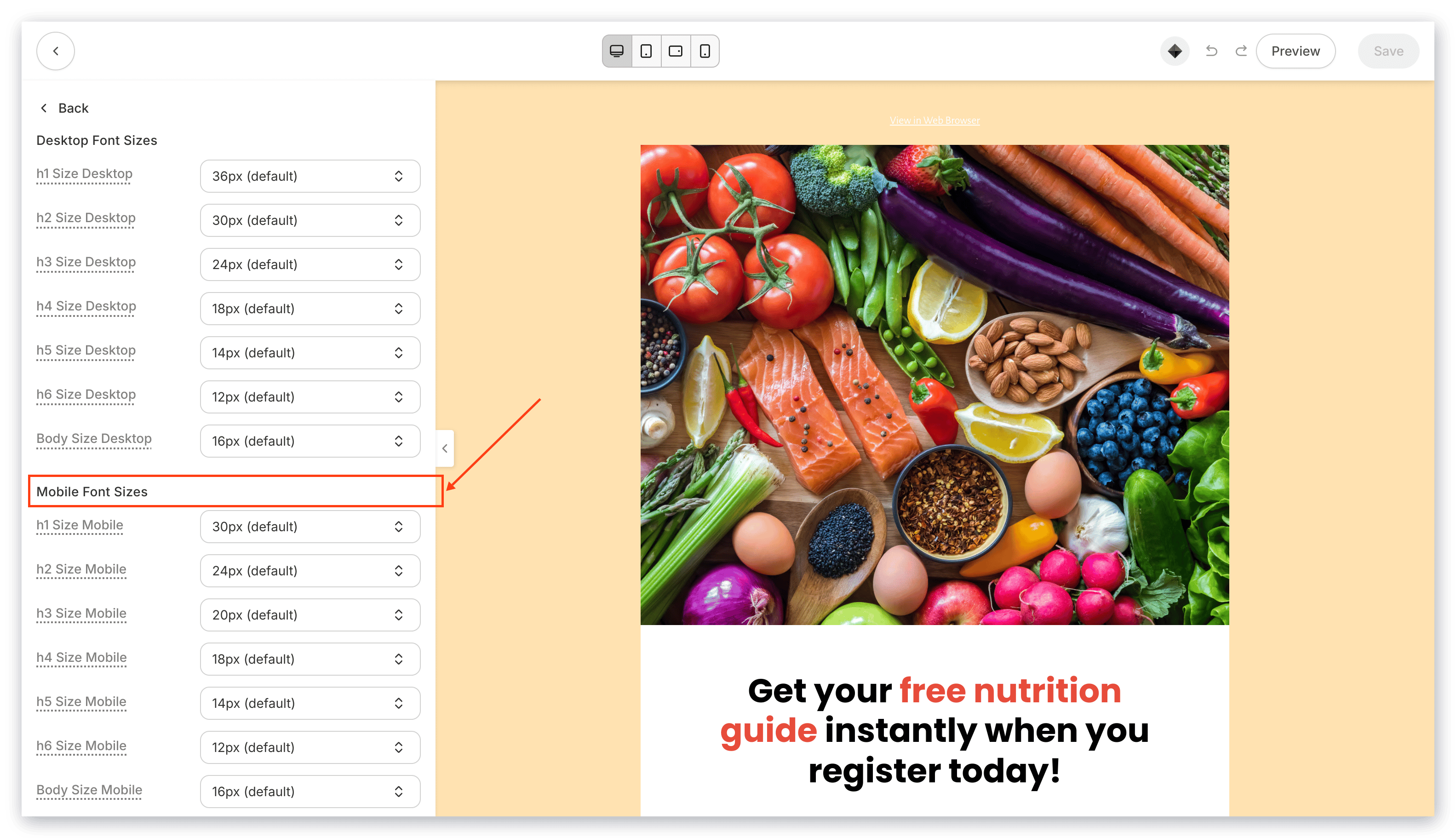
### Mobile font sizes

* Select the **Settings** tab in the Editor.
* Click open **Typography**.
* Navigate to the Mobile Font Sizes header.
* Use the dropdown menus to specify your Mobile Font Sizes:
<img src="https://mintcdn.com/kajabi-support/N3VXT8aMWFKAgK0L/articles/images/ca198aaa_upload_11084586794915788480.png?fit=max&auto=format&n=N3VXT8aMWFKAgK0L&q=85&s=41bf8a0c5230a3e055c70106eb0b28dc" alt="Mobile Font Sizes" width="3112" height="1768" data-path="articles/images/ca198aaa_upload_11084586794915788480.png" />

For best practices when customizing your Font Sizes, read [How to Optimize Your Font Size in Email Campaigns](../../marketing/email-campaigns/how-to-optimize-your-font-size-in-email-campaigns) for details.