> ## Documentation Index
> Fetch the complete documentation index at: https://help.kajabi.com/llms.txt
> Use this file to discover all available pages before exploring further.
# Use After Submission settings in Forms
> Configure options that automatically occur after a Form is submitted.
**After Submission settings** are actions that automatically occur after a Form is completed and submitted by your leads or customers. With Kajabi Forms, you can send a notification to your team, send the Form data to a third-party email provider, or route the contact submitting the Form to a custom thank you page.
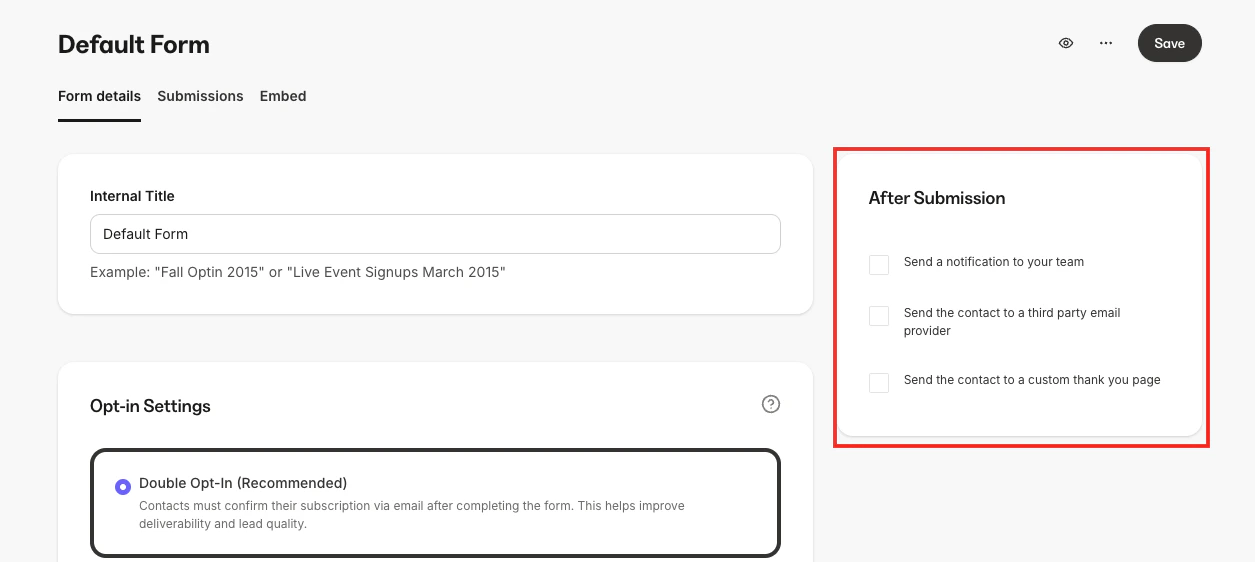 ## Send a notification to the team
Select this option, then enter the **Email Address** of your team member in the box below. To add multiple emails, hit the **Tab** button after you enter each email. Click **Save** to apply.
## Send the contact to a third-party email provider
To send the Form's data to a third-party email provider, first integrate with that provider within your Kajabi account.
[Learn how to integrate with third-party providers using the integration guides](https://help.kajabi.com/hc/en-us/sections/360008619374-Third-Party-Contact-Management-Integrations).
## Send the contact to a custom thank you page
**Note:** The dropdown only shows Kajabi Landing Pages that already exist in your account. You cannot enter an external URL directly. To redirect form submitters to a page outside Kajabi (for example, a WordPress or third-party thank-you page), first create a Kajabi Landing Page with a redirect script, then connect that page here. [Learn how to set up a redirect on a Kajabi page.](https://help.kajabi.com/articles/website/pages/how-can-i-redirect-a-page)
To redirect the Form submitter to a thank you **Landing Page**, first create that page for it to appear as an option in the dropdown.
[Learn how to create a Landing Page](../../website/pages/how-to-add-pages-to-your-website).
##
## Send a notification to the team
Select this option, then enter the **Email Address** of your team member in the box below. To add multiple emails, hit the **Tab** button after you enter each email. Click **Save** to apply.
## Send the contact to a third-party email provider
To send the Form's data to a third-party email provider, first integrate with that provider within your Kajabi account.
[Learn how to integrate with third-party providers using the integration guides](https://help.kajabi.com/hc/en-us/sections/360008619374-Third-Party-Contact-Management-Integrations).
## Send the contact to a custom thank you page
**Note:** The dropdown only shows Kajabi Landing Pages that already exist in your account. You cannot enter an external URL directly. To redirect form submitters to a page outside Kajabi (for example, a WordPress or third-party thank-you page), first create a Kajabi Landing Page with a redirect script, then connect that page here. [Learn how to set up a redirect on a Kajabi page.](https://help.kajabi.com/articles/website/pages/how-can-i-redirect-a-page)
To redirect the Form submitter to a thank you **Landing Page**, first create that page for it to appear as an option in the dropdown.
[Learn how to create a Landing Page](../../website/pages/how-to-add-pages-to-your-website).
##