> ## Documentation Index
> Fetch the complete documentation index at: https://help.kajabi.com/llms.txt
> Use this file to discover all available pages before exploring further.

<AgentInstructions>

## Submitting Feedback

If you encounter incorrect, outdated, or confusing documentation on this page, submit feedback:

POST https://help.kajabi.com/feedback

```json
{
  "path": "/articles/marketing/forms/what-happens-when-a-form-is-deleted",
  "feedback": "Description of the issue"
}
```

Only submit feedback when you have something specific and actionable to report.

</AgentInstructions>

# What happens when a Form is deleted

> Understand what happens to contacts and tags when a Form is permanently removed from your site.

Removing a Form from your site cannot be undone. Before deleting a Form, understand how it affects your contacts, their lifecycle data, and any Tags created through Form Automations.

## Delete a Form

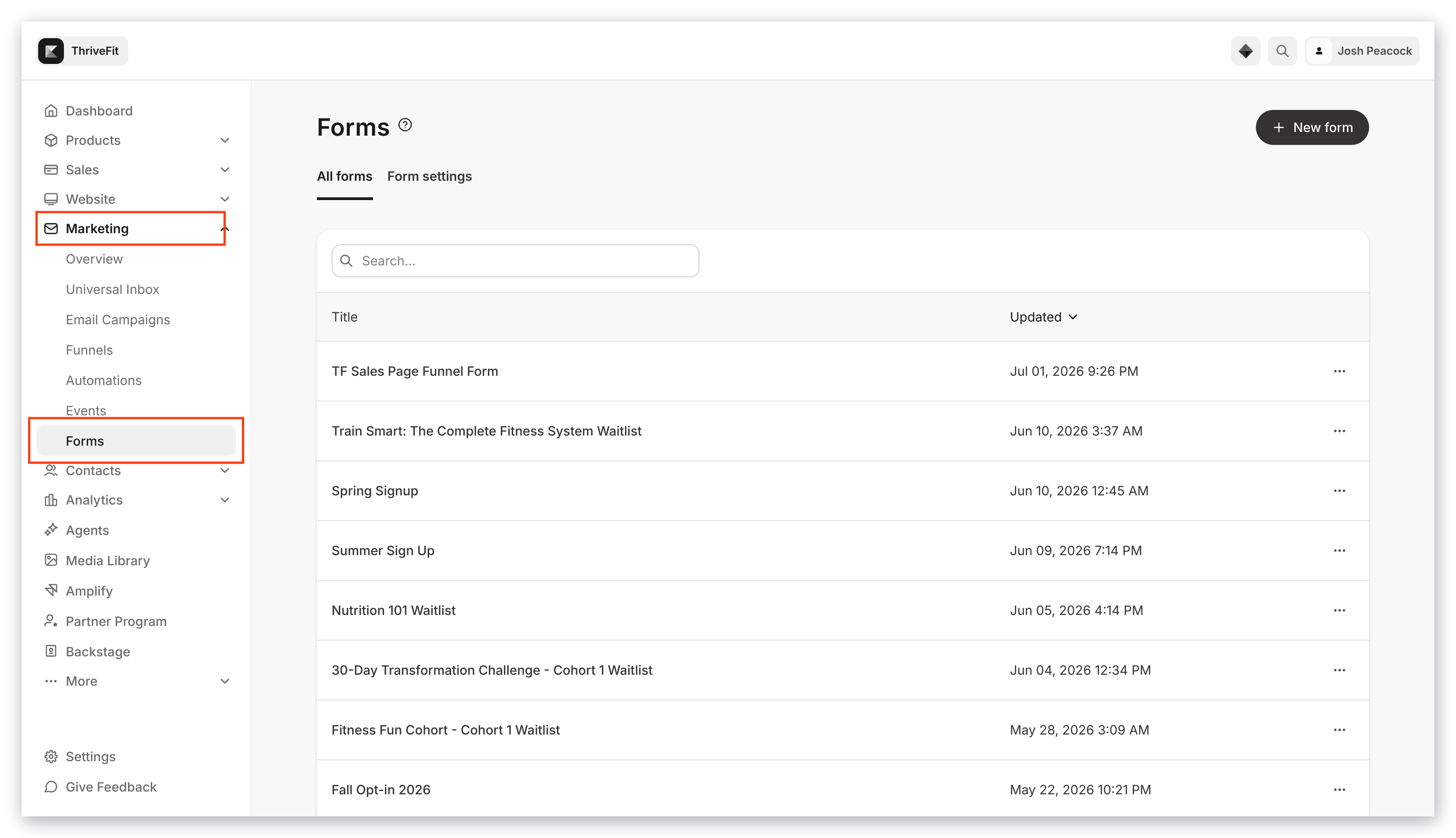
1. Open the **Marketing** tab from your Dashboard.
2. Click **Forms**:

<img src="https://mintcdn.com/kajabi-support/PGtO8PCuc_NzdaFE/articles/images/d6efb546_upload_10127982865145187902.png?fit=max&auto=format&n=PGtO8PCuc_NzdaFE&q=85&s=5a56bb72b3cd92d36f32b1229b46e7ba" alt="Forms list" width="3112" height="1768" data-path="articles/images/d6efb546_upload_10127982865145187902.png" />

3. Select the Form you wish to delete.
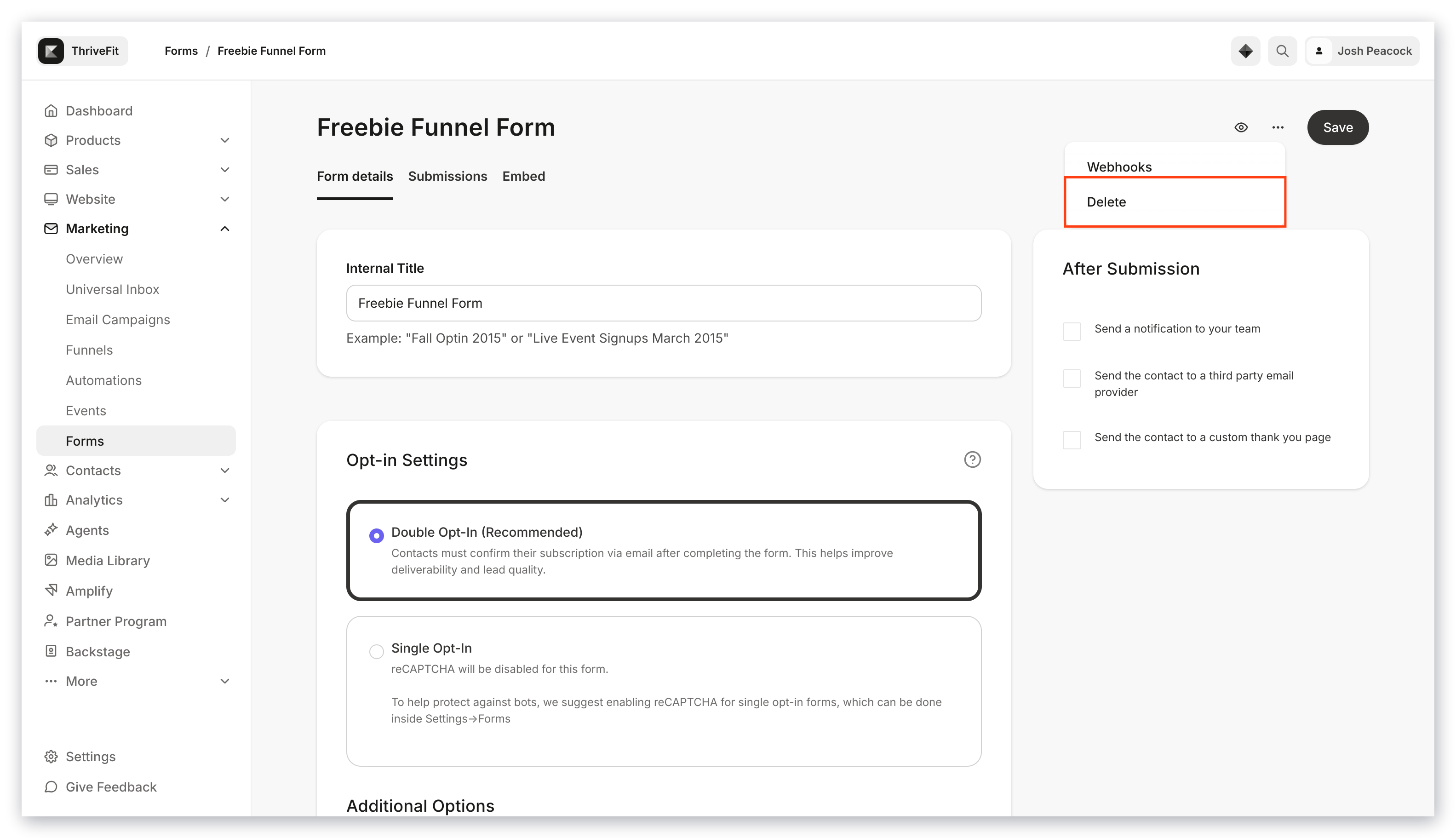
4. Click the **more actions menu** (`…`) in the top-right corner of the Form Editor.
5. Select **Delete**:
<img src="https://mintcdn.com/kajabi-support/0dktLU6n0E_nSYxP/articles/images/8f1a34ba_upload_17360061084499835694.png?fit=max&auto=format&n=0dktLU6n0E_nSYxP&q=85&s=a0e91a7fbe27c63d40acb72fb4573ebd" alt="Delete form option" width="3112" height="1768" data-path="articles/images/8f1a34ba_upload_17360061084499835694.png" />

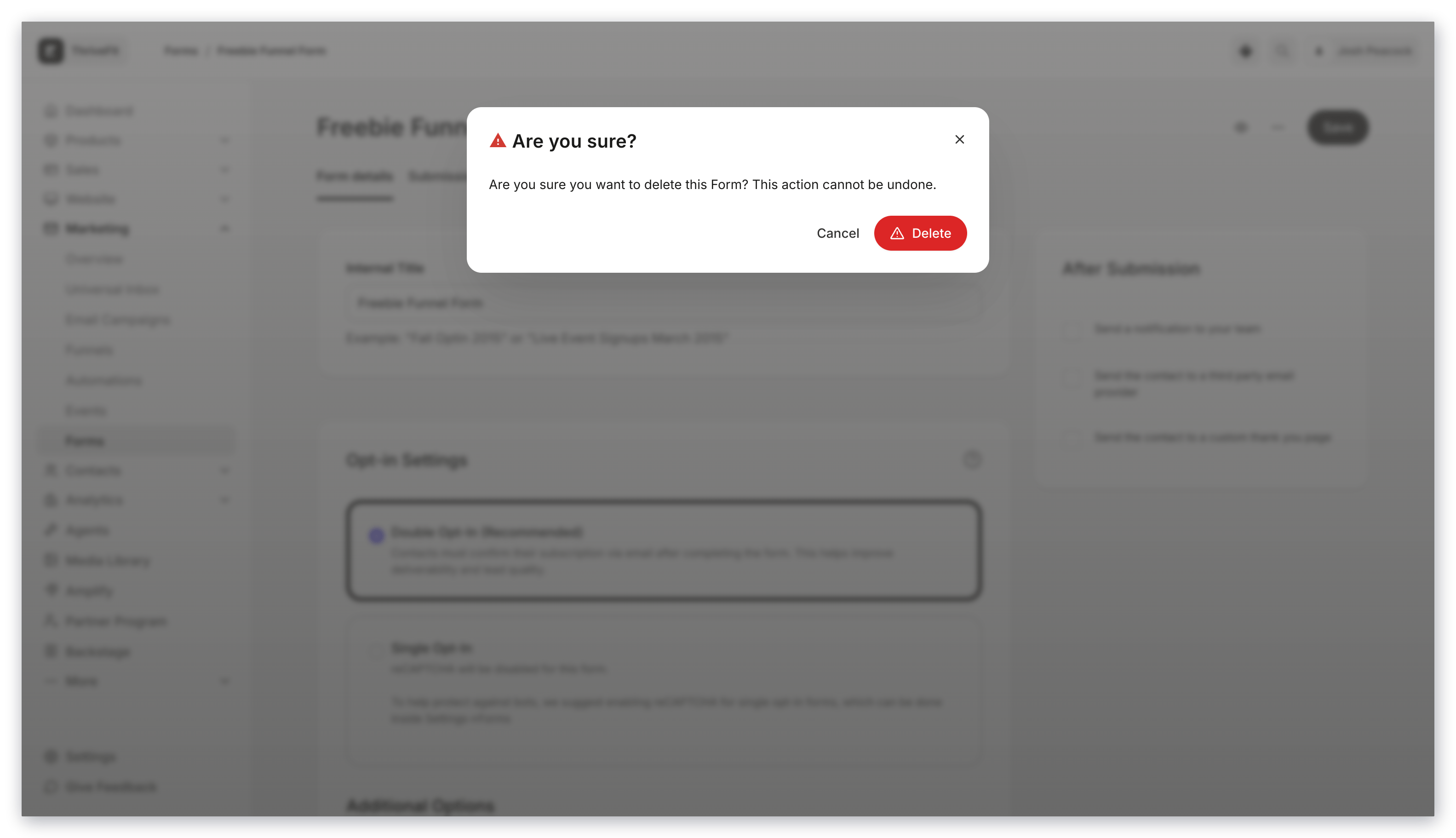
6. Confirm your desire to delete by clicking **Delete** in the pop-up modal:
<img src="https://mintcdn.com/kajabi-support/0dktLU6n0E_nSYxP/articles/images/8d682beb_upload_4966721802892364295.png?fit=max&auto=format&n=0dktLU6n0E_nSYxP&q=85&s=59b08e3befc8fe97eb938fb15b9c9067" alt="Confirm delete" width="3112" height="1768" data-path="articles/images/8d682beb_upload_4966721802892364295.png" />

## Contacts that submitted the Form

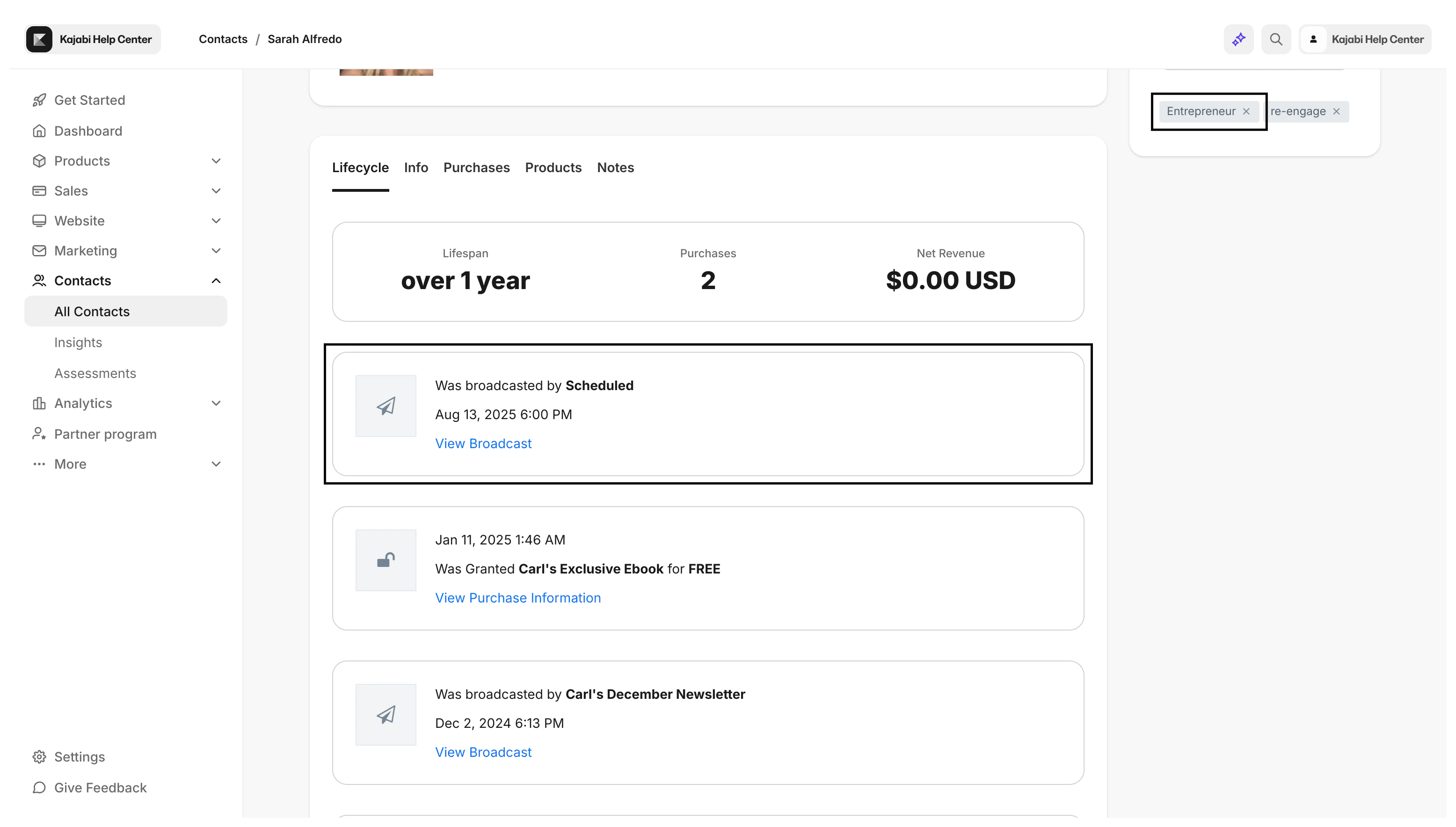
Contacts added to your **Contacts** tab through a Form submission continue to remain in your **Contacts** tab if you remove the Form from your site.

However, the **Lifecycle** tab for your contacts no longer displays the Form as an event that occurred in their lifecycle:
<div className="w-full aspect-video">
  <iframe src="https://fast.wistia.net/embed/iframe/u0g3lvyc6d" allow="autoplay; fullscreen" allowFullScreen className="w-full h-full" />
</div>

## Tags created from the Form submission

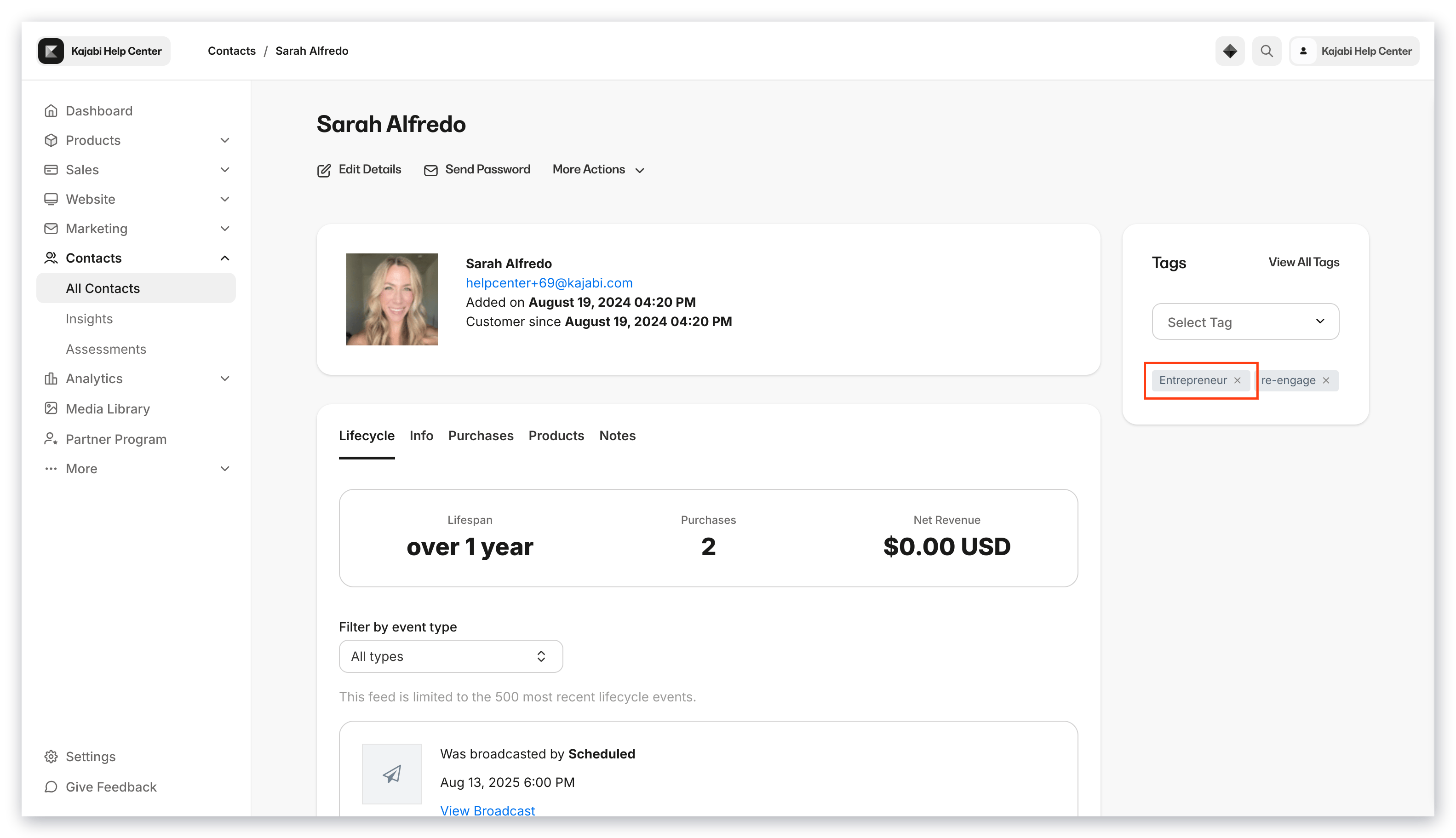
If you have set up an [Automation](./how-to-use-automations-in-forms) to create a Tag when the Form is submitted, Tags applied to a contact remain in the contact's profile in your **Contacts** tab after the Form is removed from your site.

Form submitted:

<img src="https://mintcdn.com/kajabi-support/p8xUcPoEbYtv-GgI/articles/images/b1940430_upload_14540297831151317009.png?fit=max&auto=format&n=p8xUcPoEbYtv-GgI&q=85&s=3739e9ca376076682ff4de0dd43a1bcb" alt="Form submitted with tag" width="3112" height="1768" data-path="articles/images/b1940430_upload_14540297831151317009.png" />

Form deleted:

<img src="https://mintcdn.com/kajabi-support/km6s0kSe4aDFzY4R/articles/images/a739e3e9_upload_9740755494523086584.png?fit=max&auto=format&n=km6s0kSe4aDFzY4R&q=85&s=5a6cc7cf9cb027386e4cd9b69806e6a2" alt="Tag remains after form deleted" width="3112" height="1768" data-path="articles/images/a739e3e9_upload_9740755494523086584.png" />