> ## Documentation Index
> Fetch the complete documentation index at: https://help.kajabi.com/llms.txt
> Use this file to discover all available pages before exploring further.
# View page and email stats in Funnels
> Track statistics throughout Sales and Marketing Funnels to understand conversion rates.
**Funnel Stats** help you understand how visitors move through your Funnel, where they convert, and how your emails perform. Use this data to identify bottlenecks and optimize your marketing flow.
## Access Funnel Stats
1. Open the **Marketing** tab from the Dashboard.
2. Select **Funnels.**
3. Click into an existing Funnel.
4. Click the **View Stats** button.
## Funnel Stats
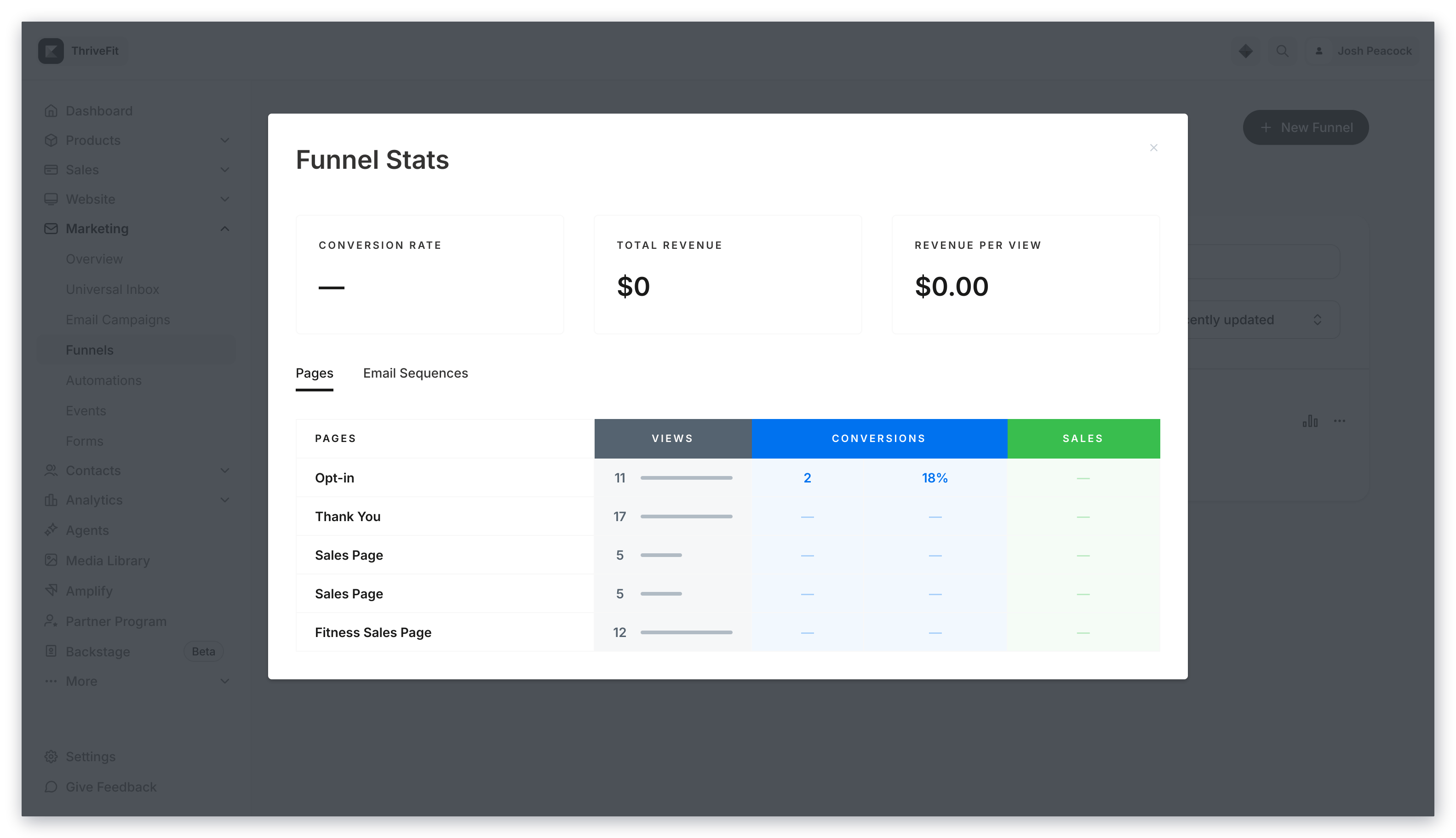 * **Conversion Rate** — Total opt-ins divided by the total number of page views
* **Total Revenue** — The total profit generated from your Offer in the Funnel
* **Revenue Per View** — Total number of sales divided by the total number of page views
* **Views** — The total number of visits (page views)
* **Conversions** — Total number of opt-ins from a Form on the page
* **Sales** — The total number of sales generated from the Offer
**Note:** Sales stats reflect all sales of the specific Offer, even if the purchase did not come from the Funnel.
## Funnel Email Sequence stats
If your Funnel includes emails, your Funnel Stats will display an **Email Sequences** tab:
* **Conversion Rate** — Total opt-ins divided by the total number of page views
* **Total Revenue** — The total profit generated from your Offer in the Funnel
* **Revenue Per View** — Total number of sales divided by the total number of page views
* **Views** — The total number of visits (page views)
* **Conversions** — Total number of opt-ins from a Form on the page
* **Sales** — The total number of sales generated from the Offer
**Note:** Sales stats reflect all sales of the specific Offer, even if the purchase did not come from the Funnel.
## Funnel Email Sequence stats
If your Funnel includes emails, your Funnel Stats will display an **Email Sequences** tab:
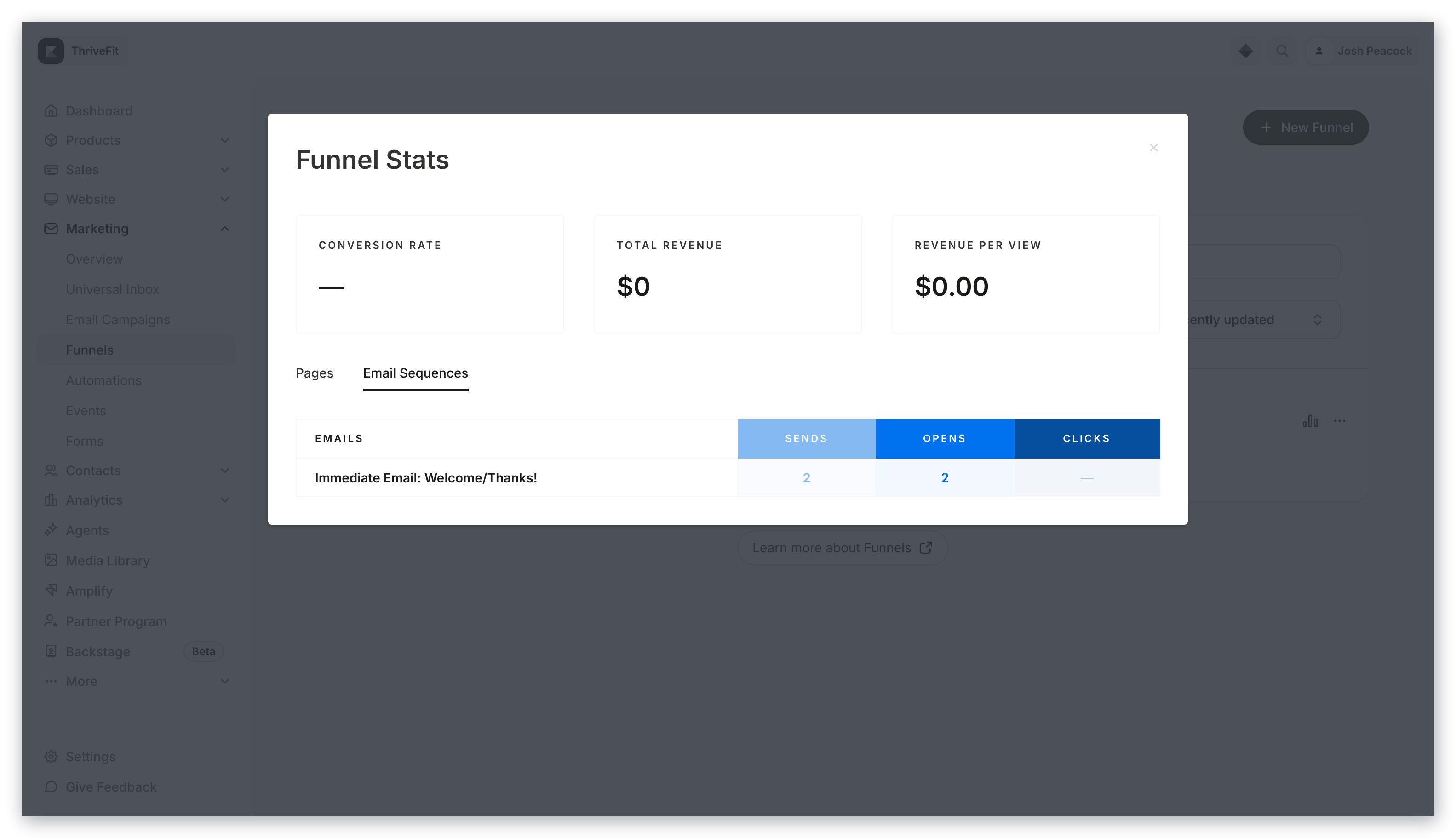 * **Sends** — The number of emails successfully sent
* **Opens** — The number of times the email has been opened
* **Clicks** — The number of times any link in the email has been clicked. Click tracking excludes clicks from the [View in Browser](../../marketing/email-campaigns/how-to-hide-the-view-in-web-browser-link) button in an email campaign
**Note:** Stats reflect all sends, opens, and clicks that are specific to the Email Sequence, even if the subscriber did not come from the Funnel.
* **Sends** — The number of emails successfully sent
* **Opens** — The number of times the email has been opened
* **Clicks** — The number of times any link in the email has been clicked. Click tracking excludes clicks from the [View in Browser](../../marketing/email-campaigns/how-to-hide-the-view-in-web-browser-link) button in an email campaign
**Note:** Stats reflect all sends, opens, and clicks that are specific to the Email Sequence, even if the subscriber did not come from the Funnel.