> ## Documentation Index
> Fetch the complete documentation index at: https://help.kajabi.com/llms.txt
> Use this file to discover all available pages before exploring further.
# Access Community from a Branded App
> Open Community directly from a Branded App for seamless navigation.
**Community** is accessible directly from a Branded App, allowing seamless navigation without switching between apps. With a single tap, you or your customers can open Community from inside the Branded App.
## Access Community
**To access Community from a Branded App:**
1. Open the **Branded App**
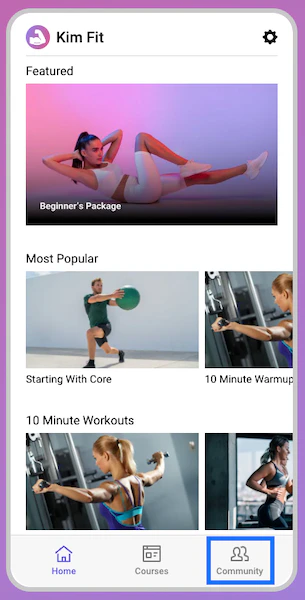
2. Select **Community** from the navigation menu:
 3. The Community will open in a webview:
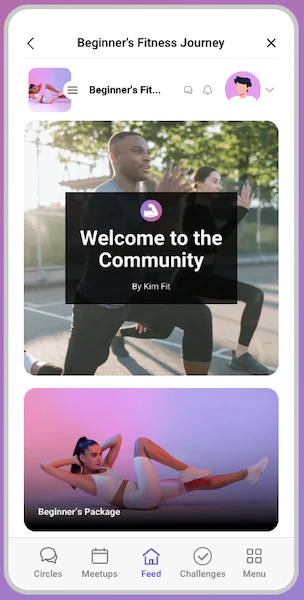 To return to the Branded App, click either the back arrow or the **X** at the top of the Community webview screen to close the window and return to the app.