> ## Documentation Index
> Fetch the complete documentation index at: https://help.kajabi.com/llms.txt
> Use this file to discover all available pages before exploring further.
# Apply for Apple and Google's 15% commission programs
> Reduce in-app purchase commissions by applying for Apple's and Google's 15% programs.
**Apple's Small Business Program** and **Google's Service Fee Tier Program** allow you to reduce the standard 30% commission on in-app purchases down to 15%. You are eligible if you earn less than \$1M (USD) per year with in-app purchases on each platform.
## Apple's application process
1. Review the details of Apple's Small Business Program:
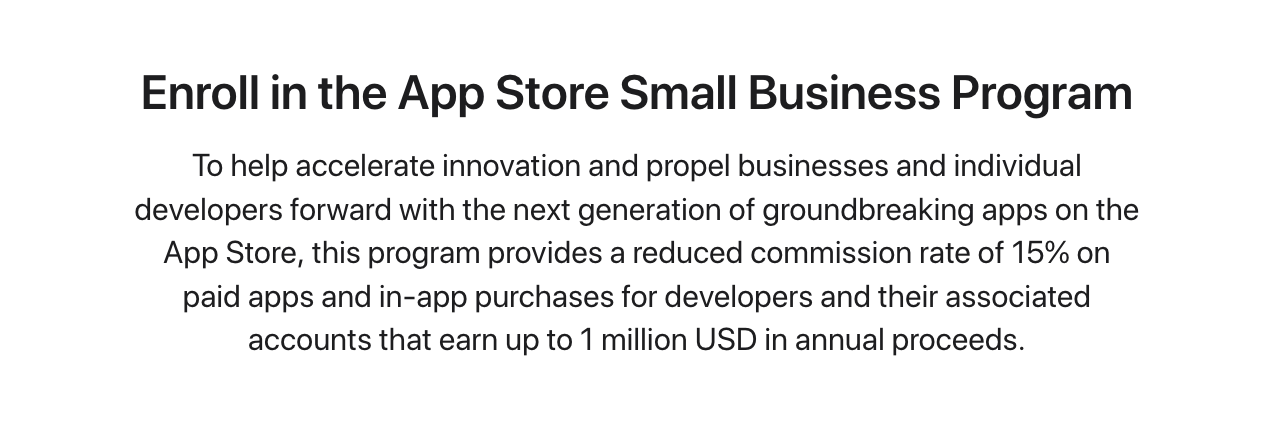 [Learn about Apple's Small Business Program](https://developer.apple.com/app-store/small-business-program/)
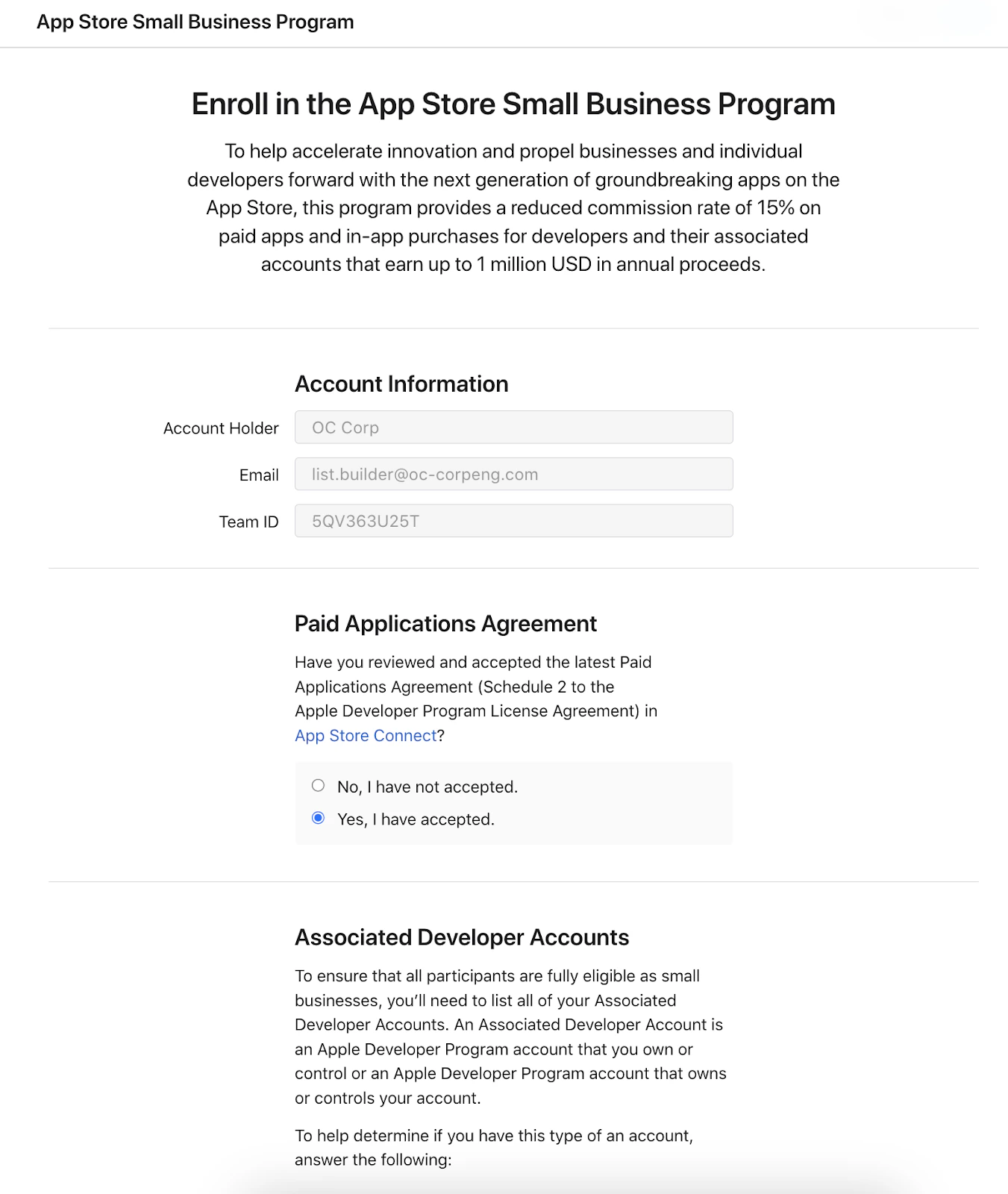
2. Log in as the Apple Developer Account Holder and complete the form:
[Learn about Apple's Small Business Program](https://developer.apple.com/app-store/small-business-program/)
2. Log in as the Apple Developer Account Holder and complete the form:
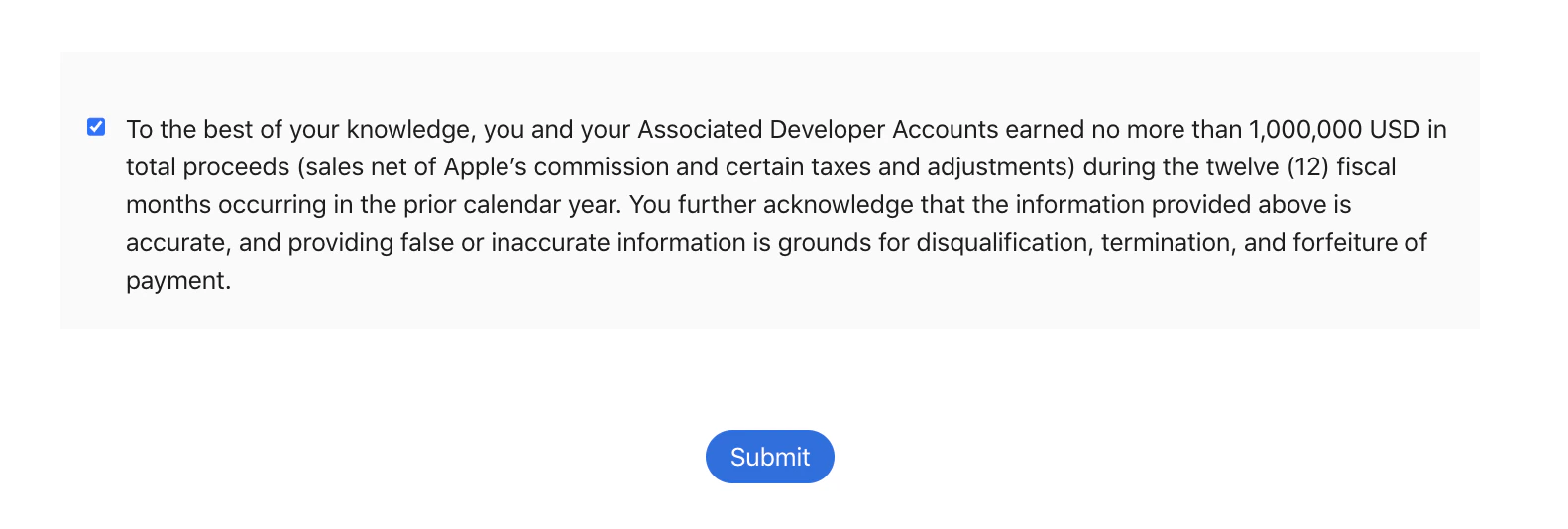
 3. Click **Submit**:
 ## Google application process
### Create a payments profile
If you don't have a payments profile in the Google Developer Console, learn to create a payment profile with [Google's Help Article](https://support.google.com/googleplay/android-developer/answer/7161426).
### Create a developer account group
After creating the payment profile, you will need to create a **Developer Account Group**:
1. Open **Play Console**
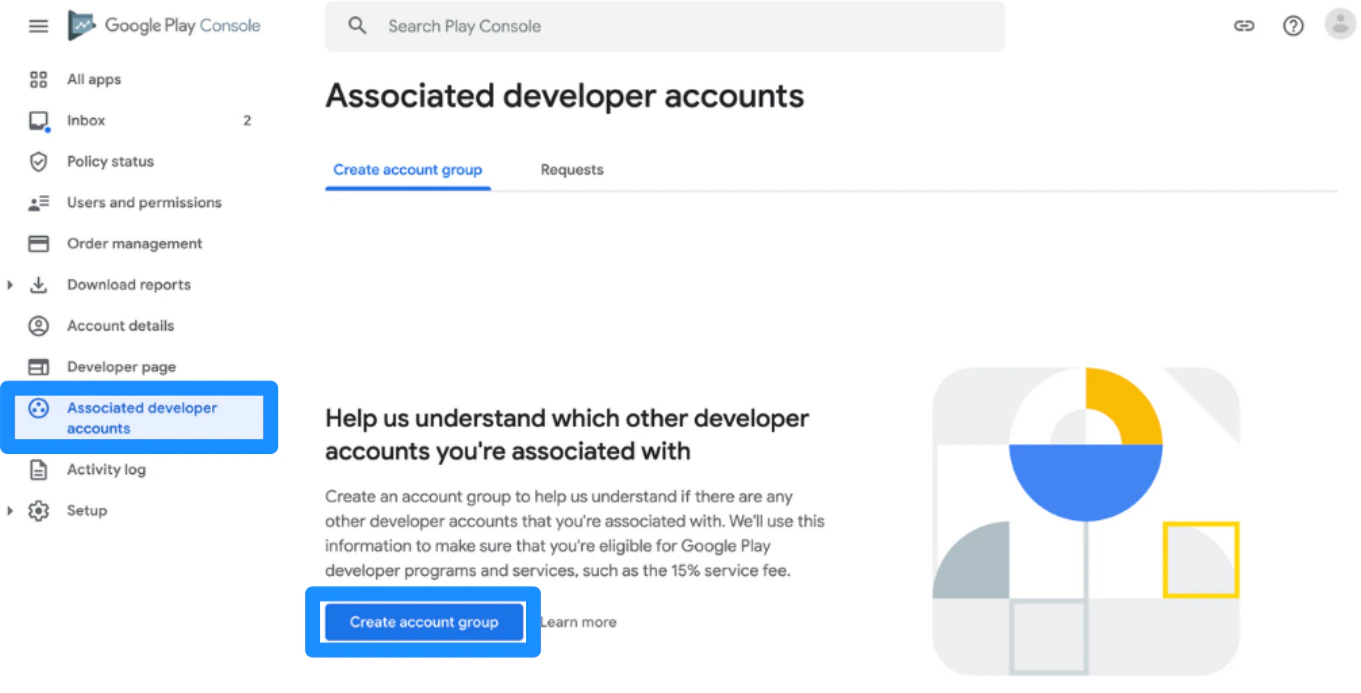
2. Go to the Associated Developer Accounts page in the account
3. Click **Create account group**
## Google application process
### Create a payments profile
If you don't have a payments profile in the Google Developer Console, learn to create a payment profile with [Google's Help Article](https://support.google.com/googleplay/android-developer/answer/7161426).
### Create a developer account group
After creating the payment profile, you will need to create a **Developer Account Group**:
1. Open **Play Console**
2. Go to the Associated Developer Accounts page in the account
3. Click **Create account group**
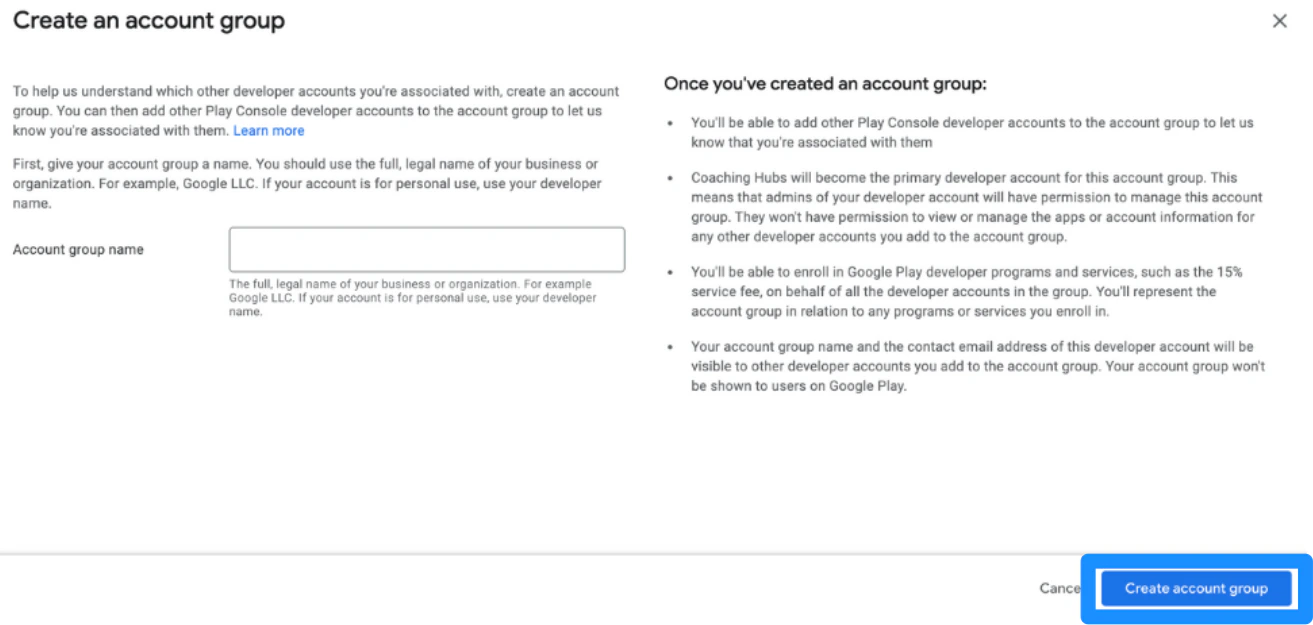
 4. Then, enter the **account group name**. Use the full, legal name of the business. If the account is for personal use, use the developer name.
5. Click **Create account group**:
4. Then, enter the **account group name**. Use the full, legal name of the business. If the account is for personal use, use the developer name.
5. Click **Create account group**:
 [Learn more about setting up a Developer Account Group](https://support.google.com/googleplay/android-developer/answer/10627869#account_group_create\&zippy=).
### Enroll for the 15% service fee
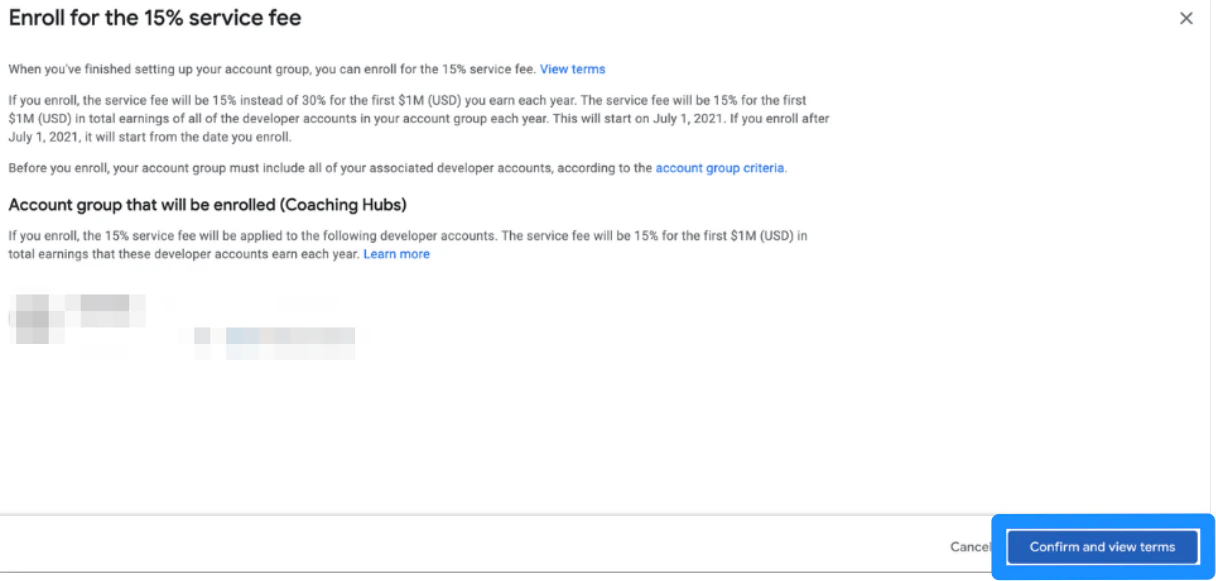
When you have finished setting up the Developer Account Group, you will be able to enroll for the 15% service fee on the Associated Developer Accounts page.
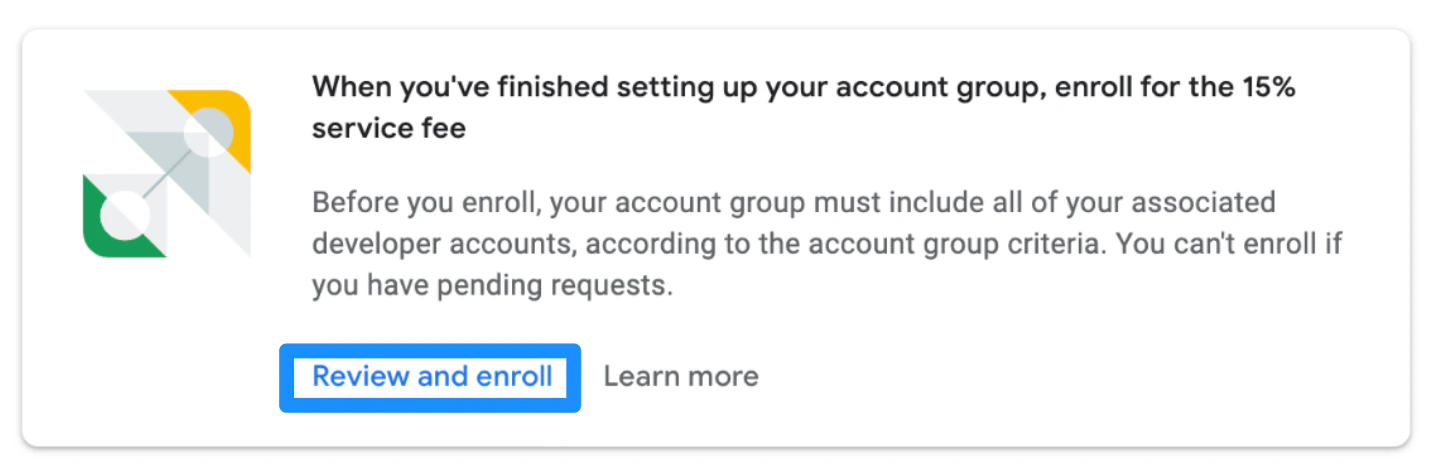
1. There will be a banner with the heading, "When you've finished setting up your account group, enroll for the 15% service fee" where you can then click **Review and enroll**.
[Learn more about setting up a Developer Account Group](https://support.google.com/googleplay/android-developer/answer/10627869#account_group_create\&zippy=).
### Enroll for the 15% service fee
When you have finished setting up the Developer Account Group, you will be able to enroll for the 15% service fee on the Associated Developer Accounts page.
1. There will be a banner with the heading, "When you've finished setting up your account group, enroll for the 15% service fee" where you can then click **Review and enroll**.
 ### Read and accept the Terms of Service
 ### Enroll
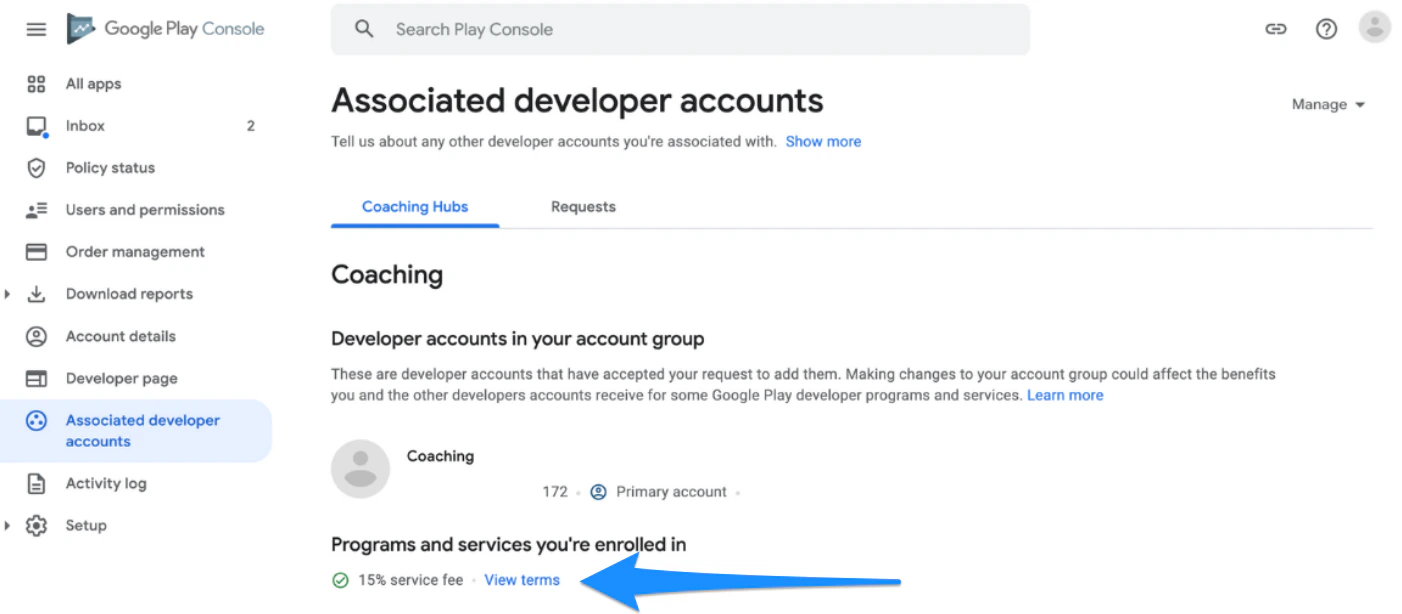
After you have finished accepting and enrolling, view the enrollment status at the bottom of the Associated Developer Accounts page at any time:
### Enroll
After you have finished accepting and enrolling, view the enrollment status at the bottom of the Associated Developer Accounts page at any time:
 ## FAQs
### How will non-USD currencies be taken into account?
The \$1M of developer earnings is defined in U.S. Dollars (USD). Any transactions in other currencies will be converted by using the foreign exchange rates that are updated throughout the day.
### On what calendar basis will the annual \$1M USD of developer earnings be determined?
Earnings are calculated on a calendar year basis (i.e., January 1st - December 31st).
## FAQs
### How will non-USD currencies be taken into account?
The \$1M of developer earnings is defined in U.S. Dollars (USD). Any transactions in other currencies will be converted by using the foreign exchange rates that are updated throughout the day.
### On what calendar basis will the annual \$1M USD of developer earnings be determined?
Earnings are calculated on a calendar year basis (i.e., January 1st - December 31st).