> ## Documentation Index
> Fetch the complete documentation index at: https://help.kajabi.com/llms.txt
> Use this file to discover all available pages before exploring further.
# Update Branded App brand assets or terms and privacy links
> Update app name, logo, accent color, icon, terms of service URL, and privacy policy URL from Kajabi settings.
Keep the **Branded App** aligned with an evolving brand by updating the app name, logo, accent color, icon, terms of service URL, and privacy policy URL directly from the Kajabi settings.
## Access brand settings
**To open Branded App branding settings:**
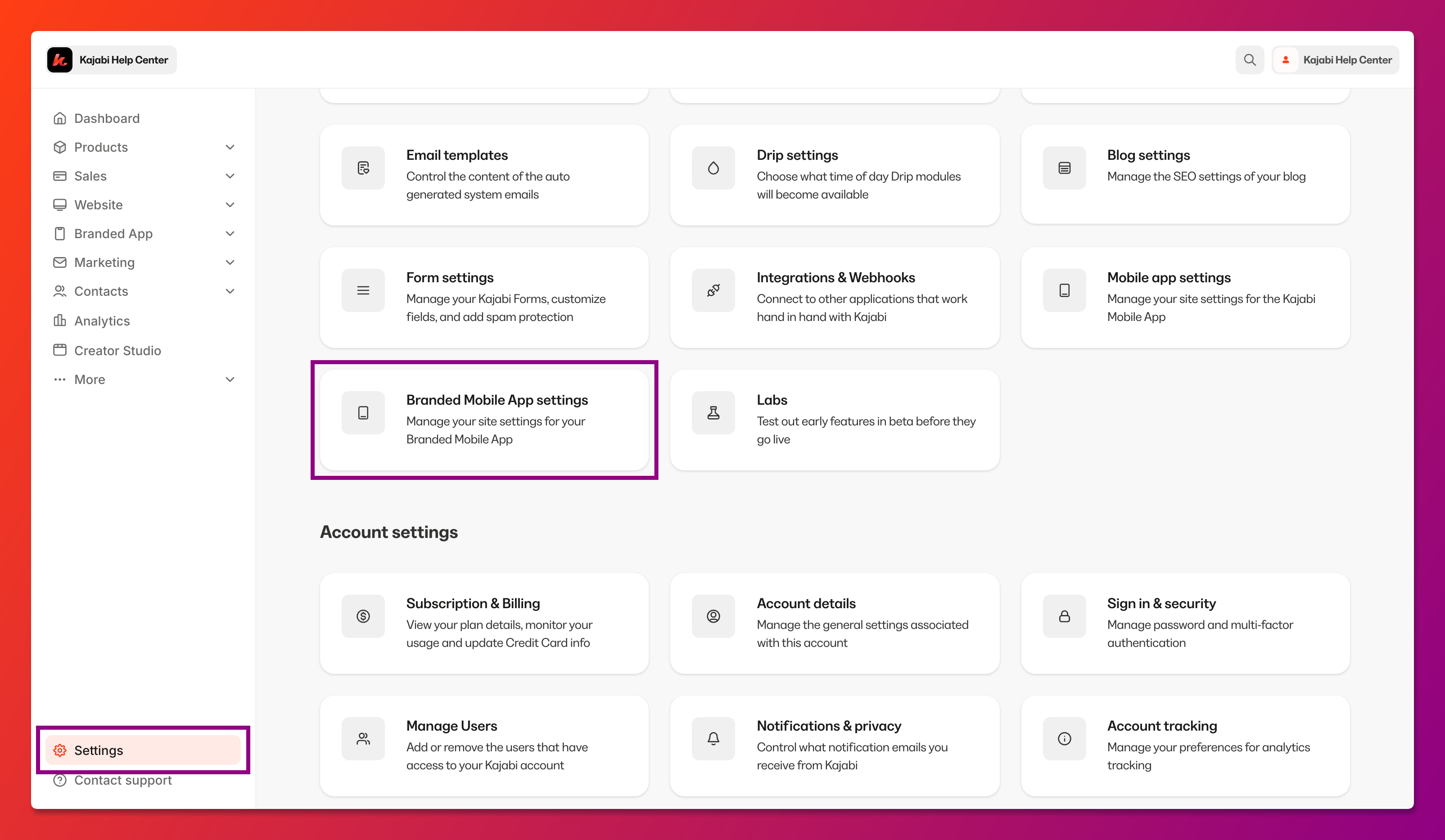
1. Select **Settings** at the lower left corner of the Kajabi dashboard.
2. Select **Branded Mobile App Settings**:
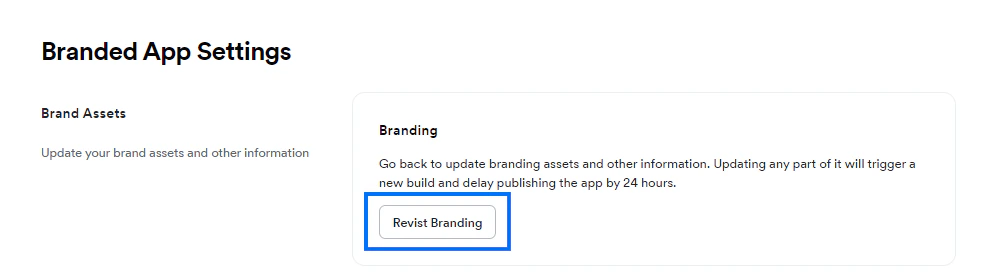
 3. Navigate to Brand Assets and click **Revisit Branding**:
 ## Update branding info
Once you've opened the branding settings, navigate to the specific setting you want to update and make the desired adjustments.
### Brand assets
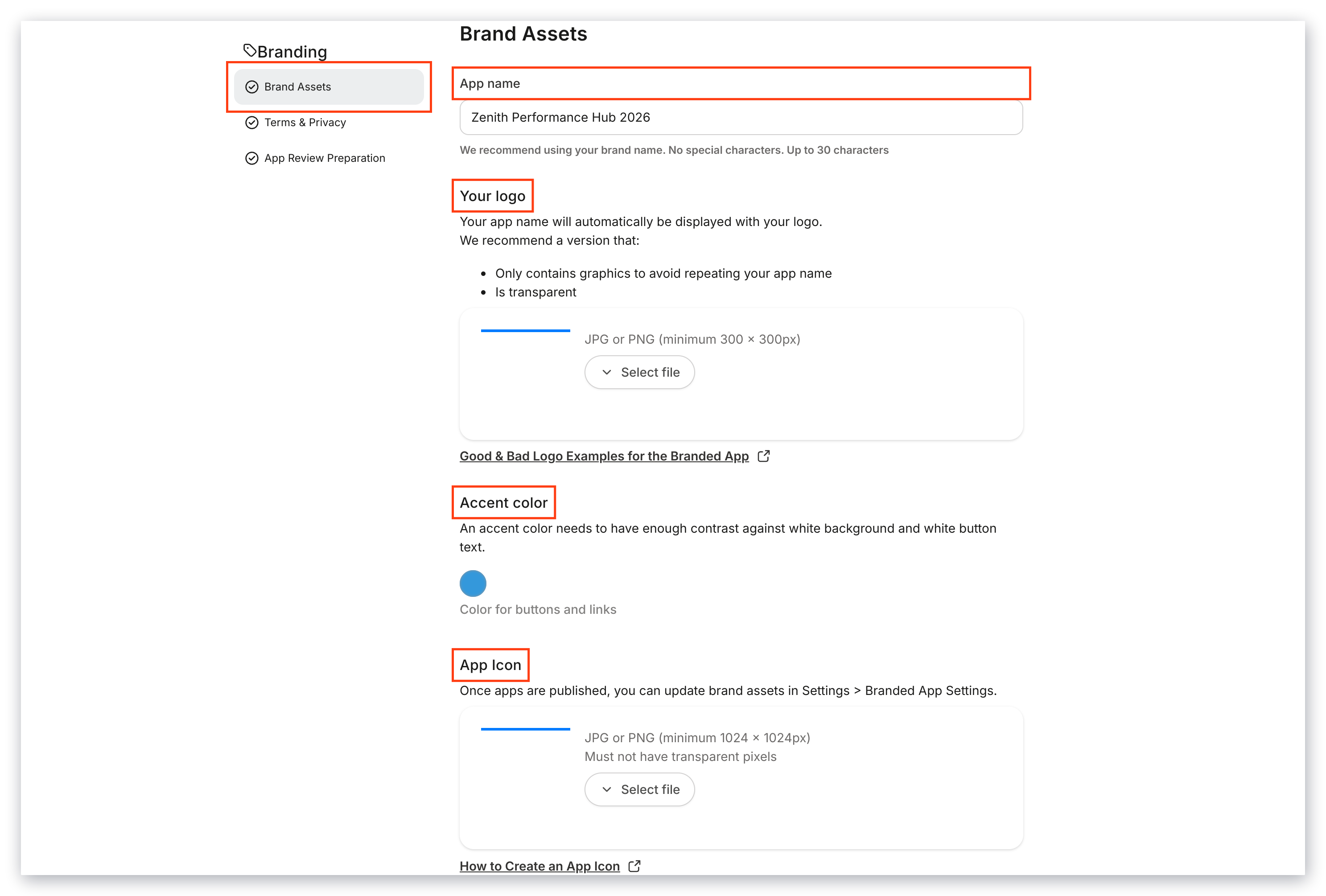
**To update the app name, logo, accent color, and/or icon:**
1. Select **Brand Assets** from the left menu.
2. Add the asset(s) as desired:
## Update branding info
Once you've opened the branding settings, navigate to the specific setting you want to update and make the desired adjustments.
### Brand assets
**To update the app name, logo, accent color, and/or icon:**
1. Select **Brand Assets** from the left menu.
2. Add the asset(s) as desired:
 3. Click **Save & Exit** at the top left corner of the screen.
(Or, continue on to the steps below to update the Terms & Privacy links.)
### Terms & privacy
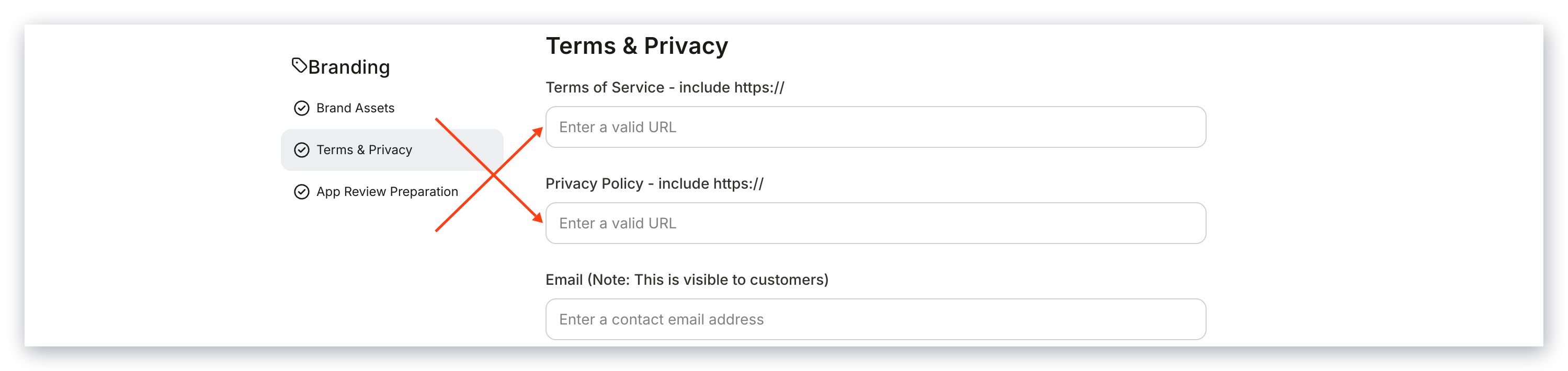
**To update the terms of service URL and/or privacy policy URL:**
1. Select **Terms & Privacy** from the left menu.
2. Add the link(s) as desired:
3. Click **Save & Exit** at the top left corner of the screen.
(Or, continue on to the steps below to update the Terms & Privacy links.)
### Terms & privacy
**To update the terms of service URL and/or privacy policy URL:**
1. Select **Terms & Privacy** from the left menu.
2. Add the link(s) as desired:
 3. Click **Save & Exit** at the top left corner of the screen.
## Request an app build
Next, let the Kajabi team know you're ready for an app build so you can push the changes out to the live app(s).
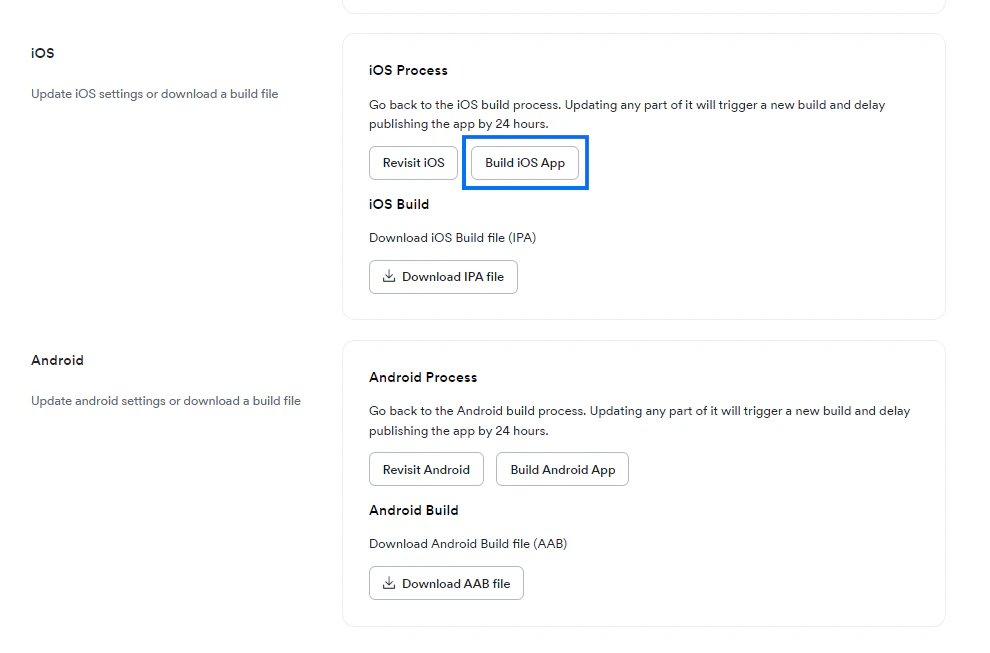
**To request an iOS app build:**
1. Navigate to iOS in the Branded App Settings.
2. Click **Build iOS App**:
3. Click **Save & Exit** at the top left corner of the screen.
## Request an app build
Next, let the Kajabi team know you're ready for an app build so you can push the changes out to the live app(s).
**To request an iOS app build:**
1. Navigate to iOS in the Branded App Settings.
2. Click **Build iOS App**:
 **To request an Android app build:**
1. Navigate to Android in the Branded App Settings.
2. Click **Build Android App**:
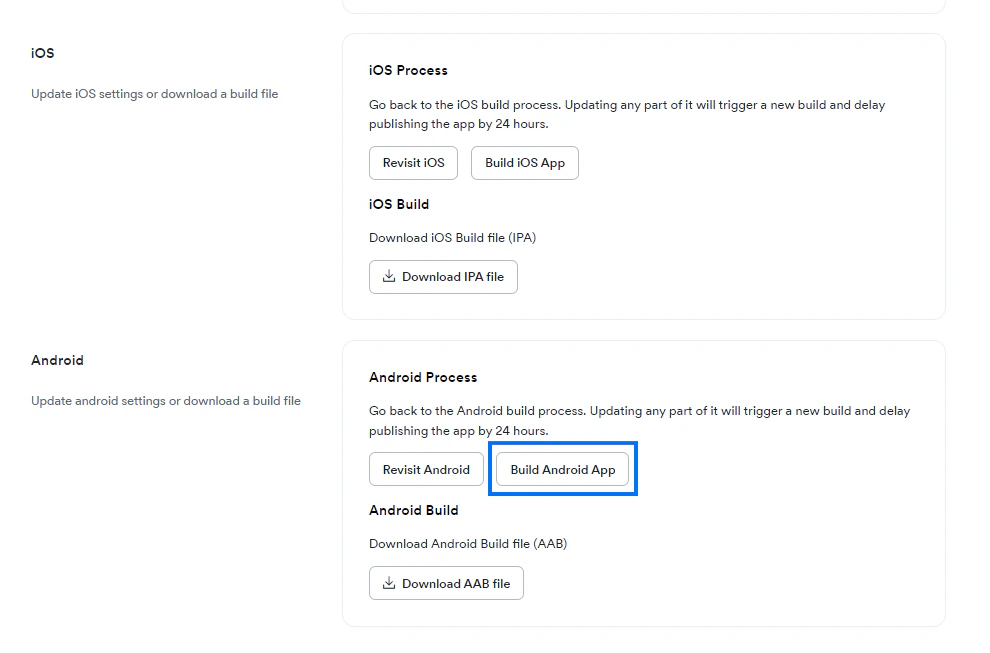
**To request an Android app build:**
1. Navigate to Android in the Branded App Settings.
2. Click **Build Android App**:
 It will typically take between 30 minutes and 8 hours for the build process to complete.
## Update the app in the app store(s)
You'll receive an email notification when the build is completed. After you receive the email confirmation, follow the steps [in this article](/articles/mobile-apps/branded-app/how-to-update-your-branded-app-in-the-apple-app-store-and-google-play-store) to submit an app update to Apple and/or Google.
It will typically take between 30 minutes and 8 hours for the build process to complete.
## Update the app in the app store(s)
You'll receive an email notification when the build is completed. After you receive the email confirmation, follow the steps [in this article](/articles/mobile-apps/branded-app/how-to-update-your-branded-app-in-the-apple-app-store-and-google-play-store) to submit an app update to Apple and/or Google.