> ## Documentation Index
> Fetch the complete documentation index at: https://help.kajabi.com/llms.txt
> Use this file to discover all available pages before exploring further.
# Download files on Kajabi Mobile App (iOS)
> Save files from the Kajabi App to an iOS device.
iOS devices allow you to download PDFs, Word, Excel, PowerPoint, .zip, .txt, .mp3, .M4a, .wav, .mov, and more. Follow these steps to download a file from the **Kajabi App** to your iOS device.
**Note:**
The current Kajabi App does not preview downloadable files, but downloading files to your iOS device is still possible by following the steps below.
## Download content from inside the Kajabi App
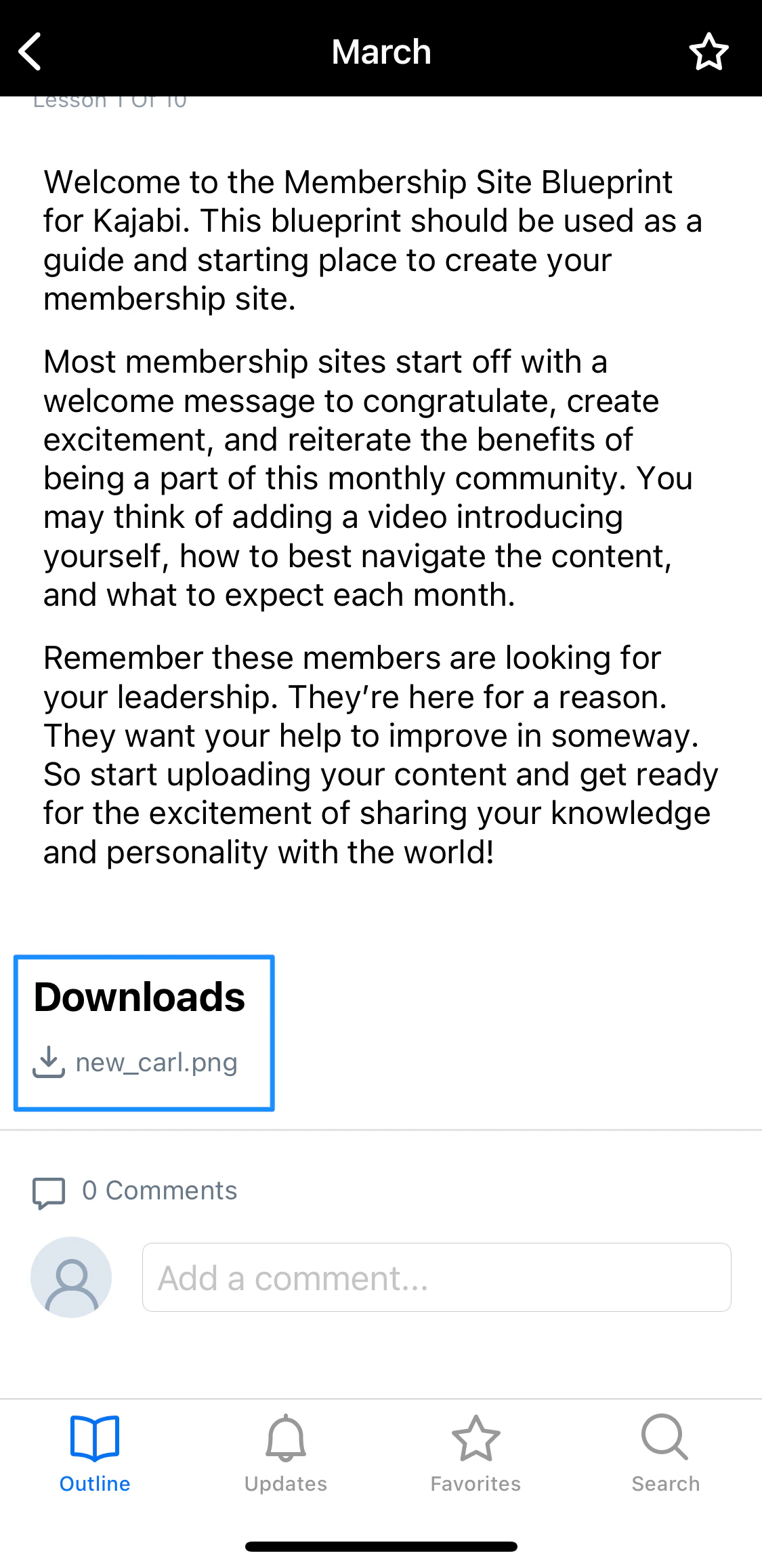
1. Click the content you would like to download from inside the **Downloads** section of a lesson. In this example, we are downloading a PNG file:
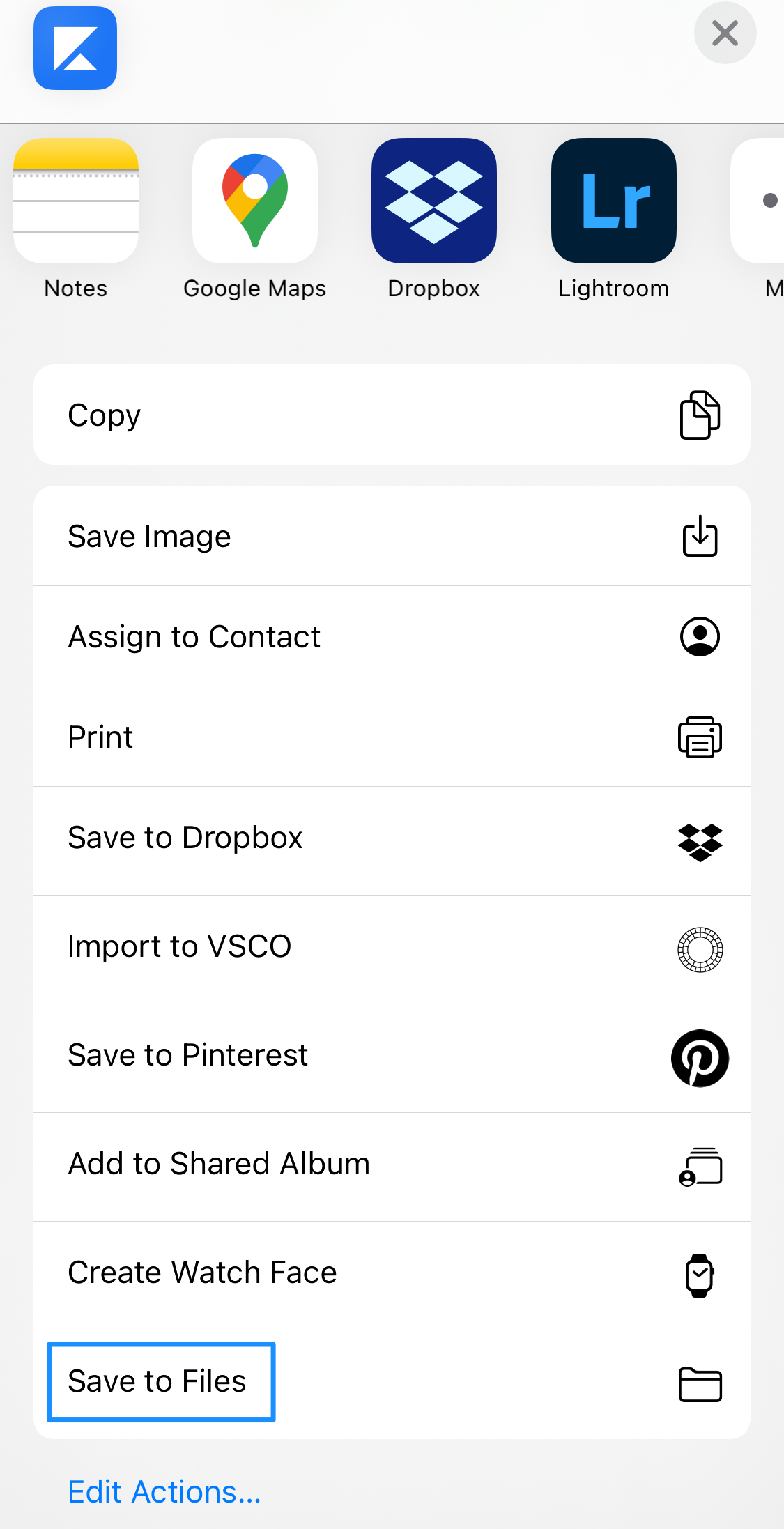
 2. Next, you will have the available options for how you can save the file. This will vary by file type, but we recommend choosing **Save to Files**:
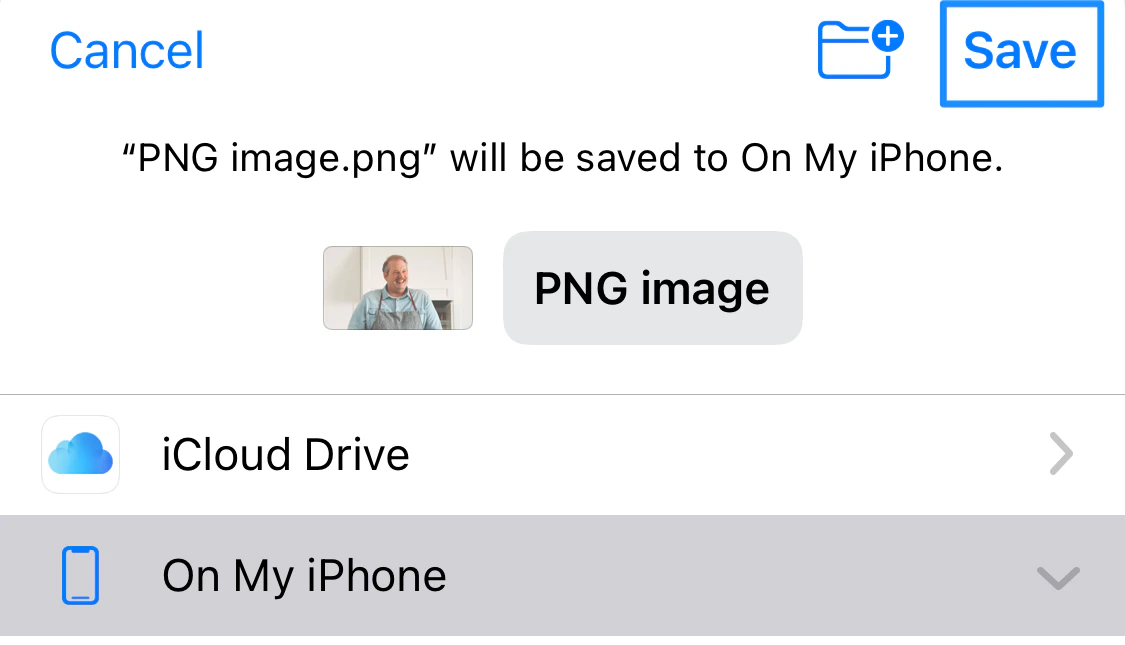
 3. At this point, you may rename the file and select a specific location before saving it. Once you're done, click **Save**:
 4. Your saved downloaded file can then be found in the folder or application you chose. In this example, because we saved our downloaded content to Files, it will be found in the **Files** app: