> ## Documentation Index
> Fetch the complete documentation index at: https://help.kajabi.com/llms.txt
> Use this file to discover all available pages before exploring further.
# Group Coaching
> Create guided Coaching experiences for multiple participants to expand your product offerings.
**Group Coaching** is a Kajabi Product that allows you to create guided experiences for multiple participants and can help you expand your product offering.
## Key benefits
* Provide your group with relevant knowledge
* Develop peer support skills
* Improve your client's ability to learn
* Group accountability
* Energize one another
With Kajabi, you are in control. Build a Group Coaching Product that works best for your business with the flexibility and customizability that Group Coaching offers.
## Create a Group Coaching Product
### Get started
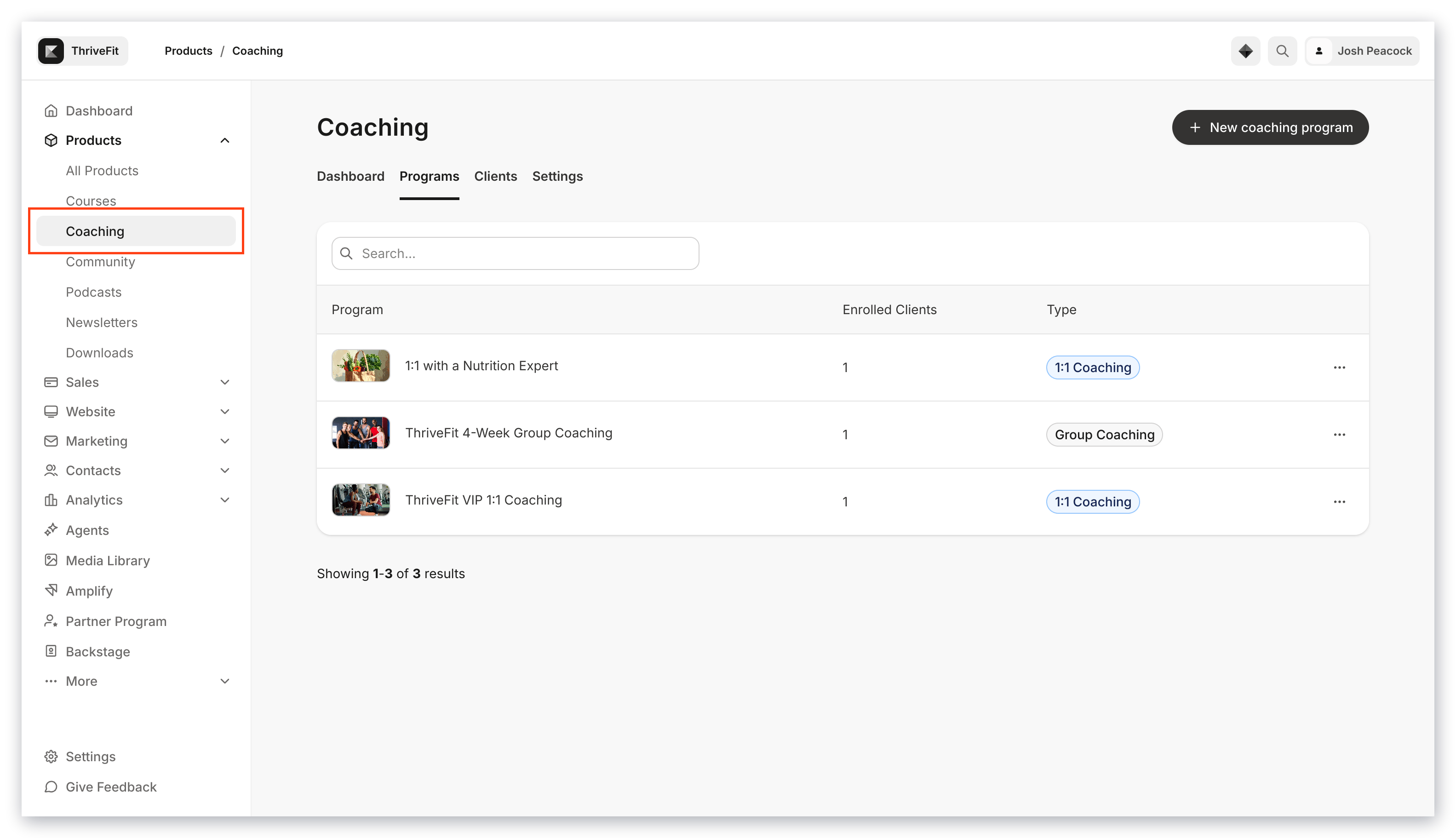
1. Open the **Products** tab from your Dashboard
2. Select **Coaching**
3. Navigate to your **Programs** tab
 ### Enter Group Coaching details
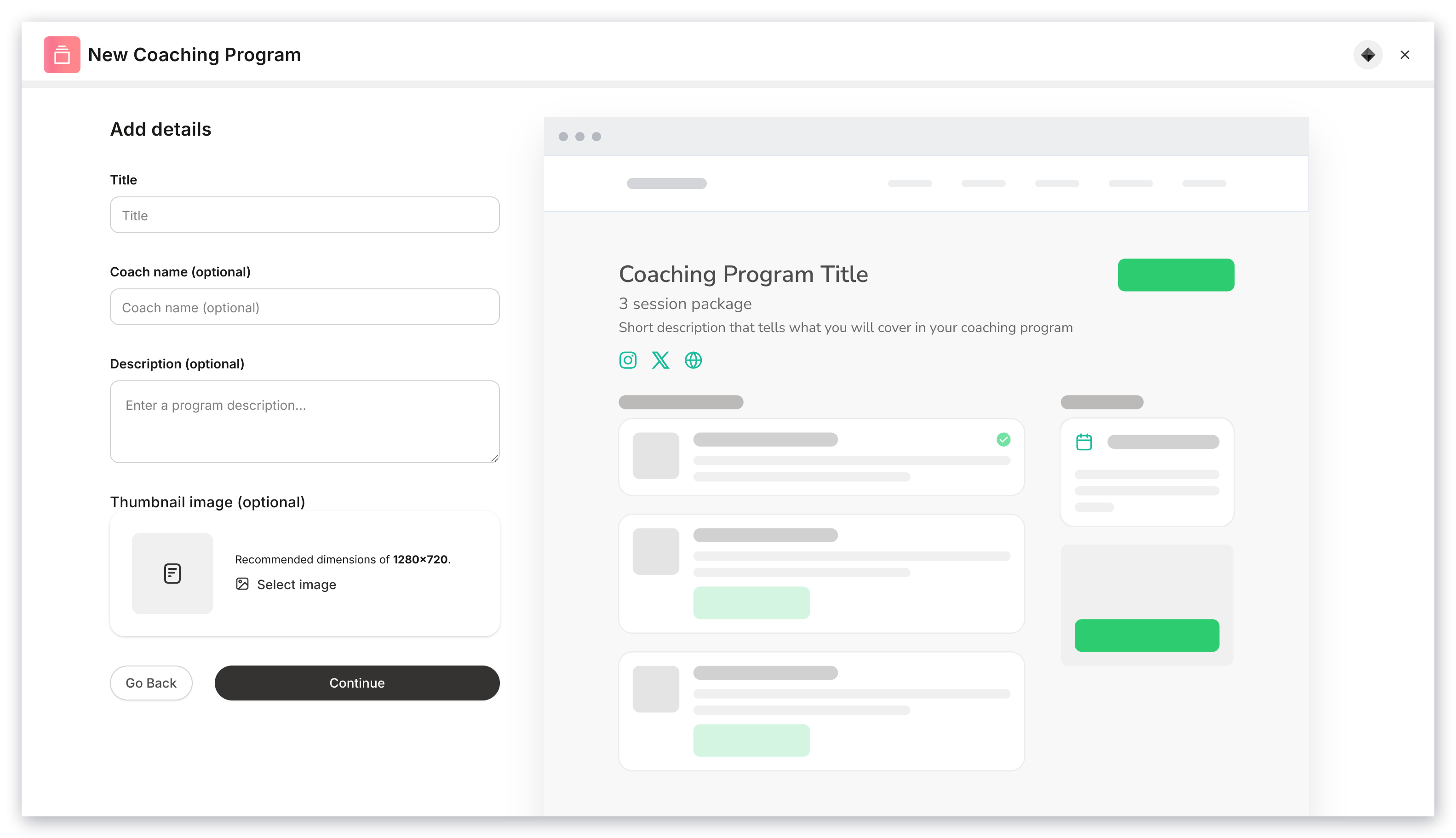
1. Click **+ New Coaching Program** or **Get Started** to create your Coaching Program
2. Complete the prompt to include:
* Title of the program
* Coach name (optional)
* Description of the program
* Thumbnail image (optional)
3. Click **Continue**
### Enter Group Coaching details
1. Click **+ New Coaching Program** or **Get Started** to create your Coaching Program
2. Complete the prompt to include:
* Title of the program
* Coach name (optional)
* Description of the program
* Thumbnail image (optional)
3. Click **Continue**
 ### Select Group Coaching
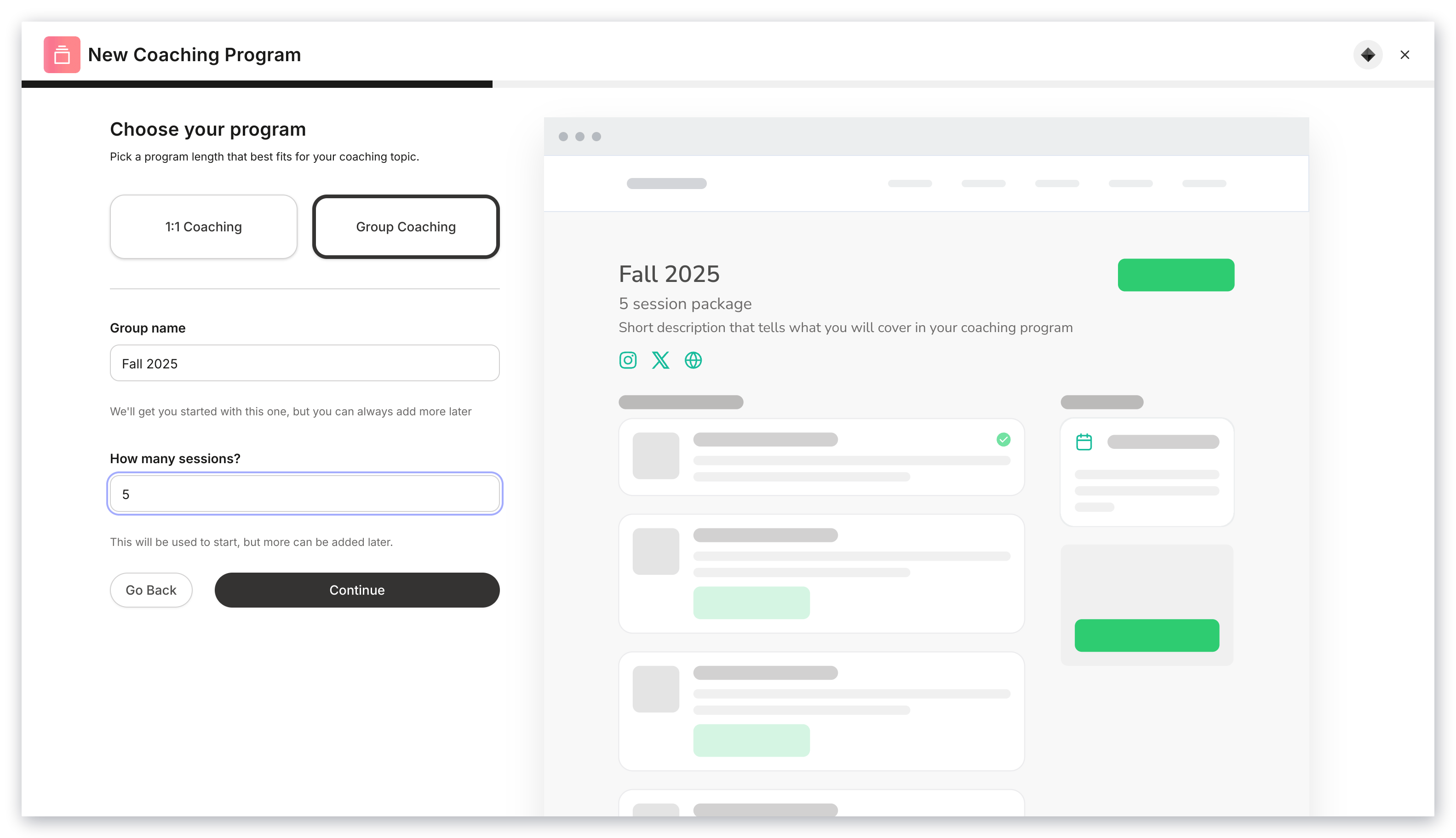
1. Select your coaching program type: **Group Coaching**
2. Enter the name of your first group within your Group Coaching program
3. Enter the number of sessions for your program
4. Click **Continue**
### Select Group Coaching
1. Select your coaching program type: **Group Coaching**
2. Enter the name of your first group within your Group Coaching program
3. Enter the number of sessions for your program
4. Click **Continue**
 ### Set up scheduling preferences
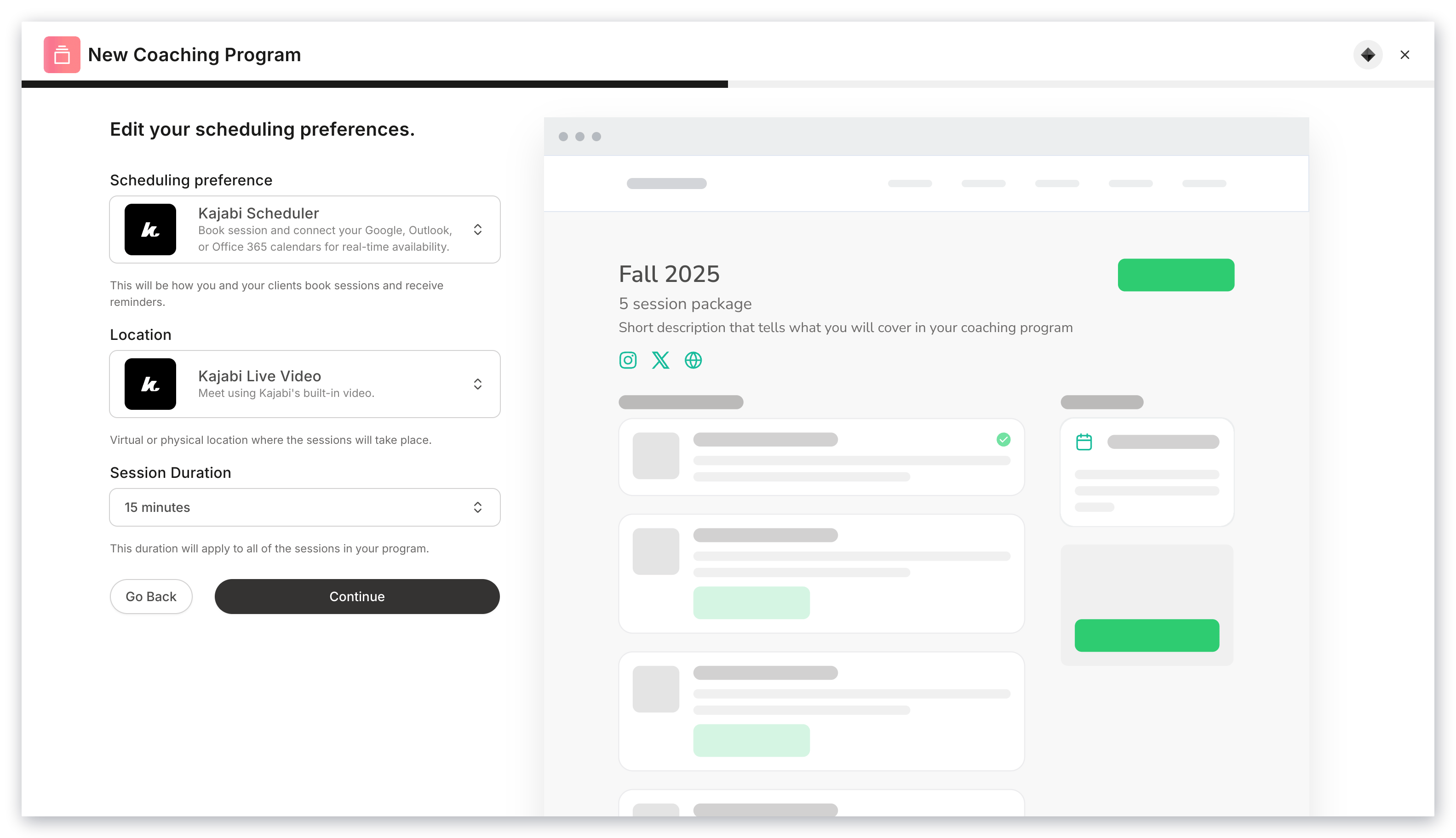
1. Select your scheduling tool:
* Kajabi Calendar
* Custom link
* Manual booking
2. Complete the prompts to set up your preferred scheduling tool (i.e., location, session duration)
3. Click **Continue**
### Set up scheduling preferences
1. Select your scheduling tool:
* Kajabi Calendar
* Custom link
* Manual booking
2. Complete the prompts to set up your preferred scheduling tool (i.e., location, session duration)
3. Click **Continue**
 ### Customize program appearance
Select your program's colors:
* **Primary color**: applies to the buttons and icons displayed in your program
* **Secondary color**: applies to the hero section background located at the top of your program
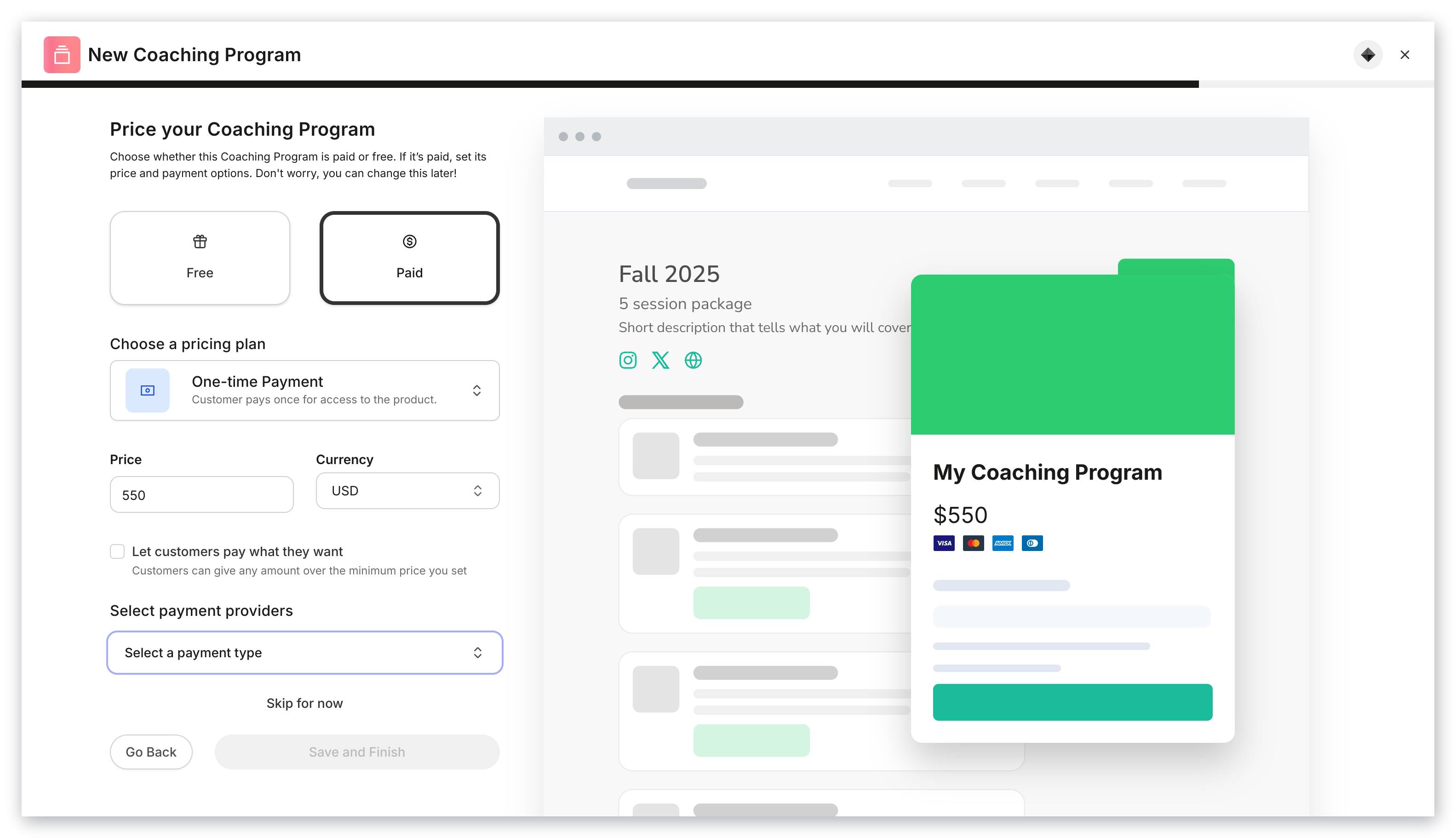
### Price the Coaching Program
1. Select **Free** or **Paid**
2. Complete the prompts to create your Offer for your Group Coaching Program
3. Click **Save and Finish**
### Customize program appearance
Select your program's colors:
* **Primary color**: applies to the buttons and icons displayed in your program
* **Secondary color**: applies to the hero section background located at the top of your program
### Price the Coaching Program
1. Select **Free** or **Paid**
2. Complete the prompts to create your Offer for your Group Coaching Program
3. Click **Save and Finish**
 ## Create groups
Create groups within your Group Coaching Program to give your clients scheduling options, seasonal groups, pricing options, and more. By giving you the ability to create multiple groups within your Group Coaching Program, you have the flexibility to design a program that best fits your business.
### Group list
View all your groups within your Group Program by visiting your Group list in your Coaching tab.
### Create a group
1. Open your **Products** tab
2. Select the **Coaching** tab
3. Open your desired Group Coaching Program
4. Click **New Group**
5. Complete the prompts to create your group in your Group Coaching Program
## Create groups
Create groups within your Group Coaching Program to give your clients scheduling options, seasonal groups, pricing options, and more. By giving you the ability to create multiple groups within your Group Coaching Program, you have the flexibility to design a program that best fits your business.
### Group list
View all your groups within your Group Program by visiting your Group list in your Coaching tab.
### Create a group
1. Open your **Products** tab
2. Select the **Coaching** tab
3. Open your desired Group Coaching Program
4. Click **New Group**
5. Complete the prompts to create your group in your Group Coaching Program
## Group Coaching settings
Group Coaching has two sets of settings that you can customize:
* The Program settings
* Group settings
The Group Coaching Program settings allow you to set up your entire program details from one location, whereas the Group settings can be used to create individual settings for each group.
### Program settings
* **Program details**: Give your coaching program a title, description, and thumbnail image. Your program details will appear in your clients' library
* **Scheduling**: Customize the tool you use to schedule your sessions (i.e., Kajabi Scheduler, Custom Link, Manual Booking), your location, and session duration
* **Page customization**: Select your primary and accent colors for your Coaching Product page
* **Page upsell**: Control whether or not an upsell button appears after your client completes a session. You can use the upsell to advertise any Offer with a Coaching program
* **Delete program**: Permanently remove your Coaching Program from your Products
### Group settings
* **Program details**: Give your coaching group a title, description, and thumbnail. Within your group settings, you can override the program thumbnail to use a different image for your group. If you do not override your program thumbnail, the group will use the program's thumbnail by default
* **Scheduling**: Customize the tool you use to schedule your sessions (i.e., Kajabi Scheduler, Custom Link, Manual Booking), your location, and session duration. Within the group settings, you can override your program scheduling preferences to use different scheduling preferences for your group. If you do not override, the group will use the program's scheduling preferences by default
* **Page customization**: Customize your primary and accent colors for your Coaching Product page. Within the group settings, you can override your program customization preferences. If you do not override, the group will use the program's page customization settings by default
* **Page upsell**: Control whether or not an upsell button appears after your client completes a session. You can use the upsell to advertise any Offer with a Coaching program. Within the group settings, you can override your program's page upsell preferences. If you do not override, the group will use the program's page upsell settings by default
* **Delete group**: Permanently remove your Coaching Group from your Coaching Program
## FAQs
### How do my clients access their Group Coaching products?
With Kajabi Products, your customers always access their products (including their Group Coaching products) from their Library. [Learn more about what happens after a customer purchases an Offer](../../sales/offers/what-happens-when-a-customer-purchases-my-offer).
### How do my clients join my Group Coaching call?
Your coaching clients will receive an email to join your coaching session and they can join by accessing their Group Coaching session from their Product Library.
### How many attendees can join a Group Coaching call?
Your live coaching calls can have up to 200 attendees.
### Is there a limit to the number of clients in a Coaching group?
No, you can have as many clients join your coaching group as you want. If you want to set a limit, use Offers to create an [Offer quantity limit](../../sales/offers/how-to-set-an-offer-quantity-limit).