> ## Documentation Index
> Fetch the complete documentation index at: https://help.kajabi.com/llms.txt
> Use this file to discover all available pages before exploring further.
# Add a Coaching Product upsell
> Drive sales by adding an Upsell to a Coaching Product that appears after a client completes a session.
A **Coaching Product upsell** lets you advertise a follow-up Offer within your Coaching Product. When a coaching session is completed, an upsell Call to Action button appears and leads the member to an Offer checkout page to complete their purchase.
[Learn more about Coaching](/articles/products/coaching/coaching-product-overview).
## Coaching Product upsell vs. Offer upsell
Kajabi has two types of upsells, and they work differently depending on where they appear.
* **Coaching Product upsell:** A Call to Action button inside a Product that directs the member to an Offer checkout page to complete a purchase.
* **Offer upsell** (found under **Sales > Pricing > Upsells**): A post-purchase page shown to customers after checkout — fully customizable and separate from the product experience.
[Learn more about upsells](../../sales/offers/upsells-overview.mdx).
[Learn more about upsells](/articles/sales/offers/upsells-overview).
## Add an upsell to a Coaching Product
1. Open the **Products** tab
2. Click **Coaching**
3. Click into your created **Coaching product**
4. Click **Settings** under that Coaching product's title
5. Scroll down to the **Page Upsell** section and toggle the **Show upsell button after completed session** button to **on**
6. Use the dropdown menu to select the **Offer** you want to use as the upsell
7. Use the **Button Text** field to add custom text for the **Upsell Buy** button
8. Click **Save** to keep and apply your changes
**Note:** You can only attach an Offer that contains a Coaching Product as an upsell. The Offer can include other Product types (e.g., courses, podcasts, community), but it must contain at least 1 Coaching Product. If you do not see your Offer listed in the upsell dropdown menu, then the Offer does not contain a Coaching Product.
## What clients see
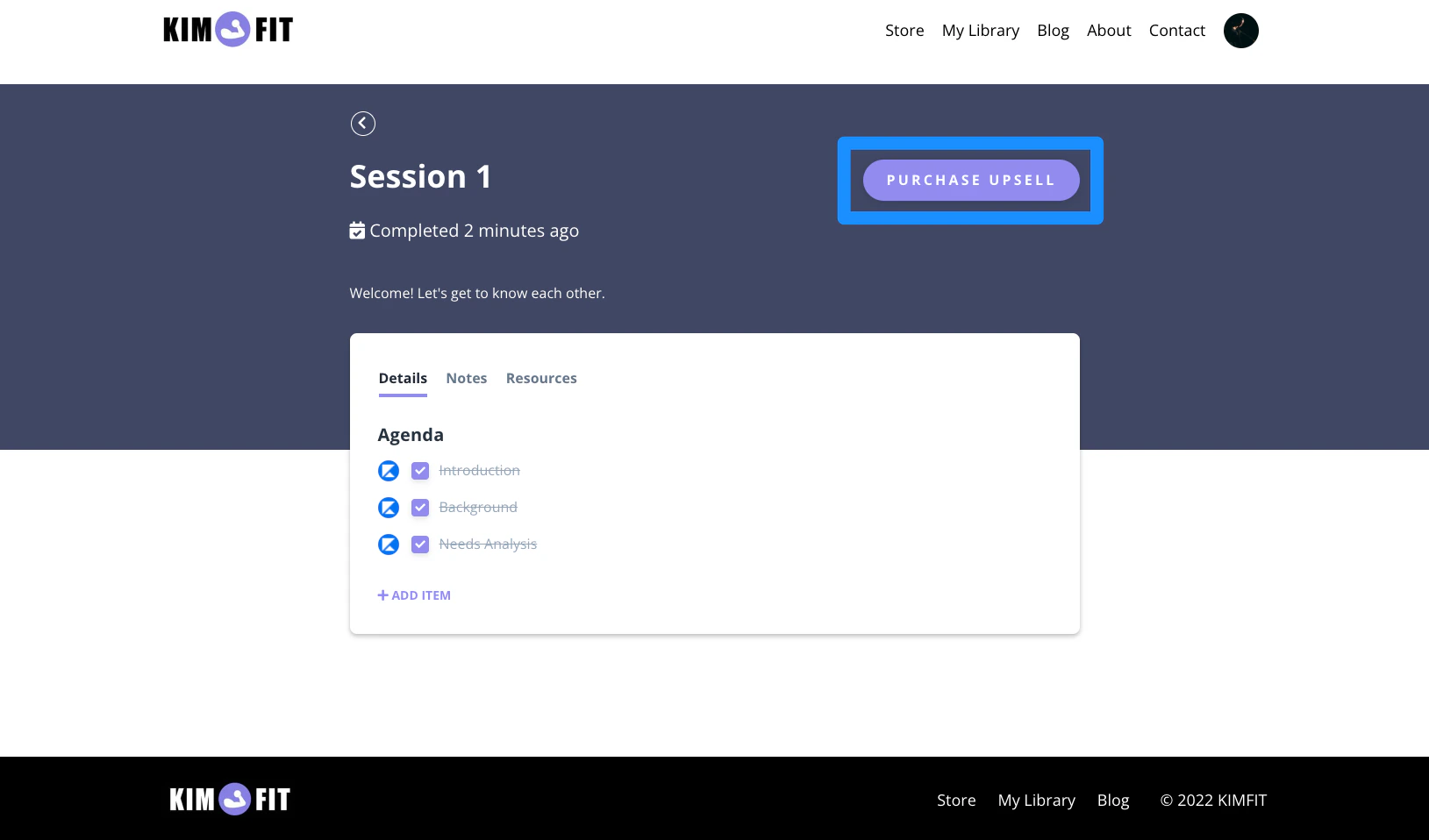
After the upsell has been selected and added to the Coaching Product, the **upsell buy button** shows inside each session's page once that session has been completed:
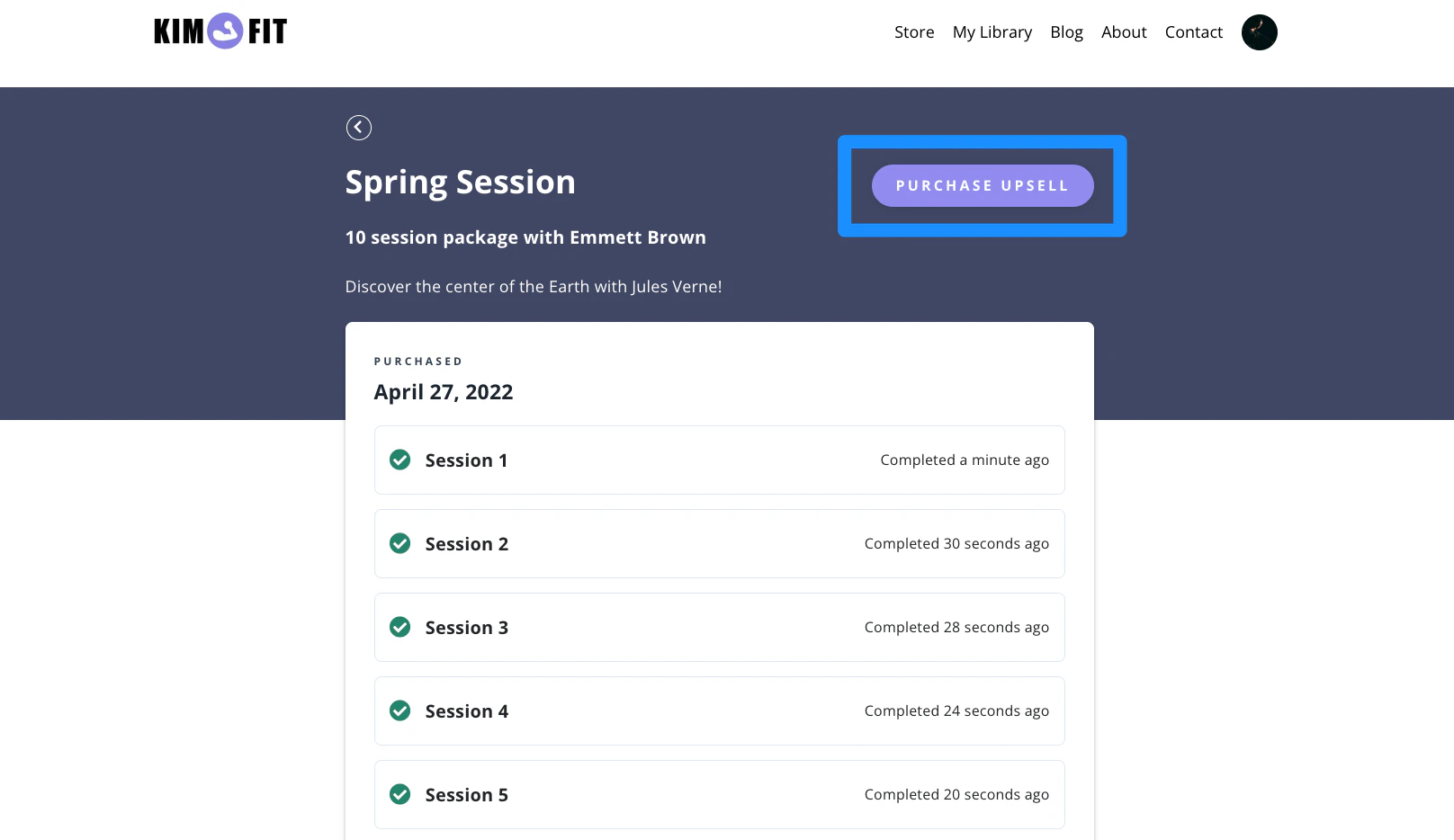
 After every session has been completed in the Coaching program, the Coaching product's main package outline also displays the option to purchase your coaching upsell:
 **Note:** If you have an older website template version, your clients may not have the upsell presented to them. [Learn to update your website template](/articles/website/pages/how-to-update-a-template).