> ## Documentation Index
> Fetch the complete documentation index at: https://help.kajabi.com/llms.txt
> Use this file to discover all available pages before exploring further.
# Customize a Coaching Product
> Apply brand colors and design elements to create a cohesive Coaching Product page.
Design your **Coaching Product** by adding your brand colors as primary and accent colors to create a cohesive look that reflects your brand.
## Select primary and accent colors
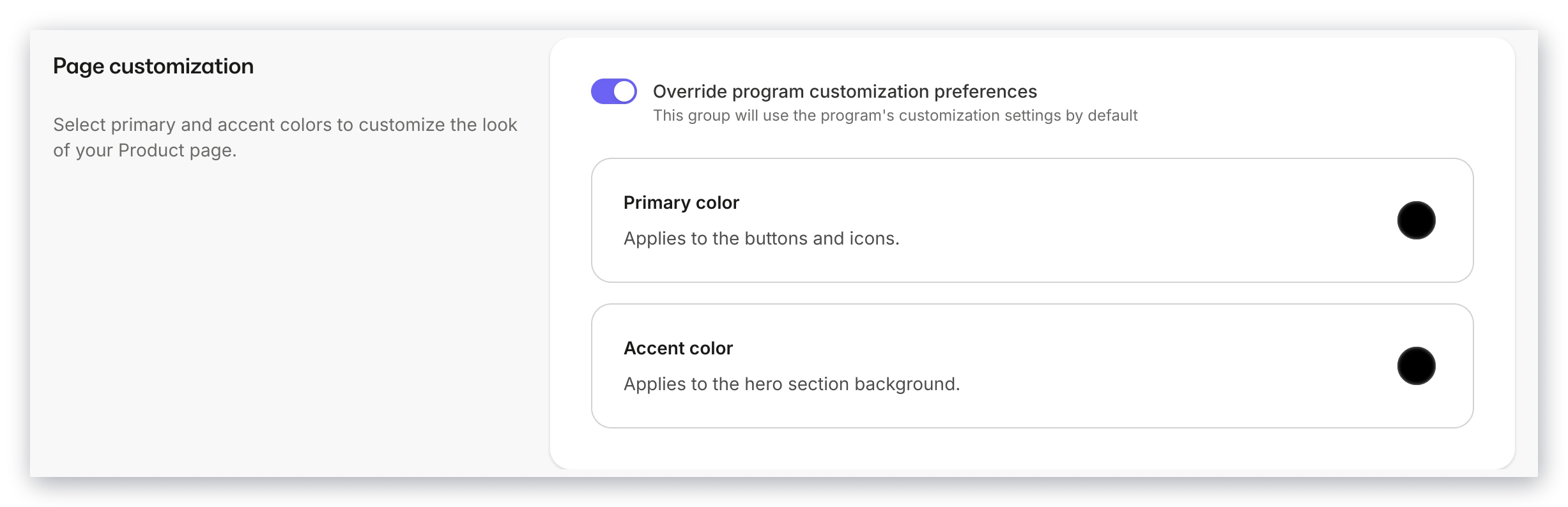 The primary color applies to all buttons and icons on your page. The accent color applies to the background of the top section of your Product.
1. Open the **Products** tab from your Dashboard
2. Click **Coaching**
3. Select the Coaching Product you wish to edit
4. Click **Settings**
5. Scroll to the **Page customization** card
6. Click the **Primary color** and **Accent color** cards to enter your custom colors
7. Click **Save** to keep and apply your changes
The primary color applies to all buttons and icons on your page. The accent color applies to the background of the top section of your Product.
1. Open the **Products** tab from your Dashboard
2. Click **Coaching**
3. Select the Coaching Product you wish to edit
4. Click **Settings**
5. Scroll to the **Page customization** card
6. Click the **Primary color** and **Accent color** cards to enter your custom colors
7. Click **Save** to keep and apply your changes
Looking to add agenda items? [Learn how to create a Coaching Product](../../products/coaching/how-to-create-a-coaching-product).