> ## Documentation Index
> Fetch the complete documentation index at: https://help.kajabi.com/llms.txt
> Use this file to discover all available pages before exploring further.
# Communities Weekly Digest
> Keep your Community members engaged and informed with an automated weekly summary of activity.
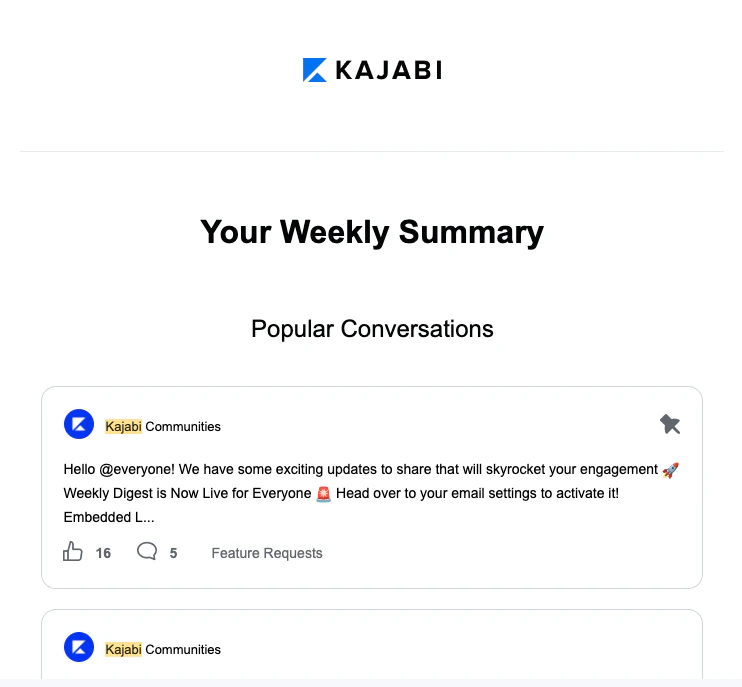
The **Weekly Digest** is an automated email sent to your members every Thursday starting at 9 AM Pacific Time. It summarizes the latest activity in your Community Access Group, helping you keep members connected without manual effort.
**Note:** The weekly digest may take a few hours to be sent to all members.
The members of each Access Group (as well as founders, admins, and moderators) will receive personalized, relevant content based on their Access Group, and they can unsubscribe whenever they want.
### Why set up a weekly digest?
By setting up your Communities Weekly Digest you can:
* Keep your members updated and engaged with your Community,
* Create a personalized experience by only showing them content that is relevant to their Access Group(s),
* And, best of all, you can do all of this automatically.
No need to set up complex automations. With a few toggle selections, you can design an engaging weekly update for your Community members.
### What's displayed in the weekly digest
With Kajabi, you are in control of your business. By setting up your weekly digest, you get to choose what you want to include.
When setting up your weekly digest, you can select from the following content to display:
* Announcements from the week
* Challenges to complete
* Community stats
* Popular conversations
* Upcoming meetups
 ## Set up the weekly digest
**To start sending your Communities Weekly Digest:**
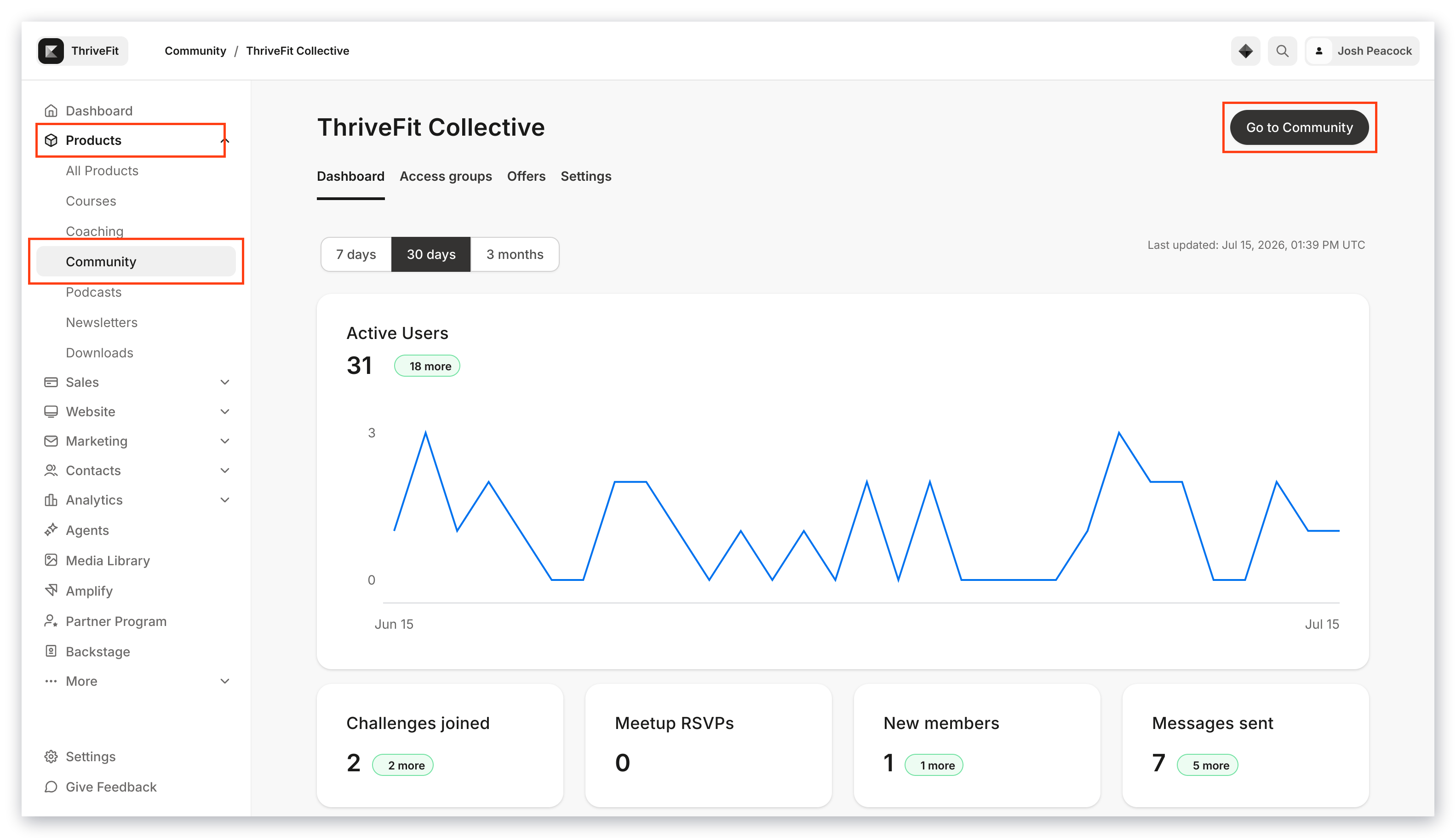
* Open the **Products** tab from your Dashboard.
* Select the **Community** tab.
* Then, click **Go to Community**:
## Set up the weekly digest
**To start sending your Communities Weekly Digest:**
* Open the **Products** tab from your Dashboard.
* Select the **Community** tab.
* Then, click **Go to Community**:
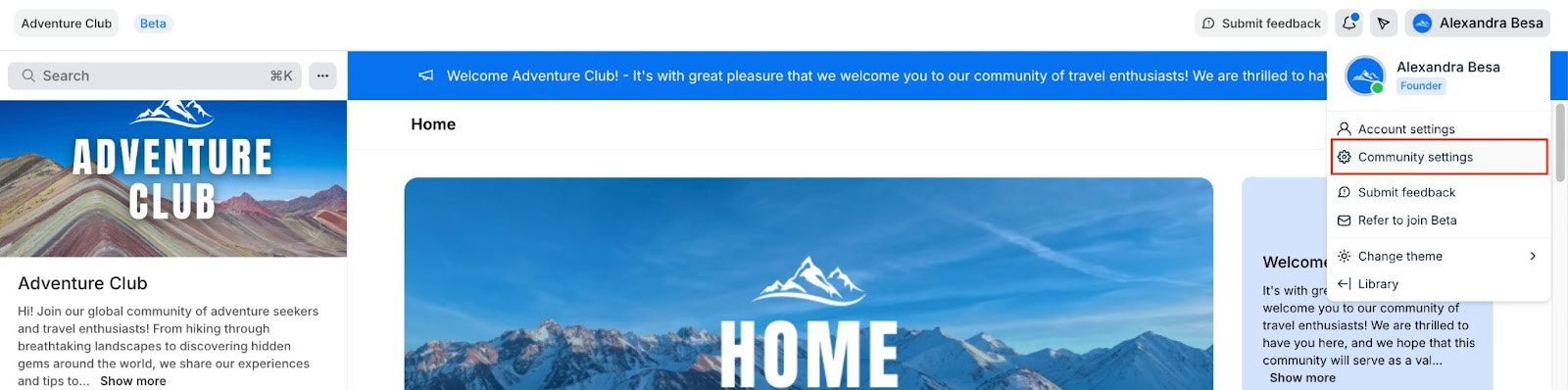
 * Open your **Community Settings**:
 * Click **Email Notifications**.
* Then, navigate to the **Weekly Digest** section within the "Email Controls" tab of your Email Notifications settings:
* Click **Email Notifications**.
* Then, navigate to the **Weekly Digest** section within the "Email Controls" tab of your Email Notifications settings:
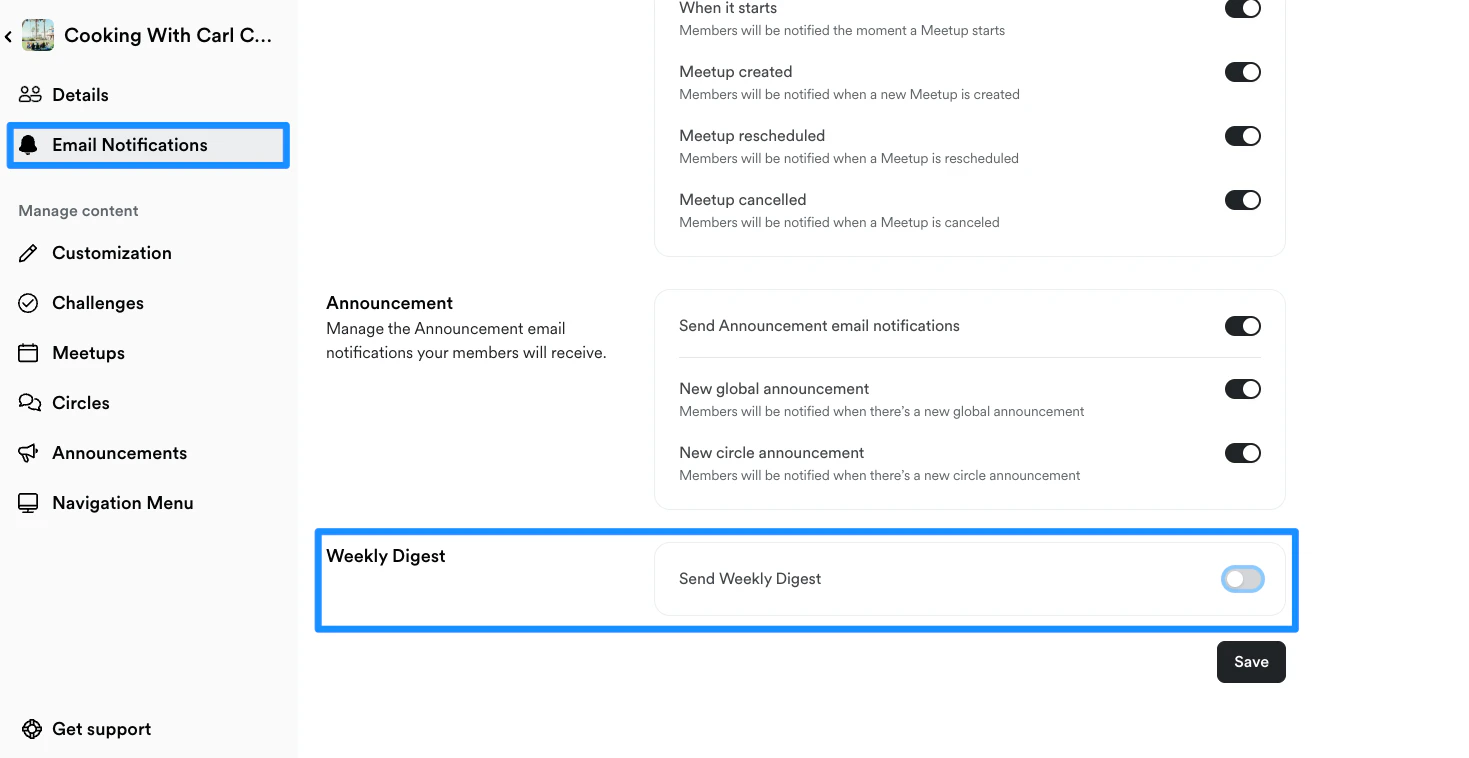 * Enable your Weekly Digest by moving the toggle **On** next to "Send Weekly Digest":
 * Now you can customize the [content included](#whats-displayed-in-the-weekly-digest) within your weekly digest. Simply toggle on the content that you want to be displayed in your weekly digest.
**Note:** The weekly digest may take a few hours to be sent to all members.
## FAQs
### Can I select the data that is displayed in the digest?
No, Kajabi has made it seamless for you to engage with your Community Members by selecting the most relevant data for each recipient. Although you cannot customize the data displayed in your digest, you can select the exact type of content you want included in the weekly digest. [Learn more](#whats-displayed-in-the-weekly-digest).
### What can I do if a member is not receiving their weekly digest?
If your Community member is not receiving the weekly digest, make sure that they have their Email Notifications enabled for the Weekly Digest:
* Now you can customize the [content included](#whats-displayed-in-the-weekly-digest) within your weekly digest. Simply toggle on the content that you want to be displayed in your weekly digest.
**Note:** The weekly digest may take a few hours to be sent to all members.
## FAQs
### Can I select the data that is displayed in the digest?
No, Kajabi has made it seamless for you to engage with your Community Members by selecting the most relevant data for each recipient. Although you cannot customize the data displayed in your digest, you can select the exact type of content you want included in the weekly digest. [Learn more](#whats-displayed-in-the-weekly-digest).
### What can I do if a member is not receiving their weekly digest?
If your Community member is not receiving the weekly digest, make sure that they have their Email Notifications enabled for the Weekly Digest:
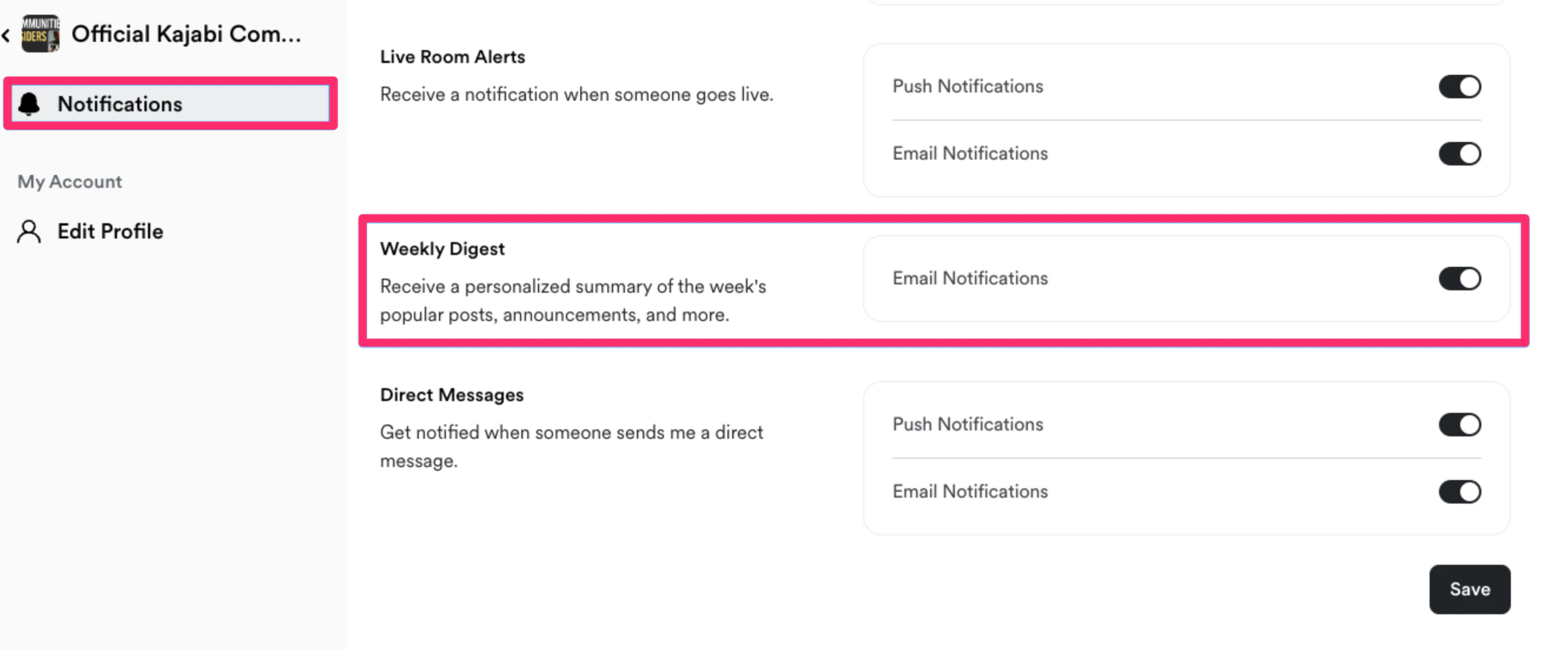 If they have their email notifications enabled to receive the weekly digest, your Member may consider checking their spam mailbox and ensuring that the weekly digest is marked safe within their email provider.