> ## Documentation Index
> Fetch the complete documentation index at: https://help.kajabi.com/llms.txt
> Use this file to discover all available pages before exploring further.
# Community global feed and sidebar
> Navigate your Community Feed page, customize Feed settings, and use the right sidebar to stay updated.
The **Community Feed** page displays a global feed of all posts, giving you and your members a central place to browse activity. You can also customize Feed settings and use the right sidebar to surface Announcements, Meetups, and Challenges.
## Community Feed page
Your Community includes a **Feed** page displaying a global feed of all Feed posts:
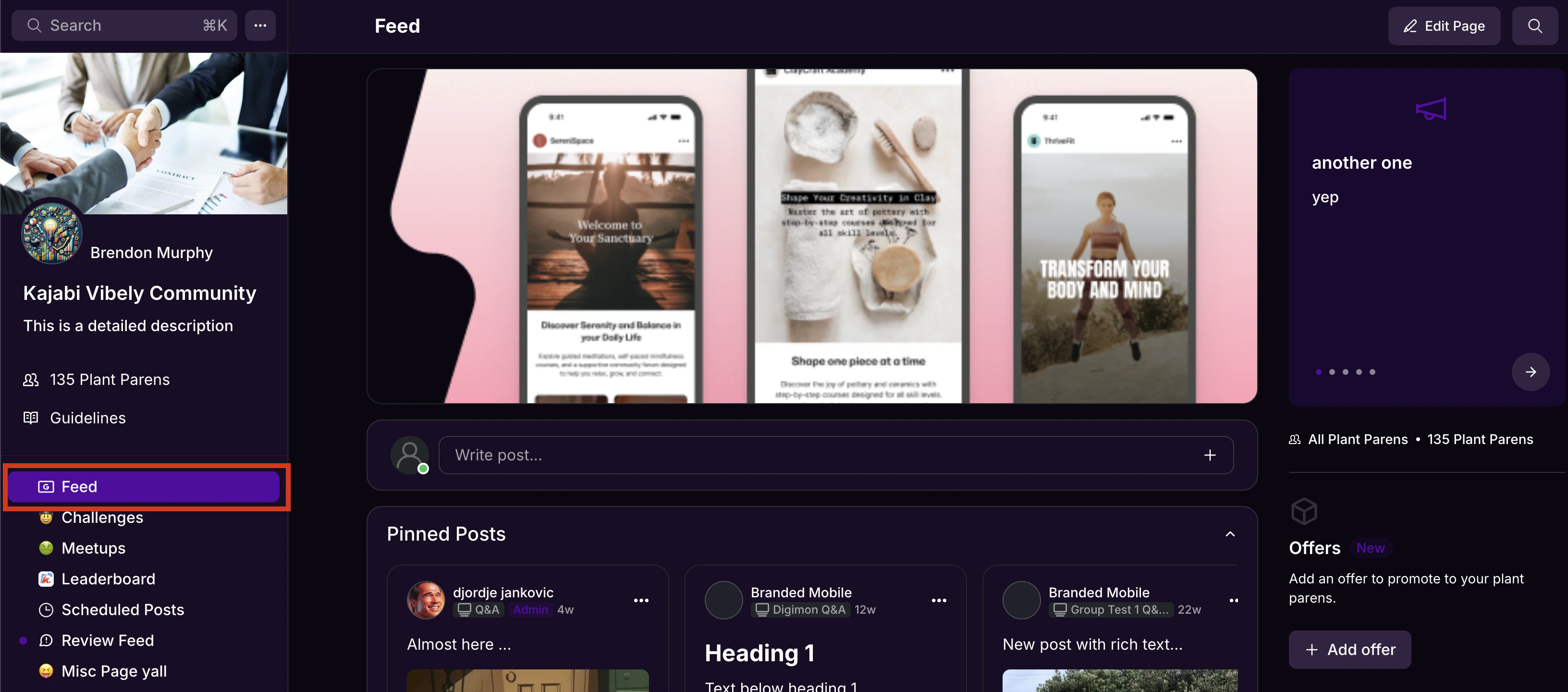 **Note:** Chat messages will not appear in the global feed on the Feed page.
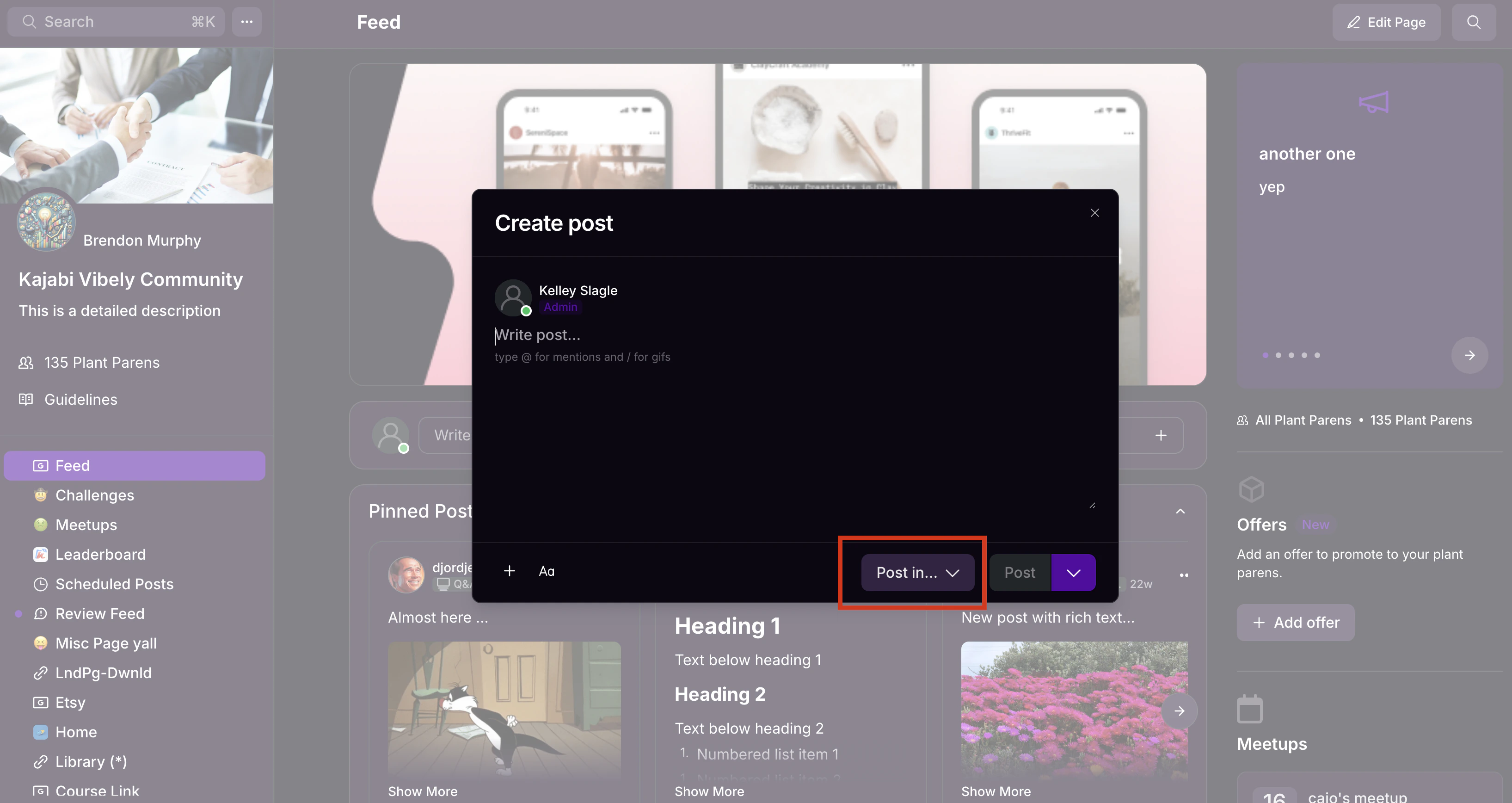
When you create a post from the Feed page, you'll select which Feed to post it to using the **Post** **in** button. You can also choose to schedule the post for later:
**Note:** Chat messages will not appear in the global feed on the Feed page.
When you create a post from the Feed page, you'll select which Feed to post it to using the **Post** **in** button. You can also choose to schedule the post for later:
 You can also choose to sort Feed posts from newest to oldest, oldest to newest, or by popularity (i.e. posts with the most recent likes and comments):
## Feed page settings
To change the default appearance of the Feed page:
* Click the ellipsis icon on your cover photo, then select **Community Settings**.
* Select **Customization.**
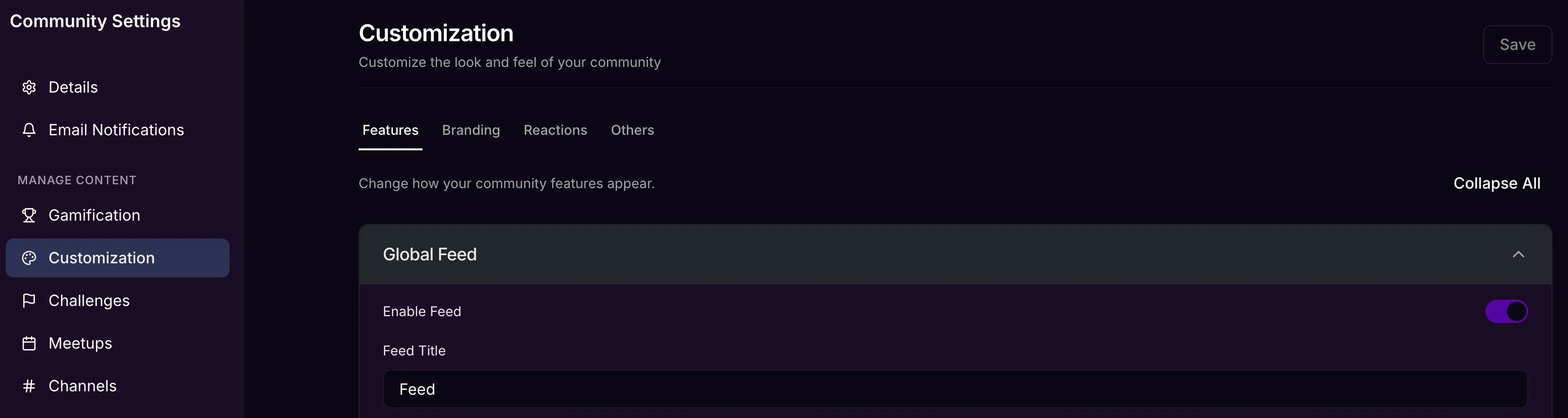
To rename the Feed page or disable it completely, select **Features** and under the **Global Feed** section, enter the desired name under **Feed Title.**
You can also choose to sort Feed posts from newest to oldest, oldest to newest, or by popularity (i.e. posts with the most recent likes and comments):
## Feed page settings
To change the default appearance of the Feed page:
* Click the ellipsis icon on your cover photo, then select **Community Settings**.
* Select **Customization.**
To rename the Feed page or disable it completely, select **Features** and under the **Global Feed** section, enter the desired name under **Feed Title.**
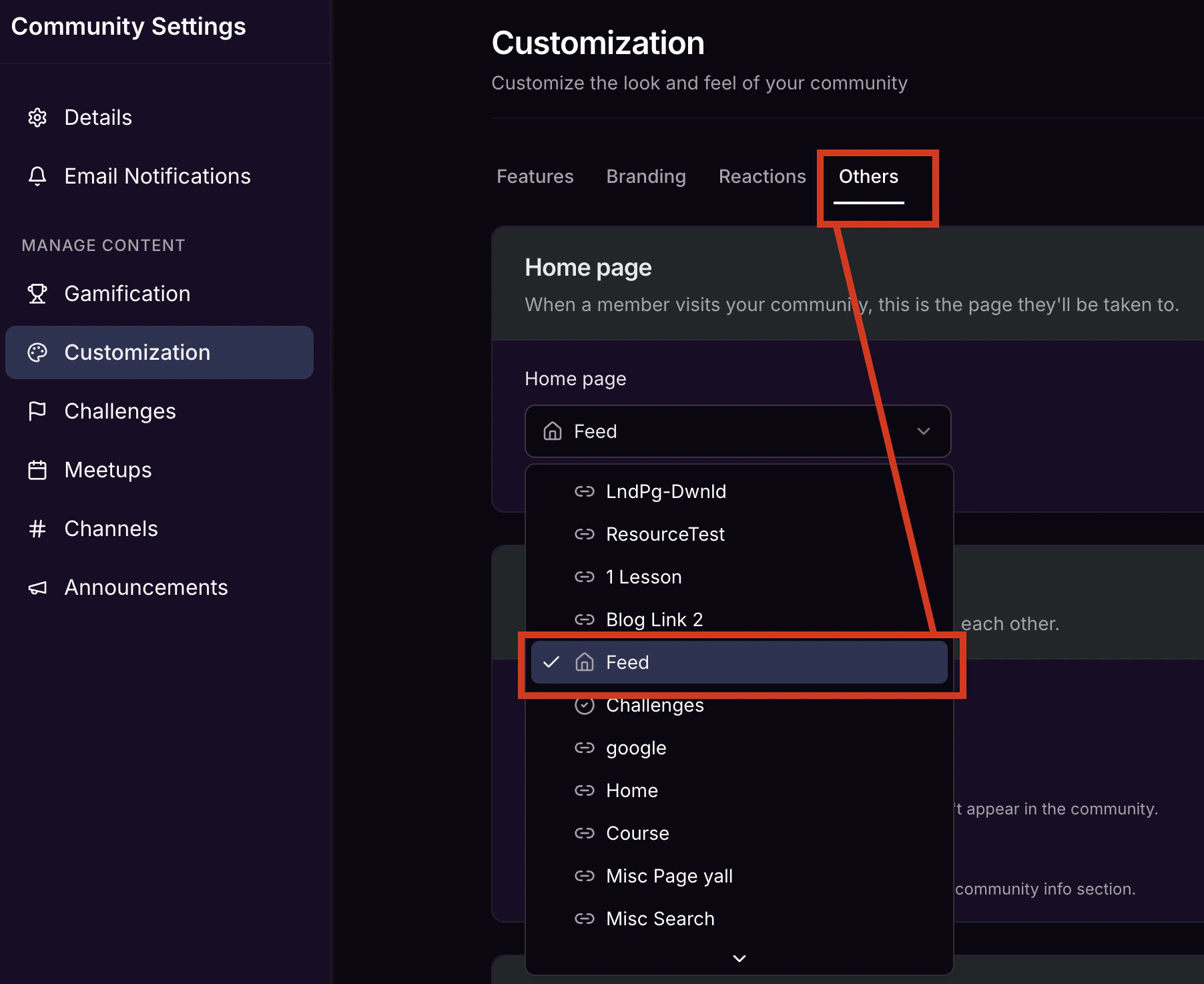
 To make your **Feed** you **Home page** (i.e. the page your members land on when they visit your Community), select \*\*Others \*\*and then use the dropdown under **Home page** to select the \*\*Feed \*\*option.
 ## Right sidebar feed
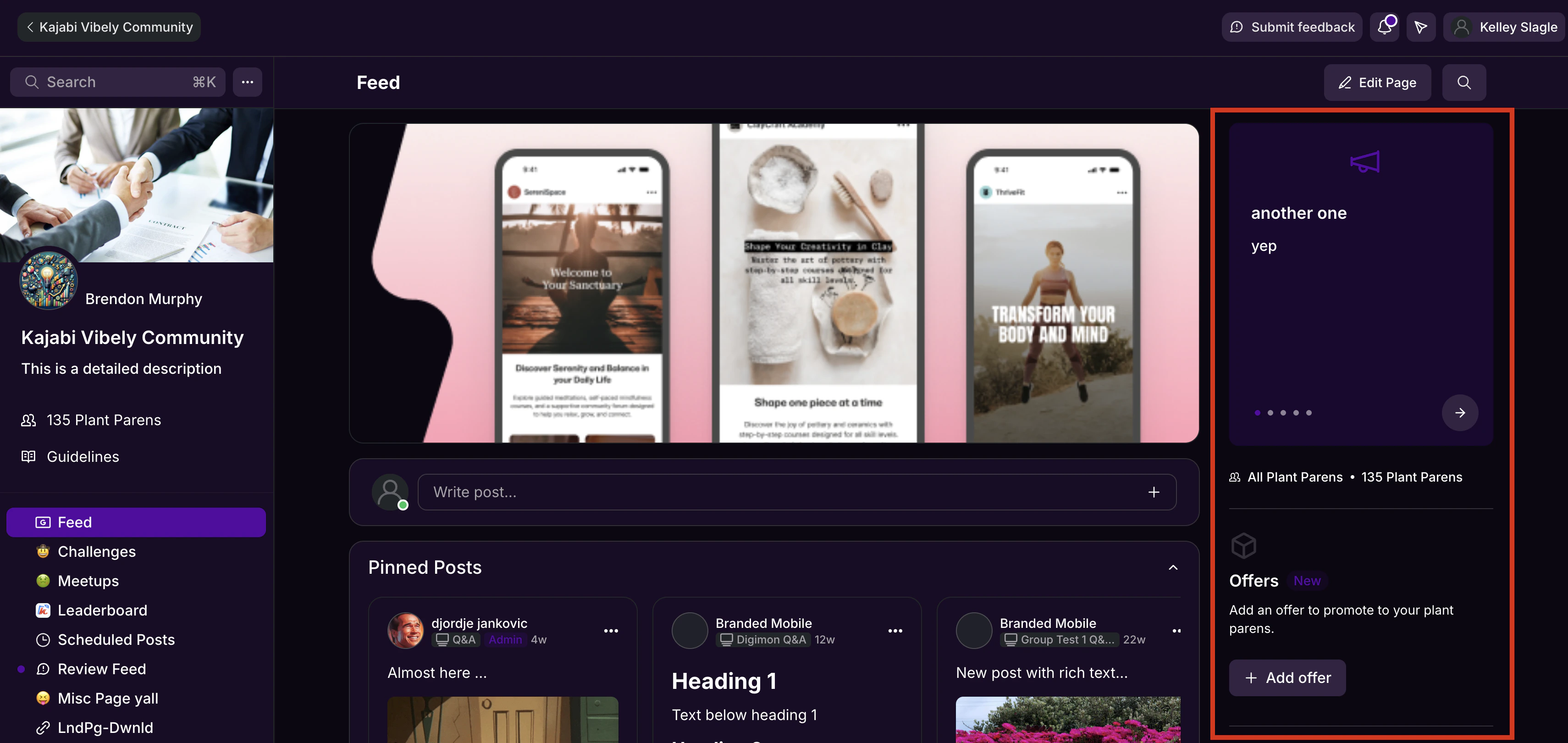
The Community experience on the web app also offers a right sidebar conveniently displaying a feed of the 3 most recent:
* Announcements
* Upcoming Meetups
* Challenges to Complete
## Right sidebar feed
The Community experience on the web app also offers a right sidebar conveniently displaying a feed of the 3 most recent:
* Announcements
* Upcoming Meetups
* Challenges to Complete
 ### Don't see the sidebar?
The sidebar is only viewable on device screens of at least 768px (8 inches). It won't appear on mobile devices or other small screens.
### Don't see the sidebar?
The sidebar is only viewable on device screens of at least 768px (8 inches). It won't appear on mobile devices or other small screens.