> ## Documentation Index
> Fetch the complete documentation index at: https://help.kajabi.com/llms.txt
> Use this file to discover all available pages before exploring further.
# Get insights about a Community
> View automatically generated statistics to analyze the progress and engagement of your Community.
**Note:** Your Community Insights are available in your Community Dashboard. You will no longer access your Community statistics in your Community Settings. If you do not have a Kajabi Community, you will not see data in your Community Dashboard.
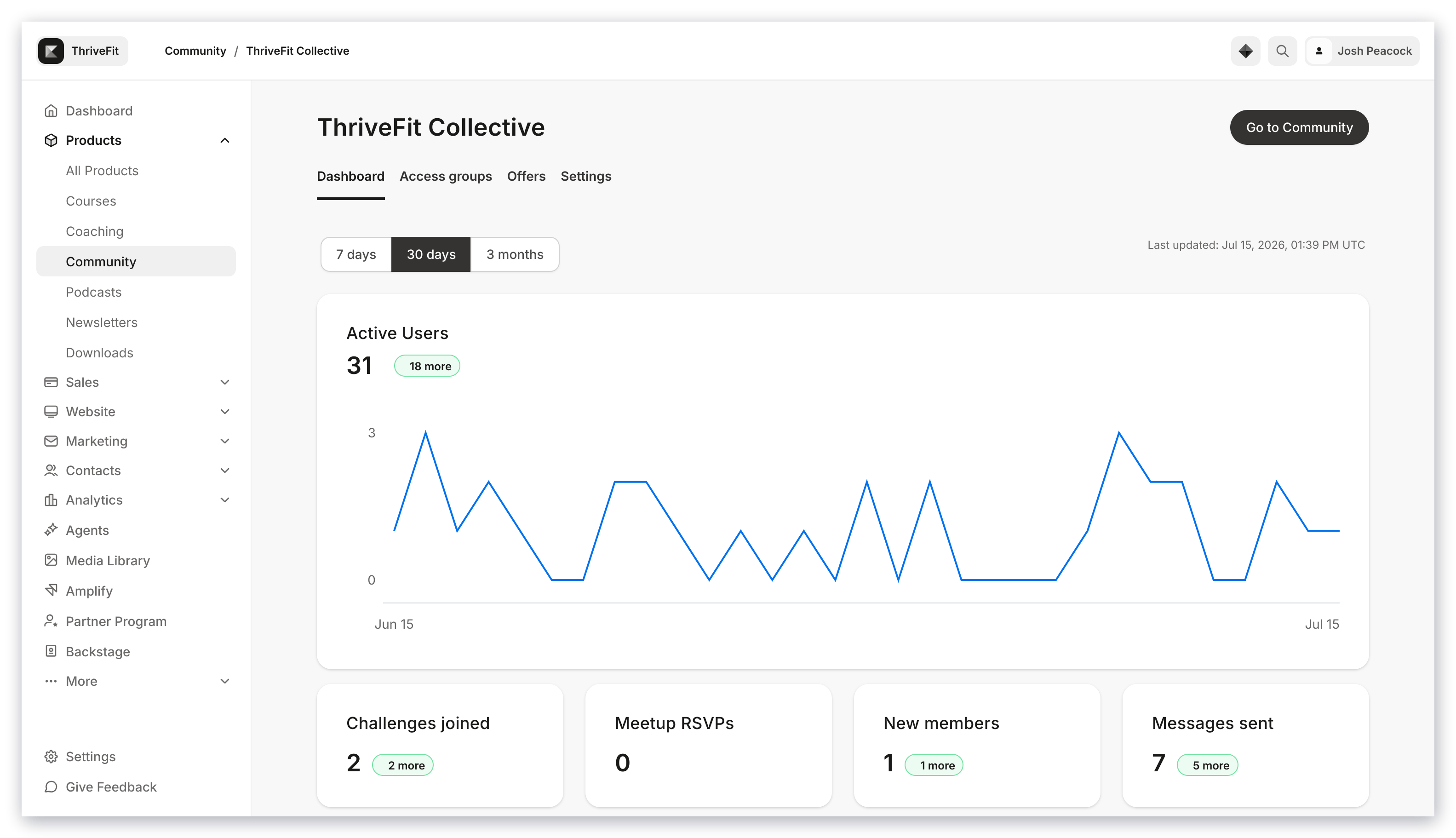
Track your **Community's** progress and engagement using automatically generated statistics available in your Community Dashboard.
## View Community statistics
You can access statistics about your Community in your Community Dashboard.
View statistics on members, messages sent, Meetups, and Challenge submissions.
**To view your statistics:**
* Open the **Products** tab from your Kajabi Dashboard.
* Click **Community**: