> ## Documentation Index
> Fetch the complete documentation index at: https://help.kajabi.com/llms.txt
> Use this file to discover all available pages before exploring further.
# Create polls in Community Channels
> Engage your Community members with interactive polls to gather feedback, make decisions, and encourage participation.
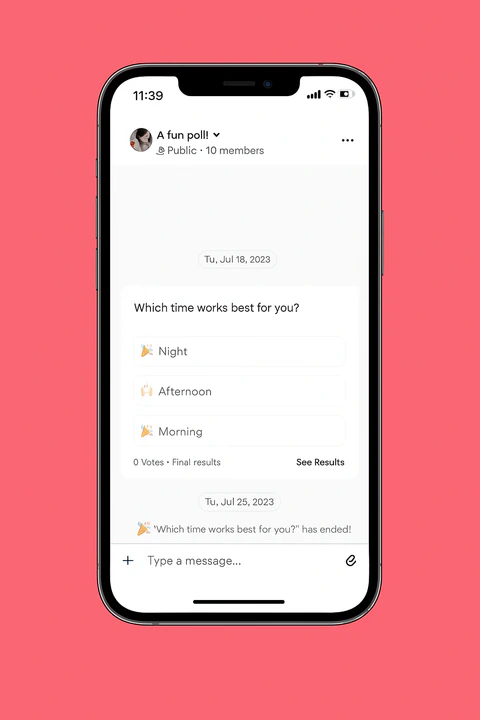
Interactive **polls** in your Channels are a great way to gather feedback, make decisions, and encourage participation from your Community members.
## Create a Poll in the Channel Chat (Web)
Engage your community members with a poll inside of a chat:
* Open the **Products** tab from your Dashboard.
* Select **Community** from the sidebar.
* Click **Go to Community**.
* Open the **Channel** where you want to create a poll.
* Click the "**+**" icon at the lower left next to the message field.
* Click **Create poll**.
* Enter your poll questions and answer options.
* (Optional) Click the gear icon to:
* Enable "**Allow Multiple Answers**" (if needed).
* Set an **End Date** for the poll.
* Review your poll details and click **Post**:
## Create a Poll in the Channel Feed (Web)
* Open the **Products** tab from your Dashboard.
* Select **Community** from the sidebar.
* Click **Go to Community**.
* Open the **Channel Field** where you want to create a poll.
* Write a post.
* Click the "**+**" icon at the lower left of the Post box.
* Click the Poll icon.
* Enter your poll questions and answer options.
* (Optional) Click the gear icon to:
* Enable "**Allow Multiple Answers**" (if needed).
* Set an **End Date** for the poll.
* Review your poll details and click **Post**:
## Create a Poll in the Channel Chat (Mobile)
Create a poll in your community chat channel from the mobile app:
* Open the mobile app and select the **Channels** tab.
* Select the chat channel where you want to create a poll.
* Click the **+** icon at the lower left of the message entry field.
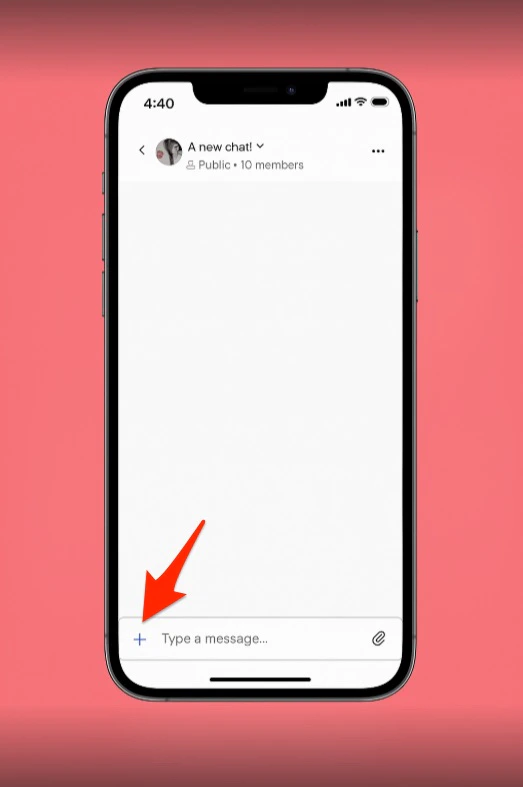 * Select **Create a Poll**.
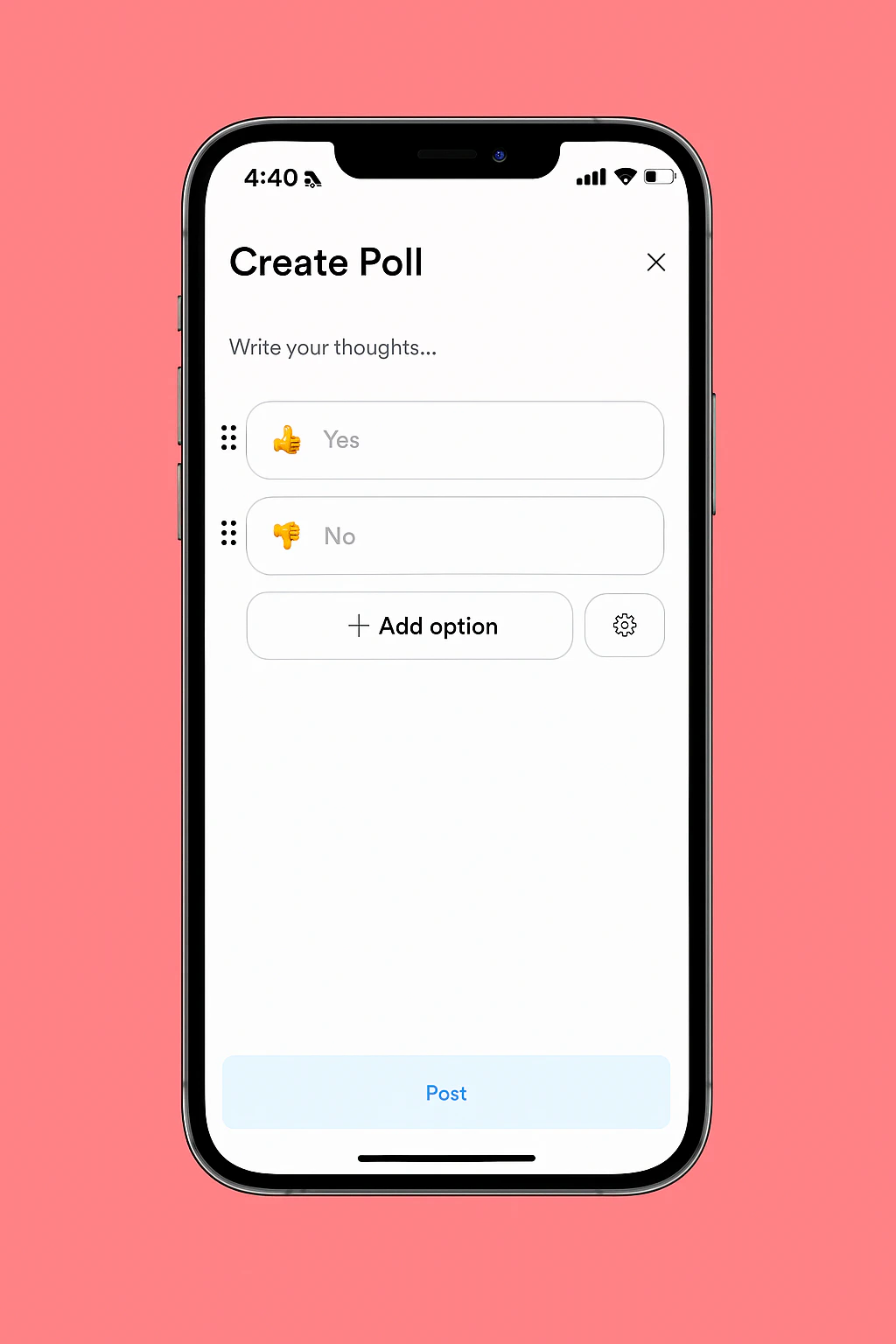
* Add your poll **questions** and **answer** options as needed.
* (Optional) Click the **gear icon** to:
* Enable **Allow Multiple Answers** (if needed).
* Set an **End Date** for the poll.
* Review your poll details and click **Post.**
* Select **Create a Poll**.
* Add your poll **questions** and **answer** options as needed.
* (Optional) Click the **gear icon** to:
* Enable **Allow Multiple Answers** (if needed).
* Set an **End Date** for the poll.
* Review your poll details and click **Post.**
 ## Create a Poll in the Channel Feed (Mobile)
Create a poll in your community feed channel from the mobile app:
* Open the mobile app and select the **Channels** tab.
* Select the feed channel where you want to create a poll.
* Click the **poll icon.**
* Add your poll questions and answer options as needed.
* (Optional) Click the gear icon to:
* Enable "**Allow Multiple Answers**" (if needed).
* Set an **End Date** for the poll.
* Review your poll details and click **Post.**
## Create a Poll in the Channel Feed (Mobile)
Create a poll in your community feed channel from the mobile app:
* Open the mobile app and select the **Channels** tab.
* Select the feed channel where you want to create a poll.
* Click the **poll icon.**
* Add your poll questions and answer options as needed.
* (Optional) Click the gear icon to:
* Enable "**Allow Multiple Answers**" (if needed).
* Set an **End Date** for the poll.
* Review your poll details and click **Post.**