> ## Documentation Index
> Fetch the complete documentation index at: https://help.kajabi.com/llms.txt
> Use this file to discover all available pages before exploring further.
# Pin posts in Community Channels
> Highlight important posts by pinning them to the top of a Channel or main Feed.
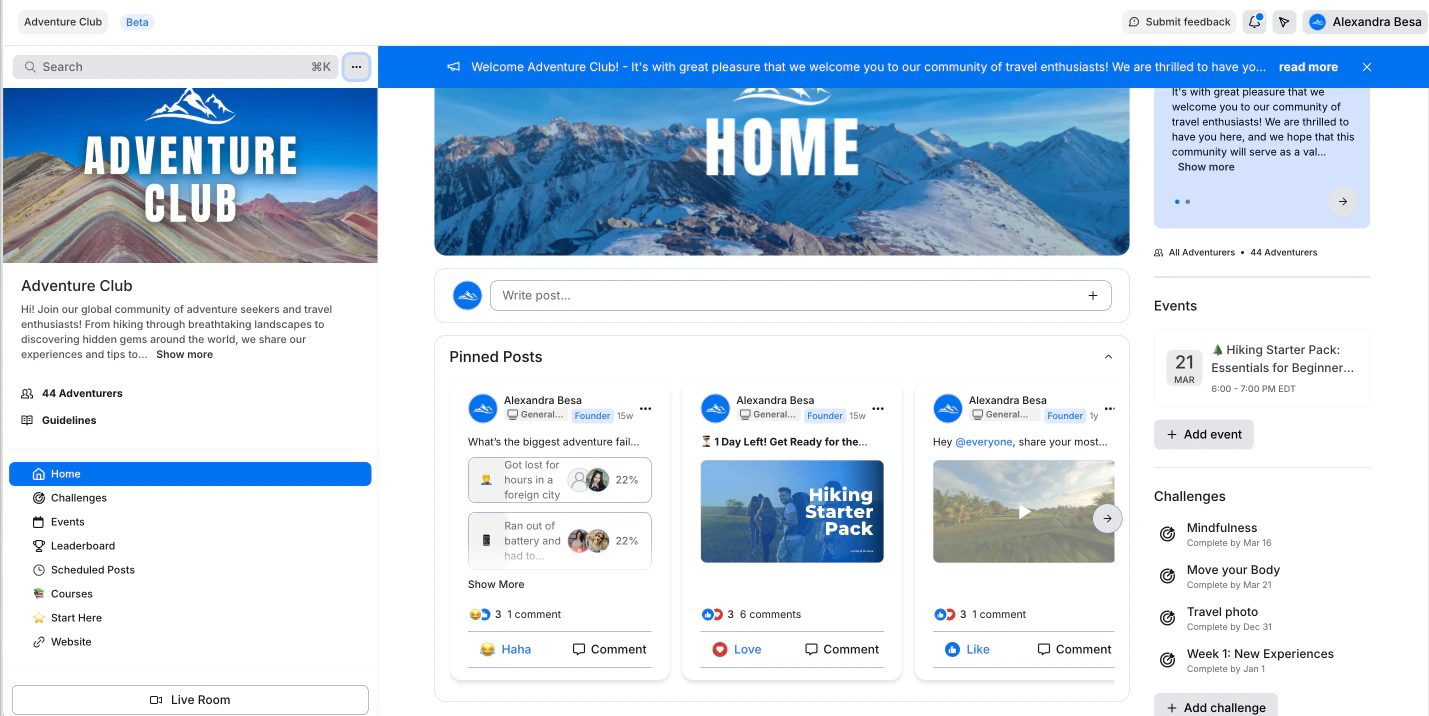
Spotlight important posts by **pinning** them to the top of a Channel or main Feed. This helps ensure your community members see your most important content first.
## Pinning posts
Spotlight a post from your Channel by pinning the post to the top of the Channel it was posted in.
If you want the post featured on your main feed, you can choose **Pin to feed**.
**Note:** With your Kajabi Community, all posts (including posts featured on your main feed) are only visible to the Access Group you set.
 ## Pin posts in a Channel
* Open the **Products** tab from your Kajabi Dashboard.
* Navigate to the **Community** tab.
* Click **Go to Community**.
* Navigate to the **Channel** you wish to update.
* Locate the **post** you wish to pin.
* Click the `…` menu.
* Select **Pin to Channel**:
## Pin posts in a Channel
* Open the **Products** tab from your Kajabi Dashboard.
* Navigate to the **Community** tab.
* Click **Go to Community**.
* Navigate to the **Channel** you wish to update.
* Locate the **post** you wish to pin.
* Click the `…` menu.
* Select **Pin to Channel**:
If you want to pin the post to your main Feed, select **Pin to feed**: