> ## Documentation Index
> Fetch the complete documentation index at: https://help.kajabi.com/llms.txt
> Use this file to discover all available pages before exploring further.
# Kajabi Communities redesign
> Explore the Kajabi Communities redesign, including performance improvements, streamlined navigation, and customization options.
The **Communities redesign** is a refresh of the Communities Product. It offers a clean design with a more engaging experience for you and your community members. The Kajabi Communities redesign is dramatically easier and faster to use, with customization options to perfectly reflect your brand.
## What's changed?
**Performance**: Enjoy faster load times and smoother interactions for seamless engagement.
**Navigation Improvements**
* **Gamification:** Customize gamification in your Kajabi Community to engage members, reward participation, and foster a dynamic learning environment. [Learn more](../../products/community/communities-gamification).
* **Streamlined Navigation**: The updated sidebar and menus make it easier than ever to navigate and find what you're looking for:
* **Reorder Access Groups, Custom Pages, Circles**: Easily organize your Access Groups, Custom Pages, and Circles by dragging and dropping them into the order that works best for you:
* **Resize the sidebar**: Drag and resize the sidebar to customize the focus of your community:
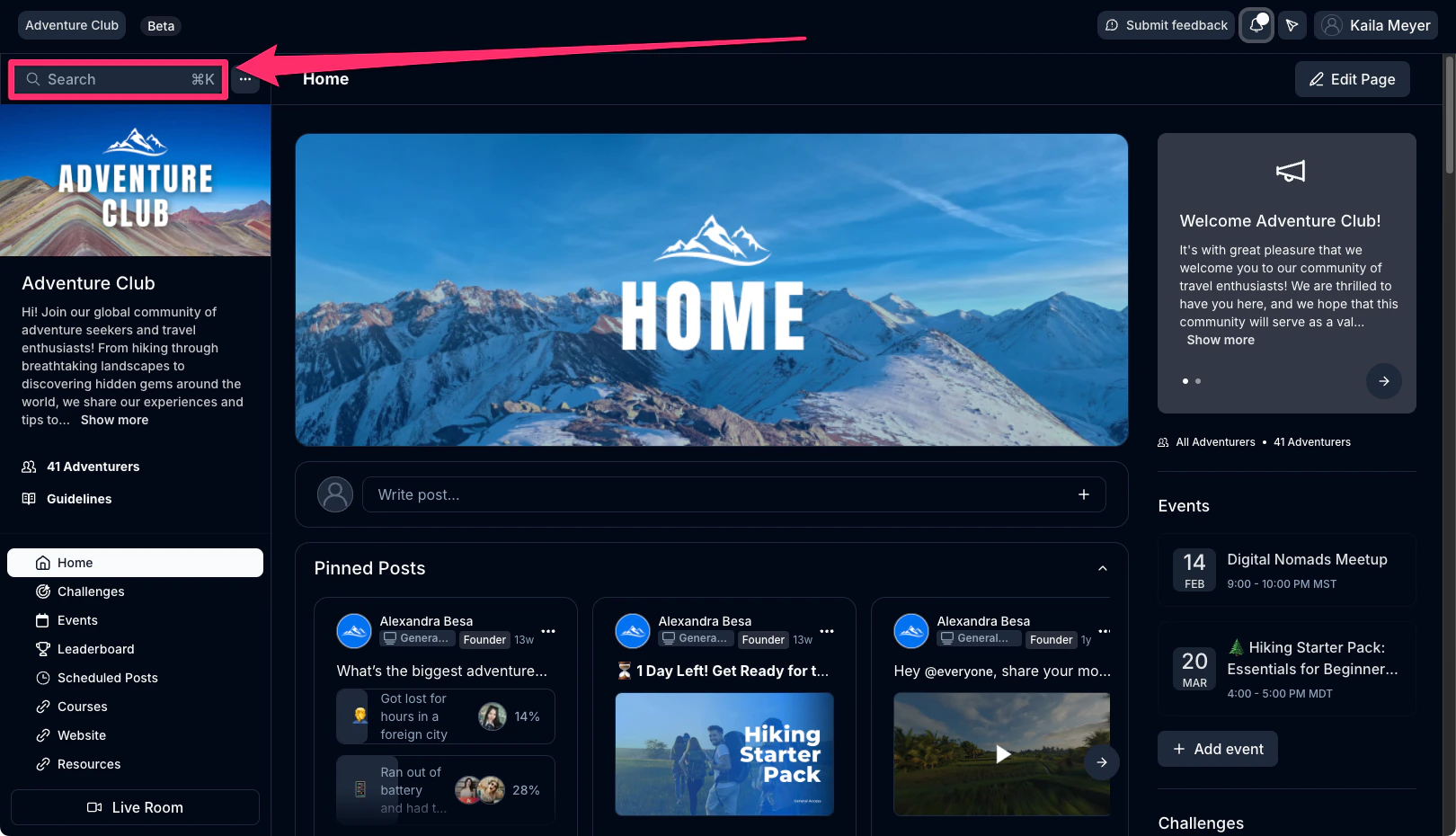
* **Expanded search:** Quickly find posts, members, recordings, and meetups with an intuitive search bar relocated to the top of your community:
 **Customization Options**
* **Branded colors**: Customize your color scheme to reflect your brand identity.
## FAQs
### Where can I see the redesign?
The redesign is available on the web only. There have been no updates to the [mobile app](../../mobile-apps/kajabi-app/downloading-logging-in-to-the-kajabi-mobile-app). However, the redesign is available in the [Branded Mobile App](../../mobile-apps/branded-app/kajabi-branded-app-overview).
### How do I opt-in or out of the redesign?
All Communities on Kajabi now have the redesign experience and it's not possible to revert back to the previous version.
**Customization Options**
* **Branded colors**: Customize your color scheme to reflect your brand identity.
## FAQs
### Where can I see the redesign?
The redesign is available on the web only. There have been no updates to the [mobile app](../../mobile-apps/kajabi-app/downloading-logging-in-to-the-kajabi-mobile-app). However, the redesign is available in the [Branded Mobile App](../../mobile-apps/branded-app/kajabi-branded-app-overview).
### How do I opt-in or out of the redesign?
All Communities on Kajabi now have the redesign experience and it's not possible to revert back to the previous version.