> ## Documentation Index
> Fetch the complete documentation index at: https://help.kajabi.com/llms.txt
> Use this file to discover all available pages before exploring further.
# Schedule Community posts
> Plan and schedule posts to your Community Feed Channels ahead of time.
Take control of your Community experience by **scheduling posts** within Feed Channels. Planning posts ahead of time ensures a consistent and engaging flow of content for your members.
## Community Feed Channels
Community Feed Channels encourage lively discussions about any topic you choose, giving your Community a voice and fostering a sense of belonging.
With Feed Channels, you can support posts and topic threads. They are displayed in a feed-like style layout where the community can post photos and videos, share content, and show appreciation.
## Schedule posts
To schedule your feed Channel posts to your Community:
* Open your Community.
* Select the **Feed Channel** where you want to post. Alternatively, you can go directly to the **Scheduled Posts** or **Main Feed** page.
* Create your post and customize it as desired.
* Click the **dropdown** next to **Post**.
* Choose your preferred **date**, **time**, and **timezone**.
* Click **Schedule** to finalize and schedule your post:
## View scheduled posts
* Open your Community.
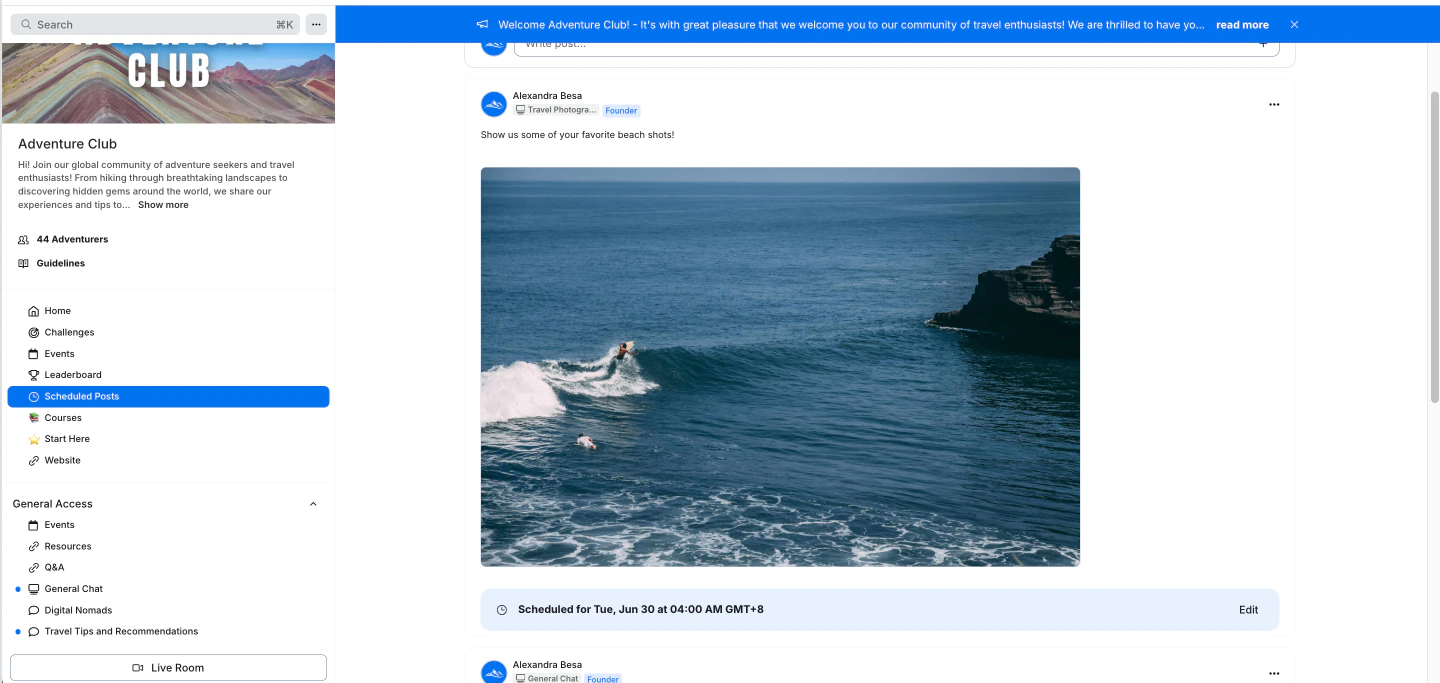
* In the left navigation bar, select **Scheduled Posts**.
* A list of all your scheduled posts will be displayed.
 ## Edit a scheduled post
* Open your Community Product.
* In the left navigation bar, select **Scheduled Posts.**
* Find the **post** you want to edit.
* Click the three-dot menu (...) in the upper-right corner of the post or click **Edit** below the post.
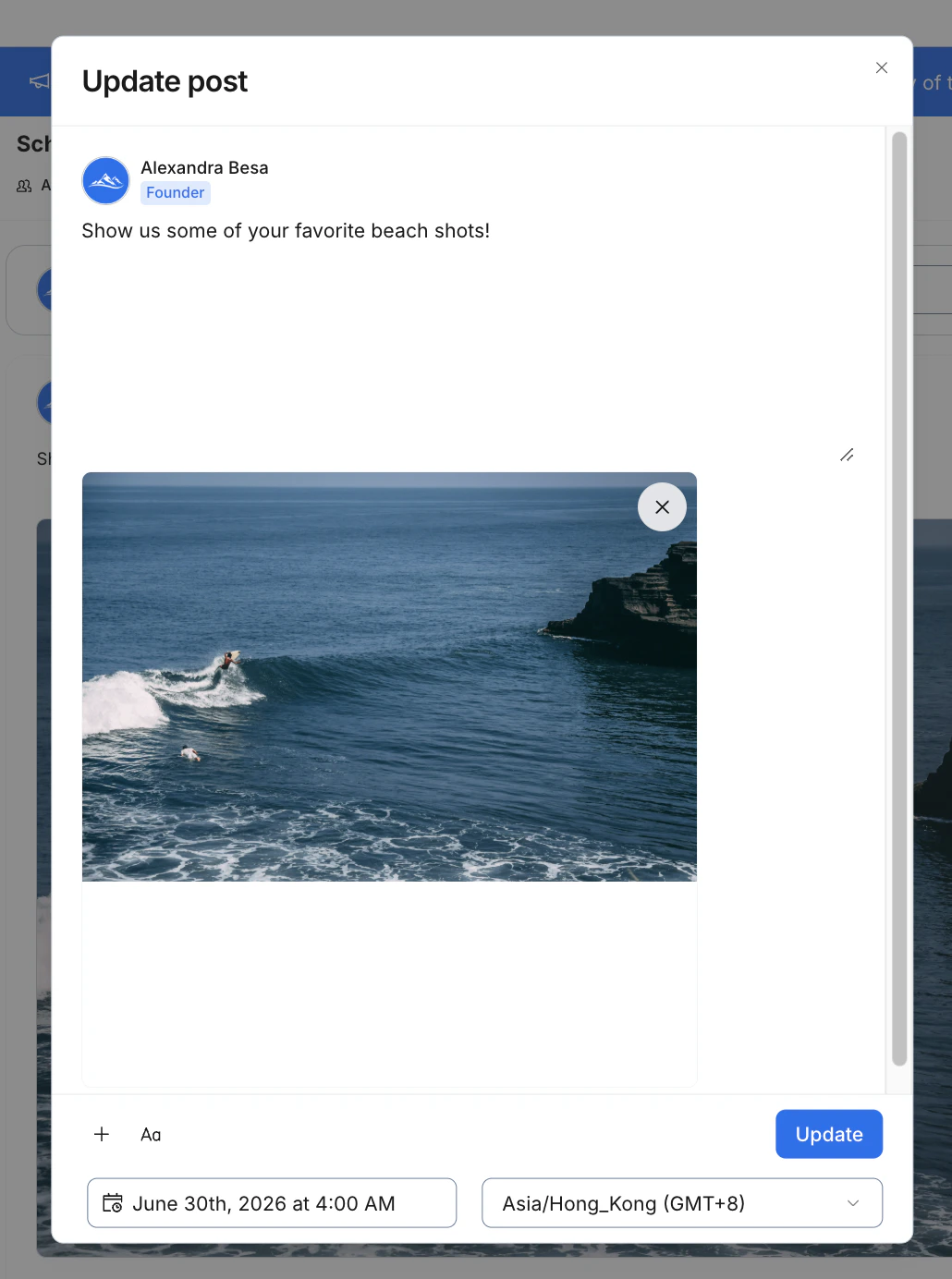
* Adjust the **date**, **time**, or **content** as needed.
* Click **Update** to save your changes.
## Edit a scheduled post
* Open your Community Product.
* In the left navigation bar, select **Scheduled Posts.**
* Find the **post** you want to edit.
* Click the three-dot menu (...) in the upper-right corner of the post or click **Edit** below the post.
* Adjust the **date**, **time**, or **content** as needed.
* Click **Update** to save your changes.