> ## Documentation Index
> Fetch the complete documentation index at: https://help.kajabi.com/llms.txt
> Use this file to discover all available pages before exploring further.
# Course downloads
> Add and manage downloadable files in Course lessons.
Use **Downloads** to share files like worksheets, templates, or lesson notes within a course lesson. Customers will find these files in the lesson's Downloads section.
## Add a file
1. Go to **Products** > **Courses** and click on a Course
2. Click the lesson you want to edit to open the lesson editor page
3. Scroll down to locate the **Downloads** section within the lesson editor
4. Click **Add Files** to open the upload interface
5. Upload your file(s) using the upload modal
### Rename a file
1. Open a lesson
2. Click the **Edit** icon to rename the uploaded file in the Downloads section
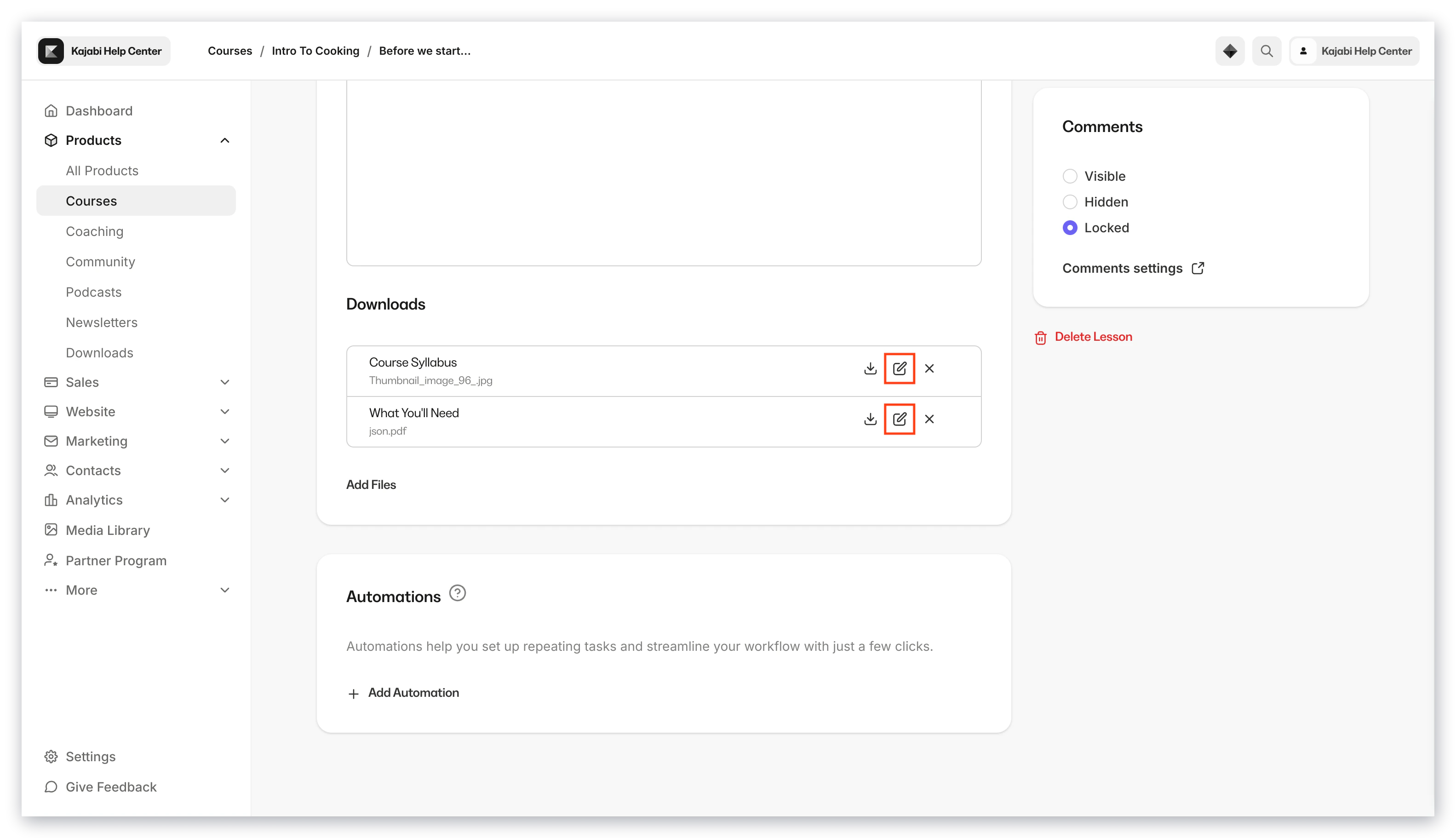 3. Enter a new display name for the file and click **Save** to complete the rename step
### Download a file
1. Open a lesson
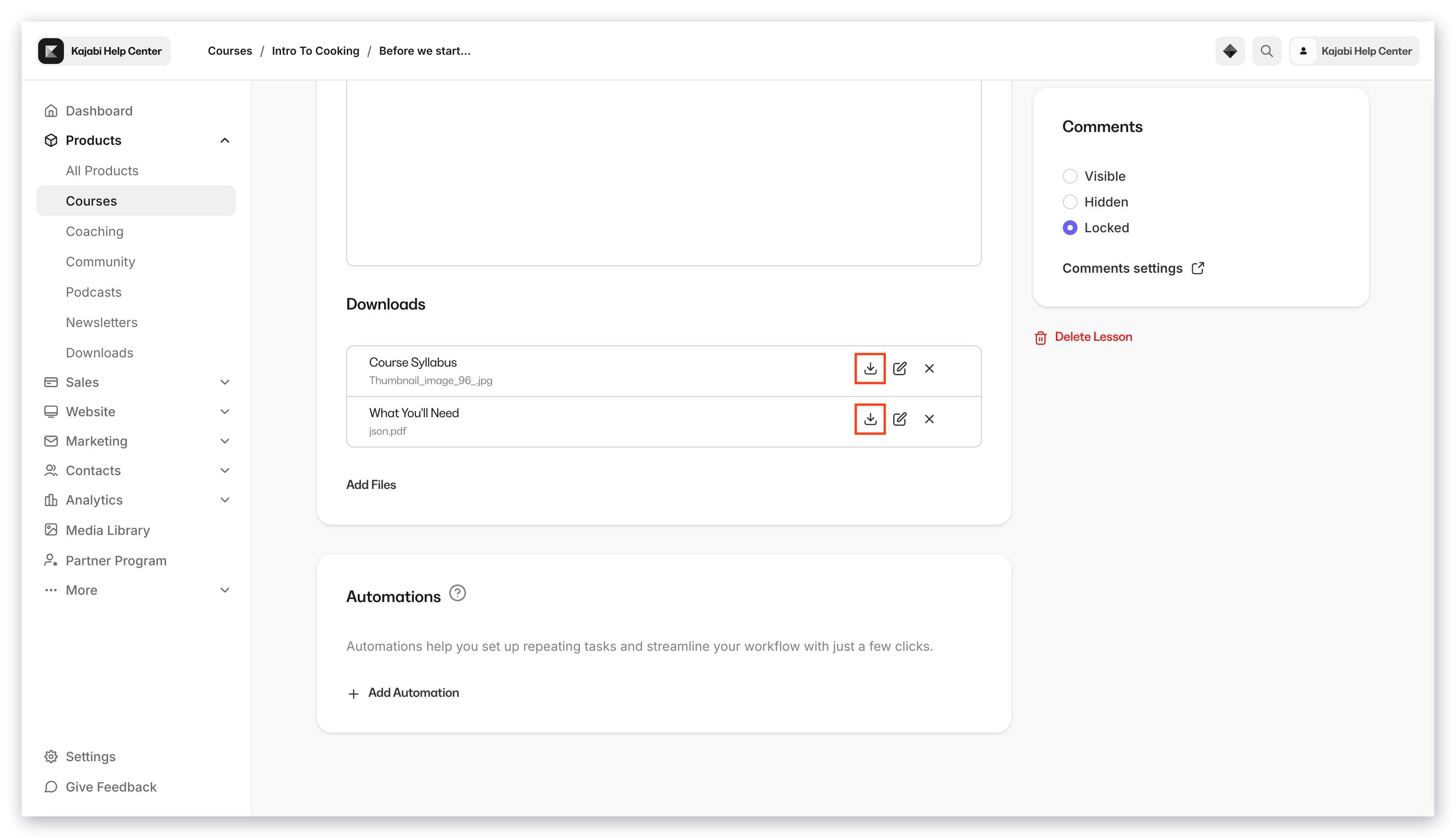
2. Click the **Download** icon under the Downloads section
3. Enter a new display name for the file and click **Save** to complete the rename step
### Download a file
1. Open a lesson
2. Click the **Download** icon under the Downloads section
 ### Delete a file
1. Click the **Delete** icon in the Downloads section
2. Click **Delete** again to confirm and remove the file
**Notes:**
* There is a **1GB** file limit for a downloadable file within a course lesson.
* The following downloadable file types are allowed for course lessons:
* 3g2, 3gp, avi, csv, doc, docx, epub, flv, gif, jpeg, jpg, key, m4a, mov, mp3, mp4, mpg, mobi, odt, ogg, ogv, pdf, png, ppt, pptx, rtf, srt, txt, wav, wma, wmv, xls, xlsx, zip
## FAQs
### What can I edit in a lesson?
You can edit lesson details, media, downloads, automations, status, the lesson thumbnail, and comments.
### How do I make a lesson visible to customers?
Set the lesson status to Published and click Save.
### Delete a file
1. Click the **Delete** icon in the Downloads section
2. Click **Delete** again to confirm and remove the file
**Notes:**
* There is a **1GB** file limit for a downloadable file within a course lesson.
* The following downloadable file types are allowed for course lessons:
* 3g2, 3gp, avi, csv, doc, docx, epub, flv, gif, jpeg, jpg, key, m4a, mov, mp3, mp4, mpg, mobi, odt, ogg, ogv, pdf, png, ppt, pptx, rtf, srt, txt, wav, wma, wmv, xls, xlsx, zip
## FAQs
### What can I edit in a lesson?
You can edit lesson details, media, downloads, automations, status, the lesson thumbnail, and comments.
### How do I make a lesson visible to customers?
Set the lesson status to Published and click Save.