> ## Documentation Index
> Fetch the complete documentation index at: https://help.kajabi.com/llms.txt
> Use this file to discover all available pages before exploring further.
# Bulk upload videos in a Product
> Save time by uploading multiple videos at once to a Product.
In a Product, you can upload a single video or save time and **bulk upload** multiple videos at once.
## Upload multiple videos at the same time
1. From the Dashboard, open the **Products** tab.
2. Select the Product you wish to edit, such as **Courses** or **Coaching**, or [create a new Product](../../products/courses/courses-overview).
3. Navigate to the individual Product page (i.e., a **Course**).
4. Click the **Add Content** button on the same line as the **Product Title**, and the **Preview eye icon**:
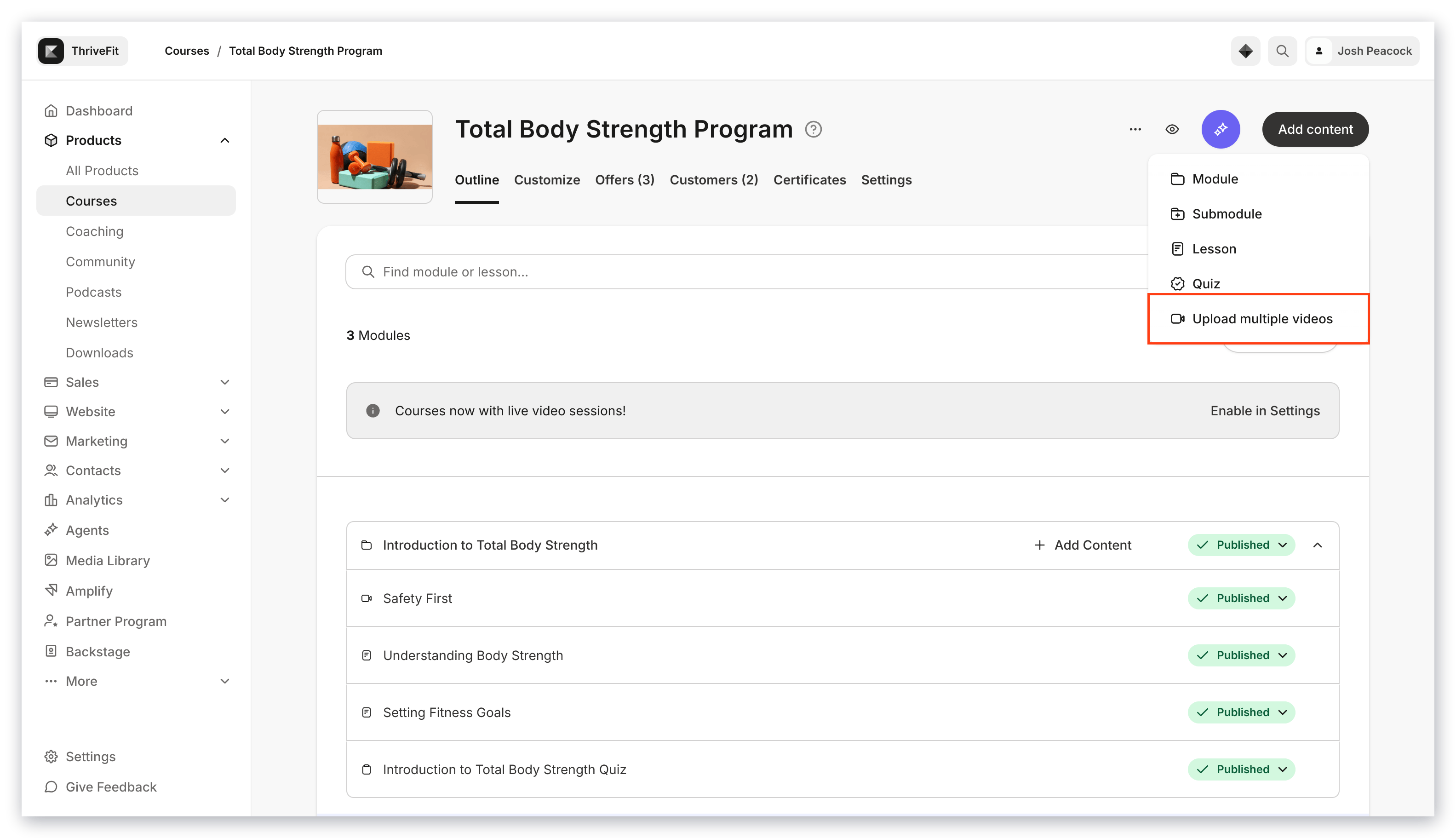 5. Select **Upload Multiple Videos**.
6. Choose the videos you want to upload from the file picker.
5. Select **Upload Multiple Videos**.
6. Choose the videos you want to upload from the file picker.
**Note:** Kajabi allows you to upload up to 20 videos at once, but, depending on your upload speed it may be best practice to only upload between 3 and 4 at a time.
7. Kajabi will automatically upload these videos through Wistia and house them in a newly created module or category.
**Note:** Bulk uploading video content is a larger process and will take longer to complete than uploading a single video. Please be patient and wait until the upload process is complete before contacting our support team or navigating away from the page.
5. Select **Upload Multiple Videos**.
6. Choose the videos you want to upload from the file picker.
5. Select **Upload Multiple Videos**.
6. Choose the videos you want to upload from the file picker.
**Note:** Kajabi allows you to upload up to 20 videos at once, but, depending on your upload speed it may be best practice to only upload between 3 and 4 at a time.
7. Kajabi will automatically upload these videos through Wistia and house them in a newly created module or category.
**Note:** Bulk uploading video content is a larger process and will take longer to complete than uploading a single video. Please be patient and wait until the upload process is complete before contacting our support team or navigating away from the page.