> ## Documentation Index
> Fetch the complete documentation index at: https://help.kajabi.com/llms.txt
> Use this file to discover all available pages before exploring further.
# Change the player color in a Product with Premier
> Change the color of the post player in a Product when using the Premier theme.
The Product theme, **Premier**, is a one-of-a-kind Product theme to help you design a Product and help customers easily navigate through it.
## What is the Product Post Player?
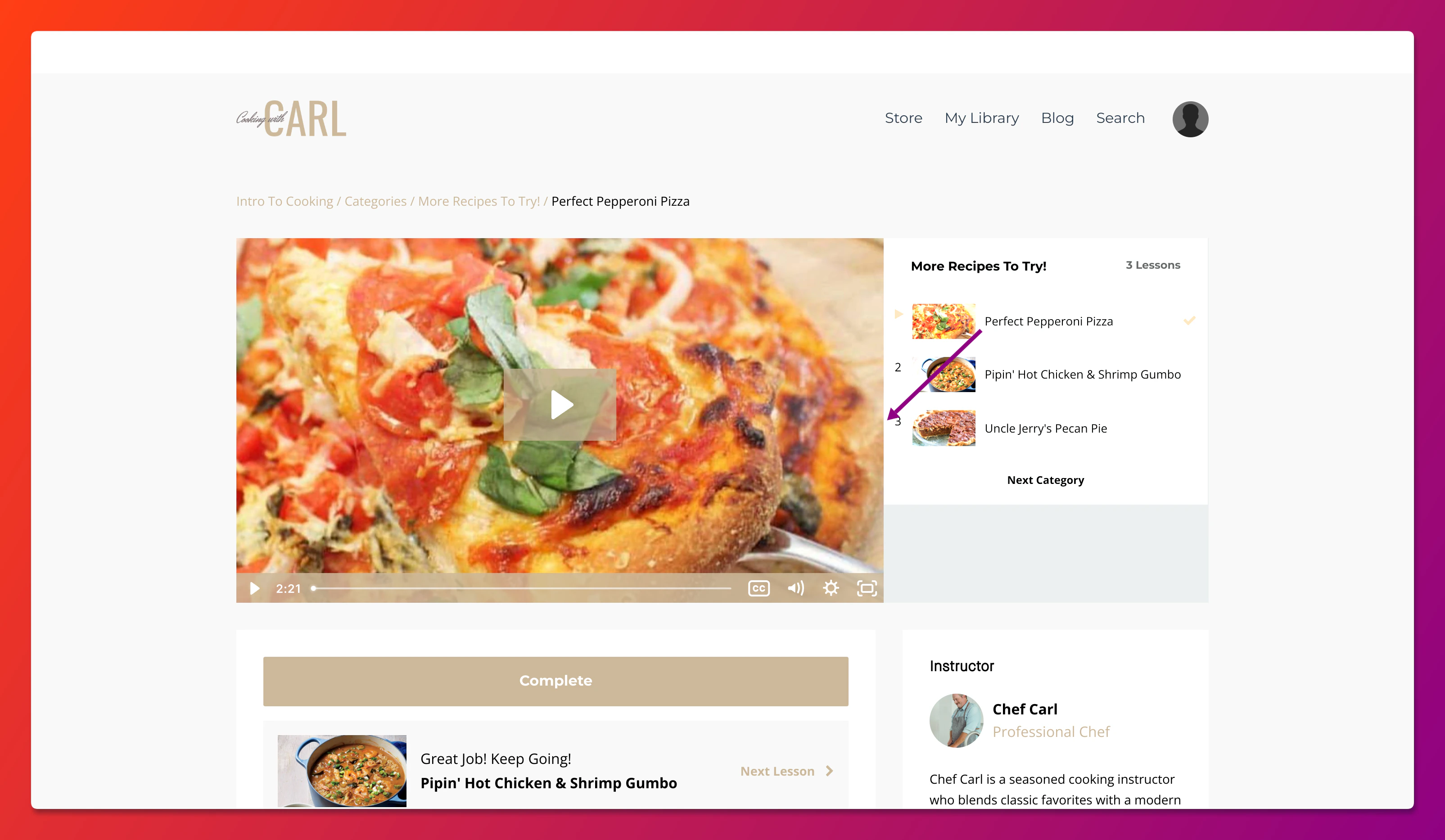
The Product Post Player contains the Product Post video and allows customers to play and pause the video, scrub through the video, adjust volume, speed, and video quality:
 ## Change the color of the player in a Product
### Change the player color with the Premier theme
1. Open the **Products** tab from your Dashboard.
2. Select the Product.
3. Click **Customize**.
4. Install the **Premier Theme** if you haven't already.
5. Open the **Installed Themes** folder.
6. Select the **Premier Theme**.
7. Click **Customize**.
8. Navigate to the **Post** section in the editor by clicking the dropdown in the top bar.
9. Select **Post Player** from the sidebar.
10. Select the desired color for the Product Post Player.
11. Then, click **Save** to keep and apply the changes:
## Change the color of the player in a Product
### Change the player color with the Premier theme
1. Open the **Products** tab from your Dashboard.
2. Select the Product.
3. Click **Customize**.
4. Install the **Premier Theme** if you haven't already.
5. Open the **Installed Themes** folder.
6. Select the **Premier Theme**.
7. Click **Customize**.
8. Navigate to the **Post** section in the editor by clicking the dropdown in the top bar.
9. Select **Post Player** from the sidebar.
10. Select the desired color for the Product Post Player.
11. Then, click **Save** to keep and apply the changes:
## Custom colors
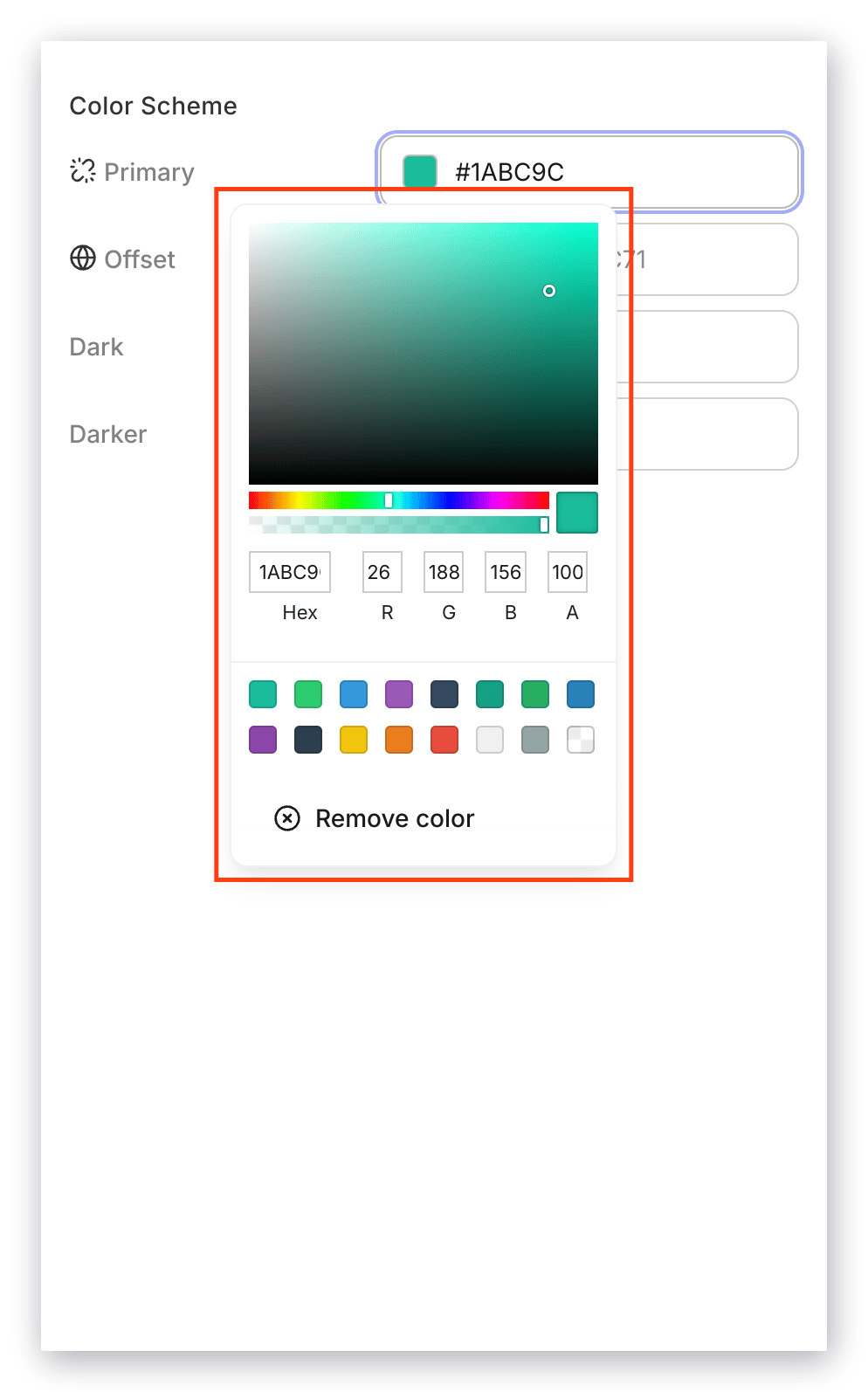
To specify a custom color, click the color you wish to change and enter the hex color code, RGB color code, or use the sliders to select a color.
### Use the color picker on Kajabi
* Use the main **square box** to adjust the saturation and brightness of your color.
* Use the first **horizontal bar** to select the hue.
* Use the second **horizontal bar** to adjust the opacity of your color.
* Use the **color code box** to insert a pre-designed custom code.