> ## Documentation Index
> Fetch the complete documentation index at: https://help.kajabi.com/llms.txt
> Use this file to discover all available pages before exploring further.
# Send an Announcement within a Course
> Share upcoming events, launches, and product changes with Course customers.
You can send an Announcement to customers from within a Course to convey information about new modules or lessons, other products, or upcoming events.
**Note:** This article refers only to Courses. If you wish to send an Announcement to Community members, see this article: [Create a Community Announcement](/articles/products/community/create-a-community-announcement).
## Send an Announcement
1. From the Dashboard, open the **Products** tab.
2. Click Courses.
3. Click a Course **Title**.
4. Click the **more actions (...) menu**, and select **Announcements.**
5. Click **New Announcement**.
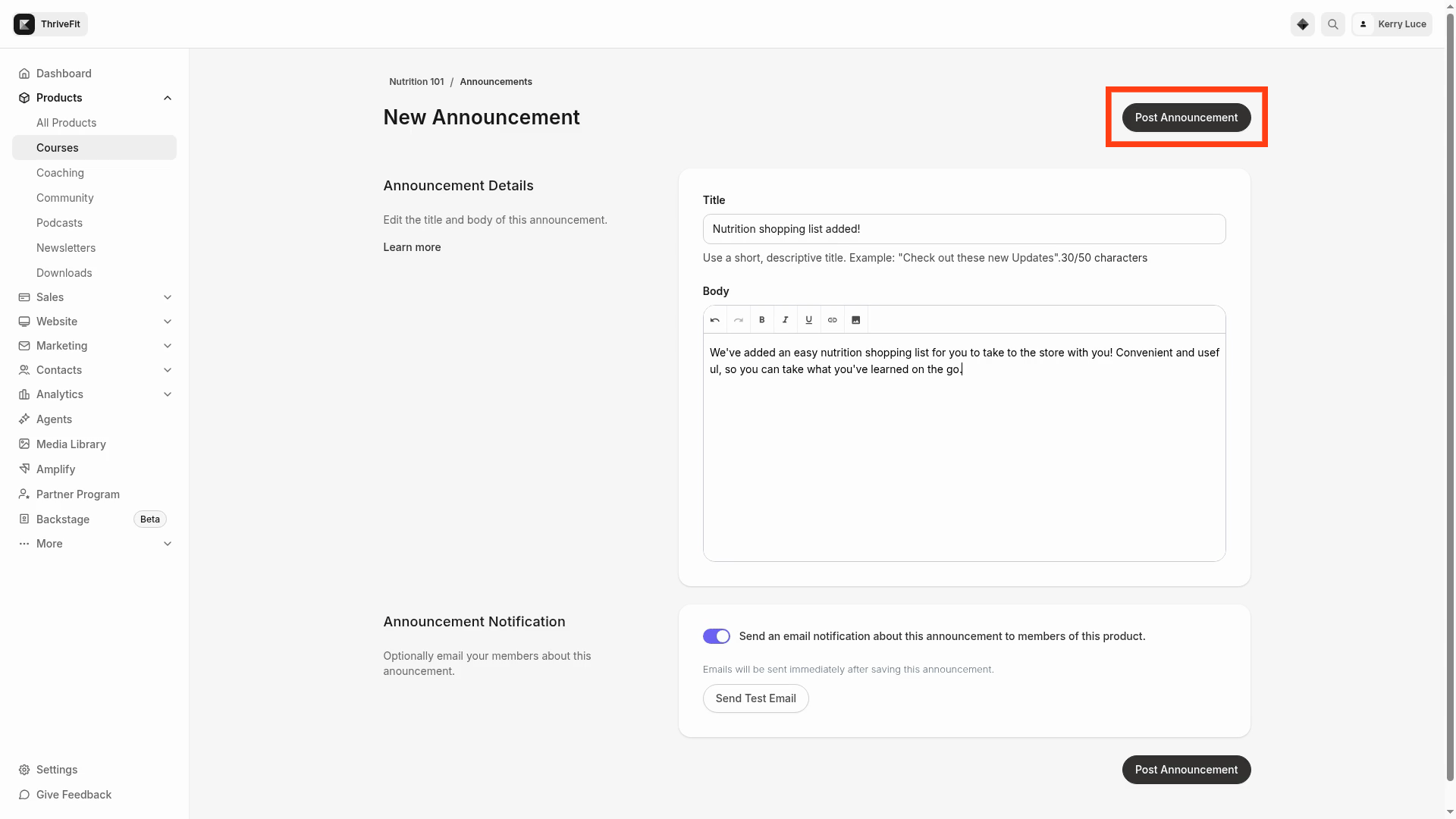
6. Add a **Title** and **Body** for the Announcement, and optionally, elect to **Send an email notification about this announcement to members of this product**. Emails are immediately sent after the Announcement is added. You can also click **Send Test Email**.
7. Click **Preview** to see how the Announcement will display.
8. Click **Post Announcement** to send it to Course customers.
 **Note:** If customers are unsubscribed from receiving Product Announcements, they will not receive the Announcement email notification. [Learn more about marketing and transactional emails](../../marketing/email-campaigns/what-are-marketing-and-transactional-emails).
## Edit or Delete Announcements
1. From the Dashboard, open the **Products** tab.
2. Click **Courses**.
3. Click a Course **Title**.
4. Click the **more actions (...) menu**, and select **Announcements.**
5. Next to an Announcement, click the **more actions (...) menu**, and select **Edit**.
6. Edit the Announcement as needed or click **Delete Announcement**.
## View Announcements
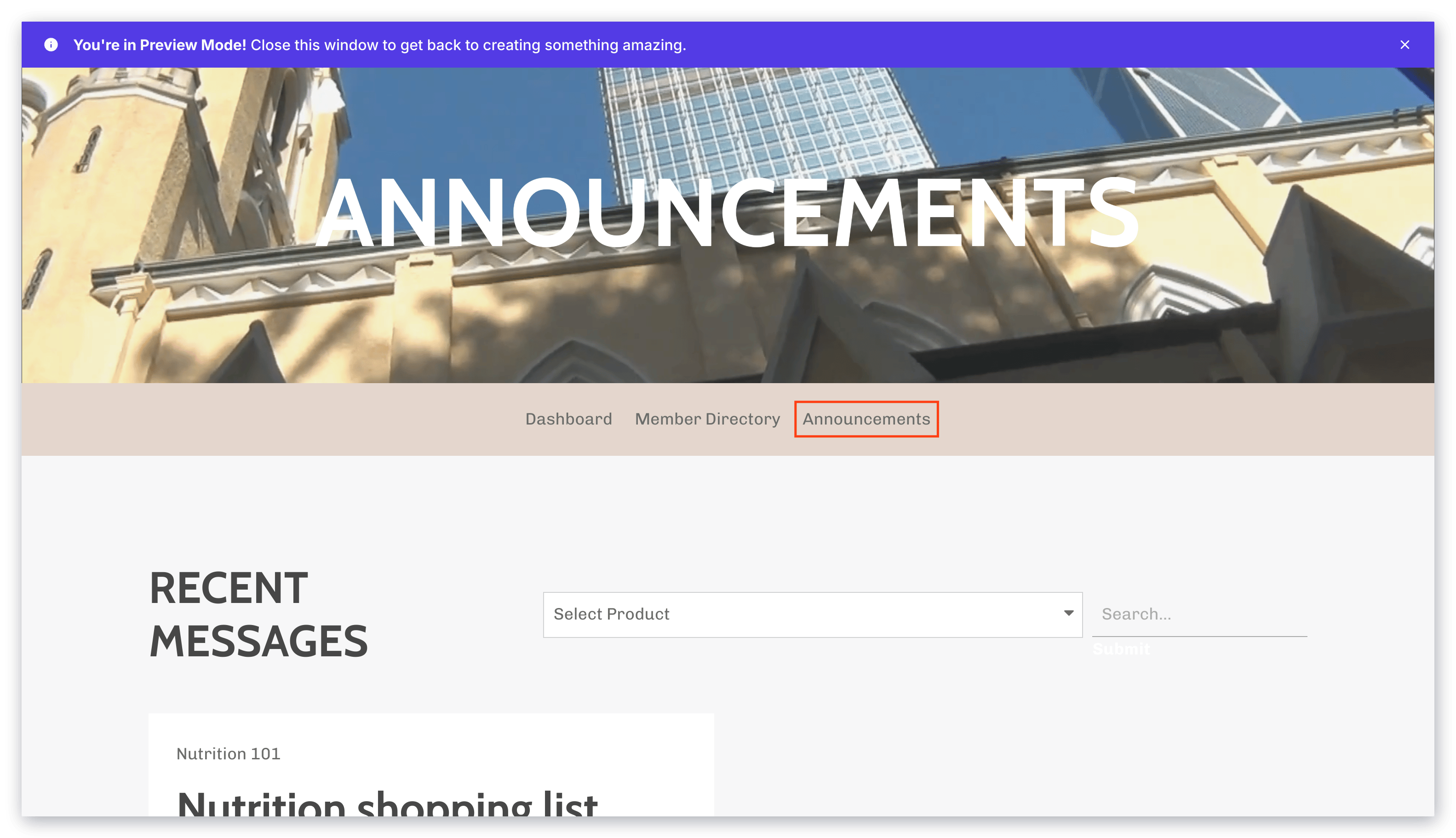
Customers can view Announcements by logging into the [Library](../../website/pages/customizing-your-library-page), then opening the **Announcements** tab.
**Note:** If customers are unsubscribed from receiving Product Announcements, they will not receive the Announcement email notification. [Learn more about marketing and transactional emails](../../marketing/email-campaigns/what-are-marketing-and-transactional-emails).
## Edit or Delete Announcements
1. From the Dashboard, open the **Products** tab.
2. Click **Courses**.
3. Click a Course **Title**.
4. Click the **more actions (...) menu**, and select **Announcements.**
5. Next to an Announcement, click the **more actions (...) menu**, and select **Edit**.
6. Edit the Announcement as needed or click **Delete Announcement**.
## View Announcements
Customers can view Announcements by logging into the [Library](../../website/pages/customizing-your-library-page), then opening the **Announcements** tab.
 ## Kajabi mobile app push notification
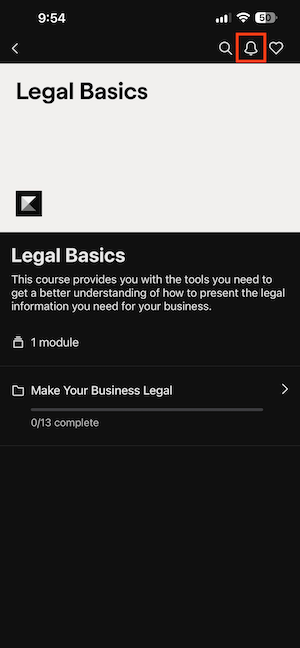
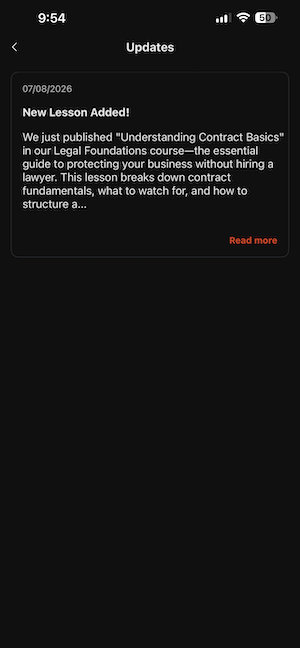
Customers with the [Kajabi Mobile App](https://blog.kajabi.com/kajabi-mobile-app-is-here) can receive push notifications alerting them of an Announcement. Within the Kajabi Mobile App, Product Announcements are under the **Updates** button:
## Kajabi mobile app push notification
Customers with the [Kajabi Mobile App](https://blog.kajabi.com/kajabi-mobile-app-is-here) can receive push notifications alerting them of an Announcement. Within the Kajabi Mobile App, Product Announcements are under the **Updates** button: