> ## Documentation Index
> Fetch the complete documentation index at: https://help.kajabi.com/llms.txt
> Use this file to discover all available pages before exploring further.
# Create a referral signup email
> Send an automated welcome email to people who sign up for Kajabi using your Kajabi Partner referral link.
The **Referral Sign up Email** is automatically sent to someone who creates a new Kajabi account using your Partner referral link. Use it to welcome your new Kajabi referral and deliver any promised bonuses, such as a downloadable file, Offer access, or a webinar link. This email is sent on your behalf and is separate from any emails you send to your own customers or contacts.
Add a personalized welcome message and a link to your bonus content. The system sends the email automatically on your behalf.
## Create a referral signup email
Welcome and deliver your promised bonuses to your Kajabi referrals by creating your referral signup email.
### Navigate to the Partner Dashboard
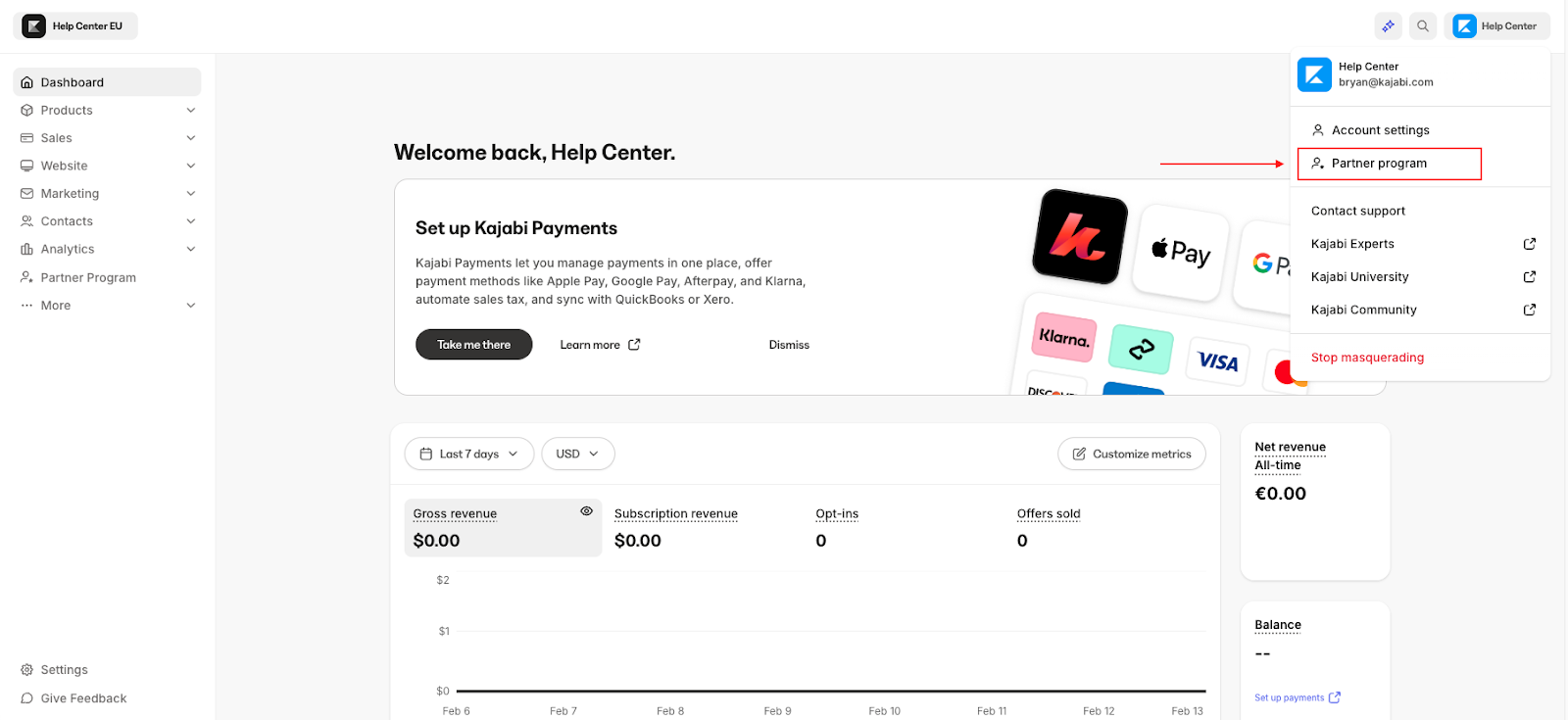
1. Open your User Menu by clicking the account icon located in the top right corner of your Kajabi Dashboard.
* If you do not have a Kajabi account, log in [here](https://kajabi.com/partnerprogram).
2. Select **Partner Program**.
 ### Create the referral signup email
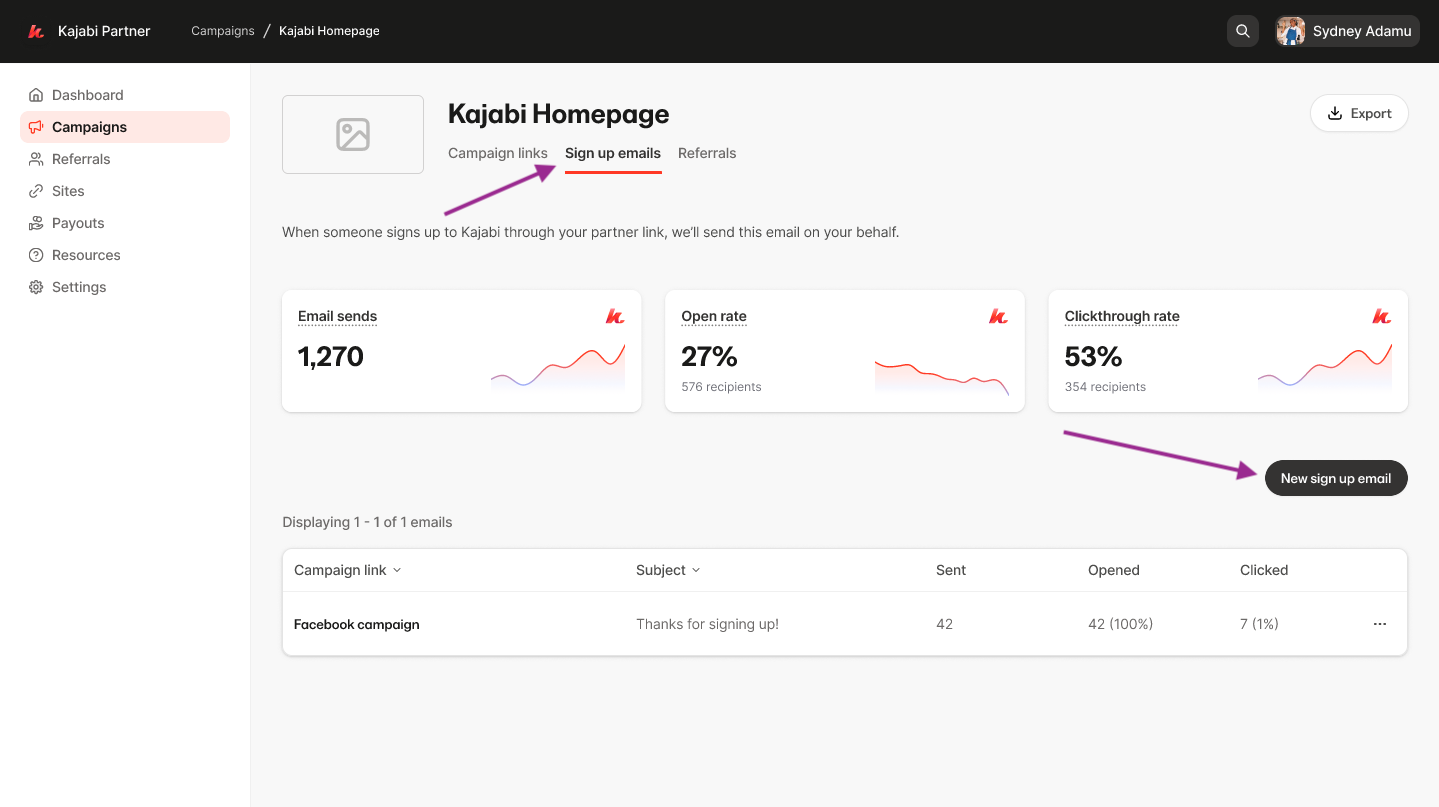
1. Navigate to **Campaigns** from the left sidebar
2. Select a Campaign to edit or [create a new Campaign](./how-to-create-share-partner-campaign-links).
3. Locate **Sign up Emails** towards the top of the page under the Campaign title
4. Click **New Sign up Email**.
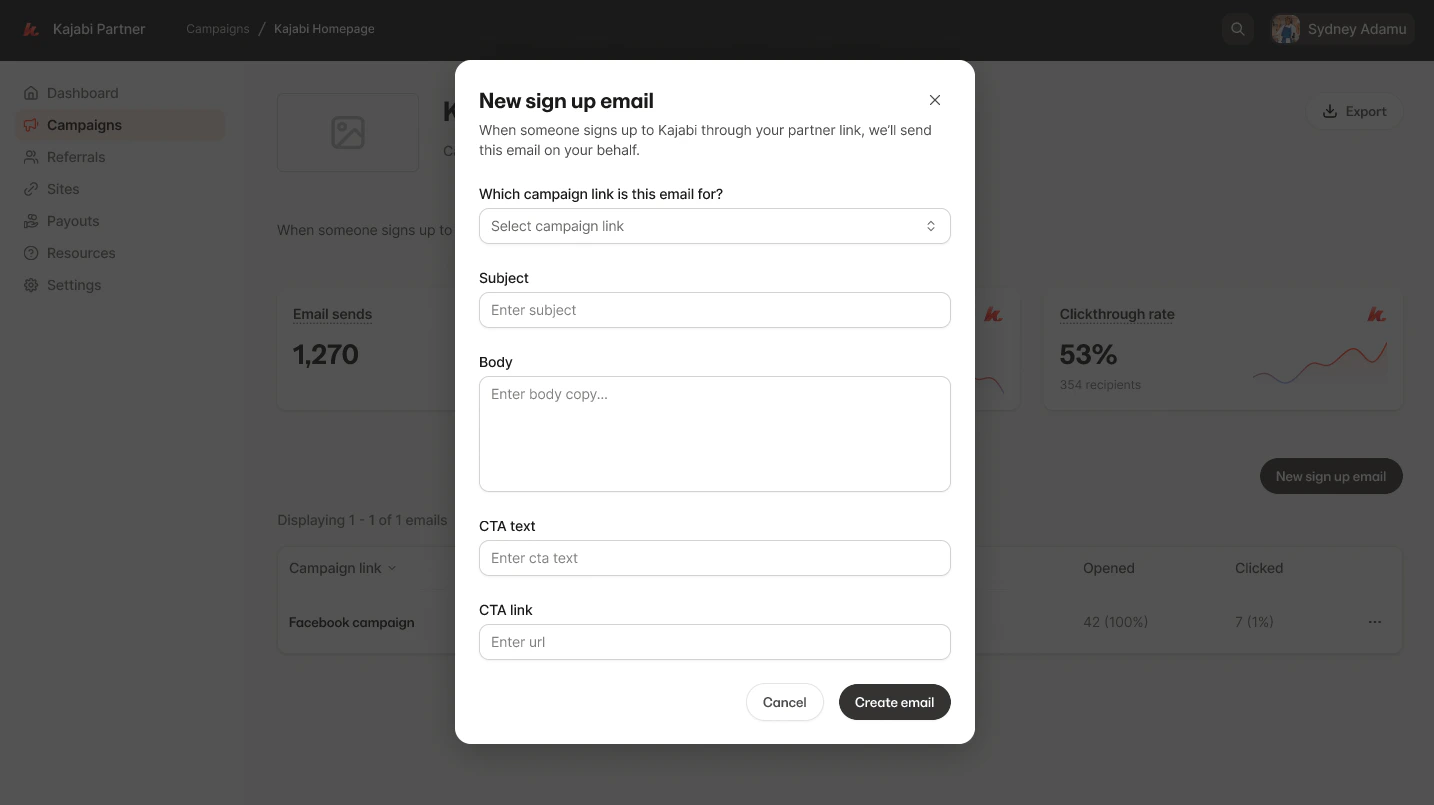
5. Select your **Campaign Link** to connect your signup email to a specific [campaign](./how-to-create-share-partner-campaign-links).
6. Enter your email **Subject** line.
7. Enter your message into the **Body** of your email.
8. Enter **CTA text** and **CTA link** if you would like a button to be included:
### Create the referral signup email
1. Navigate to **Campaigns** from the left sidebar
2. Select a Campaign to edit or [create a new Campaign](./how-to-create-share-partner-campaign-links).
3. Locate **Sign up Emails** towards the top of the page under the Campaign title
4. Click **New Sign up Email**.
5. Select your **Campaign Link** to connect your signup email to a specific [campaign](./how-to-create-share-partner-campaign-links).
6. Enter your email **Subject** line.
7. Enter your message into the **Body** of your email.
8. Enter **CTA text** and **CTA link** if you would like a button to be included:
 After creating your Referral Signup Email, referrals from your campaign will receive your signup email automatically.
## Delete a referral signup email
1. Open your **Partner Dashboard**.
2. Navigate to **Campaigns** from the left sidebar
3. Select the **Campaign** with the email you wish to edit
4. Locate **Referral Sign up Emails** towards the top of the page under the Campaign title
5. Click the (…) next to the **email** you wish to remove.
6. Click **Delete email.**
7. Confirm the permanent deletion.
After creating your Referral Signup Email, referrals from your campaign will receive your signup email automatically.
## Delete a referral signup email
1. Open your **Partner Dashboard**.
2. Navigate to **Campaigns** from the left sidebar
3. Select the **Campaign** with the email you wish to edit
4. Locate **Referral Sign up Emails** towards the top of the page under the Campaign title
5. Click the (…) next to the **email** you wish to remove.
6. Click **Delete email.**
7. Confirm the permanent deletion.