> ## Documentation Index
> Fetch the complete documentation index at: https://help.kajabi.com/llms.txt
> Use this file to discover all available pages before exploring further.
# Create and share Partner Campaign links
> Generate campaign links, personalize referral funnels, and track campaign performance from the Partner Dashboard.
**Partner Campaigns** drive traffic to gain and track active referrals in your Partner Dashboard. This article covers how to create campaign links, personalize your campaigns, and track campaign performance.
## Partner Campaigns
The Campaigns tab in the Partner Dashboard provides a clear and organized way to track your performance as a Kajabi Partner.
At the top, it highlights key metrics that summarize your overall progress, including total clicks, trial sign-ups, active referrals, and total earnings. These give you a quick snapshot of how your promotional efforts are performing.
Beneath that, there's a searchable and sortable list of all your individual campaigns. Each campaign is displayed with:
* **Campaign title & preview image** – making it easy to identify at a glance.
* **Performance columns** – showing clicks, trials, activations, and earnings per campaign.
* **Links count** – indicating how many links are associated with each campaign.
* **Status badge** – marking whether a campaign is currently active or not.
You also have the option to filter campaigns by status (Active, Closed, or All), and there's a button to create a new campaign whenever you're ready to launch something new.
This layout makes it easy to manage multiple campaigns and quickly understand what's working and where improvement is needed.
## Create Partner Campaigns
To start sharing your Partner link for a specific campaign:
1. Open the Partner Dashboard and click **Campaigns** from the left sidebar.
2. Choose a Campaign that fits your audience best and click **Create Campaign** (Partners always have access to an extended 30-day trial).
3. Title your Campaign and click **Save**
4. Create a **bonus sign-up email**
5. Click **Copy Link** to grab your unique tracking URL.
6. Share your link in content, emails, or onboarding docs!
**Note:**
A campaign is subject to close or change at any time at the discretion of the Kajabi team.
**Tip:**
Use campaign-specific links to track where your referrals are coming from.
## Personalize Partner Program campaigns
The **Personalization Funnel** lets you customize your referral campaigns to highlight your story, achievements, and expertise. This builds trust with your audience and helps increase conversion rates and sign-ups.
**Note:**
We reserve the right to remove anything deemed offensive or discriminatory per our [Acceptable Use Policy](https://legal.kajabi.com/policies/aup) and [Partner Program Agreement](https://legal.kajabi.com/policies/partner-program-terms).
## Access the Personalization Funnel
1. Log in to your **Partner Program site**.
2. In the left-hand navigation menu, click **Campaigns**.
3. Select the **Personalization Funnel** tab.
4. Toggle ON **Enable Personalization Funnel.**
5. Begin uploading and creating content that highlights you in your referral funnel:
## Customizable pages
### Landing page
A top banner will be displayed at the top of your landing page, which can be customized.
On the landing page, you can:
* Upload a profile image or avatar
* Add your name
* Include your title
* Add a testimonial or quote.
### Checkout page
The right side section on the checkout page can be designed for your personalized content, such as:
* Up to three **Success Tips** (bullet points) can be added.
* All landing page personalization options are also available:
All fields are mandatory before saving. This ensures a complete, polished experience for your audience.
Currently, you may customize two campaigns:
* **Free 30-Day Trial**
* **Kajabi Homepage**
## What your audience will see
Your personalized content will appear:
* At the top of your landing page banner
* In the right section of the checkout page
This creates a cohesive, branded experience for your referrals.
## Campaign stats
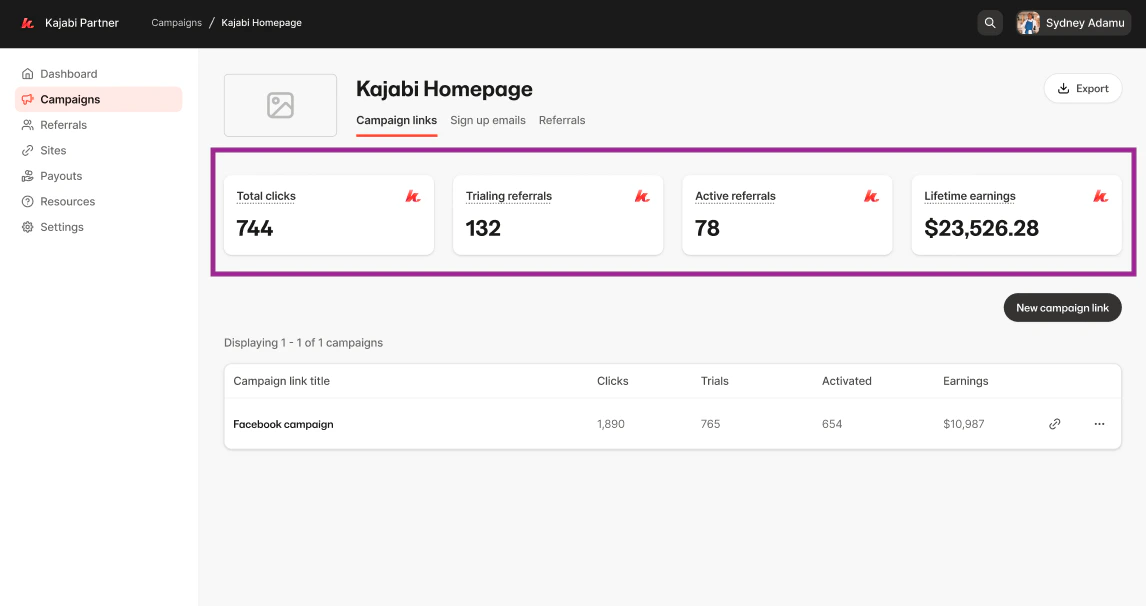
When you click into a campaign, for example, "Kajabi Homepage", you will be taken to a detailed view that breaks down the performance of each individual campaign link associated with it.
At the top, you'll see the same summary-style metrics as the main dashboard, specific to that campaign:
* Total Clicks
* Trialing Referrals
* Active Referrals
* Lifetime Earnings
This gives you a glance at how well that campaign is doing overall.
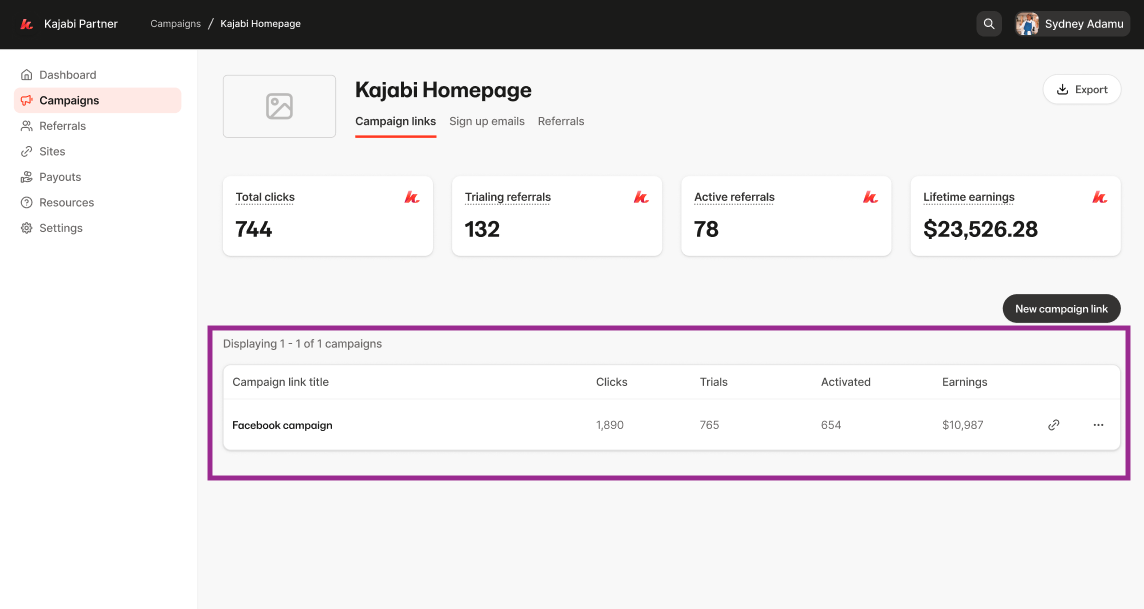
 Below that, there's a breakdown of all the custom links created under this campaign. Each row includes:
* **Link Title:** what you named the link (e.g., "Facebook group" or "Instagram post").
* **Clicks:** how many times that specific link has been clicked.
* **Trials:** how many trial sign-ups it generated.
* **Activated:** the number of users who became active referrals.
* **Link Icon:** for quickly accessing or copying the URL.
* **(⋯):** an option to edit the title of a link.
Below that, there's a breakdown of all the custom links created under this campaign. Each row includes:
* **Link Title:** what you named the link (e.g., "Facebook group" or "Instagram post").
* **Clicks:** how many times that specific link has been clicked.
* **Trials:** how many trial sign-ups it generated.
* **Activated:** the number of users who became active referrals.
* **Link Icon:** for quickly accessing or copying the URL.
* **(⋯):** an option to edit the title of a link.
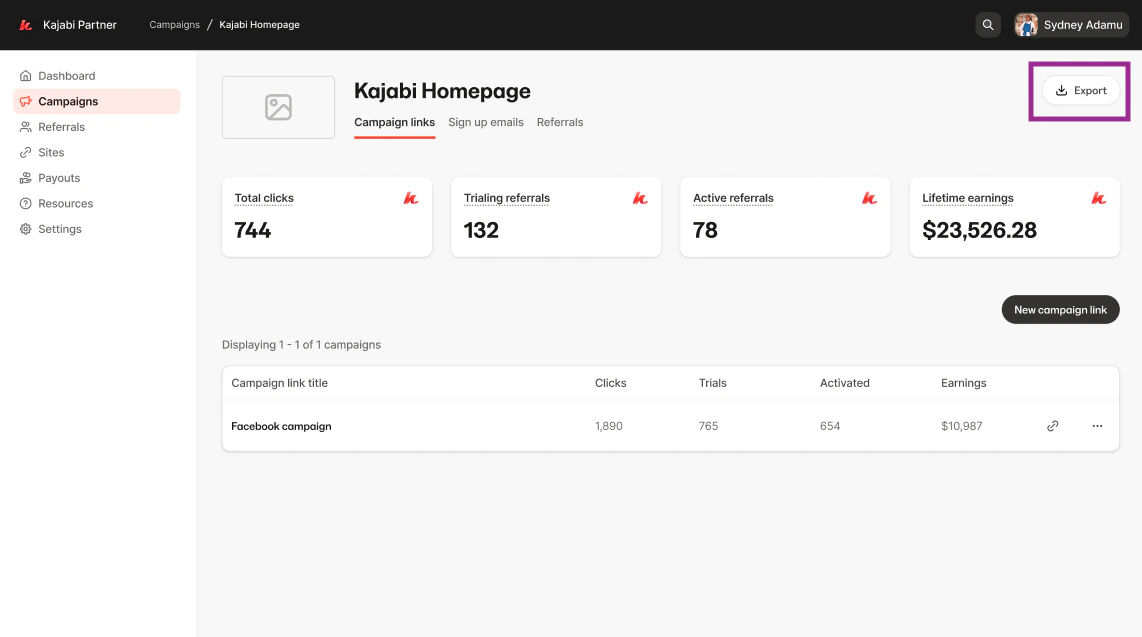
 You can export the data of a specific campaign by clicking on **Export** in the top right corner: