> ## Documentation Index
> Fetch the complete documentation index at: https://help.kajabi.com/llms.txt
> Use this file to discover all available pages before exploring further.
# Manage and Edit Coupons
> Edit Coupon details, change statuses, update attached Offers, and delete Coupons you no longer need.
***This feature is currently in Beta.***\_ This feature is being rolled out gradually. Some things are still being refined, and more detailed how-to articles are on the way. If you are currently in the beta and run into anything unexpected, please reach out to\_ [support@kajabi.com ](support@kajabi.com)*and the team will be able to assist.*
Every **Coupon** stays flexible after you create it. Edit its details, move it between statuses, add or remove Offers, and delete it when the promotion has run its course.
Coupon edits apply to new redemptions only. Anyone who already redeemed keeps the terms they signed up with, including subscriptions, payment plans, and one-time purchases. If a customer redeemed a 20% off Coupon on a subscription and you later change the discount to 10%, that customer keeps their 20% discount.
## Edit a Coupon
1. Open the **Sales** tab from your Dashboard.
2. Choose **Coupons**, then click the Coupon you want to update.
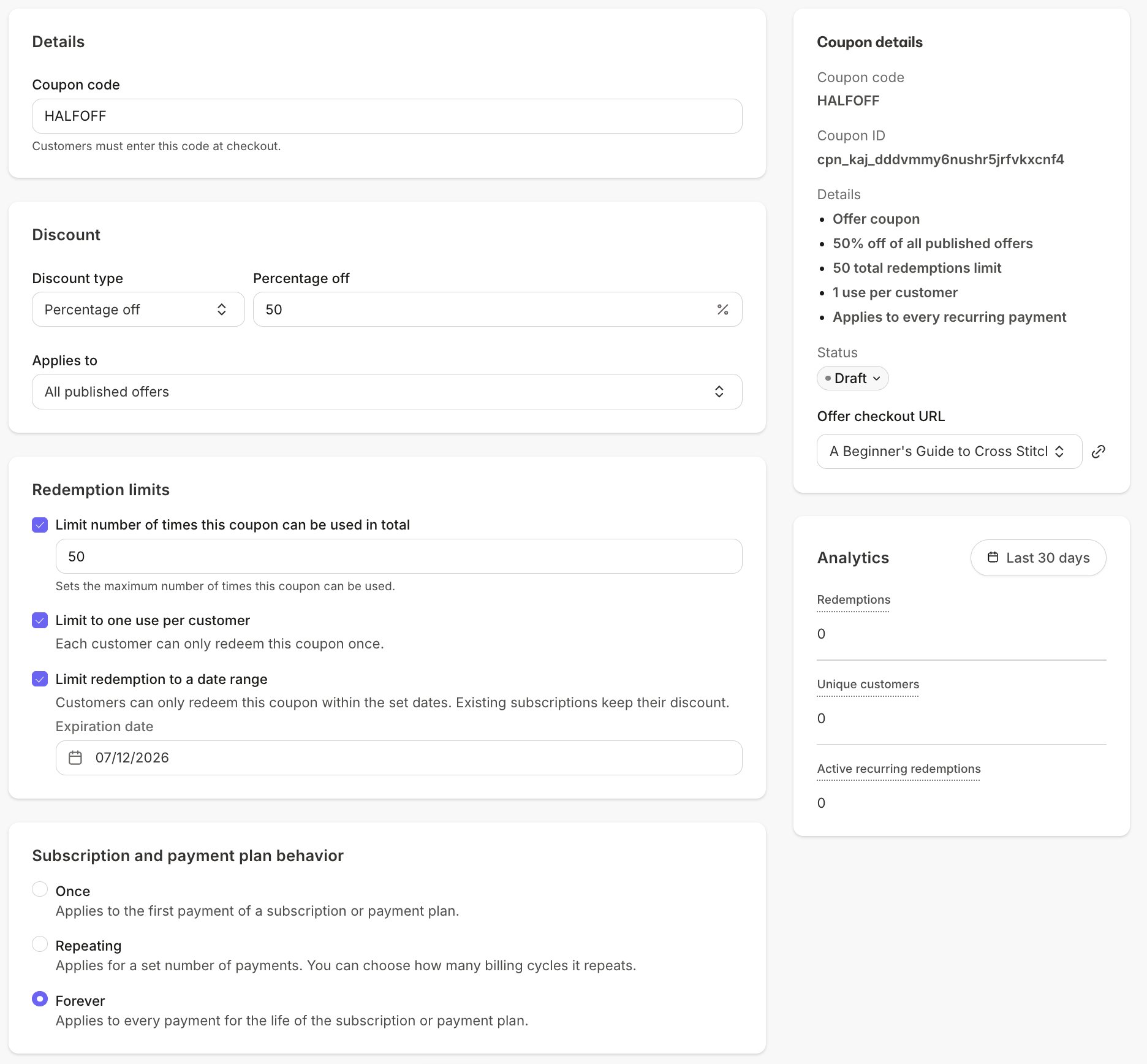
3. Update any of the Coupon's settings, including the **Coupon code**, **Discount**, **Applies to** Offers, **Redemption limits**, and **Subscription and payment plan behavior**.
4. Click **Save**.
 ## Change a Coupon's status
New Coupons start as a Draft, and only Active Coupons can be redeemed at checkout.
1. Open the Coupon from **Sales > Coupons**.
2. In the **Coupon details** panel, click the **Status** dropdown.
3. Select the new status.
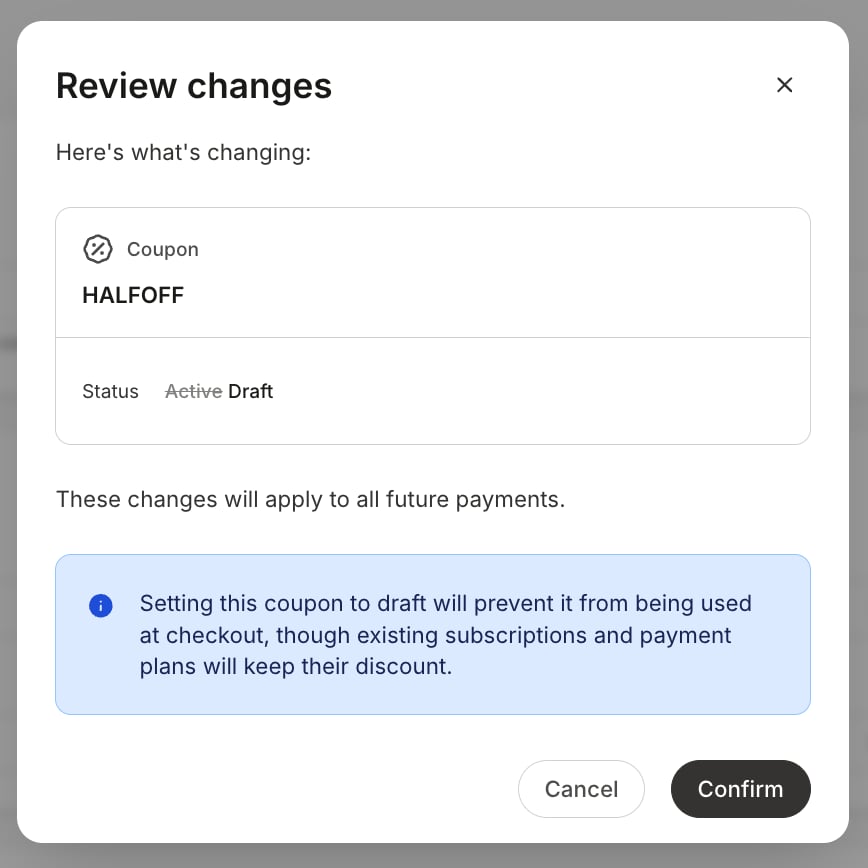
Moving a Coupon from **Active** to **Draft** asks you to confirm, since it takes a live Coupon out of circulation. Customers who already redeemed the coupon are unaffected, and new customers can't redeem it until it's Active again.
## Change a Coupon's status
New Coupons start as a Draft, and only Active Coupons can be redeemed at checkout.
1. Open the Coupon from **Sales > Coupons**.
2. In the **Coupon details** panel, click the **Status** dropdown.
3. Select the new status.
Moving a Coupon from **Active** to **Draft** asks you to confirm, since it takes a live Coupon out of circulation. Customers who already redeemed the coupon are unaffected, and new customers can't redeem it until it's Active again.
 **Tip:** To pause a promotion without ending it permanently, set the Coupon to **Draft** instead of deleting it.
## Add or remove Offers on a Coupon
The Coupon only applies to the Offers attached to it.
1. Open the Coupon from **Sales > Coupons**.
2. Under **Applies to**, add or remove Offers, or select **All published offers**.
3. Click **Save**.
Once an Offer is removed, customers can no longer apply the Coupon to that Offer. Redemptions that have already taken place are unaffected.
## Delete a Coupon
Deleting a Coupon permanently retires it. The code can never be used or restored.
1. Open the Coupon from **Sales > Coupons**.
2. Click the **"..." overflow menu** in the upper right, then select **Delete**.
3. Review the confirmation message and confirm.
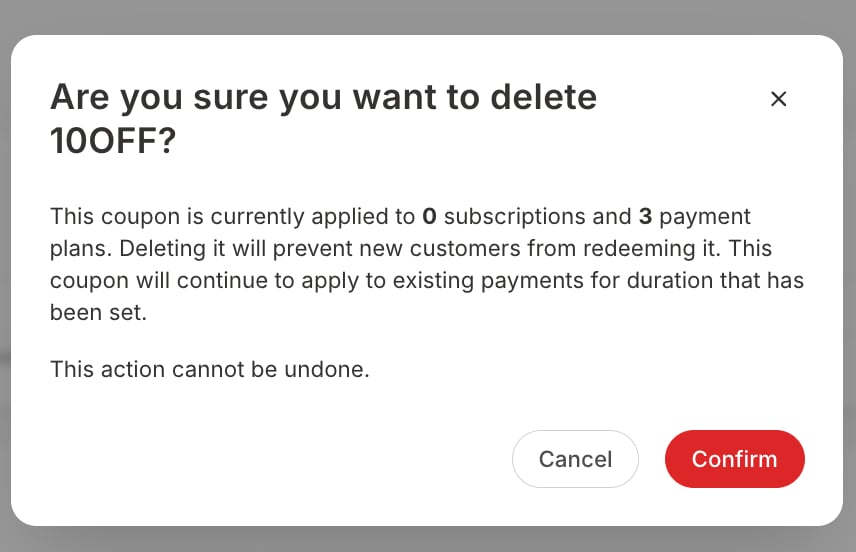
The confirmation you see depends on the Coupon's redemption history, so you know exactly what you're removing. Customers who already redeemed the Coupon keep their discount terms.
**Tip:** To pause a promotion without ending it permanently, set the Coupon to **Draft** instead of deleting it.
## Add or remove Offers on a Coupon
The Coupon only applies to the Offers attached to it.
1. Open the Coupon from **Sales > Coupons**.
2. Under **Applies to**, add or remove Offers, or select **All published offers**.
3. Click **Save**.
Once an Offer is removed, customers can no longer apply the Coupon to that Offer. Redemptions that have already taken place are unaffected.
## Delete a Coupon
Deleting a Coupon permanently retires it. The code can never be used or restored.
1. Open the Coupon from **Sales > Coupons**.
2. Click the **"..." overflow menu** in the upper right, then select **Delete**.
3. Review the confirmation message and confirm.
The confirmation you see depends on the Coupon's redemption history, so you know exactly what you're removing. Customers who already redeemed the Coupon keep their discount terms.
 **Warning:** Deleting a Coupon can't be undone.
## Share a Coupon
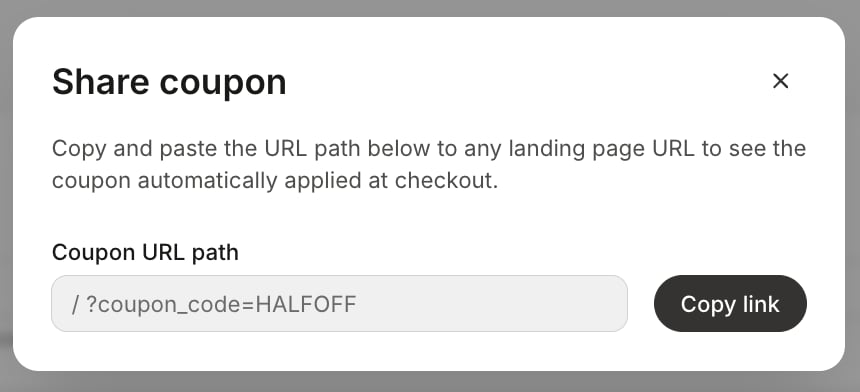
Each Offer attached to a Coupon has an **Offer checkout URL** in the **Coupon details** panel, and the **Share Coupon** option in the overflow menu provides the Coupon URL for popup checkout. See [Create Coupons](/articles/sales/coupons/how-to-create-a-coupon) for steps and examples.
**Warning:** Deleting a Coupon can't be undone.
## Share a Coupon
Each Offer attached to a Coupon has an **Offer checkout URL** in the **Coupon details** panel, and the **Share Coupon** option in the overflow menu provides the Coupon URL for popup checkout. See [Create Coupons](/articles/sales/coupons/how-to-create-a-coupon) for steps and examples.