> ## Documentation Index
> Fetch the complete documentation index at: https://help.kajabi.com/llms.txt
> Use this file to discover all available pages before exploring further.
# Disputes page overview
> View, manage, and export disputed transactions with Kajabi Payments.
## Overview
The Disputes page provides a centralized location to track and manage all payment disputes associated with your Kajabi Payments account. You can view dispute details, customize your view, filter results, and export data for your records.
**Note:** Kajabi Payments is currently available to Kajabi Heroes whose businesses are registered in the United States, Canada, Australia, the United Arab Emirates, the United Kingdom, and select European countries.
## Disputes
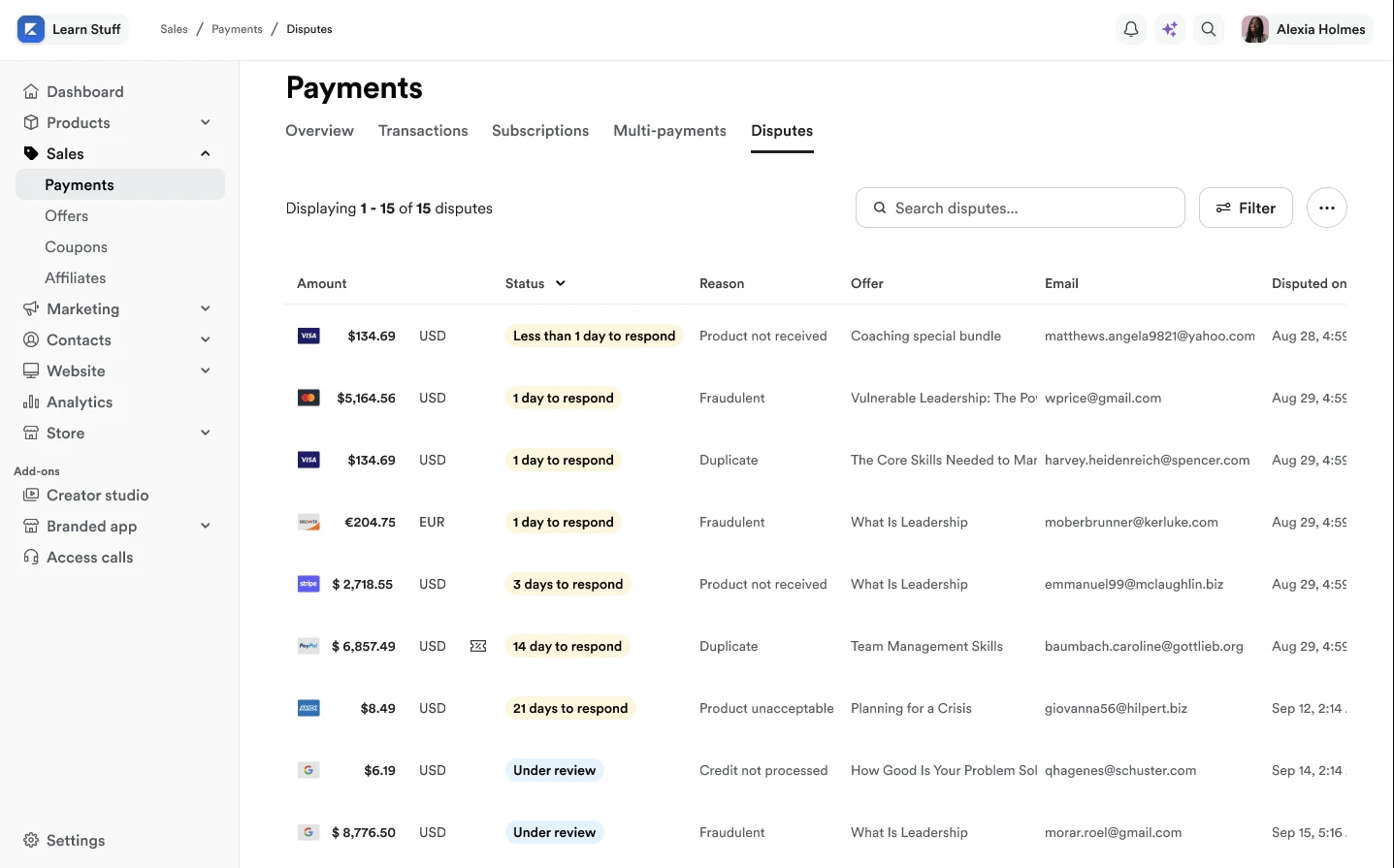
The Disputes page provides a detailed list of every dispute associated with your site. Use the search bar to quickly find disputes by entering a customer's name or email address.
In the table, you can click on the dispute amount, customer email, or offer title to view more details about the transaction. You can also sort disputes by status for easier management.
 ## Dispute statuses
* **# of Days to Respond** – You have XX days to submit a response to the dispute
* **Under Review** – The dispute is being reviewed by the card issuer or BNPL provider
* **Dispute Won** – The dispute was resolved in your favor
* **Dispute Lost** – The dispute was decided in the customer's favor
* **Closed** – The dispute was canceled or closed
## Customize columns
You can customize the layout of your Disputes page in a way that best fits the needs of you and your business.
To customize your Dispute page columns:
1. Select the **...** button for **More Actions**
2. Click **Customize Columns**
3. Reorder or toggle relevant data you want to see
4. Press **Save** to finish
## Dispute statuses
* **# of Days to Respond** – You have XX days to submit a response to the dispute
* **Under Review** – The dispute is being reviewed by the card issuer or BNPL provider
* **Dispute Won** – The dispute was resolved in your favor
* **Dispute Lost** – The dispute was decided in the customer's favor
* **Closed** – The dispute was canceled or closed
## Customize columns
You can customize the layout of your Disputes page in a way that best fits the needs of you and your business.
To customize your Dispute page columns:
1. Select the **...** button for **More Actions**
2. Click **Customize Columns**
3. Reorder or toggle relevant data you want to see
4. Press **Save** to finish
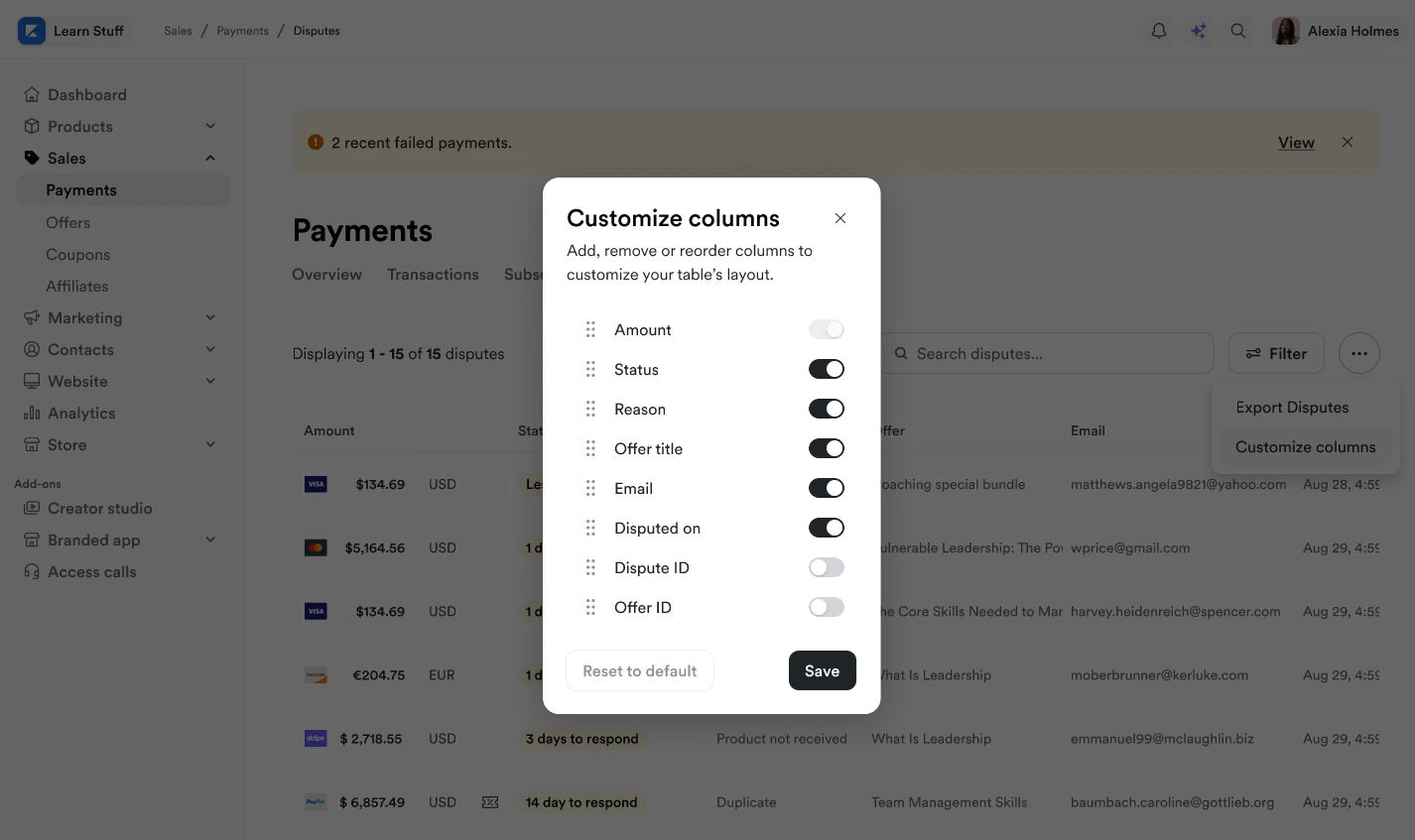 **Note:** Your selections will be saved when column customizations have been made so you do not need to change settings every time you come back.
## Filter disputes
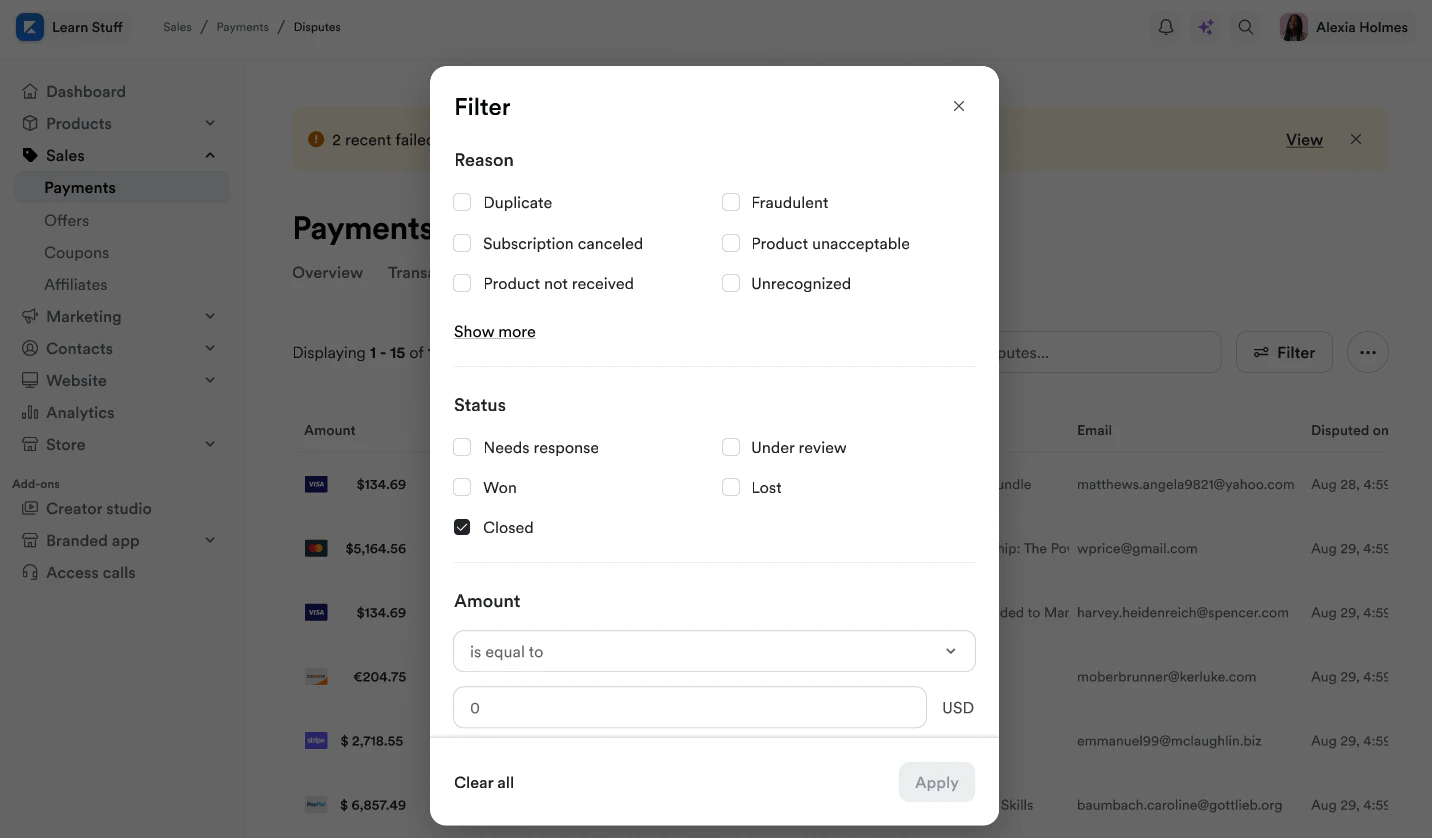
Use the **Filters** button to narrow your search down by specifics.
You can filter by the dispute reason, status, amount, and more:
**Note:** Your selections will be saved when column customizations have been made so you do not need to change settings every time you come back.
## Filter disputes
Use the **Filters** button to narrow your search down by specifics.
You can filter by the dispute reason, status, amount, and more:
 ## Export data
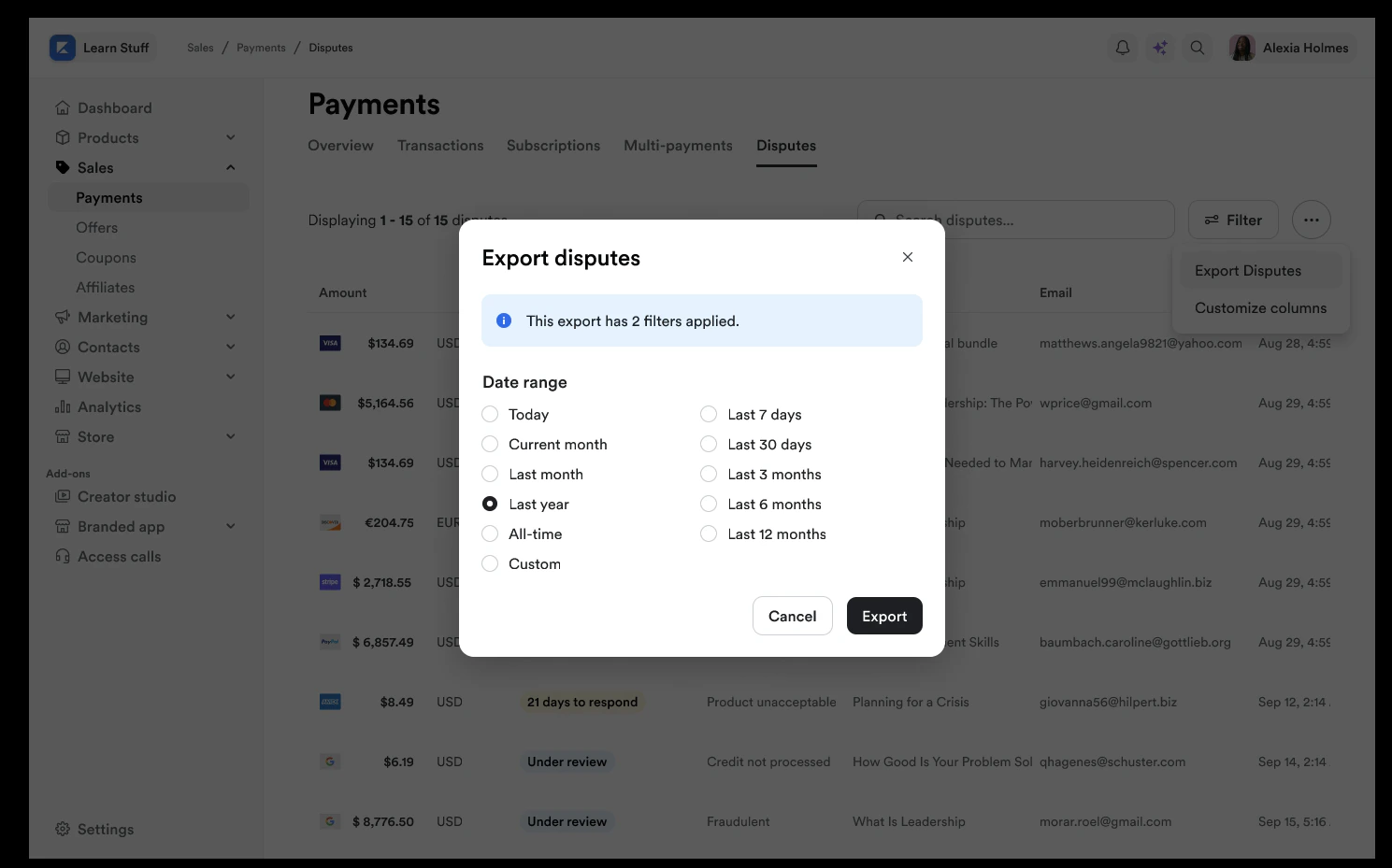
Click the **Export** button to export your dispute transaction data.
1. Navigate to **Sales**
2. Click **Transactions**
3. Select the **Export** button
4. Click **Export Transactions**
5. Exporting Transactions will allow you to select your exported date range
6. Press **Export** to finish
Your exported list will be emailed to the email address associated with your Kajabi account:
## Export data
Click the **Export** button to export your dispute transaction data.
1. Navigate to **Sales**
2. Click **Transactions**
3. Select the **Export** button
4. Click **Export Transactions**
5. Exporting Transactions will allow you to select your exported date range
6. Press **Export** to finish
Your exported list will be emailed to the email address associated with your Kajabi account:
 ## Download dispute data
Any previous filters you have applied to your disputed transactions, such as dispute reason, status, etc, will be applied to your dispute export.
Download the CSV from your email inbox:
1. Log into your email associated with your Kajabi account
2. Your exported list will be attached to an email from our support team
3. Open the email to access and download your CSV file
Your CSV file containing your Dispute data will include the following information:
* Date
* Dispute ID
* Dispute Status
* Dispute Reason
* Amount
* Offer Title
* Offer ID
* Member Email
**Note:** Exporting this report will notify the owner of the Kajabi account if the owner has selected to receive notifications when data is exported from their account. Learn to update email notification settings.
## Download dispute data
Any previous filters you have applied to your disputed transactions, such as dispute reason, status, etc, will be applied to your dispute export.
Download the CSV from your email inbox:
1. Log into your email associated with your Kajabi account
2. Your exported list will be attached to an email from our support team
3. Open the email to access and download your CSV file
Your CSV file containing your Dispute data will include the following information:
* Date
* Dispute ID
* Dispute Status
* Dispute Reason
* Amount
* Offer Title
* Offer ID
* Member Email
**Note:** Exporting this report will notify the owner of the Kajabi account if the owner has selected to receive notifications when data is exported from their account. Learn to update email notification settings.