> ## Documentation Index
> Fetch the complete documentation index at: https://help.kajabi.com/llms.txt
> Use this file to discover all available pages before exploring further.
# Convert offers from Stripe to Kajabi Payments
> Accept Kajabi Payments on all offers with a single click.
**Note:** Kajabi Payments is currently available to Kajabi Heroes whose businesses are registered in the United States, Canada, Australia, the United Arab Emirates, the United Kingdom, and select European countries.
Switching from Stripe to Kajabi Payments is simple. You can convert all your existing offers at once, without disrupting any ongoing sales or subscriptions.
## Update all offers from Stripe to Kajabi Payments
You can update all of your offers at the same time to accept cards as well as additional payment methods via Kajabi Payments instead of Stripe without needing to edit them one by one.
Here is what you can expect:
* Any offers accepting PayPal will continue to accept PayPal **in addition to Kajabi Payments**
* Any **previously purchased** subscriptions or payment plans that are currently on Stripe will remain on Stripe, and only new purchases will be on Kajabi Payments
You can also choose to automatically enable Buy Now Pay Later offerings such as Afterpay on all your offers to increase conversions at checkout.
### Convert all offers to Kajabi Payments
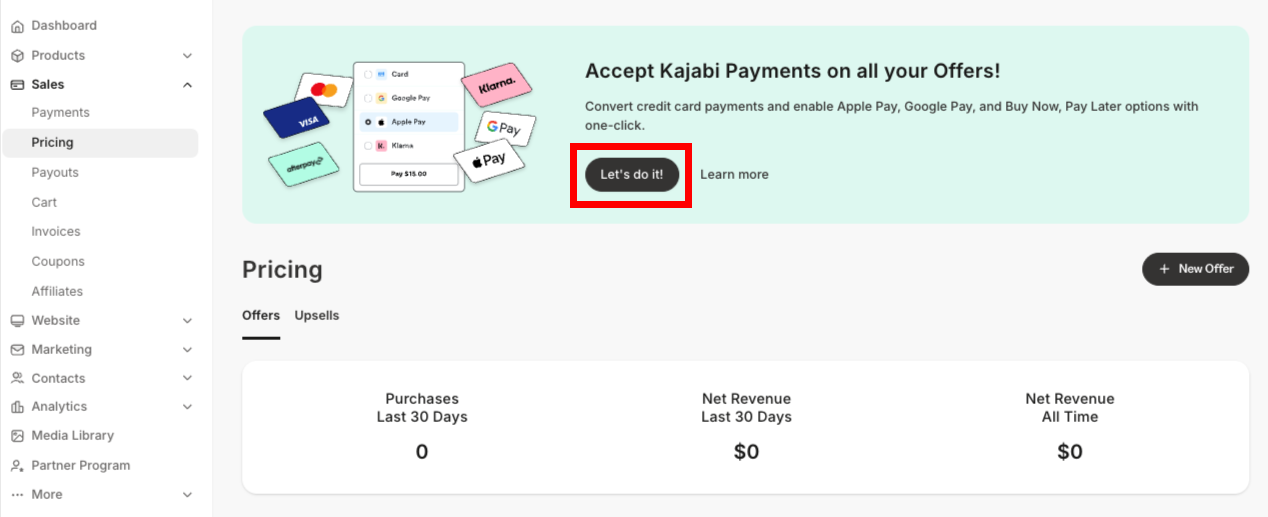
1. Open the **Sales** tab from your Dashboard
2. Click **Pricing**
3. Locate the **banner** at the top of the screen
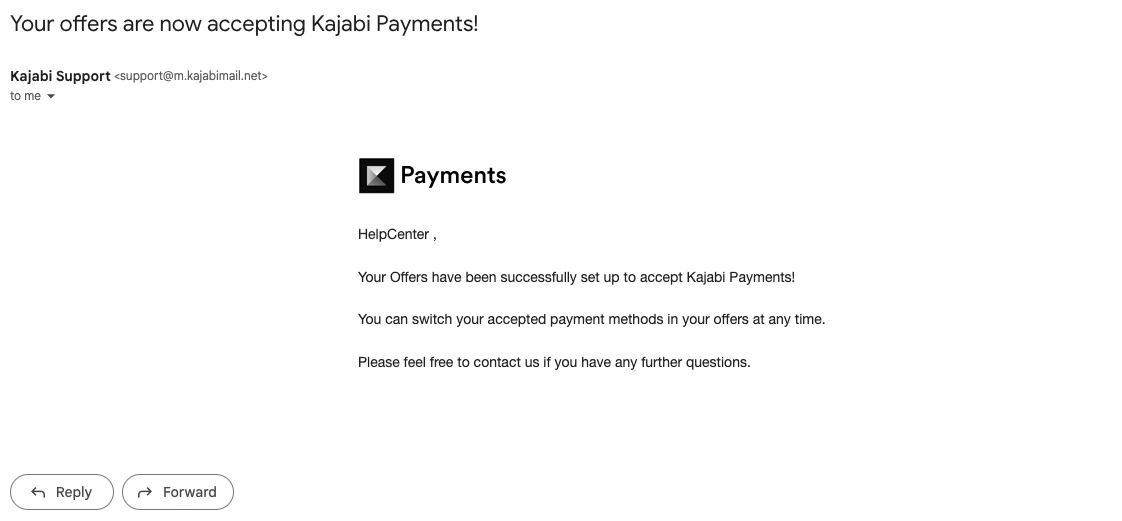
4. Select **Let's do it!** from the banner
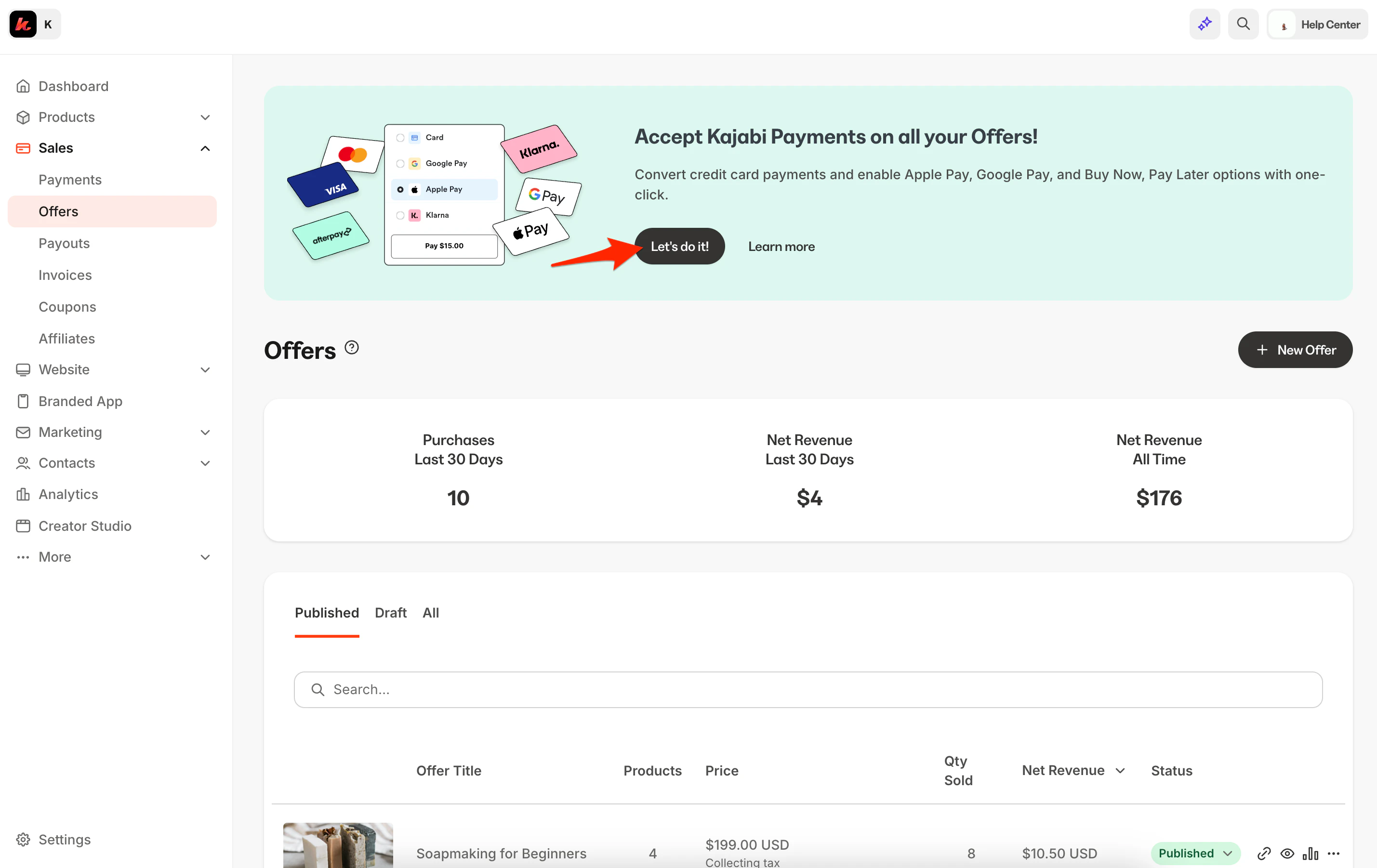 5\. Choose if you'd like to enable **Buy Now, Pay Later** payment options, including [**Afterpay**](/articles/sales/kajabi-payments/how-to-enable-afterpay-on-kajabi-payments-offers) and [**Klarna**](/articles/sales/kajabi-payments/how-klarna-works-with-kajabi-payments), on all your eligible one-time offers
6\. Select **Convert now**
5\. Choose if you'd like to enable **Buy Now, Pay Later** payment options, including [**Afterpay**](/articles/sales/kajabi-payments/how-to-enable-afterpay-on-kajabi-payments-offers) and [**Klarna**](/articles/sales/kajabi-payments/how-klarna-works-with-kajabi-payments), on all your eligible one-time offers
6\. Select **Convert now**
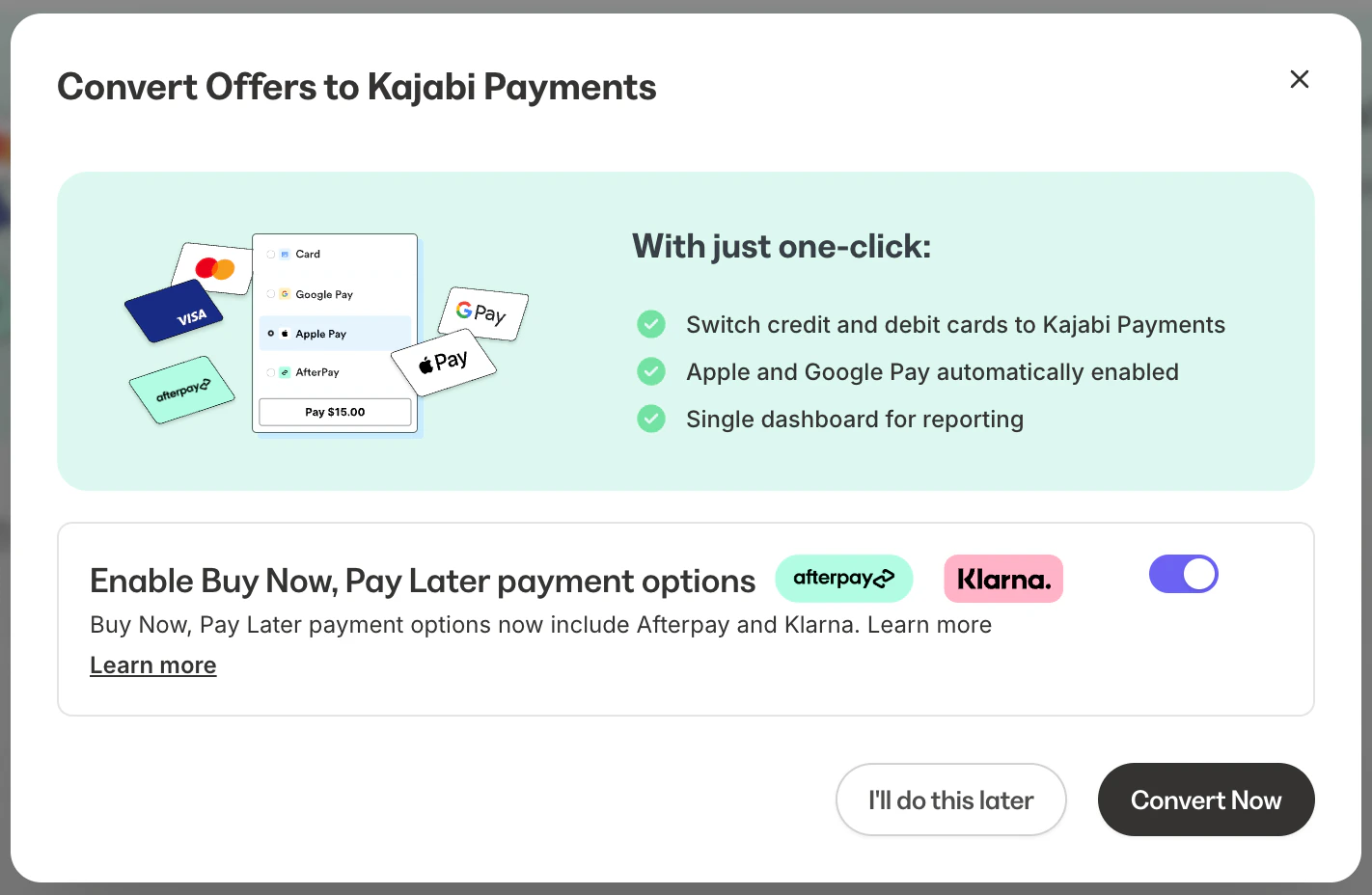 Once your offers are done updating, you will receive an email from Kajabi Payments notifying you that the conversion is complete. This is an instant process and will not disrupt any sales that happen while your offers are updating.
 You can always change the payment provider on each offer manually.
**Note:** Kajabi Payments does not support the legacy 2016 checkout. When converting your offers to Kajabi Payments, any existing offers on the 2016 checkout legacy can now be converted to the current checkout when converting from Stripe to Kajabi Payments. Learn how to [update your checkout from 2016 to 2018](/articles/sales/checkout/how-to-update-your-checkout-from-2016-to-2018).
You can always change the payment provider on each offer manually.
**Note:** Kajabi Payments does not support the legacy 2016 checkout. When converting your offers to Kajabi Payments, any existing offers on the 2016 checkout legacy can now be converted to the current checkout when converting from Stripe to Kajabi Payments. Learn how to [update your checkout from 2016 to 2018](/articles/sales/checkout/how-to-update-your-checkout-from-2016-to-2018).