> ## Documentation Index
> Fetch the complete documentation index at: https://help.kajabi.com/llms.txt
> Use this file to discover all available pages before exploring further.
# Payment plans
> View and export detailed payment plan information.
## Overview
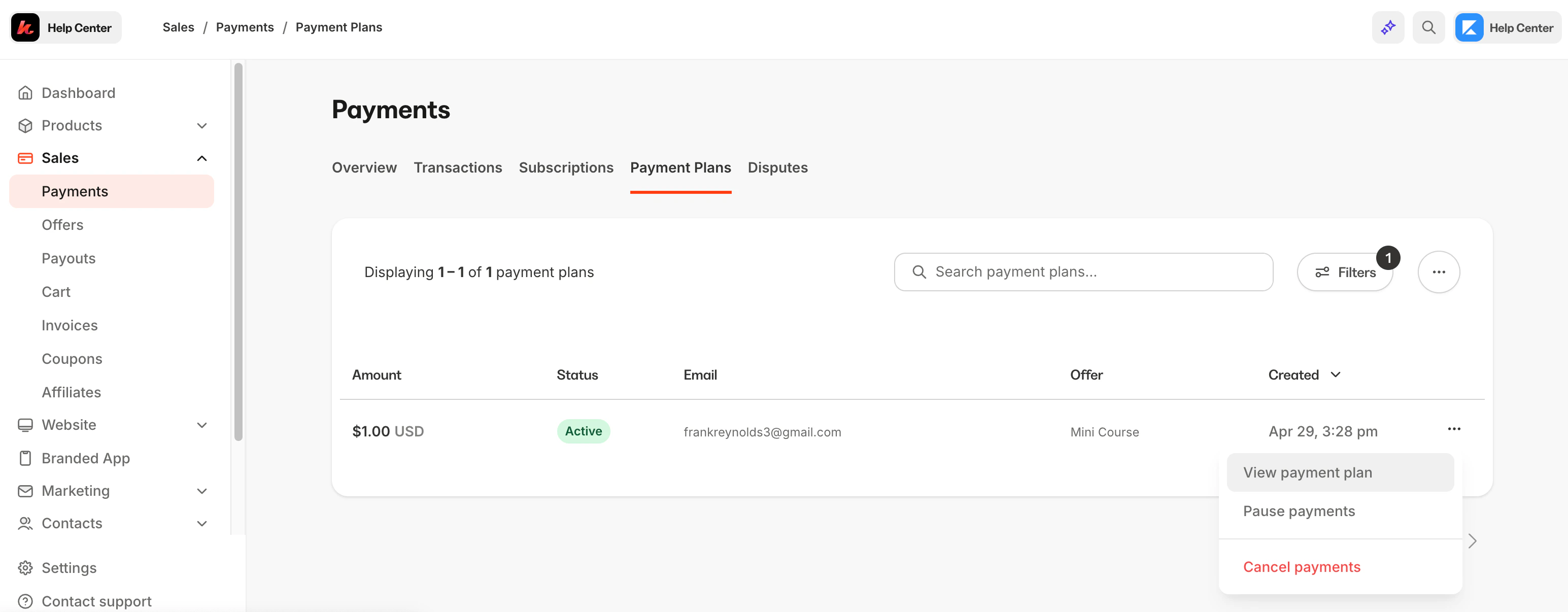
Review the Payment Plans page to view a record of all the payment plan purchases associated with the site. The table is automatically filtered to Active payment plans for easy access to manage plans.
On the table, you can view statuses and click directly on the amount, customer name, or offer title to view more information about the purchase. You can view the payment plan in more detail and pause/resume or cancel payments from the overflow menu on the table.
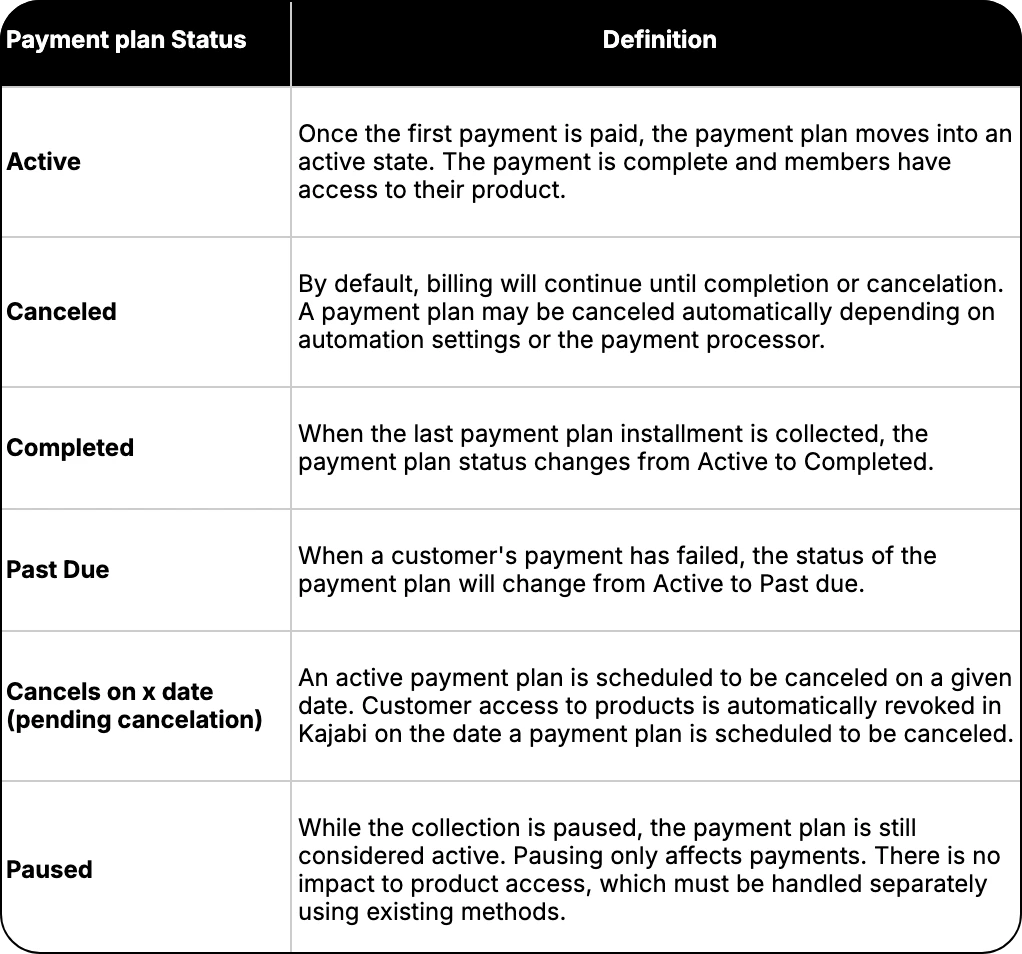
 ## Understand statuses
 ## Export and customize columns
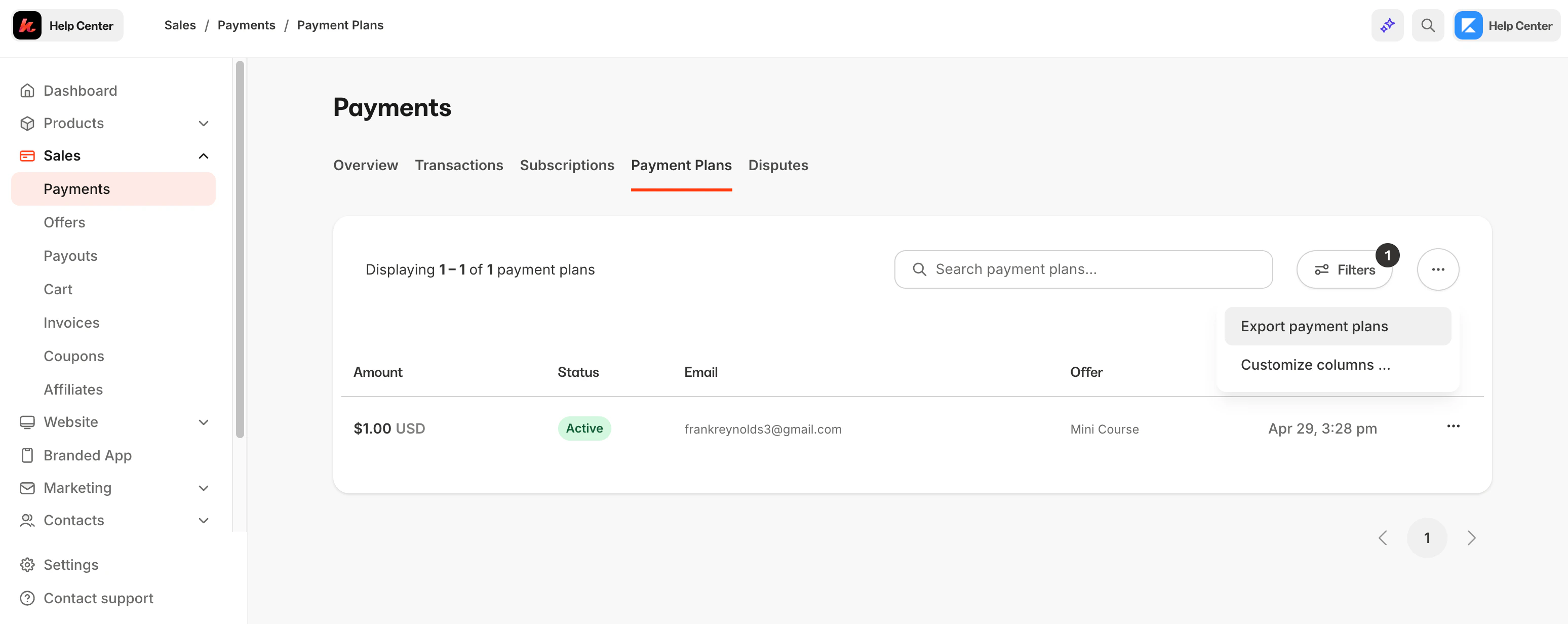
Click the overflow menu to export subscription data as well as customize the order of the columns and data that will display on the table.
### Export payment plan records as a CSV file
1. Navigate to **Sales**.
2. Click **Payment Plans**.
3. Select the **…** button for **More Actions**.
4. Click **Export Payment Plans**.
The exported list will be emailed to the email address associated with the Kajabi account from our support team.
## Export and customize columns
Click the overflow menu to export subscription data as well as customize the order of the columns and data that will display on the table.
### Export payment plan records as a CSV file
1. Navigate to **Sales**.
2. Click **Payment Plans**.
3. Select the **…** button for **More Actions**.
4. Click **Export Payment Plans**.
The exported list will be emailed to the email address associated with the Kajabi account from our support team.
 ## Download the exported report
Download the CSV from the email inbox:
1. Log into the email associated with the Kajabi account.
2. The exported list will be attached to an email from **our support team** with the Subject Line (e.g., Payment Plan export process completed).
3. Open the email to access and download the CSV file.
The CSV file containing payment plan records will include the following information:
* Kajabi Payment Plan ID
* Amount
* Currency
* Interval
* Number of Payments
* Completed Payments
* Type
* Status
* Next Payment Date
* Canceled On Date
* Ends on Date
* Customer ID
* Customer Name
* Customer Email
* Offer ID
* Offer Title
* Provider
* Provider ID
* Created At
* Coupon Used
**Note:** Exporting this report will notify the owner of the Kajabi account if the owner has selected to receive notifications data is exported from their account. [Learn to update email notification settings](../../account-settings/notifications/update-email-notifications).
### Customize table columns and layout
1. Select the **…** button for **More Actions**.
2. Click **Customize Columns**.
3. Reorder or toggle relevant data you want to see.
4. Press **Apply** to finish.
## Filter payment plans
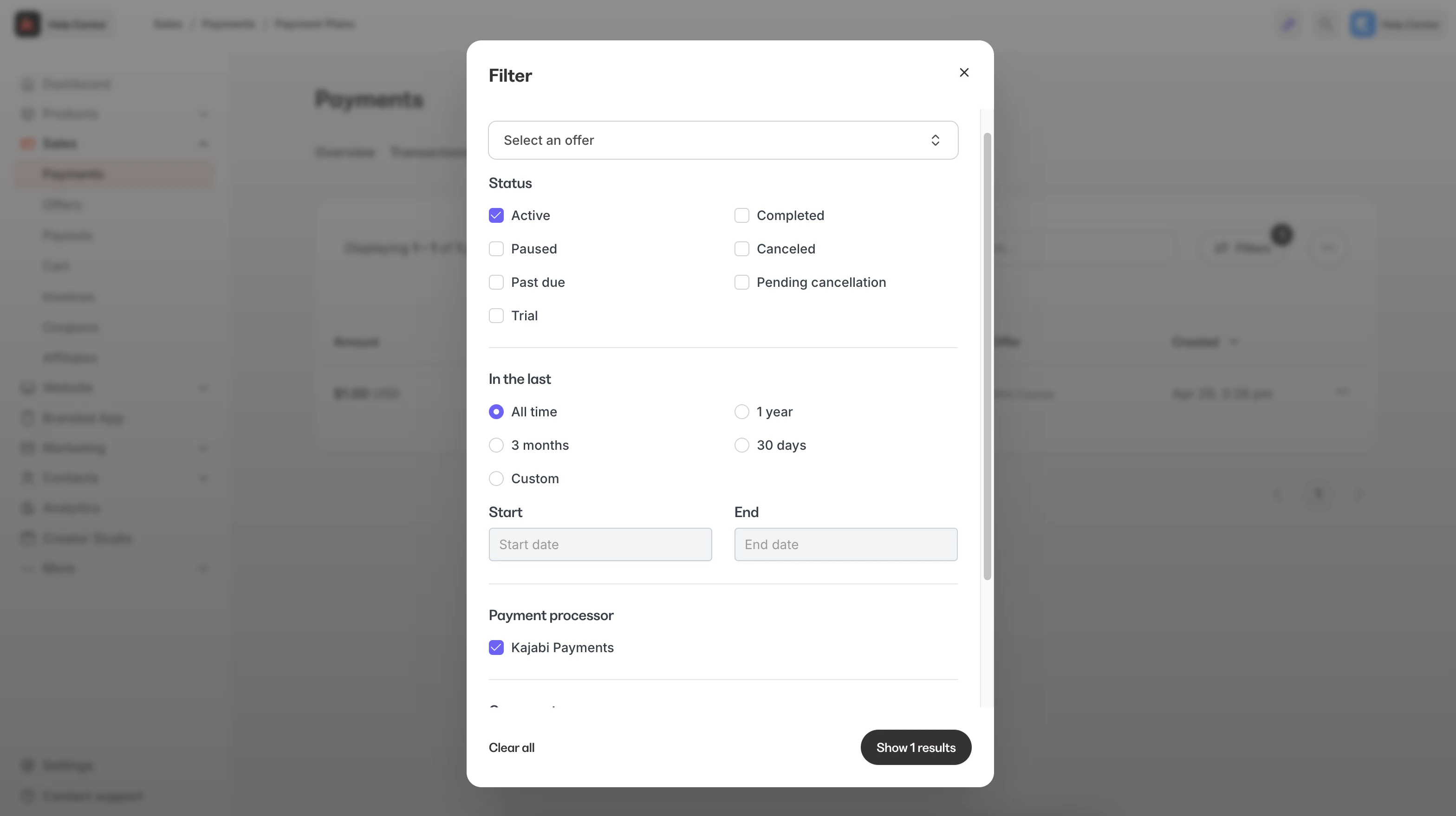
Looking to filter the search further? Use the **Filters** button to narrow the search down by specifics.
You can filter by offer title, coupon used, payment type, status, date, and more.
## Download the exported report
Download the CSV from the email inbox:
1. Log into the email associated with the Kajabi account.
2. The exported list will be attached to an email from **our support team** with the Subject Line (e.g., Payment Plan export process completed).
3. Open the email to access and download the CSV file.
The CSV file containing payment plan records will include the following information:
* Kajabi Payment Plan ID
* Amount
* Currency
* Interval
* Number of Payments
* Completed Payments
* Type
* Status
* Next Payment Date
* Canceled On Date
* Ends on Date
* Customer ID
* Customer Name
* Customer Email
* Offer ID
* Offer Title
* Provider
* Provider ID
* Created At
* Coupon Used
**Note:** Exporting this report will notify the owner of the Kajabi account if the owner has selected to receive notifications data is exported from their account. [Learn to update email notification settings](../../account-settings/notifications/update-email-notifications).
### Customize table columns and layout
1. Select the **…** button for **More Actions**.
2. Click **Customize Columns**.
3. Reorder or toggle relevant data you want to see.
4. Press **Apply** to finish.
## Filter payment plans
Looking to filter the search further? Use the **Filters** button to narrow the search down by specifics.
You can filter by offer title, coupon used, payment type, status, date, and more.