> ## Documentation Index
> Fetch the complete documentation index at: https://help.kajabi.com/llms.txt
> Use this file to discover all available pages before exploring further.
# Checkout quantity selector
> Enable the checkout quantity selector to allow for multiple purchases of the same Offer within one checkout.
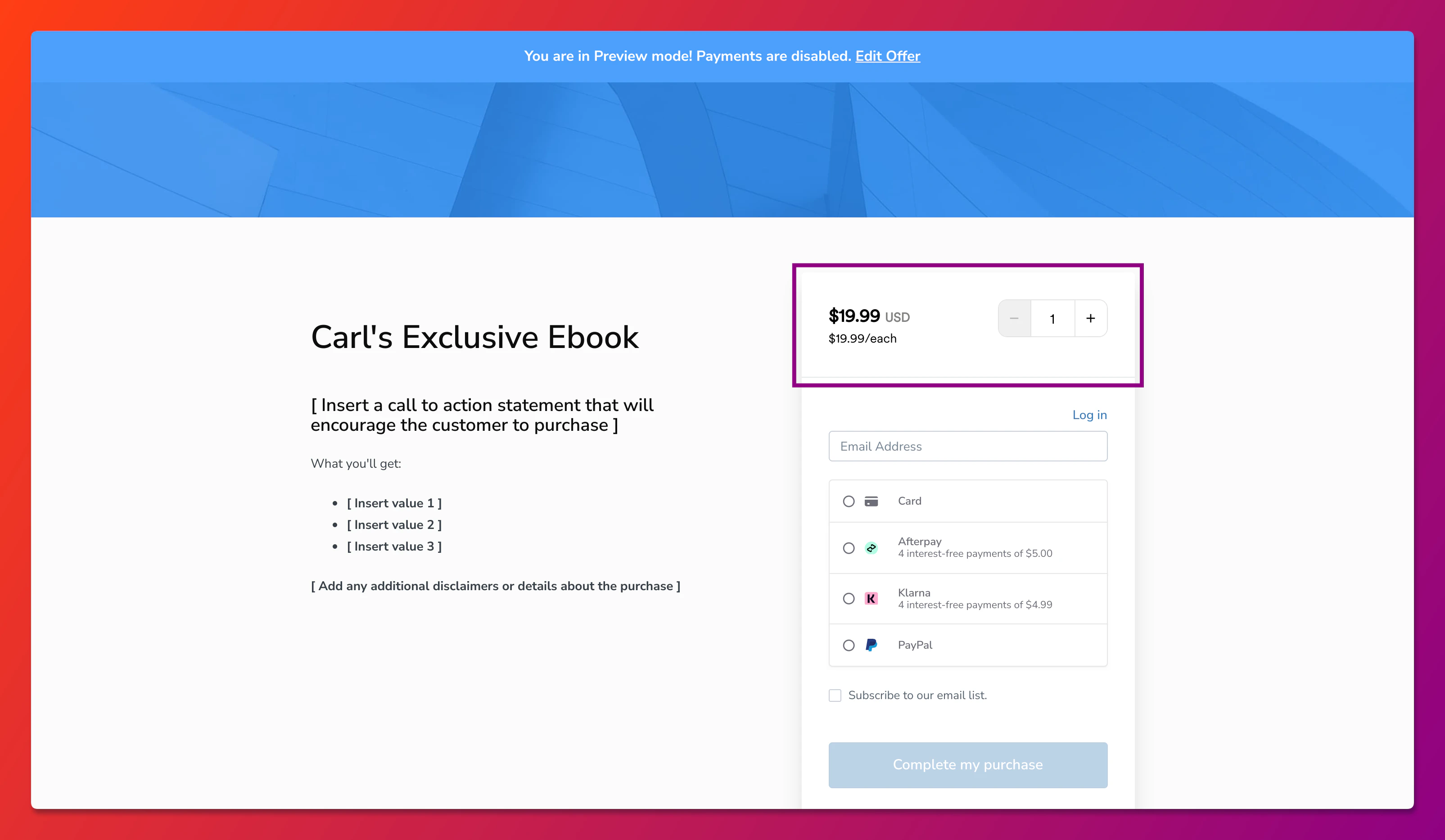
The **checkout quantity selector** allows your customers to purchase multiples of the same [one-time](/articles/sales/offers/how-to-create-a-one-time-payment-offer) offer through one easy checkout process. This is a great way to sell event tickets, coaching sessions, corporate packages, and more.
 **Note:** Only the buyer of the offer will be granted access to the product.
## Enable the checkout quantity selector
The checkout quantity selector can be enabled through each Offer's Pricing Details page.
An offer must first be [created](/articles/sales/offers/offers-overview) to enable the checkout quantity selector for that offer.
To enable the checkout quantity selector for an Offer:
1. From your Kajabi dashboard, select **Sales**
2. Navigate to **Pricing**
3. Select the Offer you wish to enable the CQS for
4. Click the **Pricing** tab.
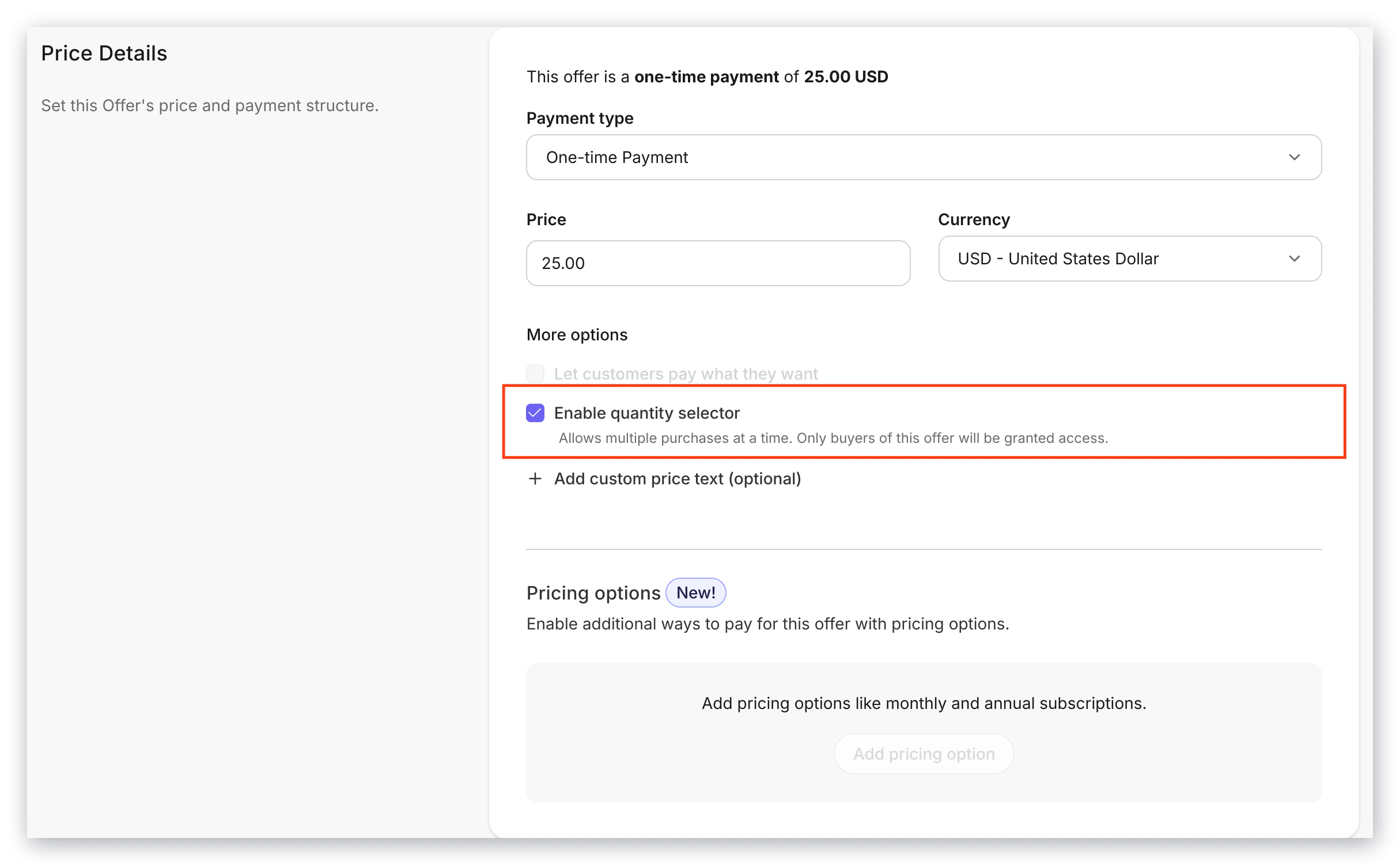
5. Check **Enable quantity selector**
6. Remember to hit **Save** to save your changes
**Note:** Only the buyer of the offer will be granted access to the product.
## Enable the checkout quantity selector
The checkout quantity selector can be enabled through each Offer's Pricing Details page.
An offer must first be [created](/articles/sales/offers/offers-overview) to enable the checkout quantity selector for that offer.
To enable the checkout quantity selector for an Offer:
1. From your Kajabi dashboard, select **Sales**
2. Navigate to **Pricing**
3. Select the Offer you wish to enable the CQS for
4. Click the **Pricing** tab.
5. Check **Enable quantity selector**
6. Remember to hit **Save** to save your changes