> ## Documentation Index
> Fetch the complete documentation index at: https://help.kajabi.com/llms.txt
> Use this file to discover all available pages before exploring further.
# How do existing customers purchase additional Offers?
> Existing customers can purchase additional Offers and add them to their existing account.
Existing customers of your site can purchase **additional Offers** from your site and have them added to their existing account. Your customers can purchase additional Offers from your Store page, your Sales pages, Funnels, and email marketing, and add their additional purchases to their Library.
## 2018 Checkout Template
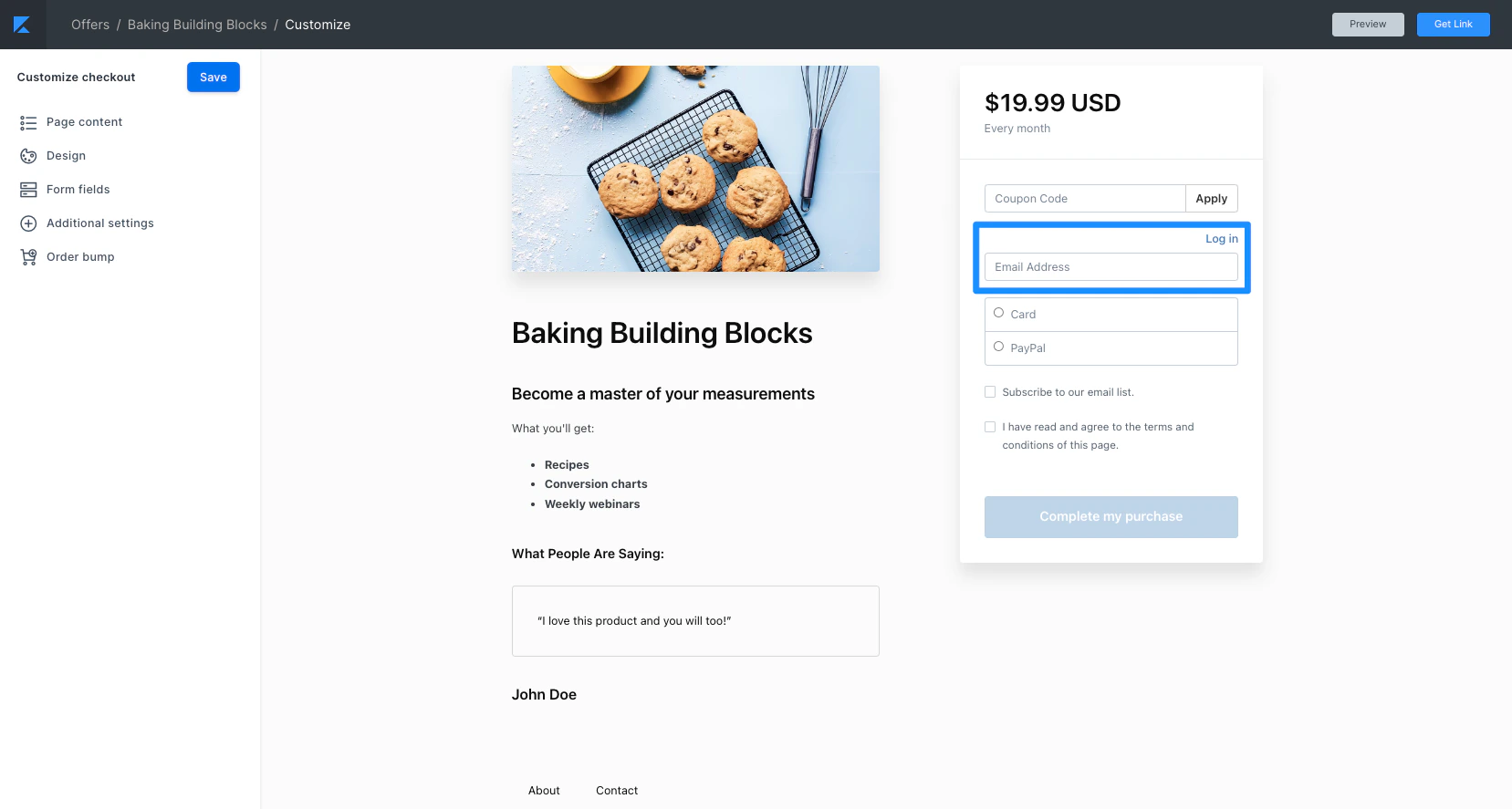
When existing customers attempt to purchase additional Offers from your site, they can add the Offer to their existing account by using the same email address used to purchase their previous Offer(s).
With Kajabi's Checkout, you can adjust the login requirement to customize your existing customers' experience when they want to purchase additional Products from your site.
[Learn to update your login requirement](/articles/sales/checkout/how-to-update-your-optional-login-requirement).
 **Tip:**
Add [Recommended Courses](/articles/website/pages/how-to-add-recommended-courses-to-the-library-with-premier) to your customers' Library to encourage additional purchases from your existing customers.
## 2016 Legacy Checkout Template
With the 2016 Legacy Checkout Template, your customers will be prompted to sign in if they have an existing account prior to purchasing:
**Tip:**
Add [Recommended Courses](/articles/website/pages/how-to-add-recommended-courses-to-the-library-with-premier) to your customers' Library to encourage additional purchases from your existing customers.
## 2016 Legacy Checkout Template
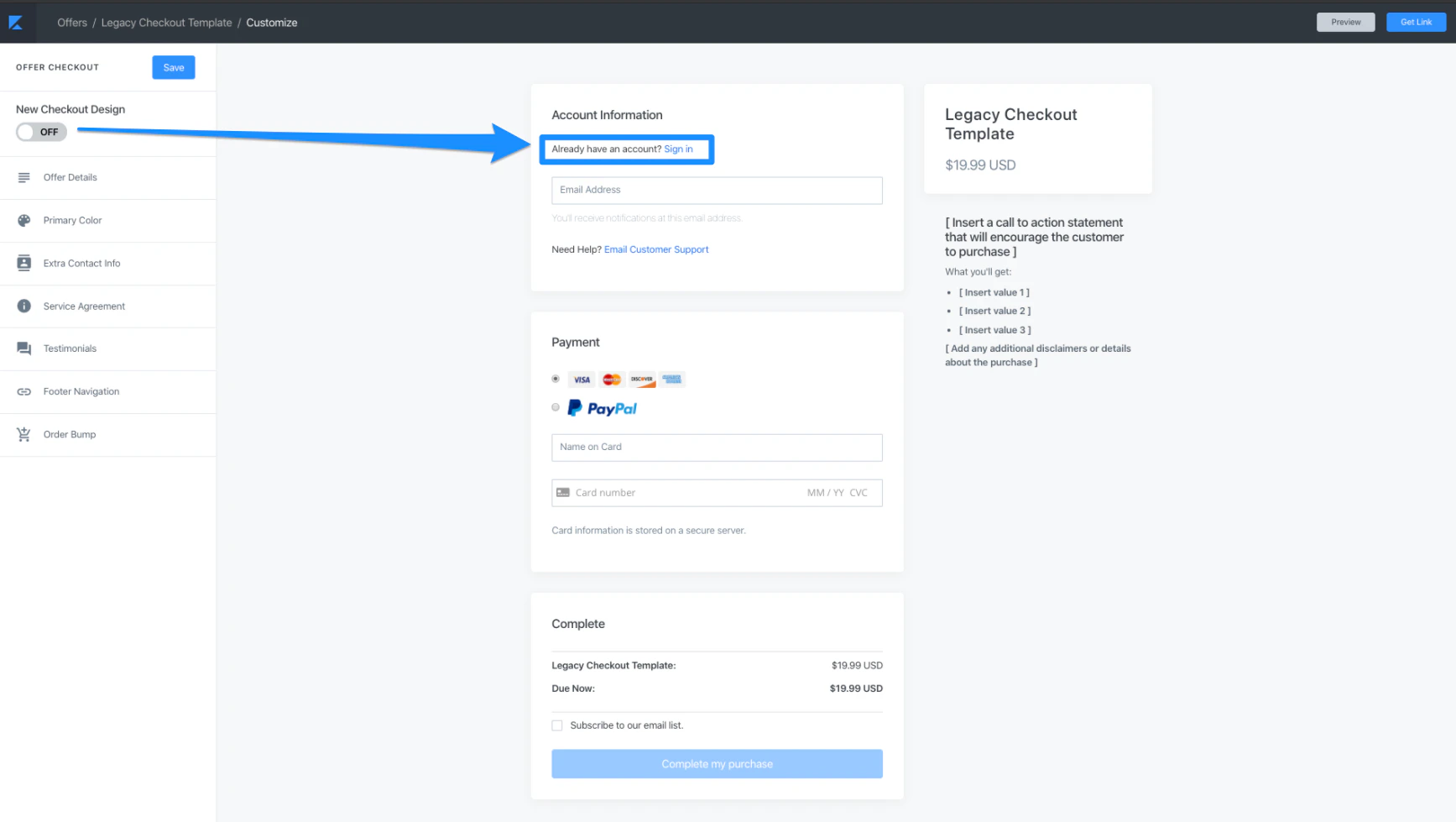
With the 2016 Legacy Checkout Template, your customers will be prompted to sign in if they have an existing account prior to purchasing:
 **Note:**
The [login requirement](/articles/sales/checkout/how-to-update-your-optional-login-requirement) cannot be adjusted if you are using the 2016 Legacy Checkout.
## Repurchasing Offers
If an existing customer wishes to repurchase an Offer they have previously purchased, their experience will vary depending on the Offer payment type:
* **[One-Time Payments](/articles/sales/offers/how-to-create-a-one-time-payment-offer)**: A one-time payment Offer can be purchased multiple times, but a prompt will display asking the customer if they wish to continue if they have already purchased the Offer previously. This prompt can be dismissed if they wish to repurchase the Offer.
* **[Payment Plans](/articles/sales/offers/create-a-payment-plan-offer)**: Similar to the One-Time Purchase, a Payment Plan Offer can be purchased multiple times, but the customer will encounter a prompt notifying them of their previous purchase.
* **[Recurring Subscription](/articles/sales/offers/how-to-create-a-subscription-offer)**: If a customer attempts to repurchase an active Recurring Subscription Offer associated with their account, Kajabi will simply redirect the customer to the Library after logging in.
**Note:**
The [login requirement](/articles/sales/checkout/how-to-update-your-optional-login-requirement) cannot be adjusted if you are using the 2016 Legacy Checkout.
## Repurchasing Offers
If an existing customer wishes to repurchase an Offer they have previously purchased, their experience will vary depending on the Offer payment type:
* **[One-Time Payments](/articles/sales/offers/how-to-create-a-one-time-payment-offer)**: A one-time payment Offer can be purchased multiple times, but a prompt will display asking the customer if they wish to continue if they have already purchased the Offer previously. This prompt can be dismissed if they wish to repurchase the Offer.
* **[Payment Plans](/articles/sales/offers/create-a-payment-plan-offer)**: Similar to the One-Time Purchase, a Payment Plan Offer can be purchased multiple times, but the customer will encounter a prompt notifying them of their previous purchase.
* **[Recurring Subscription](/articles/sales/offers/how-to-create-a-subscription-offer)**: If a customer attempts to repurchase an active Recurring Subscription Offer associated with their account, Kajabi will simply redirect the customer to the Library after logging in.