> ## Documentation Index
> Fetch the complete documentation index at: https://help.kajabi.com/llms.txt
> Use this file to discover all available pages before exploring further.
# Create a one-time payment Offer
> Set up a one-time payment plan so customers can purchase an Offer with a single payment.
Create a **one-time payment** plan for customers to purchase your Offer with a single payment in order to gain access to your content, services, events, and more.
## Edit the price: One-time payment
Create a one-time payment price for customers to purchase the Product(s) included with the Offer with a single purchase price (i.e., they don't have a recurring payment).
**Note:** Be sure to connect your site to Kajabi Payments or your Stripe or PayPal account to edit your Offer price.
### To create a one-time payment price
1. Open the **Sales** tab from the Dashboard
2. Click **Pricing**
3. Select the Offer you wish to edit or [create a new one](/articles/sales/offers/create-an-offer)
4. Then, navigate to **Offer Details** and click **Edit**
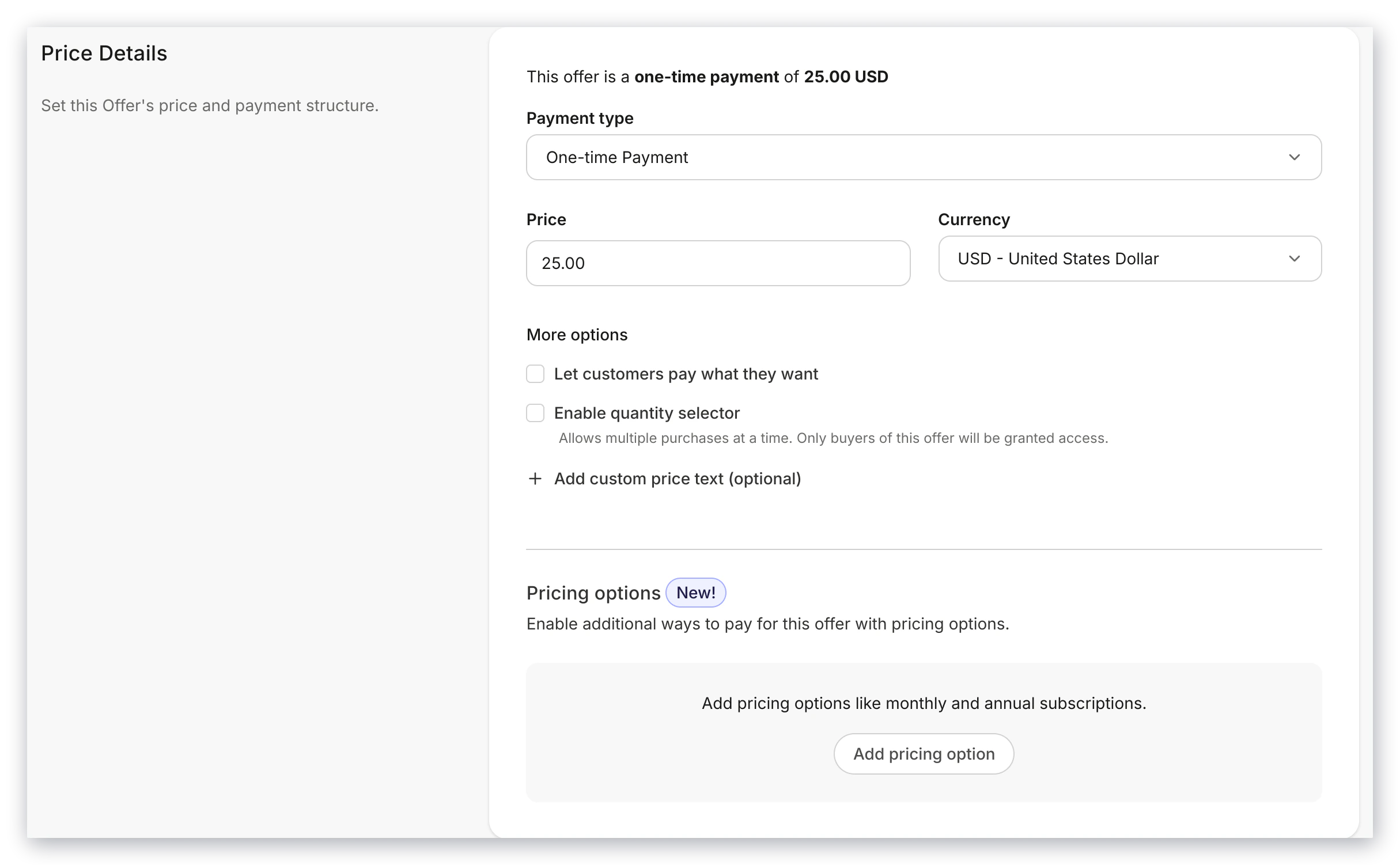
5. Scroll to the Price Details section
6. Click the **Payment Type** field
7. Select **One-Time Payment**
8. Customize your One-Time Payment Pricing
9. Be sure to click **Save** to keep and apply your changes
## Customize the one-time payment Offer
With the one-time payment price, your customers will be charged immediately after checkout and will be given access to all Products attached to the Offer.
### Specify the one-time payment details
* **Price** - Must be \$0.50 USD or greater
* **Currency** - Select the currency for the Offer
* **Payment Method** - If you have [connected Kajabi Payments, Stripe and/or PayPal](/articles/sales/offers/how-to-turn-on-a-payment-provider-for-your-offers) to Kajabi, specify the payment processor available to purchase the Offer
* **Price text override** - Describe the price of the Offer (optional)
 After completing your Offer, edit and preview your Checkout Page. [Learn more](/articles/sales/checkout/customize-your-checkout-page)